Retail, wholesale and chain profiles: outlet readiness, customer safety, racks, cold chain, product traceability and recalls.
Search by function, activity, role or workflow action.
Browse by operating domain
Dedicated workspace
Issue a batch recall, reconcile each outlet with evidence, independently verify the POS sale block and close through HQ assurance.
Use the standard User Guide button in the topbar whenever you need help. All industry instructions are maintained here.
01START HEREYour workflow from setup to closureWho does what, in which order, and how source controls apply.
Set up access and working scope
The organization administrator selects the industry, enables available workspaces and assigns roles with organization-unit scope. Additional workspaces can be disabled from Industry workspaces; the default workspace cannot be disabled. Disabling retains records and history. Package entitlements still control available functions.
Activity workflow
Create the activity with its operating context, location, owner, planned dates and internal, contractor or mixed workforce.
Open Detail, complete the readiness checks, resolve failed checks and attach evidence that passes scanning. Use Work controls to link saved records from the correct organization unit.
Submit for review. A reviewer independent of the creator and owner approves the activity.
Start within the approved date window. Permit-required work also needs a directly linked active PTW within its validity window.
Complete the work, attach completion evidence and request verification. An independent reviewer closes it after directly linked PTW and CAPA are resolved.
Open shared modules without leaving your industry
Open your industry workspace and select the required module from the grouped menu, such as HIRARC, Permit to work, CAPA or Assets & certificates. Resources → Shared services lists the available connections.
The register opens within the industry page. Select Open workspace to review a record and follow its linked Work Package, JSA, permit or other source record in the same industry context.
Use New record, Add, Edit or Renew where available. The original form opens in a modal. Select the correct site and organization unit; registers follow the module’s filters and your authorized scope.
Save or submit through the form’s existing controls. Required evidence, assignment, status and independent approval still apply. Use Close at the upper right to dismiss the form; closing a modal does not close the business record.
Use the record’s Print / PDF control for its controlled document. Printing and downloads open separately. On mobile the same forms fill the screen, with scrollable content and accessible Close controls.
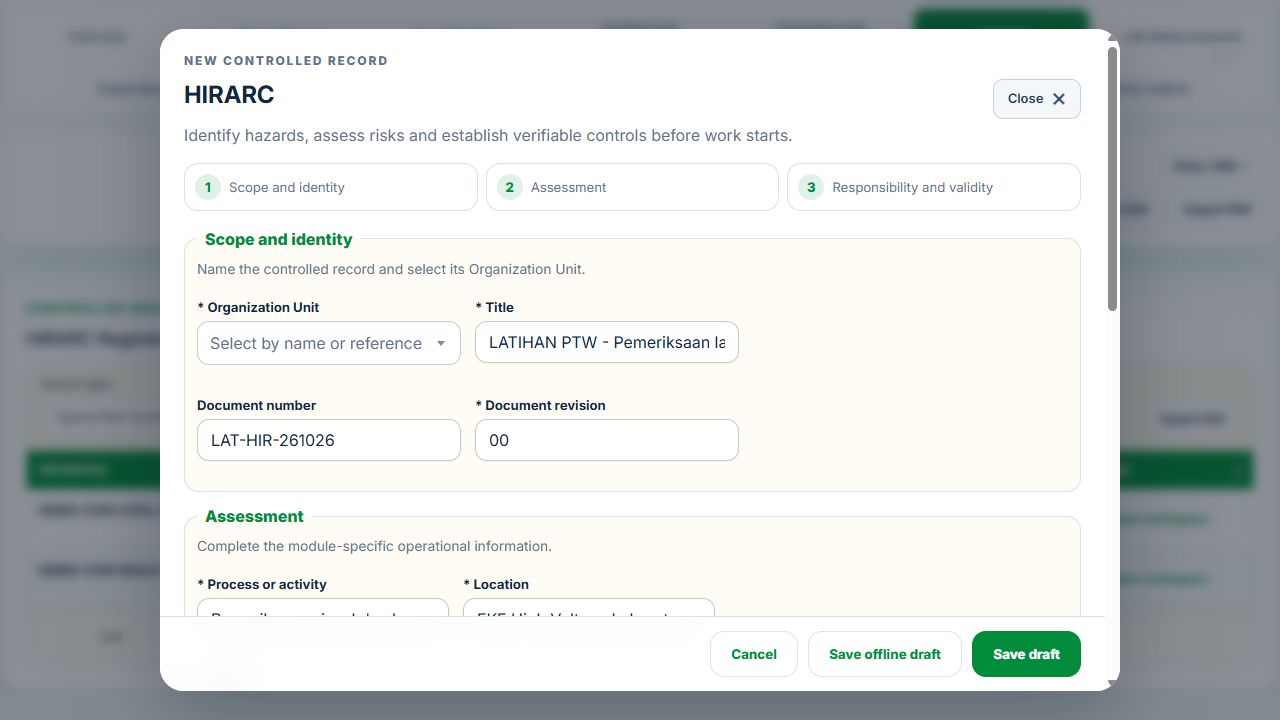
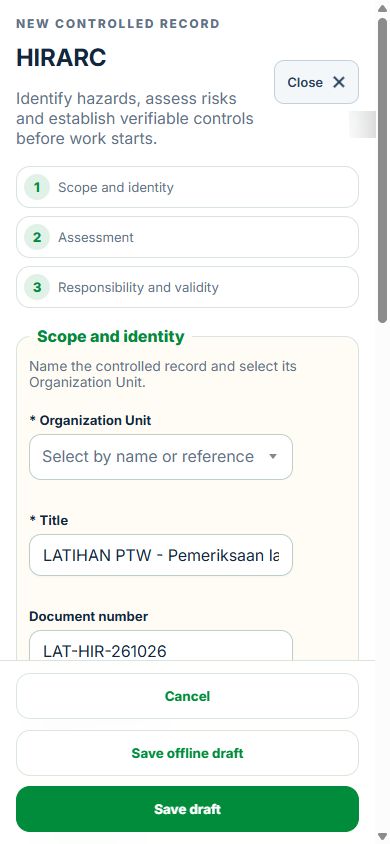
Desktop · Original HIRARC form and Close controlMobile · Same fields and actions, full-screen form
How linked controls work
Work controls shows the source record, current status, direct links and dependencies reached through a Work Package or PTW. A typed reference does not create a relationship. Activity approval does not approve a Work Package, verify LOTO or activate a permit. Follow each source record's own approval and release workflow; reopen Detail to refresh its status.
Use Add and Edit to open the permitted form. Detail holds evidence, linked records, workflow and history. On mobile, table rows become labeled cards with the same actions.
Retail & Wholesale · three profiles
Choose Retail & Store, Wholesale & Cash-and-Carry or Supermarket & Retail Chain below the workspace title. Selection opens immediately. The profile changes overview priorities; source permissions and approvals continue to apply.
Set up HQ, region and outlet scopes using existing organization units. Register outlet locations, departments, aisles, bays and cold rooms and link shared GIS coordinates.
Create opening, customer, crowd, rack, MHE or food reviews. Link the requested HIRARC, Inspection, Equipment, competency and emergency records. Save a draft, attach evidence, submit and obtain independent acceptance.
Map each activity to its exact location and readiness review. Work controls show source status and blocking reasons. Internal, contractor and mixed work use the existing Work Package → JSA → applicable PTW / LOTO workflow.
Equipment, certificates & reopening
Assets opens the shared Equipment register filtered to Retail. Add, edit, renew certificates and complete maintenance there. Critical failures create a shared maintenance record and restrict the same asset. Complete and independently verify its repair, close the actual Work Package, PTW and restored LOTO, then accept Retail maintenance release before Equipment return to service.
An area restriction needs a new accepted passing check, completed inspection and closed CAPA before independent reopening. Retain the original failure and all revisions. Changed or expired source evidence requires reassessment.
Products, batch holds & recall
HQ registers one SKU/GTIN and immutable batch identity. Record dated stock observations per location; leave unknown quantities blank. Central product compliance is maintained once and branch verification references it.
Issue a recall for a batch. Each registered outlet receives its own action record and hold. Stock observations older than 24 hours do not establish a reliable quantity. Include newly registered outlets before closure.
Acknowledge, confirm the total identified quantity with evidence, quarantine additional stock, and record return/disposal from quarantined quantities. The system rejects over-recovery and duplicate retries.
HSE holds do not control the external POS. An independent verifier records the actual POS sale-block evidence and reference. An independent HQ reviewer can close only after every outlet is reconciled and distribution scope is confirmed. Recalled stock cannot be released for sale locally.
Cold chain, consumer safeguards & compliance
Use accepted monitoring plans with justified temperature limits and intervals. Excursions hold the exact batch. A later passing reading does not automatically release stock; independent disposition is required. Track expiry classification, food-handler eligibility, pests, shelf/POS price differences, trade scales, controlled goods, claims and licence renewals. Screening creates pending applicability assessments linked to authoritative Legal records.
Overview, reports & integration inbox
KPI cards, event graphs, verified hours, outlet readiness, recall progress and GIS use authorized source records. Worker TRIR/LTIFR uses verified hours and complete site-month reports; customer event rates use verified footfall separately. Missing denominators stay unavailable. Reports export scoped CSV/PDF.
Mapped POS/WMS/ERP/HR/LMS/CMMS imports enter staging and create drafts after review. Sensor CSV/JSON observations require reconciliation with matching accepted monitoring evidence. Live vendor connections require separate endpoint and credential setup. SITI summarizes scoped evidence; it cannot approve reviews or remove holds.
Enable a location reporting link to download a revocable QR code. Public reports use the existing event intake, receipt email and report-status workflow.
02Retail & Wholesale OperationsOverview, scope and navigationStart with the right operating context.
How to use this section
Open the enabled industry from the navigation rail or the mobile More menu. Expand the grouped top menu to choose the next stage of work.
Select the organization unit and available project, factory or site context. KPI cards, graphs, maps and registers reflect the scope supported by that workspace.
Follow a KPI or source link to the underlying record. A missing or incomplete reporting value is not an assumed zero.
On mobile, registers become labeled cards. Use the same Detail, Edit and permitted workflow controls from each card.
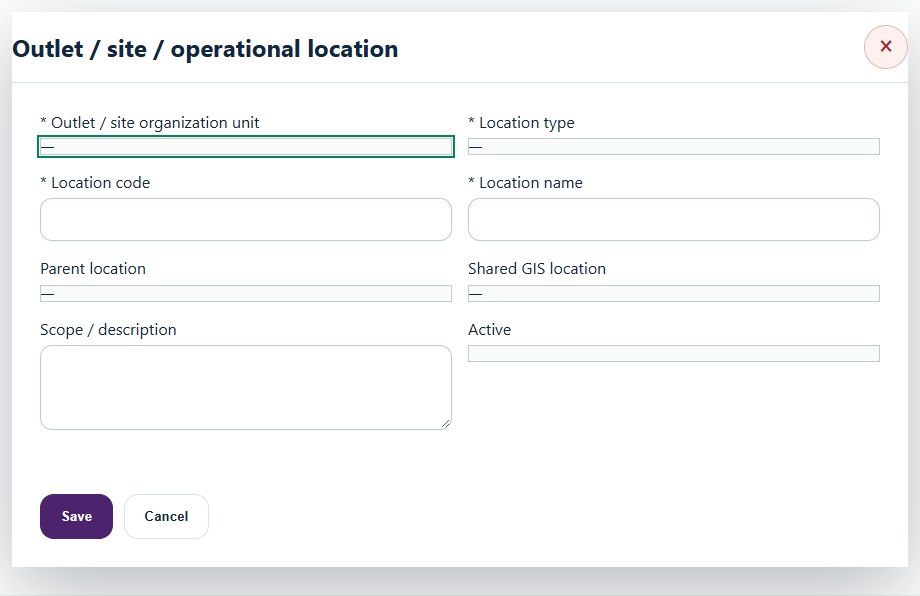
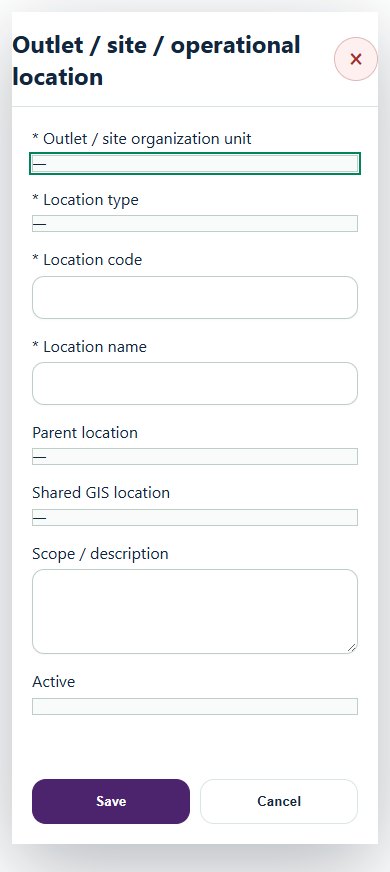
Desktop · Outlet / site / operational locationMobile · Outlet / site / operational location
03Retail & Wholesale OperationsOutlet operating profiles & responsibilitiesPrepare a source-linked assurance record and obtain independent acceptance.
How to use this section
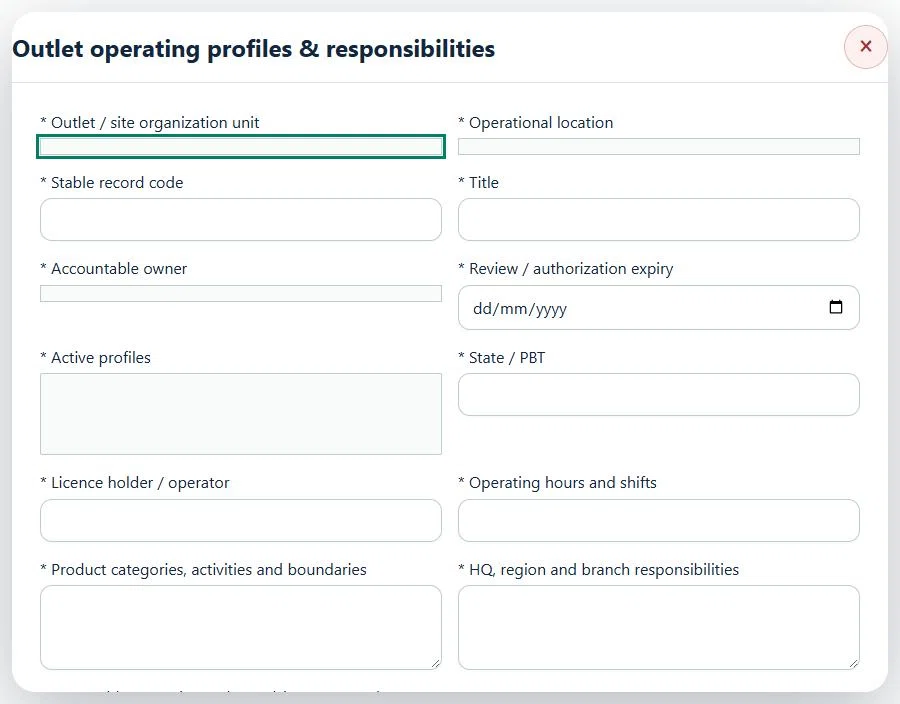
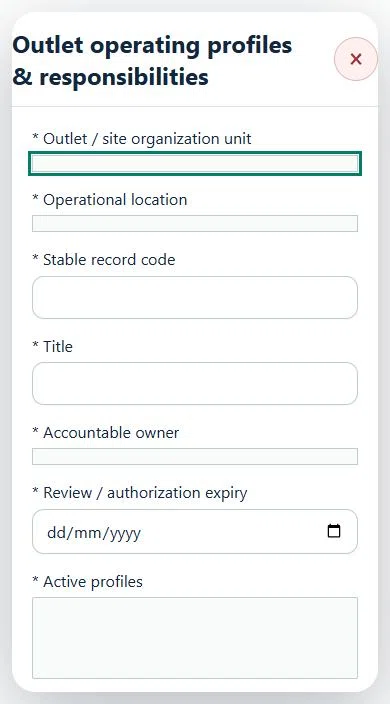
Select the operating context, owner and review due date. Record: Active profiles; State / PBT; Licence holder / operator; Operating hours and shifts; Product categories, activities and boundaries; HQ, region and branch responsibilities.
Link the relevant saved source records and any required accepted dependencies. Save the draft and attach supporting evidence in Detail.
Submit for independent review; resolve rejected or incomplete evidence before resubmitting. Acceptance does not approve or release the linked source work.
Use a new revision for changes to accepted records. Follow source links to resolve expired evidence, changed sources or failed prerequisites before progressing work.
Desktop · Outlet operating profiles & responsibilities · Highlight: * Outlet / site organization unitMobile · Outlet operating profiles & responsibilities · Highlight: * Outlet / site organization unit
04Retail & Wholesale OperationsCustomer & public safetyPrepare a source-linked assurance record and obtain independent acceptance.
How to use this section
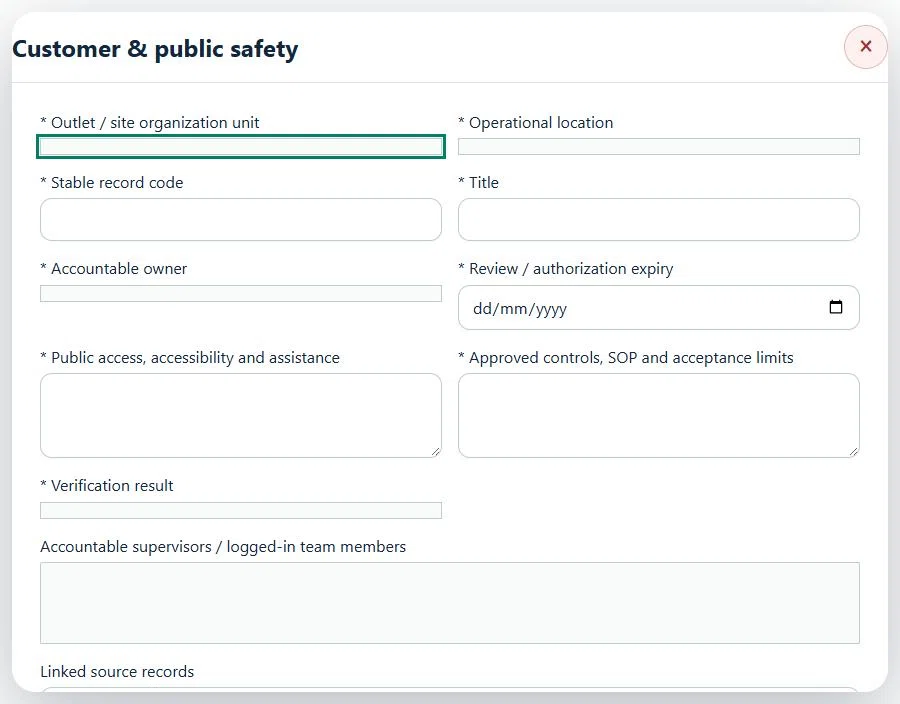
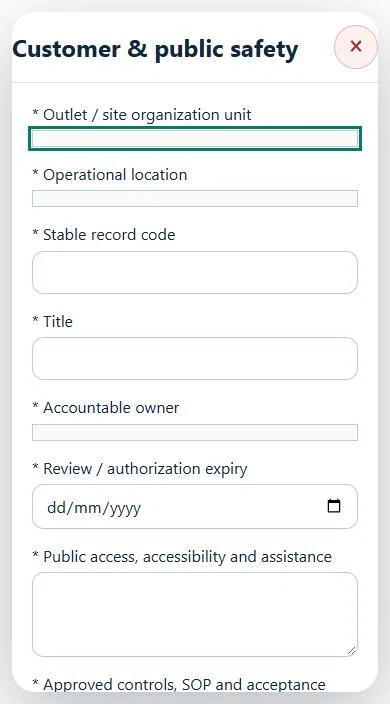
Select the operating context, owner and review due date. Record: Public access, accessibility and assistance; Approved controls, SOP and acceptance limits; Verification result.
Link the relevant saved source records and any required accepted dependencies. Save the draft and attach supporting evidence in Detail.
Submit for independent review; resolve rejected or incomplete evidence before resubmitting. Acceptance does not approve or release the linked source work.
Use a new revision for changes to accepted records. Follow source links to resolve expired evidence, changed sources or failed prerequisites before progressing work.
Desktop · Customer & public safety · Highlight: * Outlet / site organization unitMobile · Customer & public safety · Highlight: * Outlet / site organization unit
Customer & public safety
Record these details: Operation scope and source references · Shift / planned window
Readiness checks
Current risk assessment and source controls checked
Assigned internal / contractor workforce is eligible
Operational evidence and restrictions reviewed
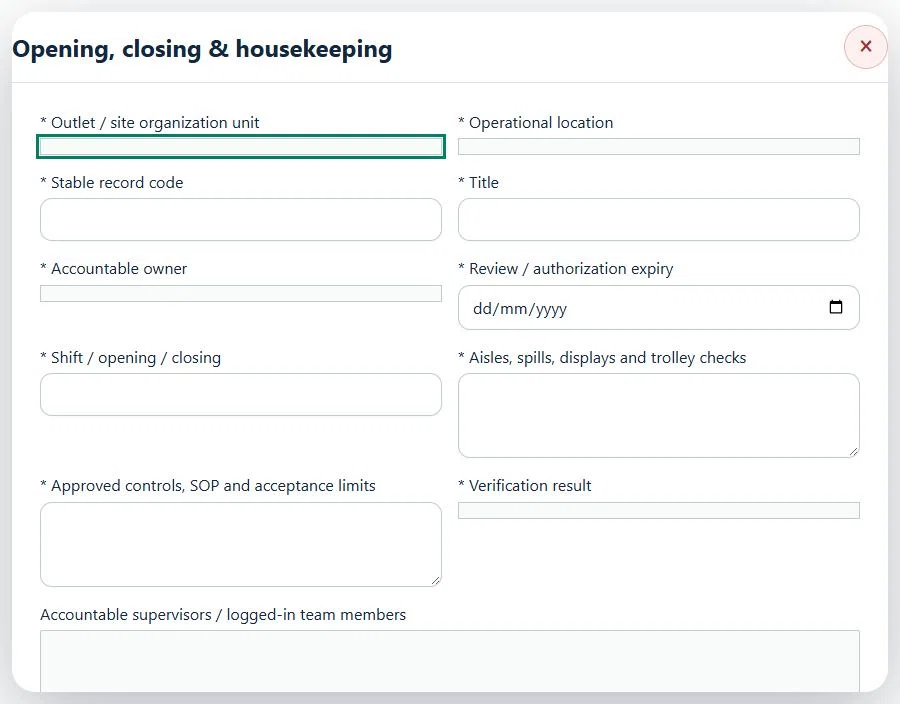
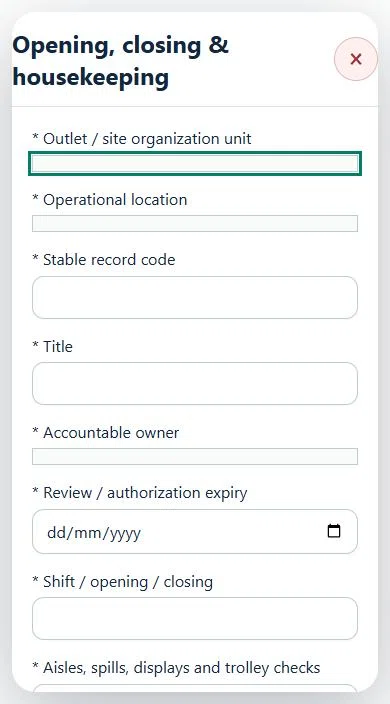
05Retail & Wholesale OperationsOpening, closing & housekeepingPrepare a source-linked assurance record and obtain independent acceptance.
How to use this section
Select the operating context, owner and review due date. Record: Shift / opening / closing; Aisles, spills, displays and trolley checks; Approved controls, SOP and acceptance limits; Verification result.
Link the relevant saved source records and any required accepted dependencies. Save the draft and attach supporting evidence in Detail.
Submit for independent review; resolve rejected or incomplete evidence before resubmitting. Acceptance does not approve or release the linked source work.
Use a new revision for changes to accepted records. Follow source links to resolve expired evidence, changed sources or failed prerequisites before progressing work.
Desktop · Opening, closing & housekeeping · Highlight: * Outlet / site organization unitMobile · Opening, closing & housekeeping · Highlight: * Outlet / site organization unit
Opening, closing & housekeeping
Record these details: Operation scope and source references · Shift / planned window
Readiness checks
Current risk assessment and source controls checked
Assigned internal / contractor workforce is eligible
Operational evidence and restrictions reviewed
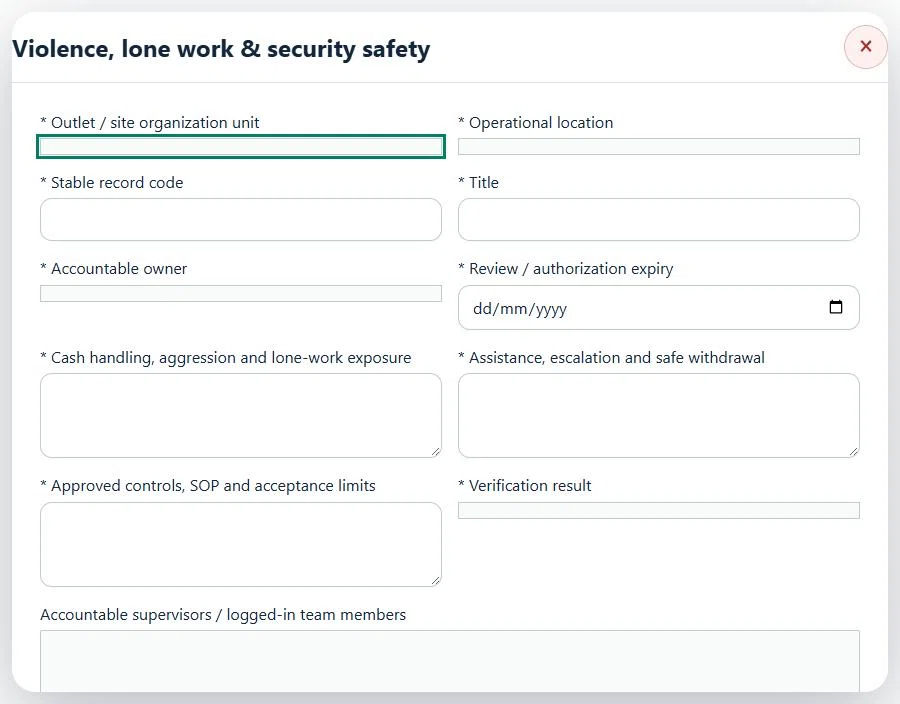
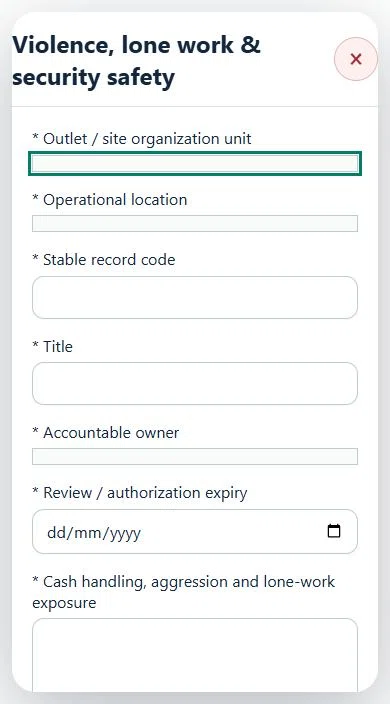
06Retail & Wholesale OperationsViolence, lone work & security safetyPrepare a source-linked assurance record and obtain independent acceptance.
How to use this section
Select the operating context, owner and review due date. Record: Cash handling, aggression and lone-work exposure; Assistance, escalation and safe withdrawal; Approved controls, SOP and acceptance limits; Verification result.
Link the relevant saved source records and any required accepted dependencies. Save the draft and attach supporting evidence in Detail.
Submit for independent review; resolve rejected or incomplete evidence before resubmitting. Acceptance does not approve or release the linked source work.
Use a new revision for changes to accepted records. Follow source links to resolve expired evidence, changed sources or failed prerequisites before progressing work.
Desktop · Violence, lone work & security safety · Highlight: * Outlet / site organization unitMobile · Violence, lone work & security safety · Highlight: * Outlet / site organization unit
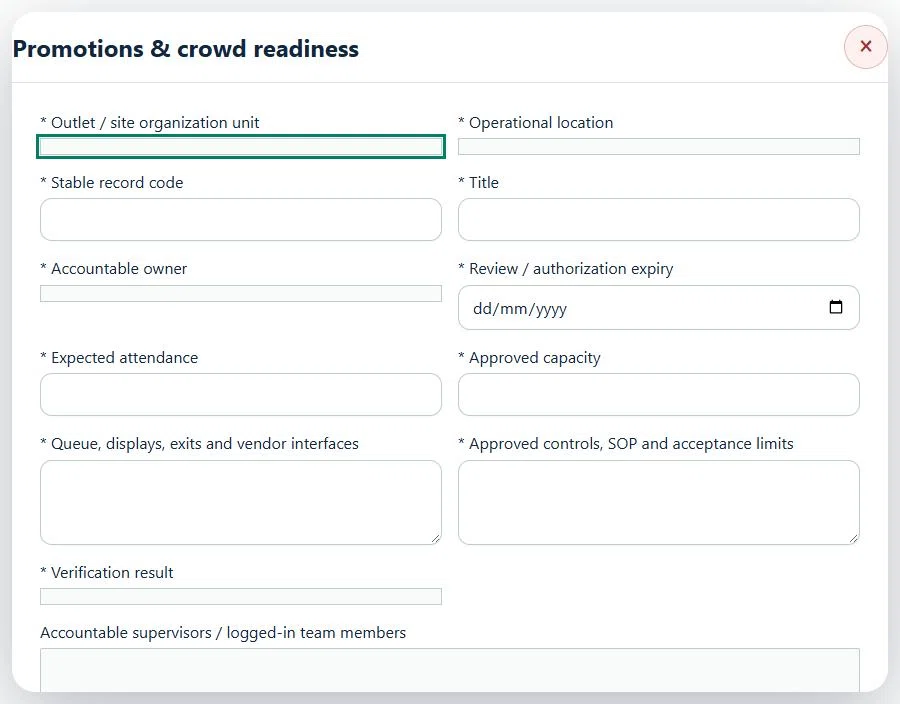
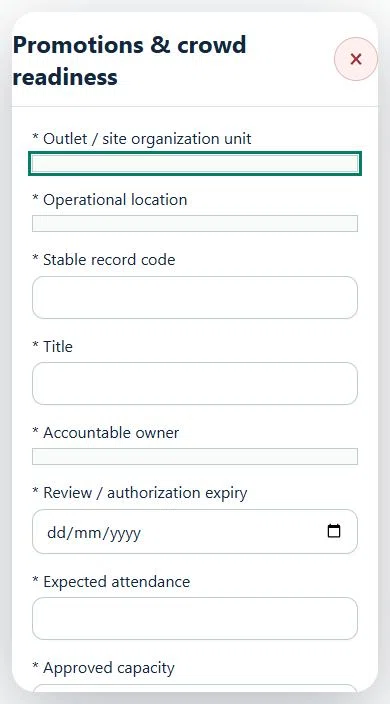
07Retail & Wholesale OperationsPromotions & crowd readinessPrepare a source-linked assurance record and obtain independent acceptance.
How to use this section
Select the operating context, owner and review due date. Record: Expected attendance; Approved capacity; Queue, displays, exits and vendor interfaces; Approved controls, SOP and acceptance limits; Verification result.
Link the relevant saved source records and any required accepted dependencies. Save the draft and attach supporting evidence in Detail.
Submit for independent review; resolve rejected or incomplete evidence before resubmitting. Acceptance does not approve or release the linked source work.
Use a new revision for changes to accepted records. Follow source links to resolve expired evidence, changed sources or failed prerequisites before progressing work.
Desktop · Promotions & crowd readiness · Highlight: * Outlet / site organization unitMobile · Promotions & crowd readiness · Highlight: * Outlet / site organization unit
Promotions & crowd readiness
Record these details: Operation scope and source references · Shift / planned window
Readiness checks
Current risk assessment and source controls checked
Assigned internal / contractor workforce is eligible
Operational evidence and restrictions reviewed
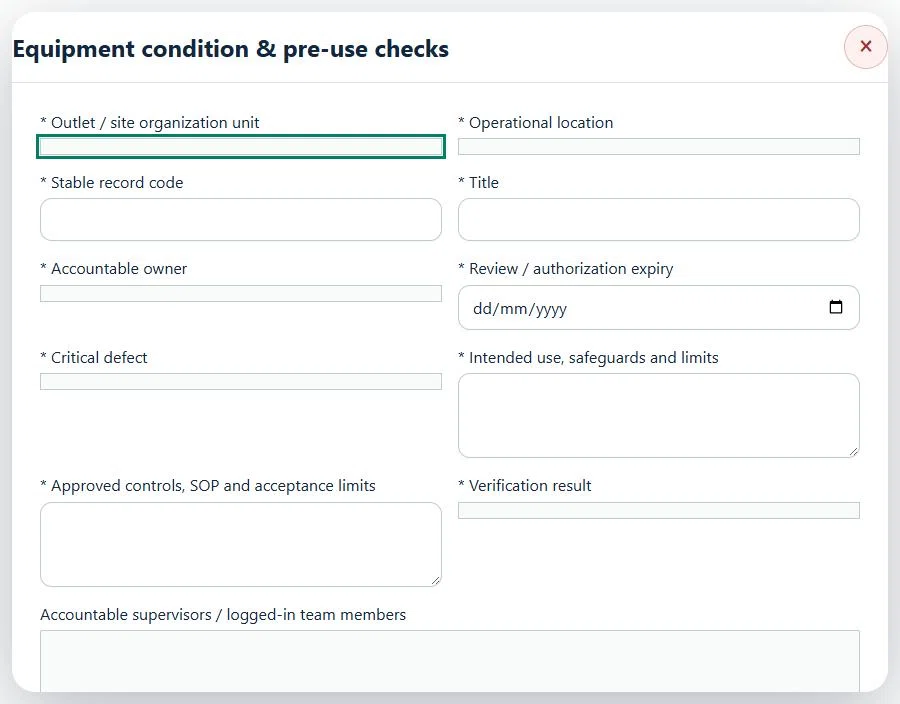
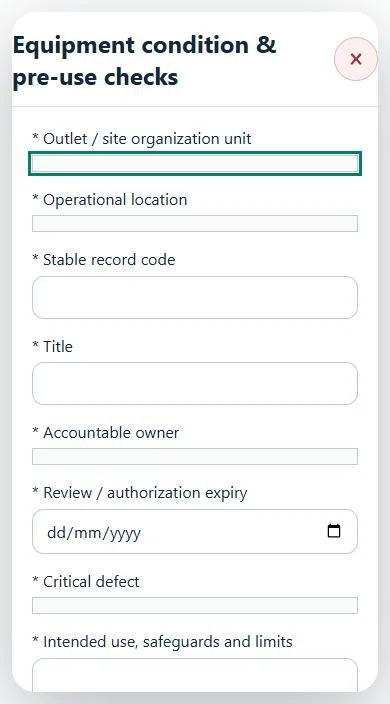
08Retail & Wholesale OperationsEquipment condition & pre-use checksPrepare a source-linked assurance record and obtain independent acceptance.
How to use this section
Select the operating context, owner and review due date. Record: Critical defect; Intended use, safeguards and limits; Approved controls, SOP and acceptance limits; Verification result.
Link the relevant saved source records and any required accepted dependencies. Save the draft and attach supporting evidence in Detail.
Submit for independent review; resolve rejected or incomplete evidence before resubmitting. Acceptance does not approve or release the linked source work.
Use a new revision for changes to accepted records. Follow source links to resolve expired evidence, changed sources or failed prerequisites before progressing work.
Desktop · Equipment condition & pre-use checks · Highlight: * Outlet / site organization unitMobile · Equipment condition & pre-use checks · Highlight: * Outlet / site organization unit
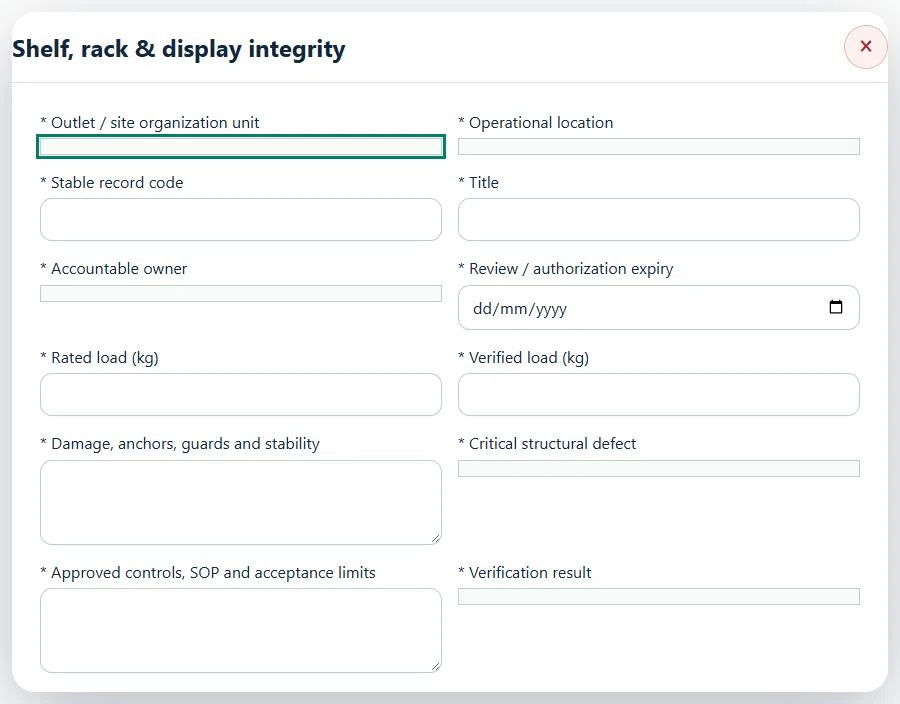
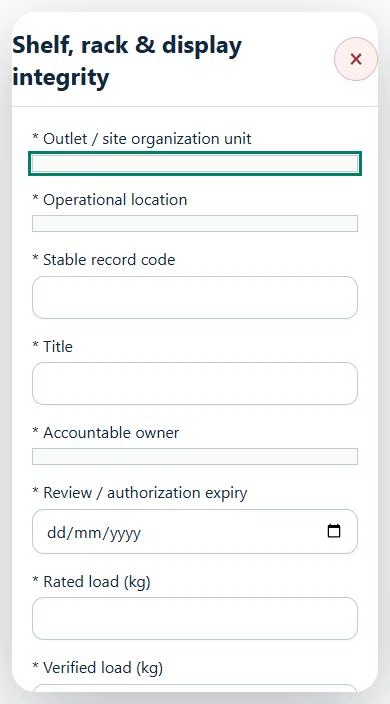
09Retail & Wholesale OperationsShelf, rack & display integrityPrepare a source-linked assurance record and obtain independent acceptance.
How to use this section
Select the operating context, owner and review due date. Record: Rated load (kg); Verified load (kg); Damage, anchors, guards and stability; Critical structural defect; Approved controls, SOP and acceptance limits; Verification result.
Link the relevant saved source records and any required accepted dependencies. Save the draft and attach supporting evidence in Detail.
Submit for independent review; resolve rejected or incomplete evidence before resubmitting. Acceptance does not approve or release the linked source work.
Use a new revision for changes to accepted records. Follow source links to resolve expired evidence, changed sources or failed prerequisites before progressing work.
Desktop · Shelf, rack & display integrity · Highlight: * Outlet / site organization unitMobile · Shelf, rack & display integrity · Highlight: * Outlet / site organization unit
Shelf, rack & display integrity
Record these details: Operation scope and source references · Shift / planned window
Readiness checks
Current risk assessment and source controls checked
Assigned internal / contractor workforce is eligible
Operational evidence and restrictions reviewed
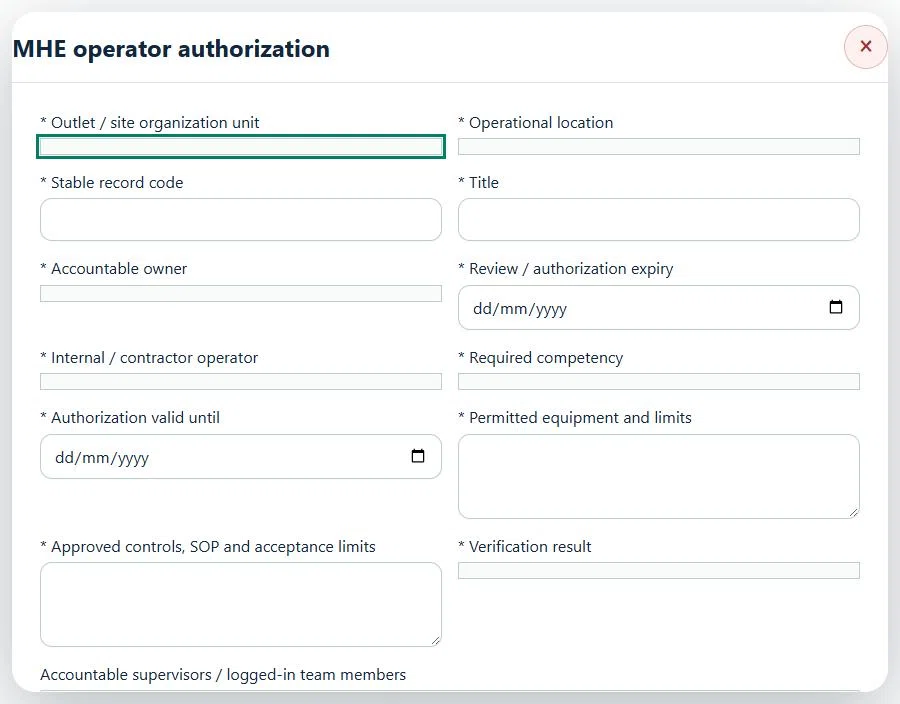
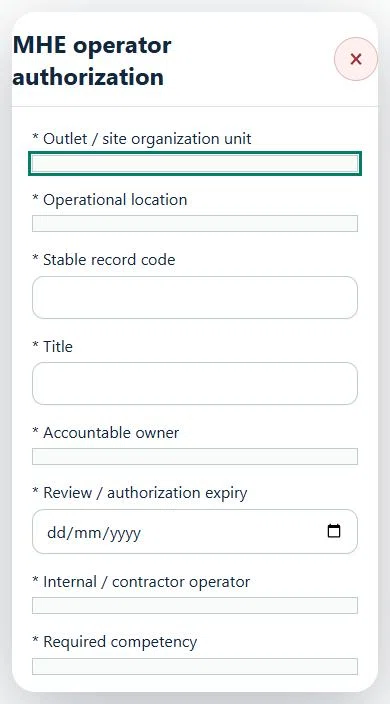
10Retail & Wholesale OperationsMHE operator authorizationPrepare a source-linked assurance record and obtain independent acceptance.
How to use this section
Select the operating context, owner and review due date. Record: Internal / contractor operator; Required competency; Authorization valid until; Permitted equipment and limits; Approved controls, SOP and acceptance limits; Verification result.
Link the relevant saved source records and any required accepted dependencies. Save the draft and attach supporting evidence in Detail.
Submit for independent review; resolve rejected or incomplete evidence before resubmitting. Acceptance does not approve or release the linked source work.
Use a new revision for changes to accepted records. Follow source links to resolve expired evidence, changed sources or failed prerequisites before progressing work.
Desktop · MHE operator authorization · Highlight: * Outlet / site organization unitMobile · MHE operator authorization · Highlight: * Outlet / site organization unit
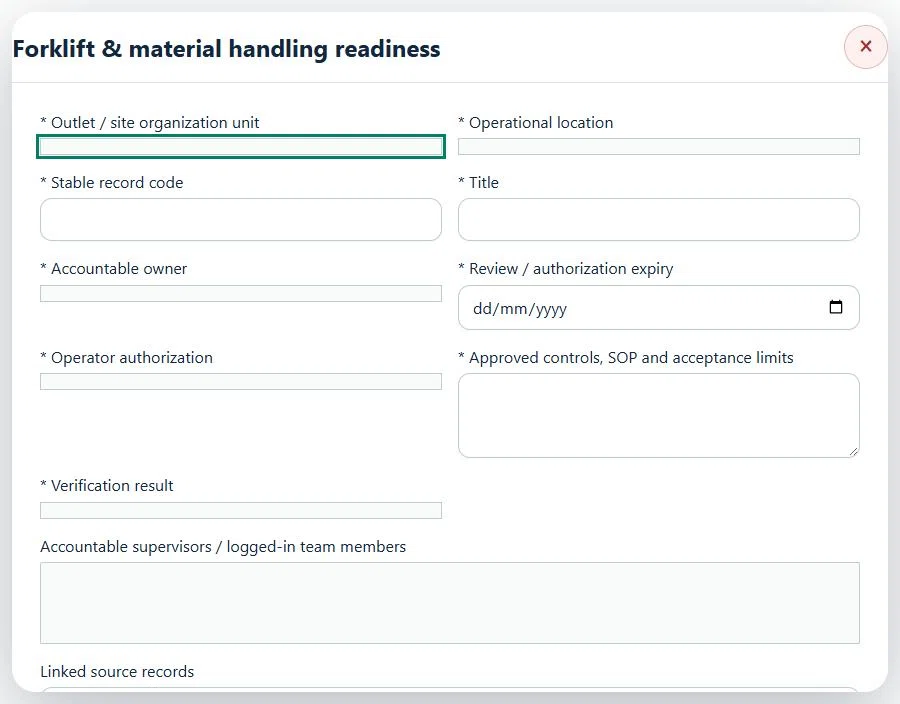
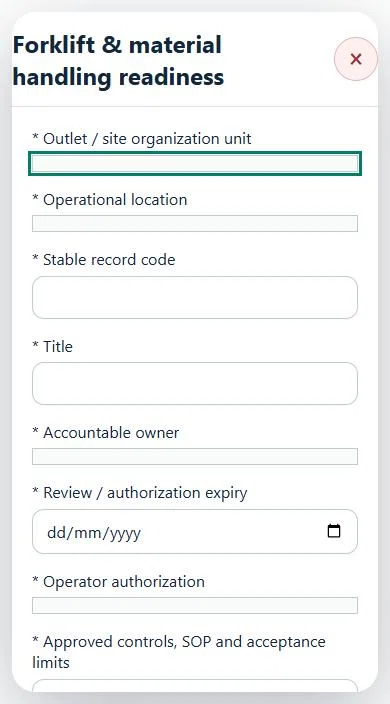
11Retail & Wholesale OperationsForklift & material handling readinessPrepare a source-linked assurance record and obtain independent acceptance.
How to use this section
Select the operating context, owner and review due date. Record: Operator authorization; Approved controls, SOP and acceptance limits; Verification result.
Link the relevant saved source records and any required accepted dependencies. Save the draft and attach supporting evidence in Detail.
Submit for independent review; resolve rejected or incomplete evidence before resubmitting. Acceptance does not approve or release the linked source work.
Use a new revision for changes to accepted records. Follow source links to resolve expired evidence, changed sources or failed prerequisites before progressing work.
Desktop · Forklift & material handling readiness · Highlight: * Outlet / site organization unitMobile · Forklift & material handling readiness · Highlight: * Outlet / site organization unit
Forklift & material handling readiness
Record these details: Operation scope and source references · Shift / planned window
Readiness checks
Current risk assessment and source controls checked
Assigned internal / contractor workforce is eligible
Operational evidence and restrictions reviewed
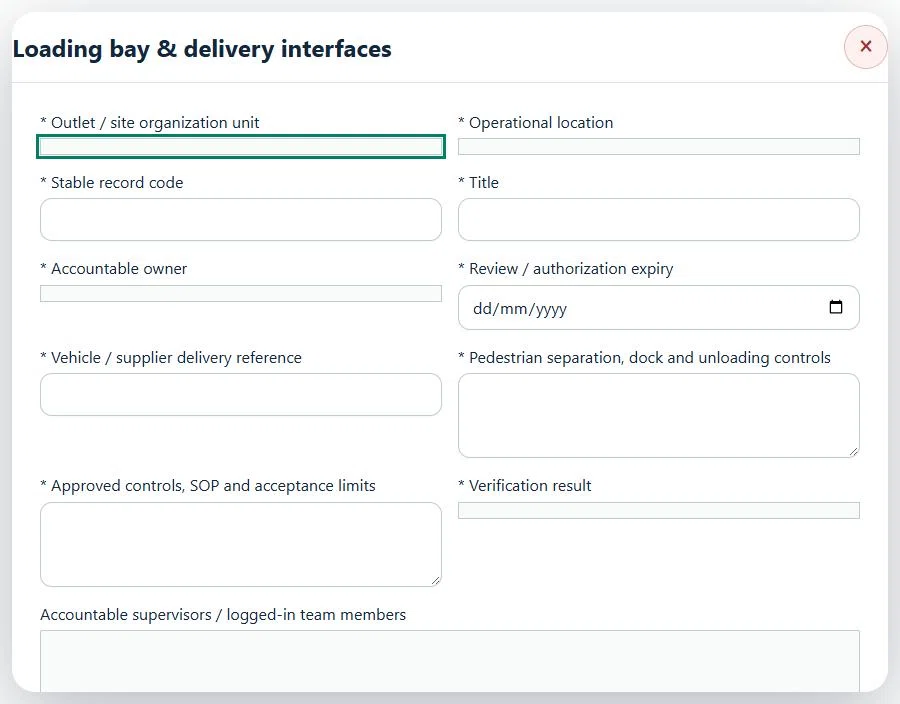
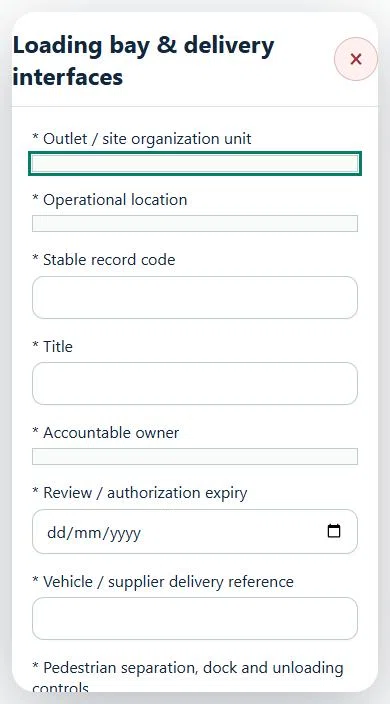
12Retail & Wholesale OperationsLoading bay & delivery interfacesPrepare a source-linked assurance record and obtain independent acceptance.
How to use this section
Select the operating context, owner and review due date. Record: Vehicle / supplier delivery reference; Pedestrian separation, dock and unloading controls; Approved controls, SOP and acceptance limits; Verification result.
Link the relevant saved source records and any required accepted dependencies. Save the draft and attach supporting evidence in Detail.
Submit for independent review; resolve rejected or incomplete evidence before resubmitting. Acceptance does not approve or release the linked source work.
Use a new revision for changes to accepted records. Follow source links to resolve expired evidence, changed sources or failed prerequisites before progressing work.
Desktop · Loading bay & delivery interfaces · Highlight: * Outlet / site organization unitMobile · Loading bay & delivery interfaces · Highlight: * Outlet / site organization unit
Loading bay & delivery interfaces
Record these details: Operation scope and source references · Shift / planned window
Readiness checks
Current risk assessment and source controls checked
Assigned internal / contractor workforce is eligible
Operational evidence and restrictions reviewed
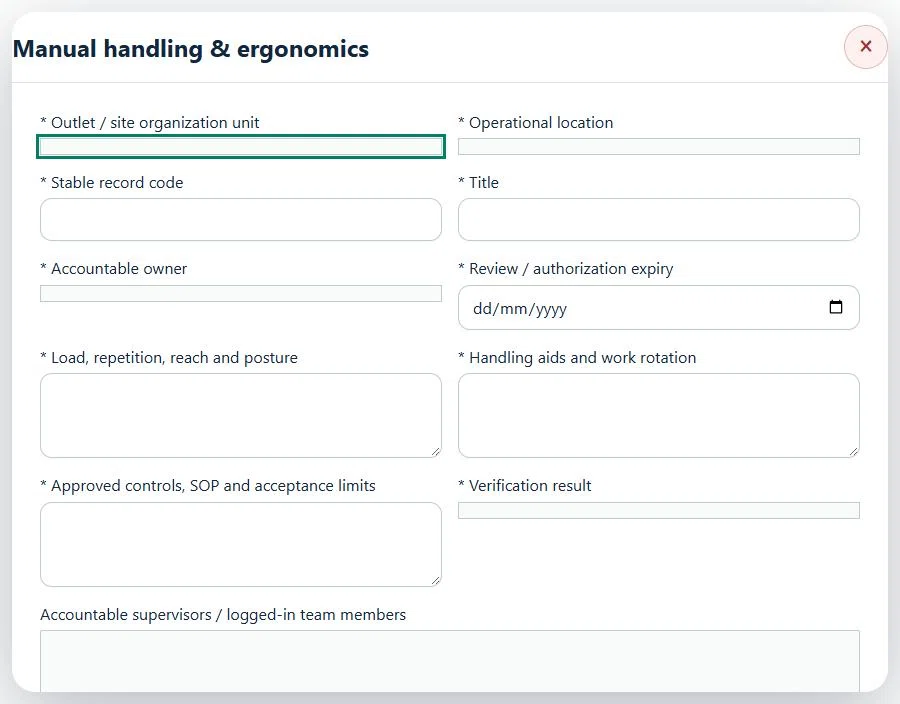
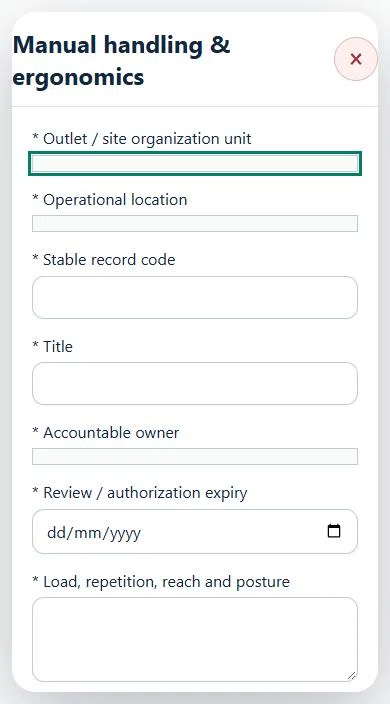
13Retail & Wholesale OperationsManual handling & ergonomicsPrepare a source-linked assurance record and obtain independent acceptance.
How to use this section
Select the operating context, owner and review due date. Record: Load, repetition, reach and posture; Handling aids and work rotation; Approved controls, SOP and acceptance limits; Verification result.
Link the relevant saved source records and any required accepted dependencies. Save the draft and attach supporting evidence in Detail.
Submit for independent review; resolve rejected or incomplete evidence before resubmitting. Acceptance does not approve or release the linked source work.
Use a new revision for changes to accepted records. Follow source links to resolve expired evidence, changed sources or failed prerequisites before progressing work.
Desktop · Manual handling & ergonomics · Highlight: * Outlet / site organization unitMobile · Manual handling & ergonomics · Highlight: * Outlet / site organization unit
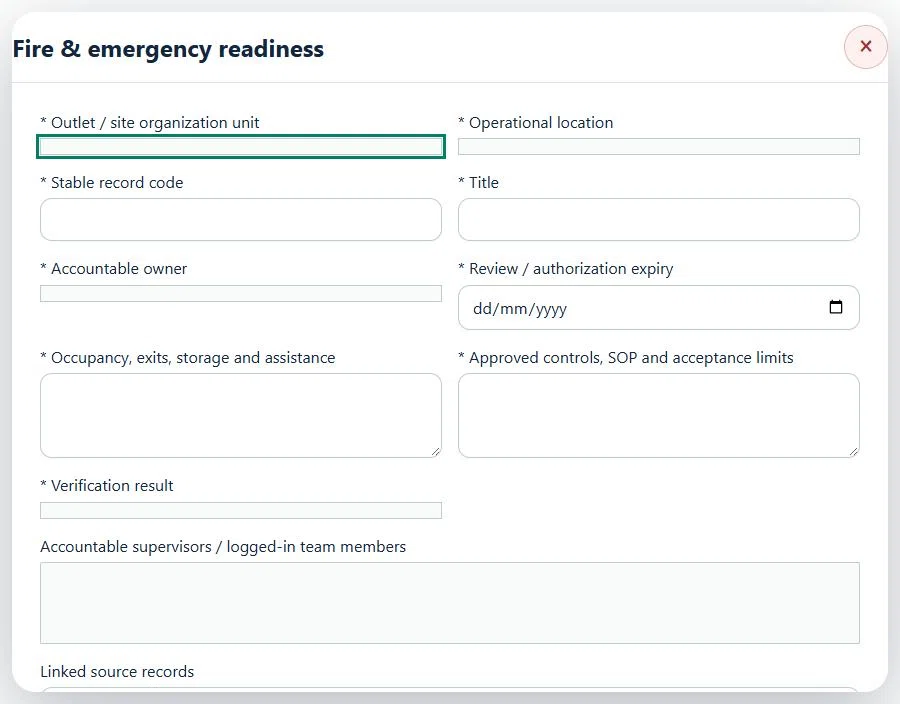
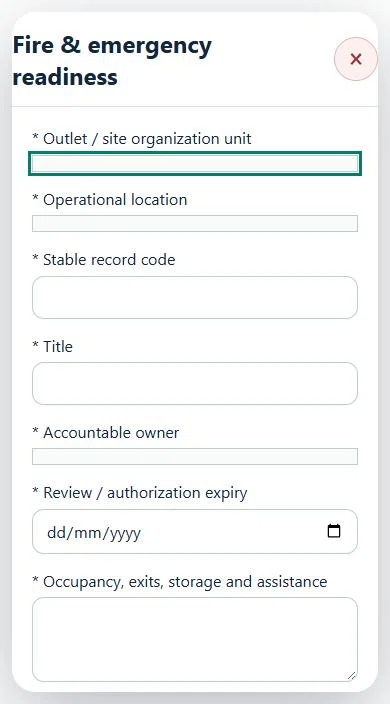
14Retail & Wholesale OperationsFire & emergency readinessPrepare a source-linked assurance record and obtain independent acceptance.
How to use this section
Select the operating context, owner and review due date. Record: Occupancy, exits, storage and assistance; Approved controls, SOP and acceptance limits; Verification result.
Link the relevant saved source records and any required accepted dependencies. Save the draft and attach supporting evidence in Detail.
Submit for independent review; resolve rejected or incomplete evidence before resubmitting. Acceptance does not approve or release the linked source work.
Use a new revision for changes to accepted records. Follow source links to resolve expired evidence, changed sources or failed prerequisites before progressing work.
Desktop · Fire & emergency readiness · Highlight: * Outlet / site organization unitMobile · Fire & emergency readiness · Highlight: * Outlet / site organization unit
15Retail & Wholesale OperationsSupplier & product assurancePrepare a source-linked assurance record and obtain independent acceptance.
How to use this section
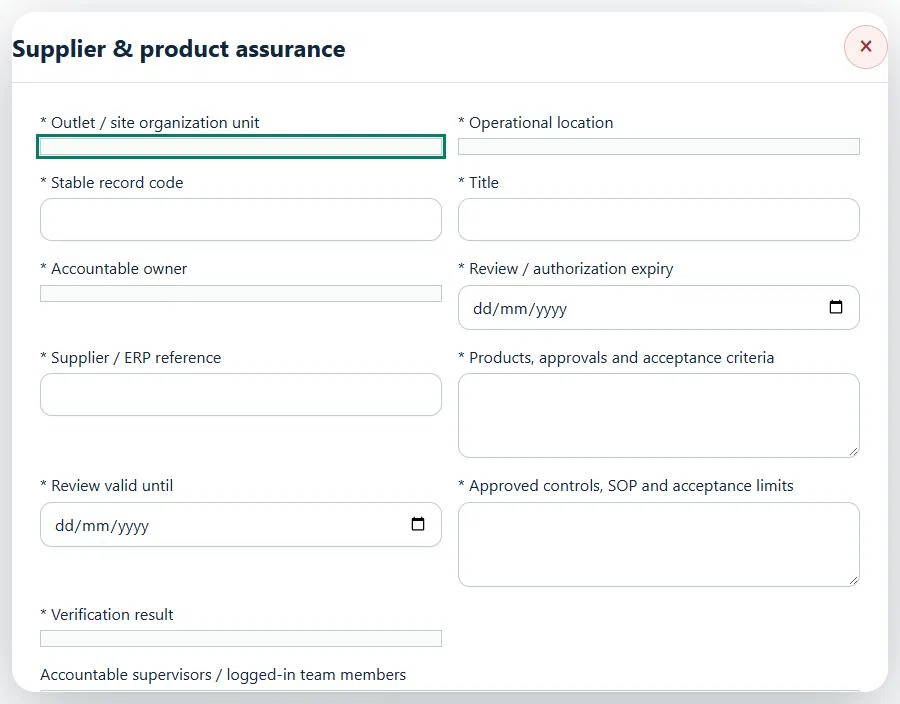
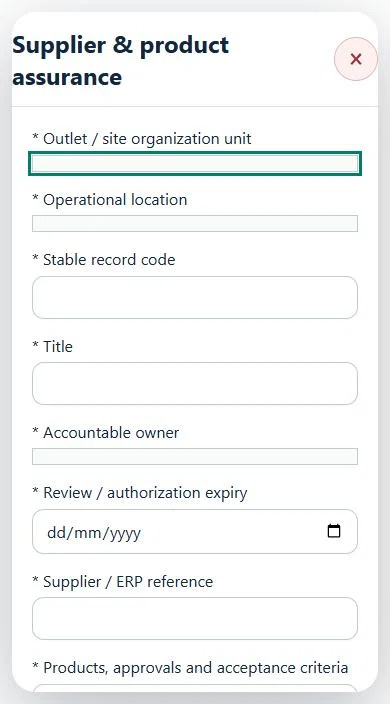
Select the operating context, owner and review due date. Record: Supplier / ERP reference; Products, approvals and acceptance criteria; Review valid until; Approved controls, SOP and acceptance limits; Verification result.
Link the relevant saved source records and any required accepted dependencies. Save the draft and attach supporting evidence in Detail.
Submit for independent review; resolve rejected or incomplete evidence before resubmitting. Acceptance does not approve or release the linked source work.
Use a new revision for changes to accepted records. Follow source links to resolve expired evidence, changed sources or failed prerequisites before progressing work.
Desktop · Supplier & product assurance · Highlight: * Outlet / site organization unitMobile · Supplier & product assurance · Highlight: * Outlet / site organization unit
16Retail & Wholesale OperationsProduct approvals & regulated goodsPrepare a source-linked assurance record and obtain independent acceptance.
How to use this section
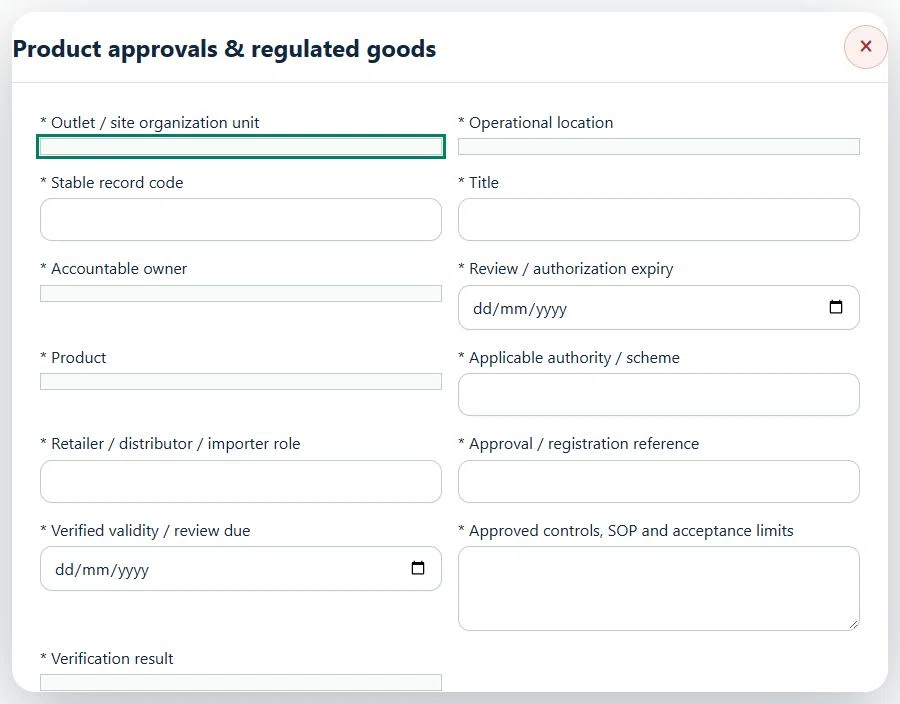
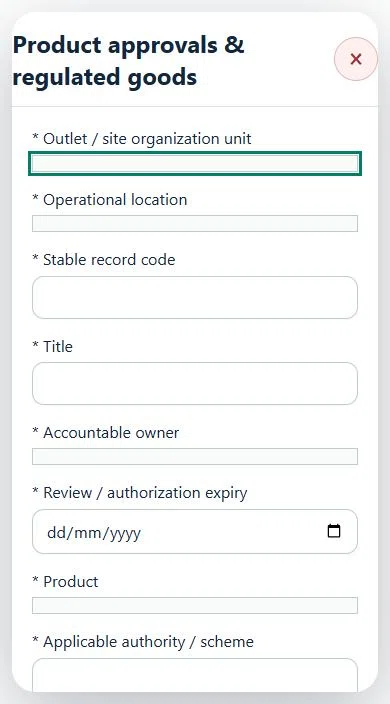
Select the operating context, owner and review due date. Record: Product; Applicable authority / scheme; Retailer / distributor / importer role; Approval / registration reference; Verified validity / review due; Approved controls, SOP and acceptance limits; Verification result.
Link the relevant saved source records and any required accepted dependencies. Save the draft and attach supporting evidence in Detail.
Submit for independent review; resolve rejected or incomplete evidence before resubmitting. Acceptance does not approve or release the linked source work.
Use a new revision for changes to accepted records. Follow source links to resolve expired evidence, changed sources or failed prerequisites before progressing work.
Desktop · Product approvals & regulated goods · Highlight: * Outlet / site organization unitMobile · Product approvals & regulated goods · Highlight: * Outlet / site organization unit
17Retail & Wholesale OperationsReceiving & supplier delivery checksPrepare a source-linked assurance record and obtain independent acceptance.
How to use this section
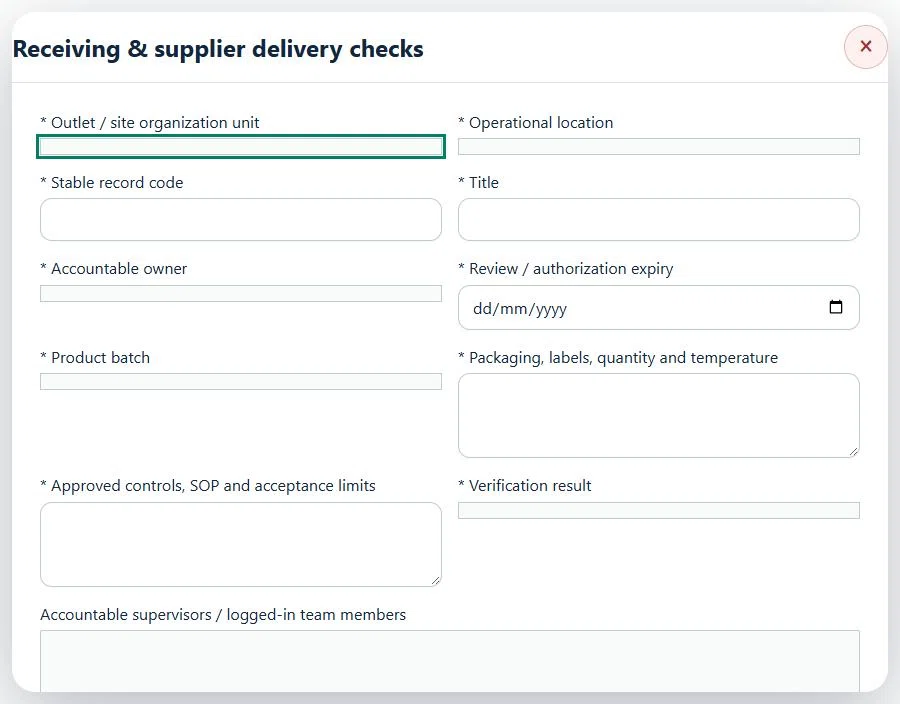
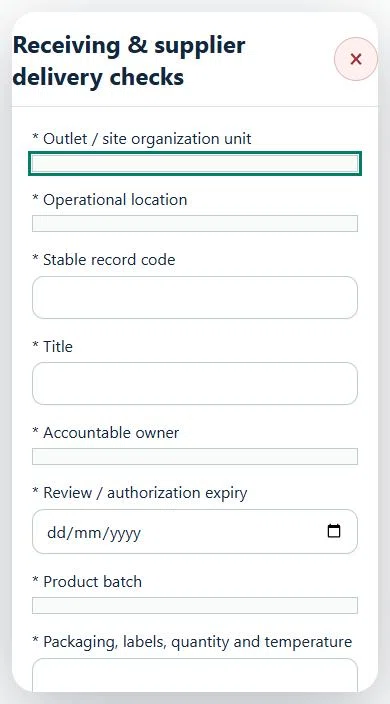
Select the operating context, owner and review due date. Record: Product batch; Packaging, labels, quantity and temperature; Approved controls, SOP and acceptance limits; Verification result.
Link the relevant saved source records and any required accepted dependencies. Save the draft and attach supporting evidence in Detail.
Submit for independent review; resolve rejected or incomplete evidence before resubmitting. Acceptance does not approve or release the linked source work.
Use a new revision for changes to accepted records. Follow source links to resolve expired evidence, changed sources or failed prerequisites before progressing work.
Desktop · Receiving & supplier delivery checks · Highlight: * Outlet / site organization unitMobile · Receiving & supplier delivery checks · Highlight: * Outlet / site organization unit
18Retail & Wholesale OperationsCold-chain limits & monitoring planPrepare a source-linked assurance record and obtain independent acceptance.
How to use this section
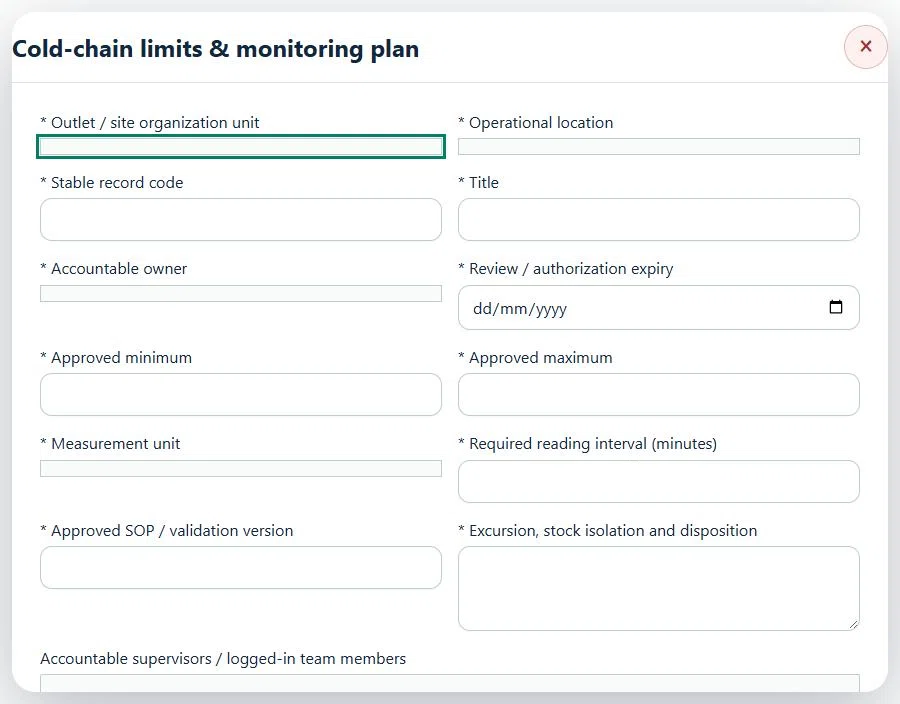
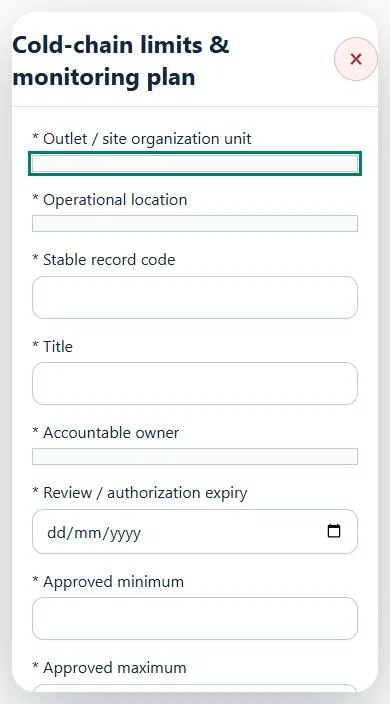
Select the operating context, owner and review due date. Record: Approved minimum; Approved maximum; Measurement unit; Required reading interval (minutes); Approved SOP / validation version; Excursion, stock isolation and disposition.
Link the relevant saved source records and any required accepted dependencies. Save the draft and attach supporting evidence in Detail.
Submit for independent review; resolve rejected or incomplete evidence before resubmitting. Acceptance does not approve or release the linked source work.
Use a new revision for changes to accepted records. Follow source links to resolve expired evidence, changed sources or failed prerequisites before progressing work.
Desktop · Cold-chain limits & monitoring plan · Highlight: * Outlet / site organization unitMobile · Cold-chain limits & monitoring plan · Highlight: * Outlet / site organization unit
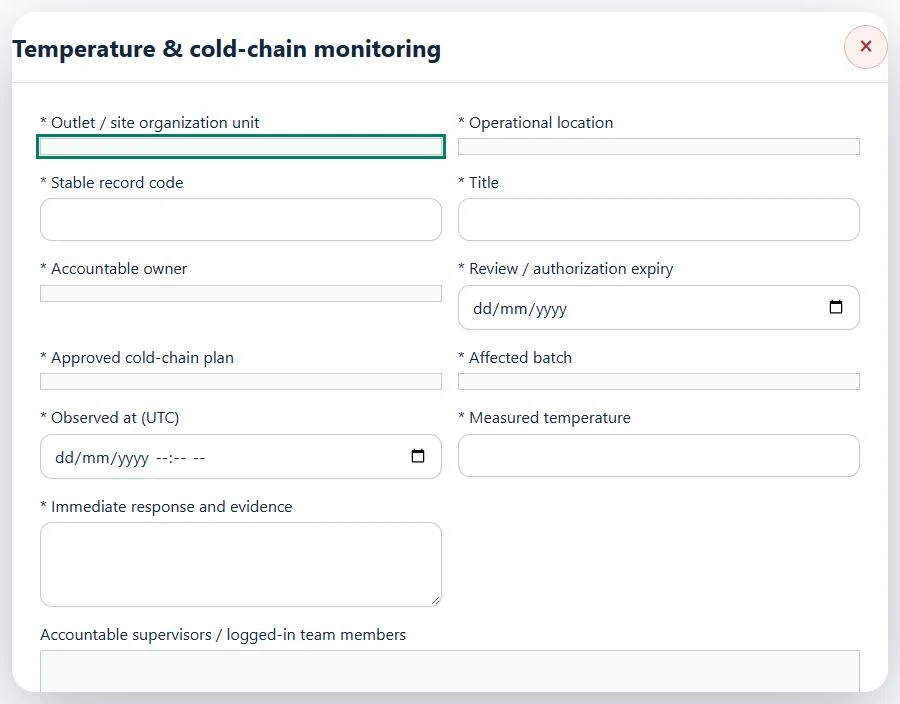
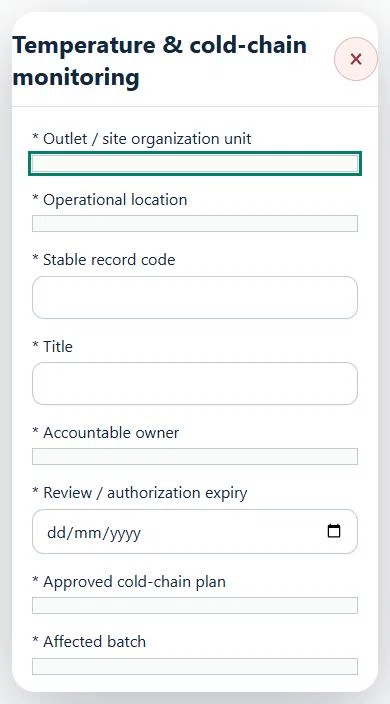
19Retail & Wholesale OperationsTemperature & cold-chain monitoringPrepare a source-linked assurance record and obtain independent acceptance.
How to use this section
Select the operating context, owner and review due date. Record: Approved cold-chain plan; Affected batch; Observed at (UTC); Measured temperature; Immediate response and evidence.
Link the relevant saved source records and any required accepted dependencies. Save the draft and attach supporting evidence in Detail.
Submit for independent review; resolve rejected or incomplete evidence before resubmitting. Acceptance does not approve or release the linked source work.
Use a new revision for changes to accepted records. Follow source links to resolve expired evidence, changed sources or failed prerequisites before progressing work.
Desktop · Temperature & cold-chain monitoring · Highlight: * Outlet / site organization unitMobile · Temperature & cold-chain monitoring · Highlight: * Outlet / site organization unit
Temperature & cold-chain monitoring
Record these details: Operation scope and source references · Shift / planned window
Readiness checks
Current risk assessment and source controls checked
Assigned internal / contractor workforce is eligible
Operational evidence and restrictions reviewed
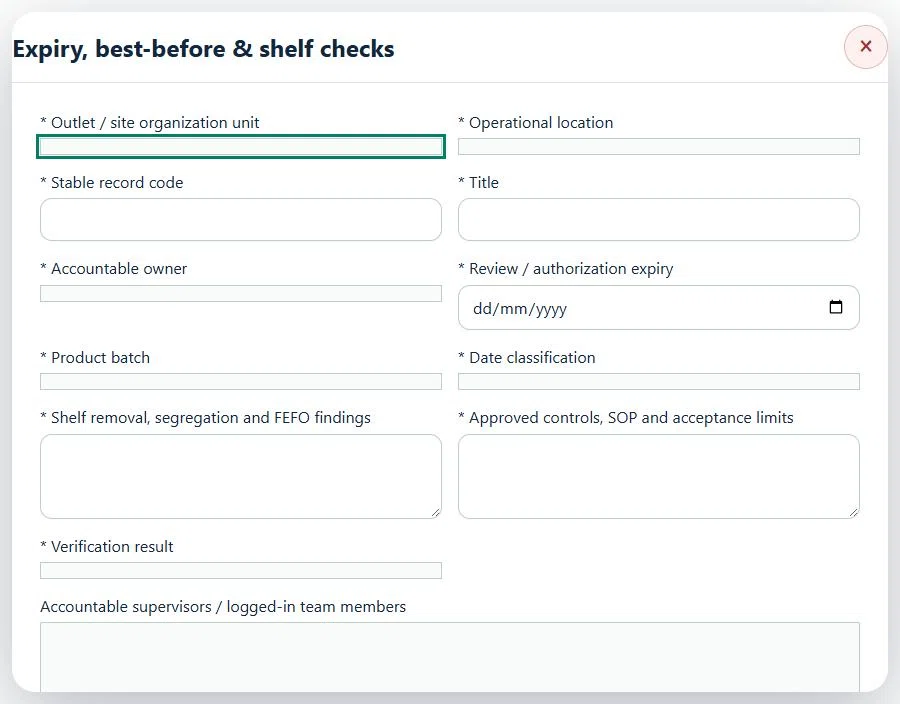
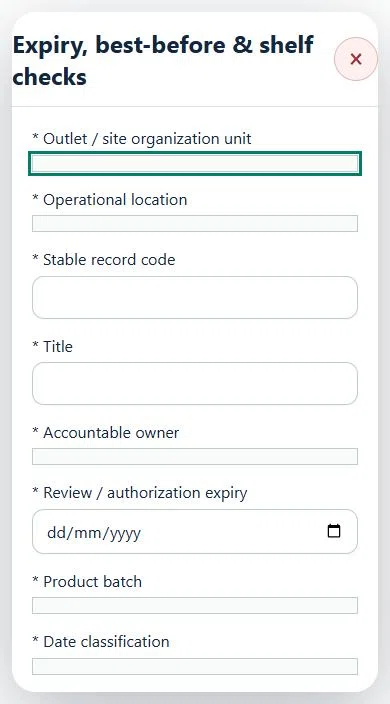
20Retail & Wholesale OperationsExpiry, best-before & shelf checksPrepare a source-linked assurance record and obtain independent acceptance.
How to use this section
Select the operating context, owner and review due date. Record: Product batch; Date classification; Shelf removal, segregation and FEFO findings; Approved controls, SOP and acceptance limits; Verification result.
Link the relevant saved source records and any required accepted dependencies. Save the draft and attach supporting evidence in Detail.
Submit for independent review; resolve rejected or incomplete evidence before resubmitting. Acceptance does not approve or release the linked source work.
Use a new revision for changes to accepted records. Follow source links to resolve expired evidence, changed sources or failed prerequisites before progressing work.
Desktop · Expiry, best-before & shelf checks · Highlight: * Outlet / site organization unitMobile · Expiry, best-before & shelf checks · Highlight: * Outlet / site organization unit
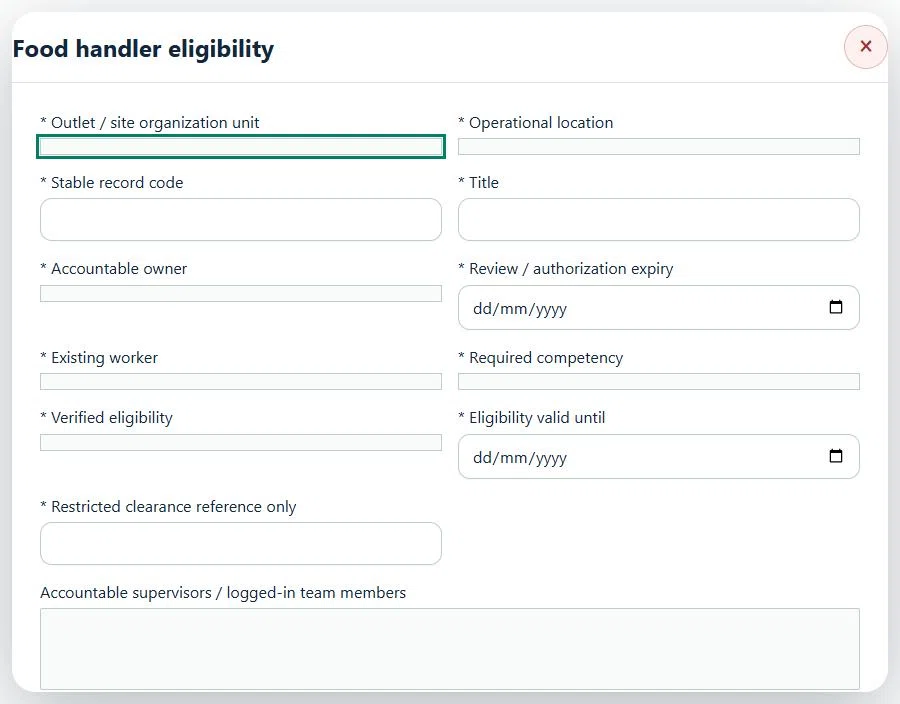
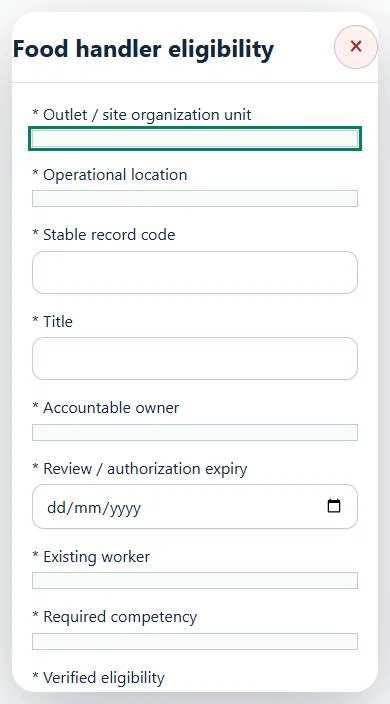
21Retail & Wholesale OperationsFood handler eligibilityPrepare a source-linked assurance record and obtain independent acceptance.
How to use this section
Select the operating context, owner and review due date. Record: Existing worker; Required competency; Verified eligibility; Eligibility valid until; Restricted clearance reference only.
Link the relevant saved source records and any required accepted dependencies. Save the draft and attach supporting evidence in Detail.
Submit for independent review; resolve rejected or incomplete evidence before resubmitting. Acceptance does not approve or release the linked source work.
Use a new revision for changes to accepted records. Follow source links to resolve expired evidence, changed sources or failed prerequisites before progressing work.
Desktop · Food handler eligibility · Highlight: * Outlet / site organization unitMobile · Food handler eligibility · Highlight: * Outlet / site organization unit
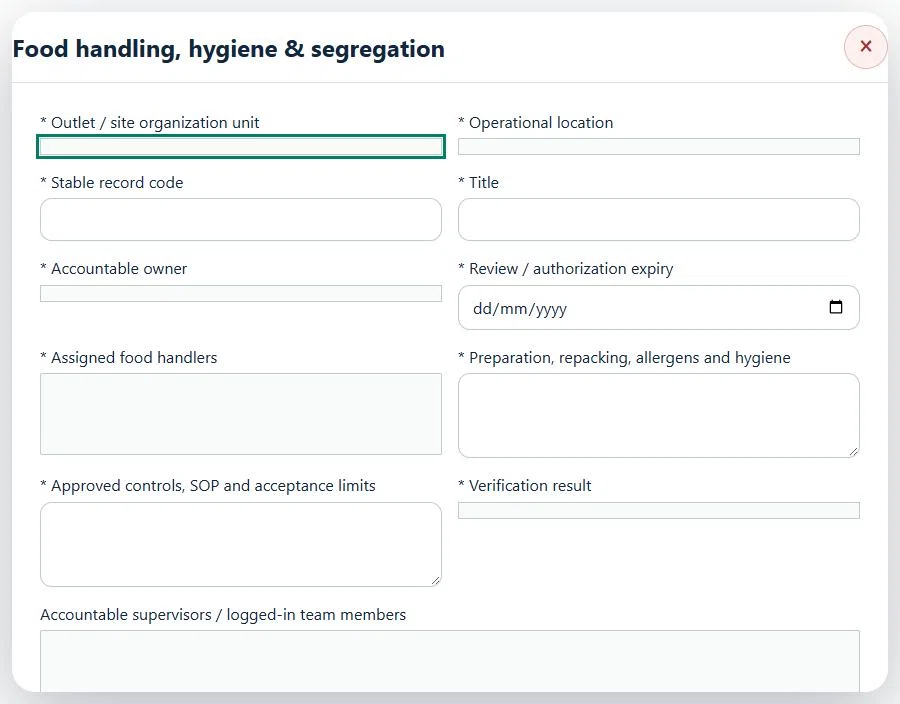
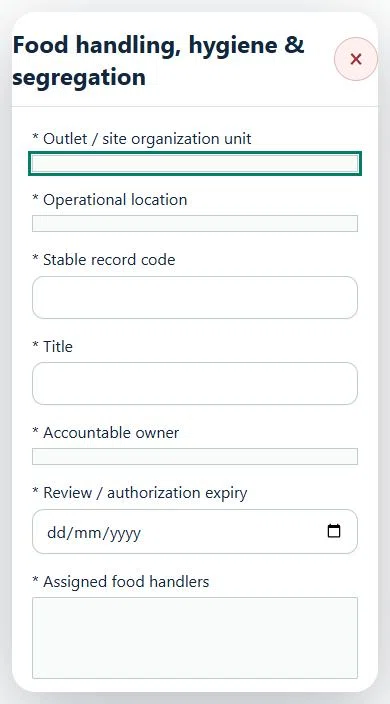
22Retail & Wholesale OperationsFood handling, hygiene & segregationPrepare a source-linked assurance record and obtain independent acceptance.
How to use this section
Select the operating context, owner and review due date. Record: Assigned food handlers; Preparation, repacking, allergens and hygiene; Approved controls, SOP and acceptance limits; Verification result.
Link the relevant saved source records and any required accepted dependencies. Save the draft and attach supporting evidence in Detail.
Submit for independent review; resolve rejected or incomplete evidence before resubmitting. Acceptance does not approve or release the linked source work.
Use a new revision for changes to accepted records. Follow source links to resolve expired evidence, changed sources or failed prerequisites before progressing work.
Desktop · Food handling, hygiene & segregation · Highlight: * Outlet / site organization unitMobile · Food handling, hygiene & segregation · Highlight: * Outlet / site organization unit
Food handling, hygiene & segregation
Record these details: Operation scope and source references · Shift / planned window
Readiness checks
Current risk assessment and source controls checked
Assigned internal / contractor workforce is eligible
Operational evidence and restrictions reviewed
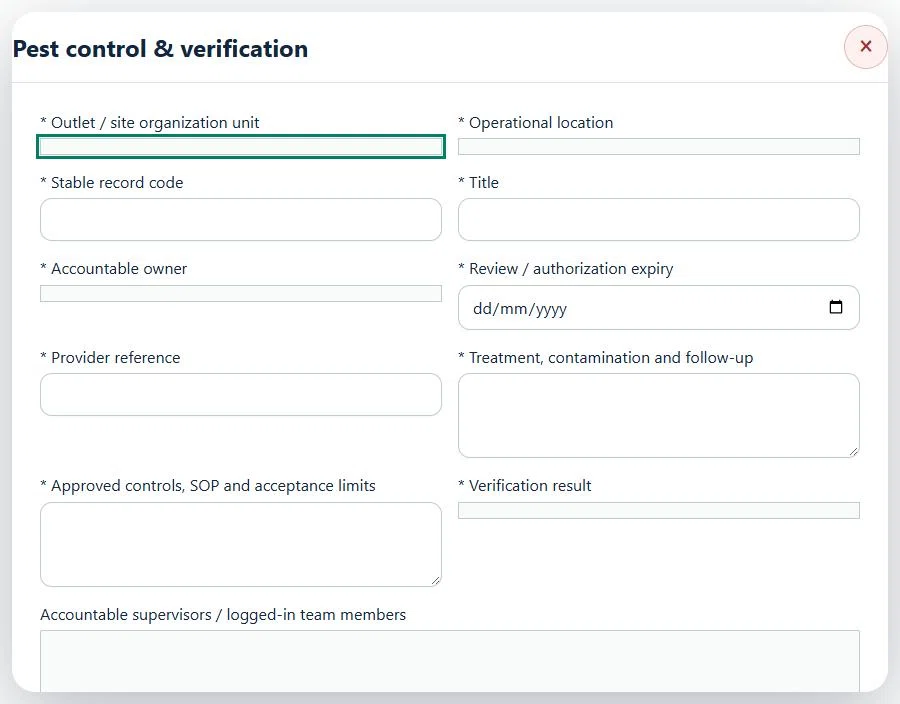
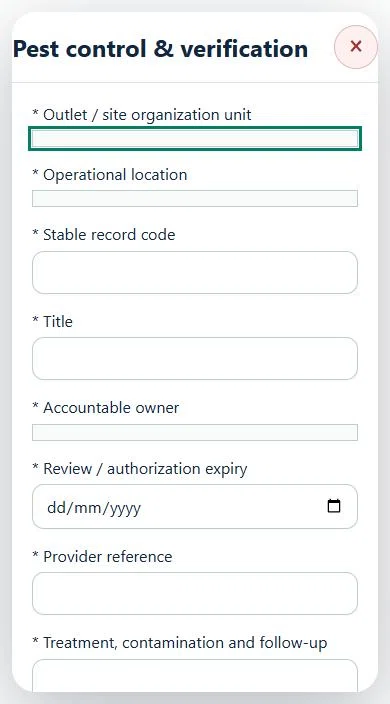
23Retail & Wholesale OperationsPest control & verificationPrepare a source-linked assurance record and obtain independent acceptance.
How to use this section
Select the operating context, owner and review due date. Record: Provider reference; Treatment, contamination and follow-up; Approved controls, SOP and acceptance limits; Verification result.
Link the relevant saved source records and any required accepted dependencies. Save the draft and attach supporting evidence in Detail.
Submit for independent review; resolve rejected or incomplete evidence before resubmitting. Acceptance does not approve or release the linked source work.
Use a new revision for changes to accepted records. Follow source links to resolve expired evidence, changed sources or failed prerequisites before progressing work.
Desktop · Pest control & verification · Highlight: * Outlet / site organization unitMobile · Pest control & verification · Highlight: * Outlet / site organization unit
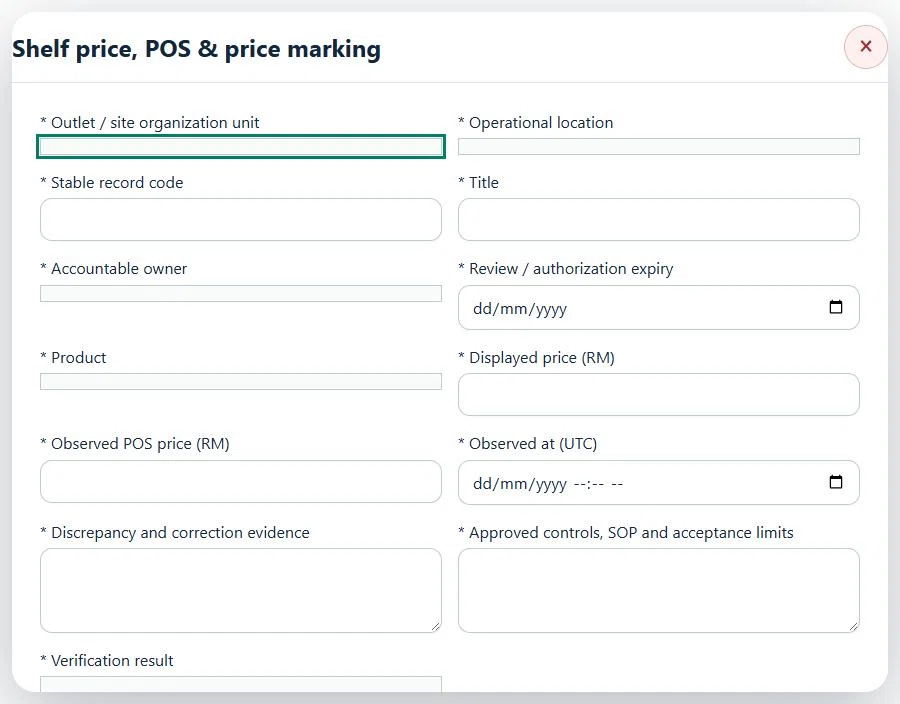
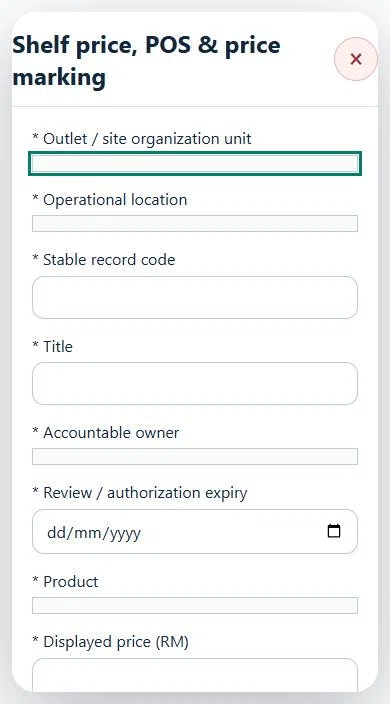
24Retail & Wholesale OperationsShelf price, POS & price markingPrepare a source-linked assurance record and obtain independent acceptance.
How to use this section
Select the operating context, owner and review due date. Record: Product; Displayed price (RM); Observed POS price (RM); Observed at (UTC); Discrepancy and correction evidence; Approved controls, SOP and acceptance limits; Verification result.
Link the relevant saved source records and any required accepted dependencies. Save the draft and attach supporting evidence in Detail.
Submit for independent review; resolve rejected or incomplete evidence before resubmitting. Acceptance does not approve or release the linked source work.
Use a new revision for changes to accepted records. Follow source links to resolve expired evidence, changed sources or failed prerequisites before progressing work.
25Retail & Wholesale OperationsControlled goods & licence conditionsPrepare a source-linked assurance record and obtain independent acceptance.
How to use this section
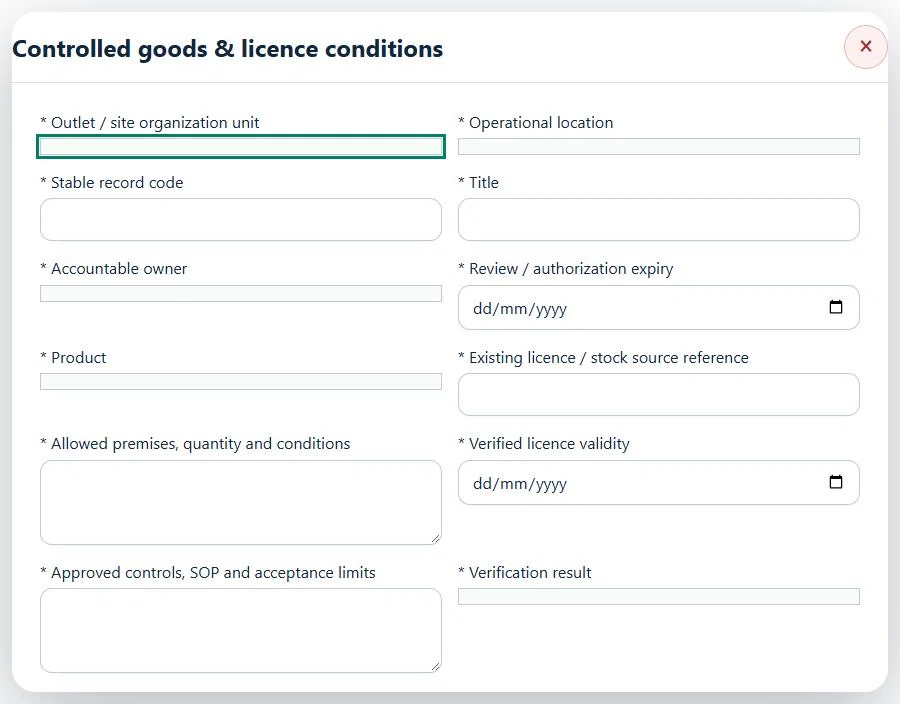
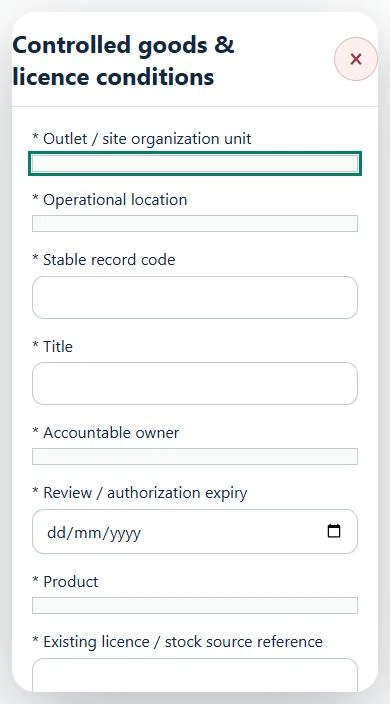
Select the operating context, owner and review due date. Record: Product; Existing licence / stock source reference; Allowed premises, quantity and conditions; Verified licence validity; Approved controls, SOP and acceptance limits; Verification result.
Link the relevant saved source records and any required accepted dependencies. Save the draft and attach supporting evidence in Detail.
Submit for independent review; resolve rejected or incomplete evidence before resubmitting. Acceptance does not approve or release the linked source work.
Use a new revision for changes to accepted records. Follow source links to resolve expired evidence, changed sources or failed prerequisites before progressing work.
Desktop · Controlled goods & licence conditions · Highlight: * Outlet / site organization unitMobile · Controlled goods & licence conditions · Highlight: * Outlet / site organization unit
26Retail & Wholesale OperationsTrade weighing instrument verificationPrepare a source-linked assurance record and obtain independent acceptance.
How to use this section
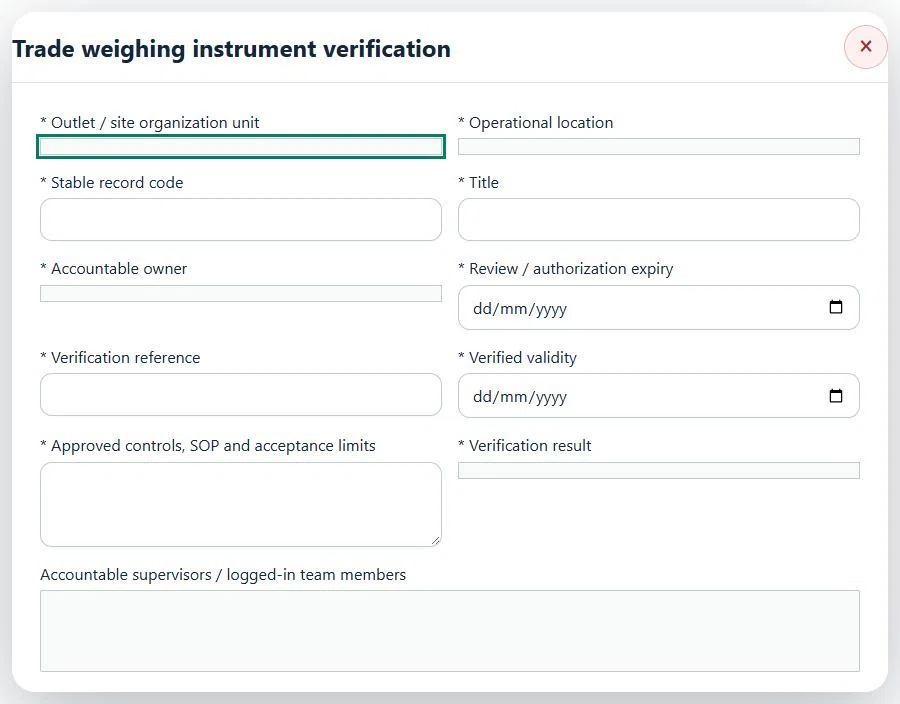
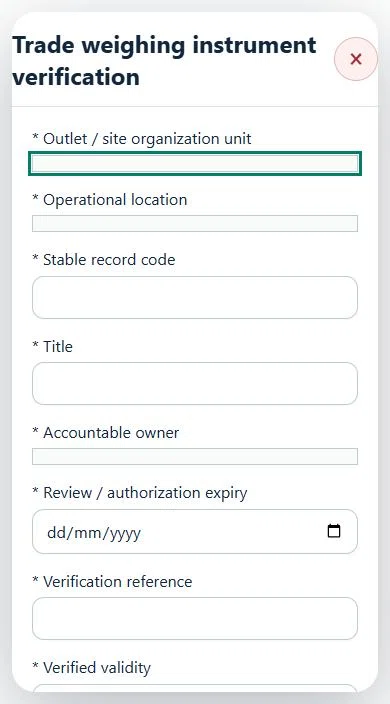
Select the operating context, owner and review due date. Record: Verification reference; Verified validity; Approved controls, SOP and acceptance limits; Verification result.
Link the relevant saved source records and any required accepted dependencies. Save the draft and attach supporting evidence in Detail.
Submit for independent review; resolve rejected or incomplete evidence before resubmitting. Acceptance does not approve or release the linked source work.
Use a new revision for changes to accepted records. Follow source links to resolve expired evidence, changed sources or failed prerequisites before progressing work.
Desktop · Trade weighing instrument verification · Highlight: * Outlet / site organization unitMobile · Trade weighing instrument verification · Highlight: * Outlet / site organization unit
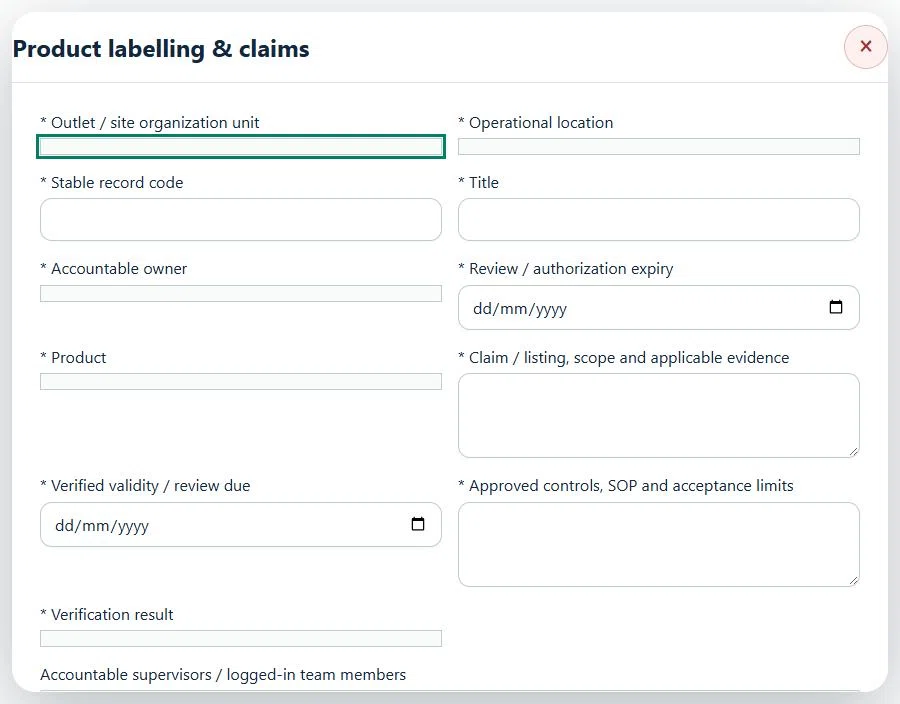
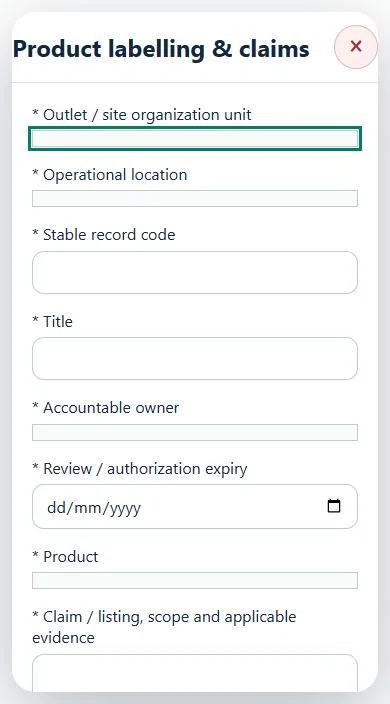
27Retail & Wholesale OperationsProduct labelling & claimsPrepare a source-linked assurance record and obtain independent acceptance.
How to use this section
Select the operating context, owner and review due date. Record: Product; Claim / listing, scope and applicable evidence; Verified validity / review due; Approved controls, SOP and acceptance limits; Verification result.
Link the relevant saved source records and any required accepted dependencies. Save the draft and attach supporting evidence in Detail.
Submit for independent review; resolve rejected or incomplete evidence before resubmitting. Acceptance does not approve or release the linked source work.
Use a new revision for changes to accepted records. Follow source links to resolve expired evidence, changed sources or failed prerequisites before progressing work.
Desktop · Product labelling & claims · Highlight: * Outlet / site organization unitMobile · Product labelling & claims · Highlight: * Outlet / site organization unit
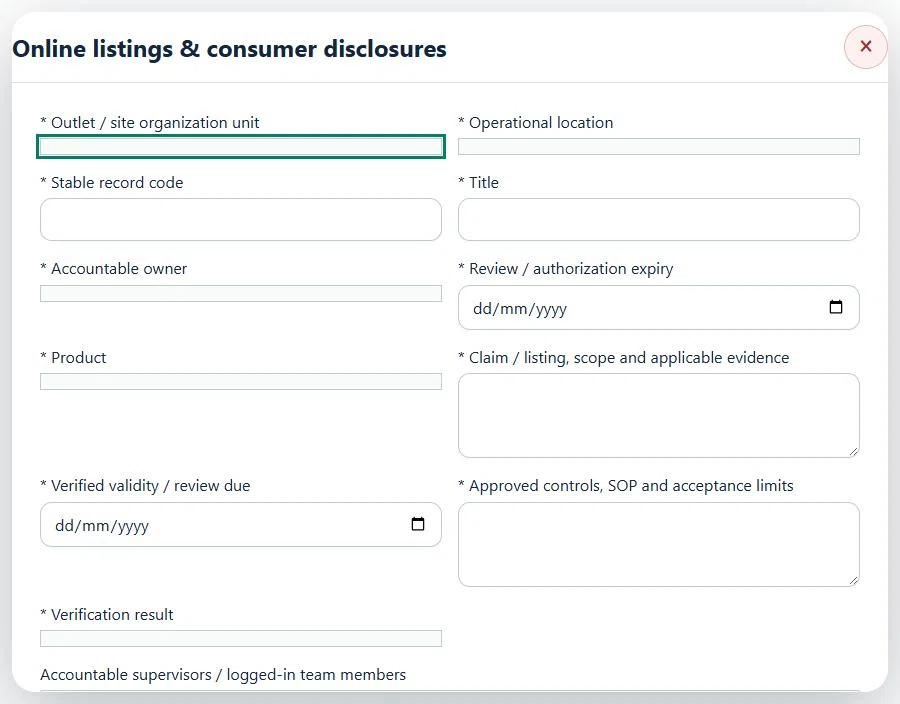
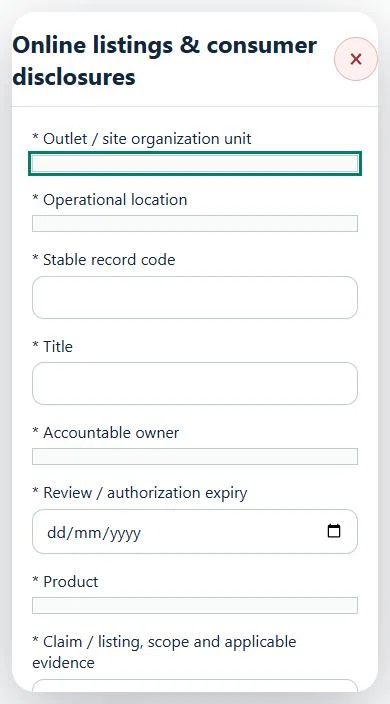
28Retail & Wholesale OperationsOnline listings & consumer disclosuresPrepare a source-linked assurance record and obtain independent acceptance.
How to use this section
Select the operating context, owner and review due date. Record: Product; Claim / listing, scope and applicable evidence; Verified validity / review due; Approved controls, SOP and acceptance limits; Verification result.
Link the relevant saved source records and any required accepted dependencies. Save the draft and attach supporting evidence in Detail.
Submit for independent review; resolve rejected or incomplete evidence before resubmitting. Acceptance does not approve or release the linked source work.
Use a new revision for changes to accepted records. Follow source links to resolve expired evidence, changed sources or failed prerequisites before progressing work.
Desktop · Online listings & consumer disclosures · Highlight: * Outlet / site organization unitMobile · Online listings & consumer disclosures · Highlight: * Outlet / site organization unit
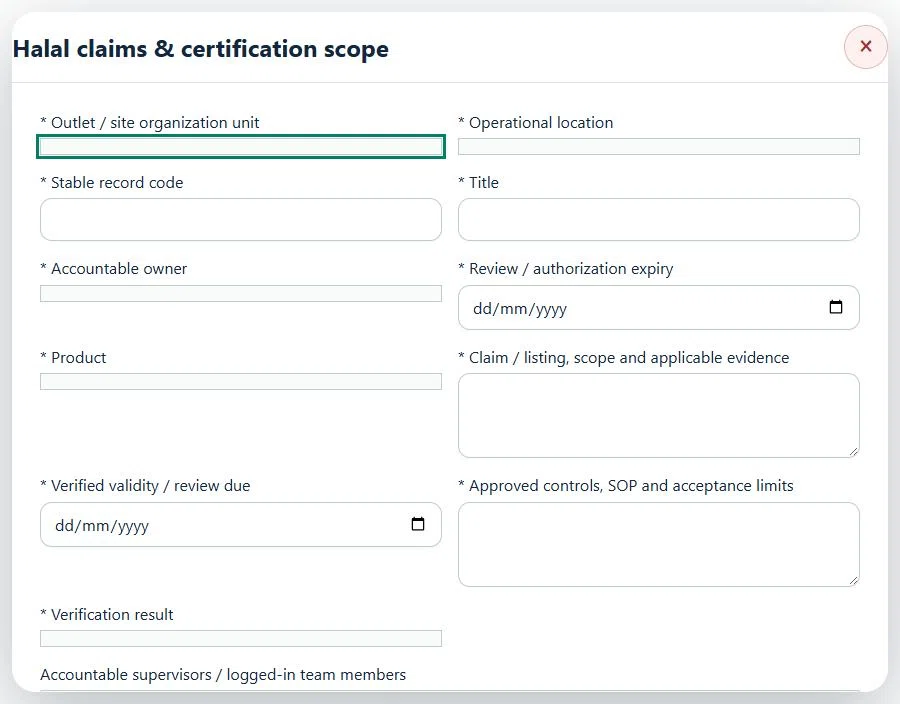
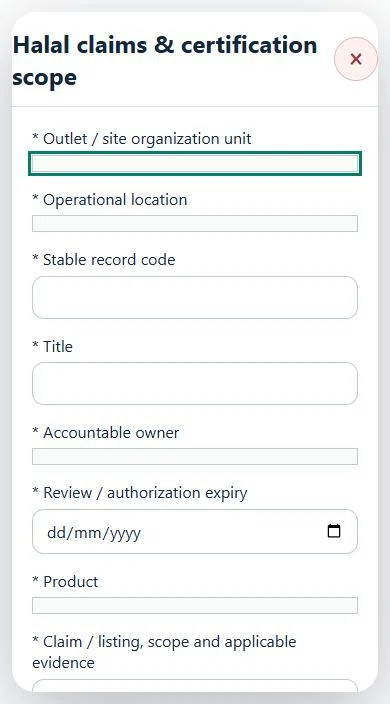
29Retail & Wholesale OperationsHalal claims & certification scopePrepare a source-linked assurance record and obtain independent acceptance.
How to use this section
Select the operating context, owner and review due date. Record: Product; Claim / listing, scope and applicable evidence; Verified validity / review due; Approved controls, SOP and acceptance limits; Verification result.
Link the relevant saved source records and any required accepted dependencies. Save the draft and attach supporting evidence in Detail.
Submit for independent review; resolve rejected or incomplete evidence before resubmitting. Acceptance does not approve or release the linked source work.
Use a new revision for changes to accepted records. Follow source links to resolve expired evidence, changed sources or failed prerequisites before progressing work.
Desktop · Halal claims & certification scope · Highlight: * Outlet / site organization unitMobile · Halal claims & certification scope · Highlight: * Outlet / site organization unit
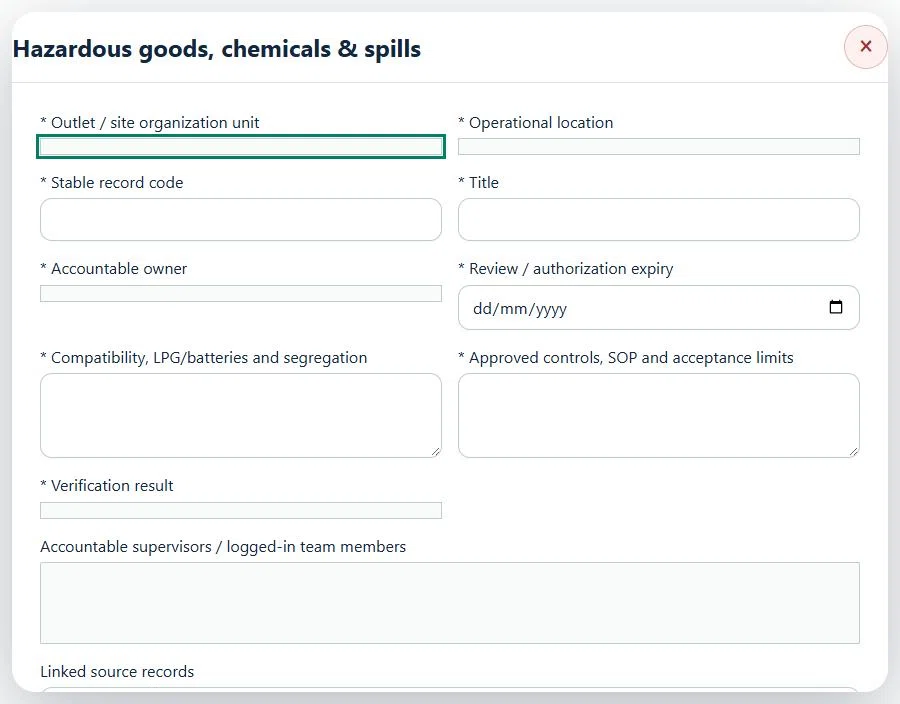
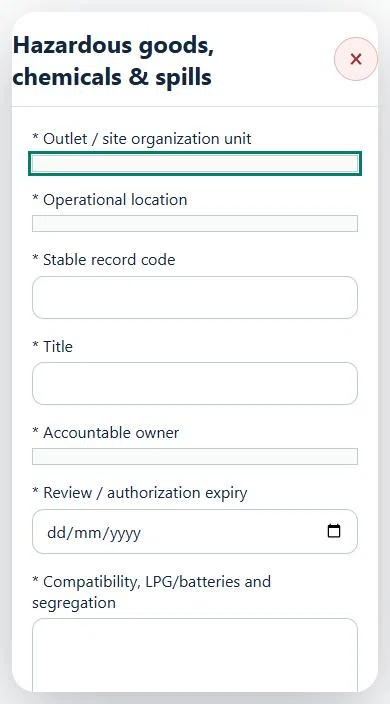
30Retail & Wholesale OperationsHazardous goods, chemicals & spillsPrepare a source-linked assurance record and obtain independent acceptance.
How to use this section
Select the operating context, owner and review due date. Record: Compatibility, LPG/batteries and segregation; Approved controls, SOP and acceptance limits; Verification result.
Link the relevant saved source records and any required accepted dependencies. Save the draft and attach supporting evidence in Detail.
Submit for independent review; resolve rejected or incomplete evidence before resubmitting. Acceptance does not approve or release the linked source work.
Use a new revision for changes to accepted records. Follow source links to resolve expired evidence, changed sources or failed prerequisites before progressing work.
Desktop · Hazardous goods, chemicals & spills · Highlight: * Outlet / site organization unitMobile · Hazardous goods, chemicals & spills · Highlight: * Outlet / site organization unit
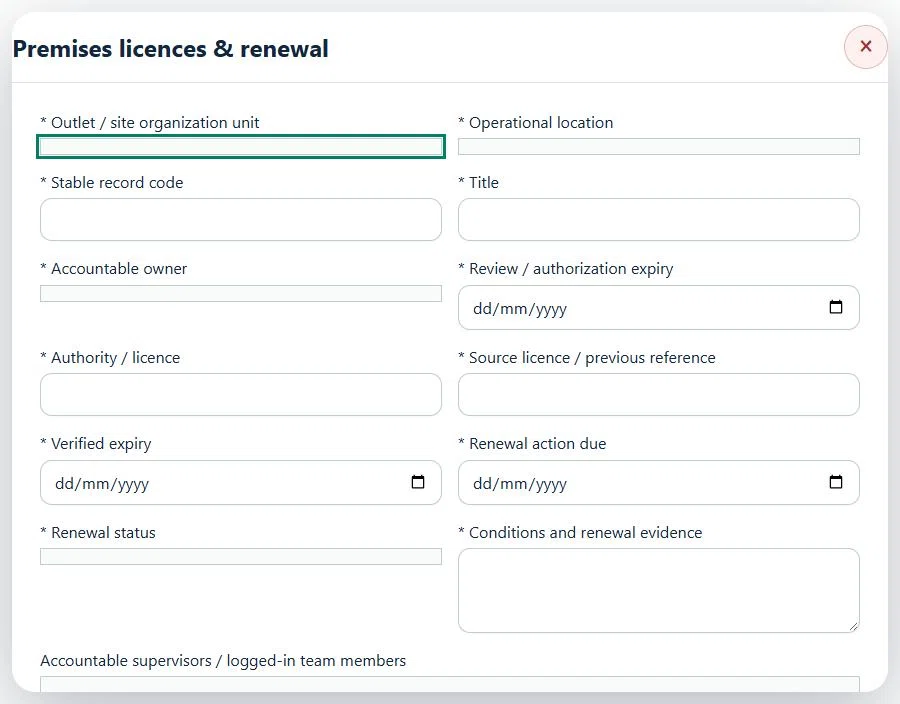
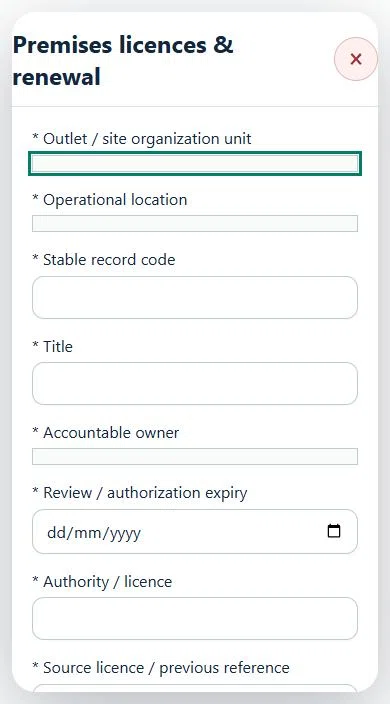
31Retail & Wholesale OperationsPremises licences & renewalPrepare a source-linked assurance record and obtain independent acceptance.
How to use this section
Select the operating context, owner and review due date. Record: Authority / licence; Source licence / previous reference; Verified expiry; Renewal action due; Renewal status; Conditions and renewal evidence.
Link the relevant saved source records and any required accepted dependencies. Save the draft and attach supporting evidence in Detail.
Submit for independent review; resolve rejected or incomplete evidence before resubmitting. Acceptance does not approve or release the linked source work.
Use a new revision for changes to accepted records. Follow source links to resolve expired evidence, changed sources or failed prerequisites before progressing work.
Desktop · Premises licences & renewal · Highlight: * Outlet / site organization unitMobile · Premises licences & renewal · Highlight: * Outlet / site organization unit
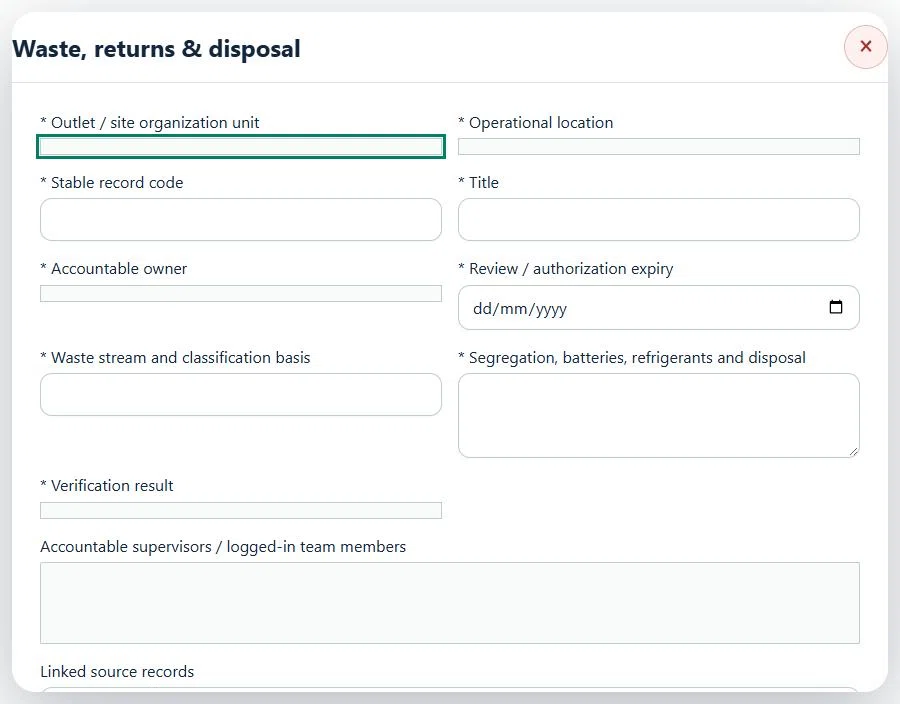
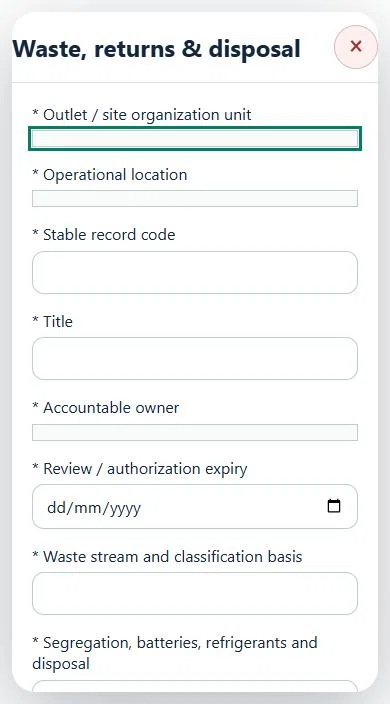
32Retail & Wholesale OperationsWaste, returns & disposalPrepare a source-linked assurance record and obtain independent acceptance.
How to use this section
Select the operating context, owner and review due date. Record: Waste stream and classification basis; Segregation, batteries, refrigerants and disposal; Verification result.
Link the relevant saved source records and any required accepted dependencies. Save the draft and attach supporting evidence in Detail.
Submit for independent review; resolve rejected or incomplete evidence before resubmitting. Acceptance does not approve or release the linked source work.
Use a new revision for changes to accepted records. Follow source links to resolve expired evidence, changed sources or failed prerequisites before progressing work.
Desktop · Waste, returns & disposal · Highlight: * Outlet / site organization unitMobile · Waste, returns & disposal · Highlight: * Outlet / site organization unit
Waste, returns & disposal
Record these details: Operation scope and source references · Shift / planned window
Readiness checks
Current risk assessment and source controls checked
Assigned internal / contractor workforce is eligible
Operational evidence and restrictions reviewed
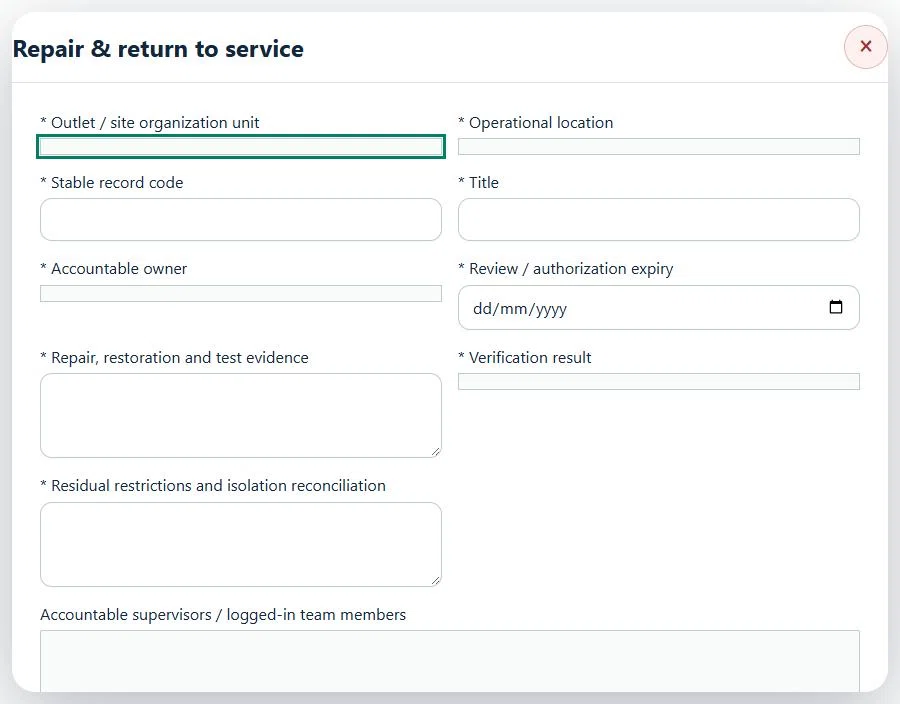
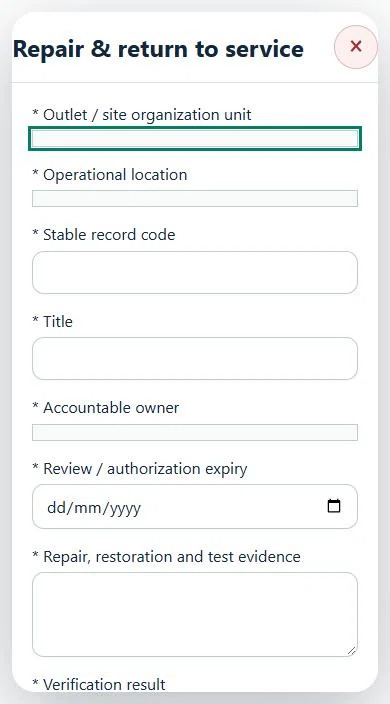
33Retail & Wholesale OperationsRepair & return to servicePrepare a source-linked assurance record and obtain independent acceptance.
How to use this section
Select the operating context, owner and review due date. Record: Repair, restoration and test evidence; Verification result; Residual restrictions and isolation reconciliation.
Link the relevant saved source records and any required accepted dependencies. Save the draft and attach supporting evidence in Detail.
Submit for independent review; resolve rejected or incomplete evidence before resubmitting. Acceptance does not approve or release the linked source work.
Use a new revision for changes to accepted records. Follow source links to resolve expired evidence, changed sources or failed prerequisites before progressing work.
Desktop · Repair & return to service · Highlight: * Outlet / site organization unitMobile · Repair & return to service · Highlight: * Outlet / site organization unit
Repair & return to service
Record these details: Operation scope and source references · Shift / planned window
Readiness checks
Current risk assessment and source controls checked
Assigned internal / contractor workforce is eligible
Operational evidence and restrictions reviewed
A directly linked, active PTW within its validity window is required before this activity starts.
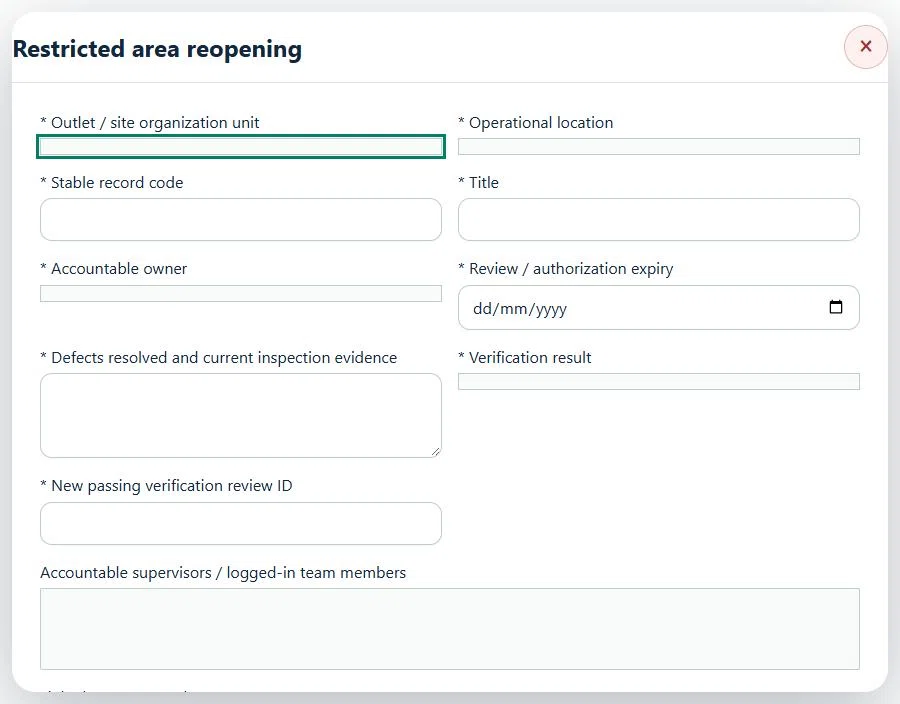
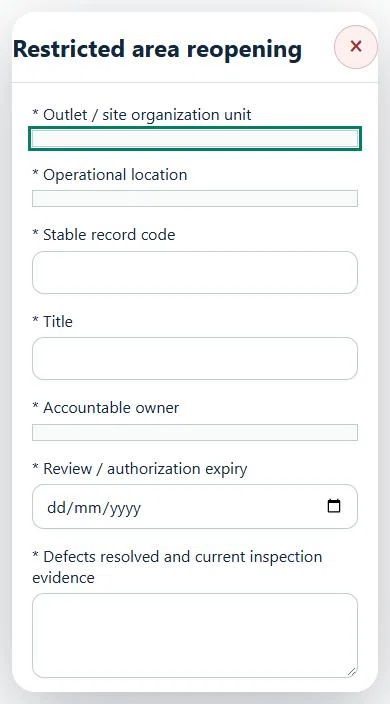
34Retail & Wholesale OperationsRestricted area reopeningPrepare a source-linked assurance record and obtain independent acceptance.
How to use this section
Select the operating context, owner and review due date. Record: Defects resolved and current inspection evidence; Verification result; New passing verification review ID.
Link the relevant saved source records and any required accepted dependencies. Save the draft and attach supporting evidence in Detail.
Submit for independent review; resolve rejected or incomplete evidence before resubmitting. Acceptance does not approve or release the linked source work.
Use a new revision for changes to accepted records. Follow source links to resolve expired evidence, changed sources or failed prerequisites before progressing work.
Desktop · Restricted area reopening · Highlight: * Outlet / site organization unitMobile · Restricted area reopening · Highlight: * Outlet / site organization unit
35Retail & Wholesale OperationsJurisdiction & applicabilityPrepare a source-linked assurance record and obtain independent acceptance.
How to use this section
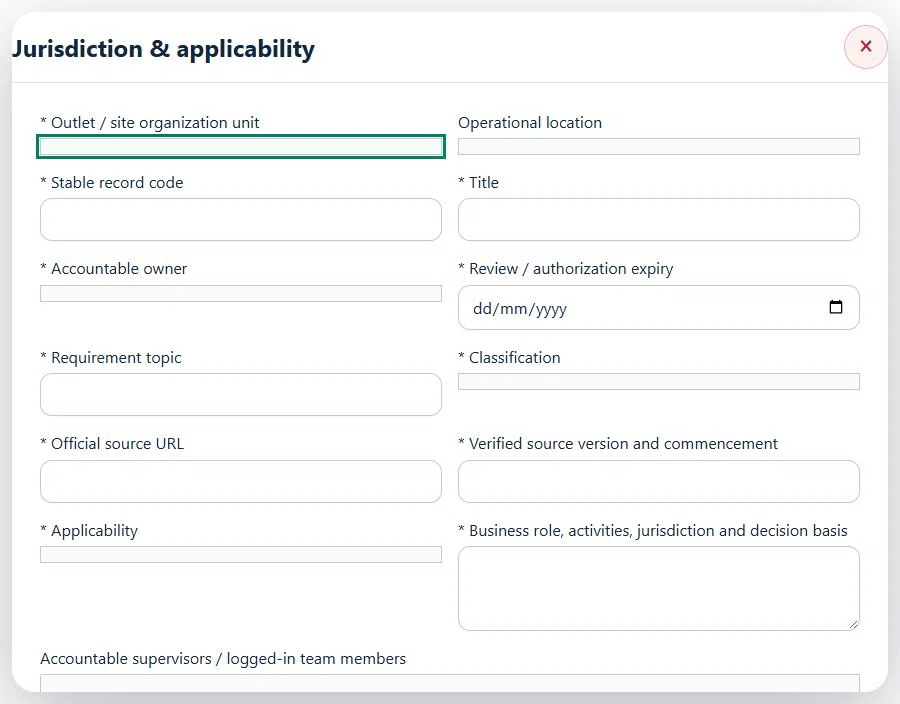
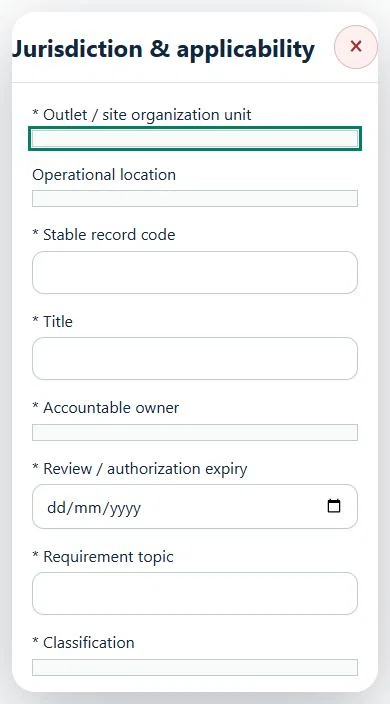
Select the operating context, owner and review due date. Record: Requirement topic; Classification; Official source URL; Verified source version and commencement; Applicability; Business role, activities, jurisdiction and decision basis.
Link the relevant saved source records and any required accepted dependencies. Save the draft and attach supporting evidence in Detail.
Submit for independent review; resolve rejected or incomplete evidence before resubmitting. Acceptance does not approve or release the linked source work.
Use a new revision for changes to accepted records. Follow source links to resolve expired evidence, changed sources or failed prerequisites before progressing work.
Desktop · Jurisdiction & applicability · Highlight: * Outlet / site organization unitMobile · Jurisdiction & applicability · Highlight: * Outlet / site organization unit
36Retail & Wholesale OperationsVerified workforce & customer exposurePrepare a source-linked assurance record and obtain independent acceptance.
How to use this section
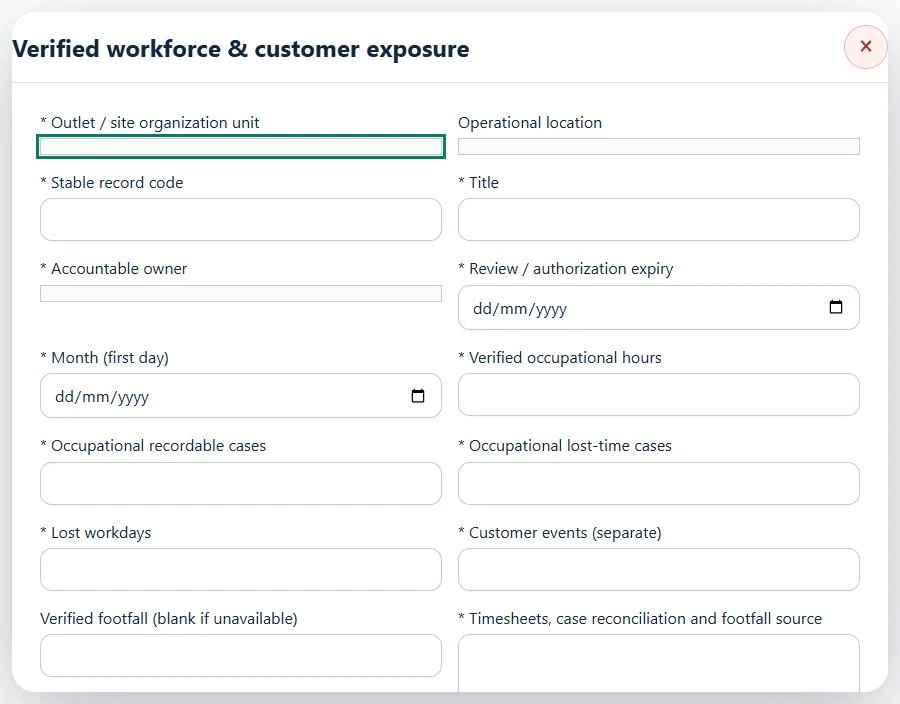
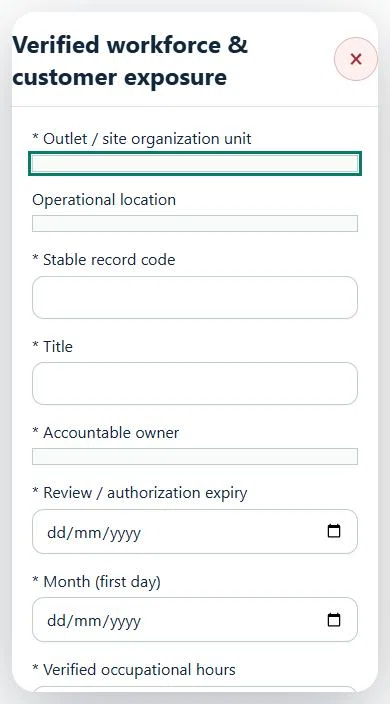
Select the operating context, owner and review due date. Record: Month (first day); Verified occupational hours; Occupational recordable cases; Occupational lost-time cases; Lost workdays; Customer events (separate); Verified footfall (blank if unavailable); Timesheets, case reconciliation and footfall source.
Link the relevant saved source records and any required accepted dependencies. Save the draft and attach supporting evidence in Detail.
Submit for independent review; resolve rejected or incomplete evidence before resubmitting. Acceptance does not approve or release the linked source work.
Use a new revision for changes to accepted records. Follow source links to resolve expired evidence, changed sources or failed prerequisites before progressing work.
Desktop · Verified workforce & customer exposure · Highlight: * Outlet / site organization unitMobile · Verified workforce & customer exposure · Highlight: * Outlet / site organization unit
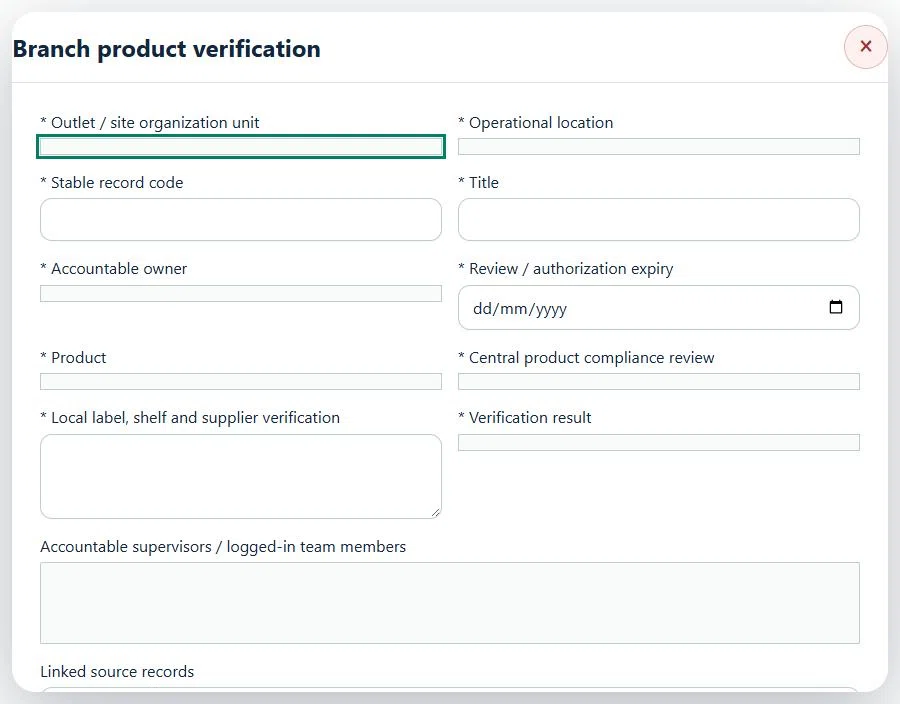
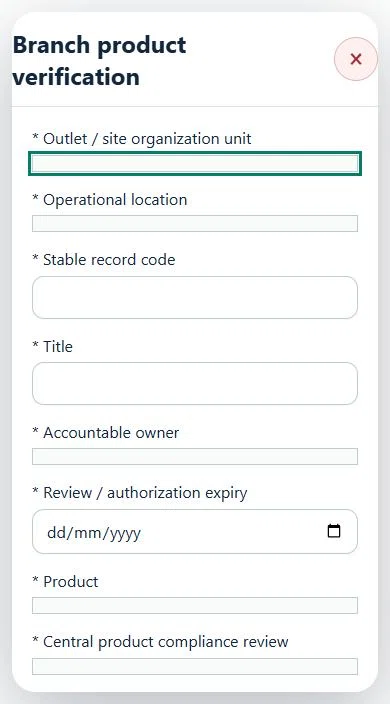
37Retail & Wholesale OperationsBranch product verificationPrepare a source-linked assurance record and obtain independent acceptance.
How to use this section
Select the operating context, owner and review due date. Record: Product; Central product compliance review; Local label, shelf and supplier verification; Verification result.
Link the relevant saved source records and any required accepted dependencies. Save the draft and attach supporting evidence in Detail.
Submit for independent review; resolve rejected or incomplete evidence before resubmitting. Acceptance does not approve or release the linked source work.
Use a new revision for changes to accepted records. Follow source links to resolve expired evidence, changed sources or failed prerequisites before progressing work.
Desktop · Branch product verification · Highlight: * Outlet / site organization unitMobile · Branch product verification · Highlight: * Outlet / site organization unit
38Retail & Wholesale OperationsAssets, certificates, calendar and reportingUse one source record across industry views.
How to use this section
Assets & equipment is a filtered view of Equipment. Use its shared Add, Edit and Detail forms, certificate records and approval workflow.
Certificates & compliance summarizes source certificates and linked legal obligations. Amend the source record instead of entering a duplicate certificate.
All industries use Equipment Certificates & renewals: required types, PIC reminders, draft evidence, independent verification and retained replacement history. Use Maintenance & work controls for internal, contractor or mixed repair work and controlled return to service.
Use Calendar & recurring work to plan due dates. A new cycle creates a fresh draft and requires fresh readiness checks and approval.
Apply the desired scope and filters before exporting CSV or PDF. Open Action Inbox for assigned reviews and follow-up.