Guest areas, kitchens, housekeeping, pools, water hygiene, events and occupied-site maintenance.
Search by function, activity, role or workflow action.
Browse by operating domain
Dedicated workspace
Plan maintenance beside an occupied guest area, segregate the work, link the permit and verify safe handback.
Use the standard User Guide button in the topbar whenever you need help. All industry instructions are maintained here.
01START HEREYour workflow from setup to closureWho does what, in which order, and how source controls apply.
Set up access and working scope
The organization administrator selects the industry, enables available workspaces and assigns roles with organization-unit scope. Additional workspaces can be disabled from Industry workspaces; the default workspace cannot be disabled. Disabling retains records and history. Package entitlements still control available functions.
Activity workflow
Create the activity with its operating context, location, owner, planned dates and internal, contractor or mixed workforce.
Open Detail, complete the readiness checks, resolve failed checks and attach evidence that passes scanning. Use Work controls to link saved records from the correct organization unit.
Submit for review. A reviewer independent of the creator and owner approves the activity.
Start within the approved date window. Permit-required work also needs a directly linked active PTW within its validity window.
Complete the work, attach completion evidence and request verification. An independent reviewer closes it after directly linked PTW and CAPA are resolved.
Open shared modules without leaving your industry
Open your industry workspace and select the required module from the grouped menu, such as HIRARC, Permit to work, CAPA or Assets & certificates. Resources → Shared services lists the available connections.
The register opens within the industry page. Select Open workspace to review a record and follow its linked Work Package, JSA, permit or other source record in the same industry context.
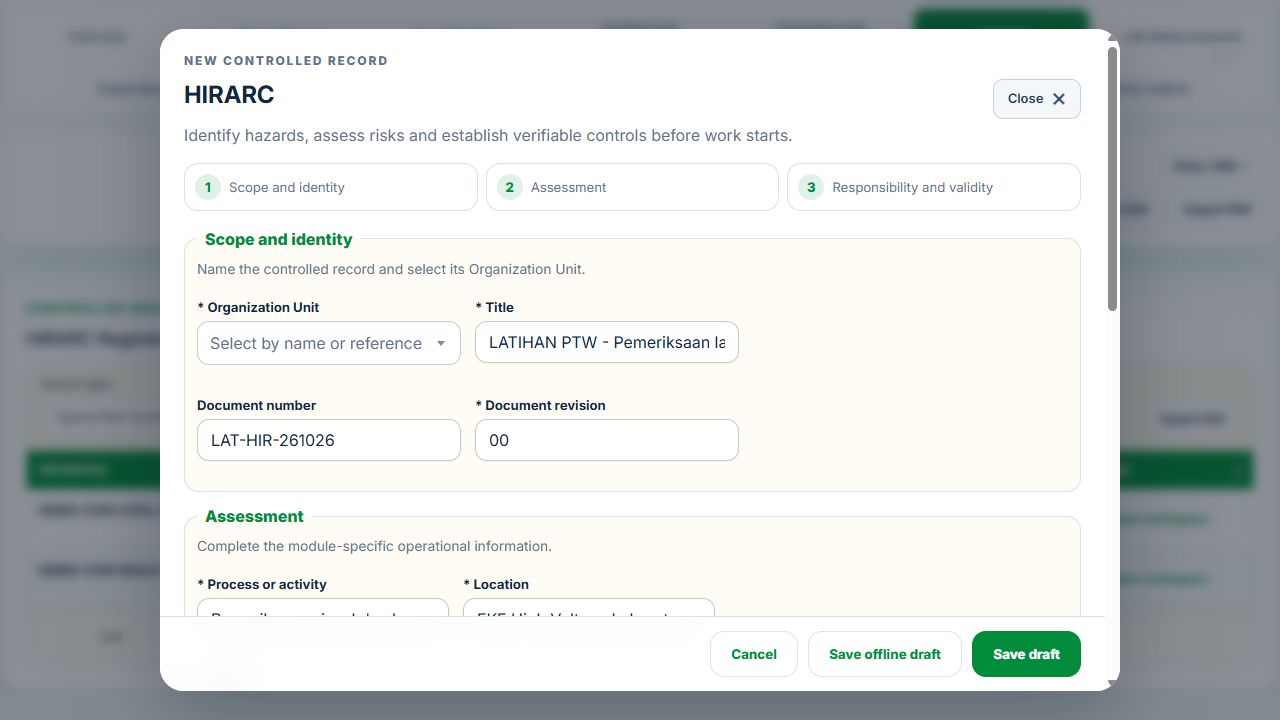
Use New record, Add, Edit or Renew where available. The original form opens in a modal. Select the correct site and organization unit; registers follow the module’s filters and your authorized scope.
Save or submit through the form’s existing controls. Required evidence, assignment, status and independent approval still apply. Use Close at the upper right to dismiss the form; closing a modal does not close the business record.
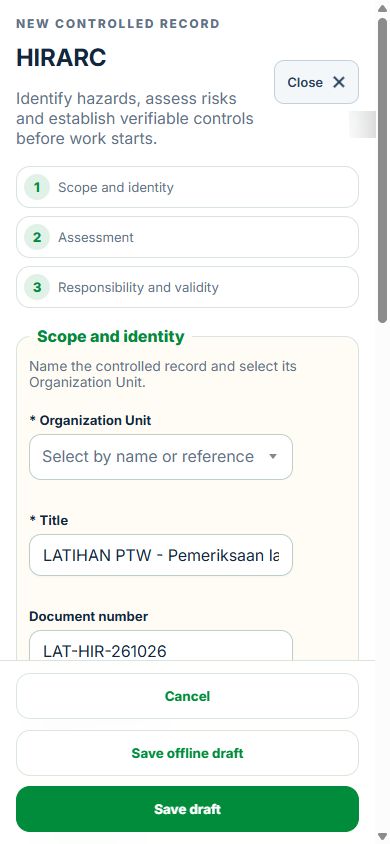
Use the record’s Print / PDF control for its controlled document. Printing and downloads open separately. On mobile the same forms fill the screen, with scrollable content and accessible Close controls.
Desktop · Original HIRARC form and Close controlMobile · Same fields and actions, full-screen form
How linked controls work
Work controls shows the source record, current status, direct links and dependencies reached through a Work Package or PTW. A typed reference does not create a relationship. Activity approval does not approve a Work Package, verify LOTO or activate a permit. Follow each source record's own approval and release workflow; reopen Detail to refresh its status.
Use Add and Edit to open the permitted form. Detail holds evidence, linked records, workflow and history. On mobile, table rows become labeled cards with the same actions.
Hospitality, Tourism & Food Services workflow
Hospitality, Tourism & Recreation and Food Safety & F&B profiles use the same property, workforce and source HSE records. A resort can use all three. Select a profile in the topbar; roles, subscription and unit scope still apply.
Register properties, buildings, outlets, pools and activity locations below existing organization units. Link the existing GIS location. Physical locations do not consume additional organization-unit quota.
Prepare an operating profile with responsible officers and active profiles. Use shared Equipment for assets, certificates, renewal, calibration and maintenance. Internal, contractor and mixed repairs use the same Work Package, JSA, PTW and LOTO workflows.
Save a draft review, link the actual source records, attach clean evidence and submit. An independent reviewer accepts or returns it. Accepted reviews retain history and require a new revision for changes. Source changes or expiry can invalidate readiness.
Map each activity to its exact location and readiness review. Work controls show why an operation is ready or blocked and link directly to its sources.
Food holds, traceability & recall
Record ingredient lots, batches and distributions. HACCP plans retain validated limits, monitoring and disposition procedures separately from occupational HIRARC. A failed CCP reading immediately holds the batch. Passing a later check does not release it.
Use Traceability to follow lots to batches and destinations. Record recall recoveries without exceeding distributed quantities. An independent Product disposition review requires closed CAPA; release also requires a current passing CCP verification and reconciled distribution. Disposed stock remains unavailable. Accepted physical lots, batches and dispatches retain their immutable identities.
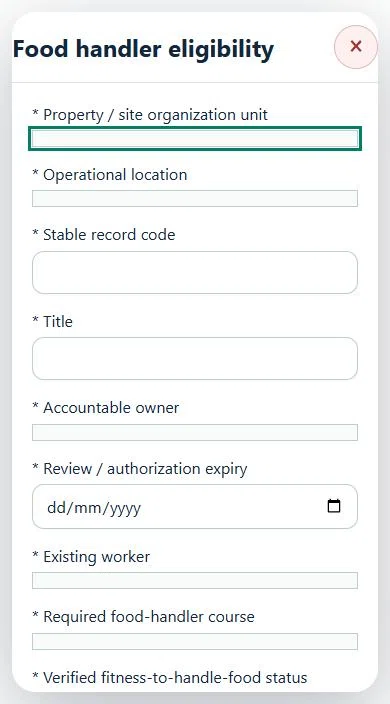
Food handler eligibility references existing worker training and verified clearance status. Store only clearance references and operational restrictions here; clinical details remain in the restricted health source.
Pool reopening & tourism clearance
Failed critical pool or water checks restrict the area. Retain failed evidence, record a new passing water test and obtain independent reopening acceptance with inspection and closed CAPA. Equipment defects use the shared repair and return-to-service action.
For a tour, link guide and transport authorizations, Equipment, inspections, HIRARC and emergency evidence. Confirm weather, manifest, capacity, briefing and rescue arrangements. Departure checks the accepted time window and live evidence. Record check-ins and holds, and reconcile all participants before completion.
Compliance, reports & integrations
Assess requirements for actual operations, jurisdiction and licence scope. Screening creates pending assessments, not automatic legal approval. Renew Equipment certificates at their source; premises licences and scheme reviews reference the existing compliance evidence.
The overview shows readiness, holds, certificates, events, measurements and GIS. Verified occupational rates use six complete site-months and worked hours; guest, tourist and food events are separate. Missing denominators remain unavailable. PMS/POS/HR/LMS/CMMS imports create staged drafts; sensor observations need matching accepted monitoring evidence. External systems and SITI cannot release food or reopen facilities.
02Hospitality, Tourism & Food ServicesOverview, scope and navigationStart with the right operating context.
How to use this section
Open the enabled industry from the navigation rail or the mobile More menu. Expand the grouped top menu to choose the next stage of work.
Select the organization unit and available project, factory or site context. KPI cards, graphs, maps and registers reflect the scope supported by that workspace.
Follow a KPI or source link to the underlying record. A missing or incomplete reporting value is not an assumed zero.
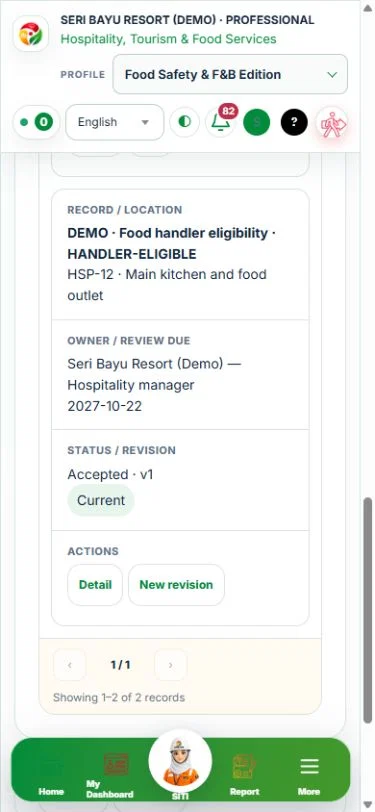
On mobile, registers become labeled cards. Use the same Detail, Edit and permitted workflow controls from each card.
Mobile · Hospitality
03Hospitality, Tourism & Food ServicesGuest & public areasManage public access, occupancy, slip hazards and guest-area defect follow-up.
How to use this section
Choose Add on the relevant activity card. Enter its organization unit, location, owner, planned dates and internal, contractor or mixed workforce.
Save the draft, open Detail and complete the readiness checks below. Explain failed or not-applicable answers; resolve failed checks and attach supporting evidence before review.
Open Work controls to link saved HSE source records. A typed reference alone does not create a relationship or grant approval.
Record these details: Guest / public area · Expected occupancy · Inspection reference · Guest access / accessibility controls · Linked defect reference
Readiness checks
Slip, trip and access hazards checked
Fire exits and emergency information checked
Guest accessibility and public interfaces reviewed
Defects isolated and response owner assigned
04Hospitality, Tourism & Food ServicesKitchens & food hygieneReview kitchen hazards and food handling checkpoints using site-approved limits.
How to use this section
Choose Add on the relevant activity card. Enter its organization unit, location, owner, planned dates and internal, contractor or mixed workforce.
Save the draft, open Detail and complete the readiness checks below. Explain failed or not-applicable answers; resolve failed checks and attach supporting evidence before review.
Open Work controls to link saved HSE source records. A typed reference alone does not create a relationship or grant approval.
Record these details: Kitchen / outlet · Service period · Gas / cooking equipment · Extraction / suppression check reference · Hot oil handling controls
Readiness checks
Gas, electrical and fire controls checked
Hot surfaces, knives and machinery controlled
Floors, ventilation and manual handling checked
Cleaning chemicals and emergency response reviewed
Food handling & hygiene checkpoints
Record these details: Outlet / food process · Batch / service reference · Process control point · Approved limit and procedure reference · Measured result, unit and time · Deviation response and product disposition
Readiness checks
Site-approved handling procedure and limits identified
Supplier / batch traceability and condition checked
Cross-contamination and allergen controls reviewed
Measuring instrument suitability and hygiene checked
Deviation handled against approved procedure
Responsible release and follow-up evidence recorded
05Hospitality, Tourism & Food ServicesPools, water hygiene & recreationCoordinate pool supervision, water-system reviews, leisure activity checks and rescue plans.
How to use this section
Choose Add on the relevant activity card. Enter its organization unit, location, owner, planned dates and internal, contractor or mixed workforce.
Save the draft, open Detail and complete the readiness checks below. Explain failed or not-applicable answers; resolve failed checks and attach supporting evidence before review.
Open Work controls to link saved HSE source records. A typed reference alone does not create a relationship or grant approval.
Record these details: Pool / spa reference · Supervision / rescue plan · Water test record reference · Site-approved operating limits · Rescue readiness check reference
Readiness checks
Supervision and rescue equipment checked
Water testing and plant condition reviewed
Chemical storage and dosing controls checked
Access, slips and emergency response reviewed
Water system hygiene review
Record these details: Water system / outlet reference · Competent water-risk assessment reference · Sampling / monitoring point · Approved control limits and method · Result / laboratory report reference · Flushing, isolation or corrective response
Readiness checks
System risk assessment and responsible person confirmed
Monitoring scope and site-approved limits verified
Stagnation and vulnerable outlets reviewed
Sampling and instrument records retained
Out-of-range findings escalated to competent review
Corrective action and return-to-service acceptance recorded
Recreation & excursion safety
Record these details: Recreation / excursion reference · Operator / guide reference · Expected participants · Approved weather / operating limits · Rescue and communication plan · Safety equipment inspection reference
Readiness checks
Activity risks, participant needs and operating limits reviewed
Guide competency and supervision arrangements checked
Safety equipment inspected and suitable
Weather and stop / cancellation criteria briefed
Communication, rescue and emergency access tested
Participant briefing and final acceptance recorded
Choose Add on the relevant activity card. Enter its organization unit, location, owner, planned dates and internal, contractor or mixed workforce.
Save the draft, open Detail and complete the readiness checks below. Explain failed or not-applicable answers; resolve failed checks and attach supporting evidence before review.
Open Work controls to link saved HSE source records. A typed reference alone does not create a relationship or grant approval.
Record these details: Event reference · Venue · Expected attendance · Event layout reference · Vendor / contractor interfaces
Readiness checks
Capacity and evacuation routes checked
Temporary structures and electrical work reviewed
Manual handling and contractor interfaces controlled
Public access and emergency arrangements agreed
07Hospitality, Tourism & Food ServicesOccupied-site maintenancePlan service interruptions and segregate work from guests before controlled handback.
How to use this section
Choose Add on the relevant activity card. Enter its organization unit, location, owner, planned dates and internal, contractor or mixed workforce.
Save the draft, open Detail and complete the readiness checks below. Explain failed or not-applicable answers; resolve failed checks and attach supporting evidence before review.
Open Work controls to link saved HSE source records. A typed reference alone does not create a relationship or grant approval.
Record these details: Maintenance work reference · Guest / public interface · Isolation / service interruption plan · Guest / occupier notification reference · Safe handback criteria
Readiness checks
Work boundaries and guest segregation confirmed
Competency, tools and risk assessment checked
Isolation and hot-work controls coordinated
Reinstatement and handover checks assigned
A directly linked, active PTW within its validity window is required before this activity starts.
08Hospitality, Tourism & Food ServicesOperating profiles & responsibilitiesPrepare a source-linked assurance record and obtain independent acceptance.
How to use this section
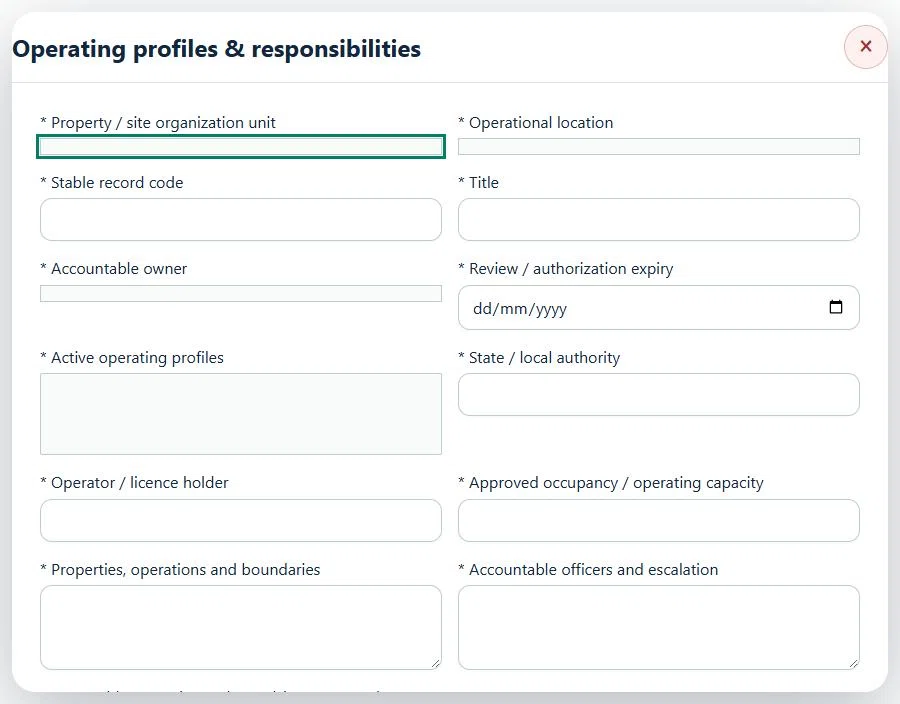
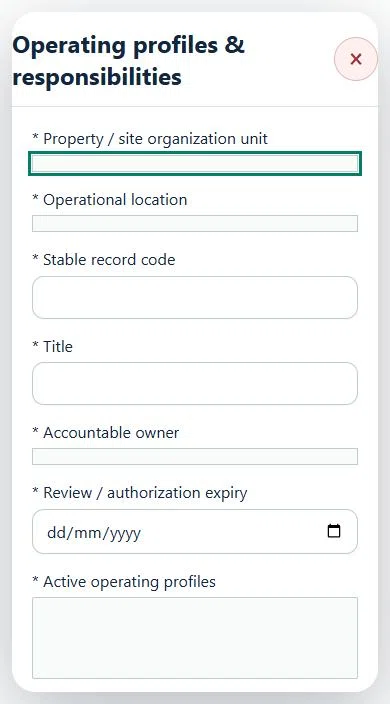
Select the operating context, owner and review due date. Record: Active operating profiles; State / local authority; Operator / licence holder; Approved occupancy / operating capacity; Properties, operations and boundaries; Accountable officers and escalation.
Link the relevant saved source records and any required accepted dependencies. Save the draft and attach supporting evidence in Detail.
Submit for independent review; resolve rejected or incomplete evidence before resubmitting. Acceptance does not approve or release the linked source work.
Use a new revision for changes to accepted records. Follow source links to resolve expired evidence, changed sources or failed prerequisites before progressing work.
Desktop · Operating profiles & responsibilities · Highlight: * Property / site organization unitMobile · Operating profiles & responsibilities · Highlight: * Property / site organization unit
09Hospitality, Tourism & Food ServicesGuest & public safetyPrepare a source-linked assurance record and obtain independent acceptance.
How to use this section
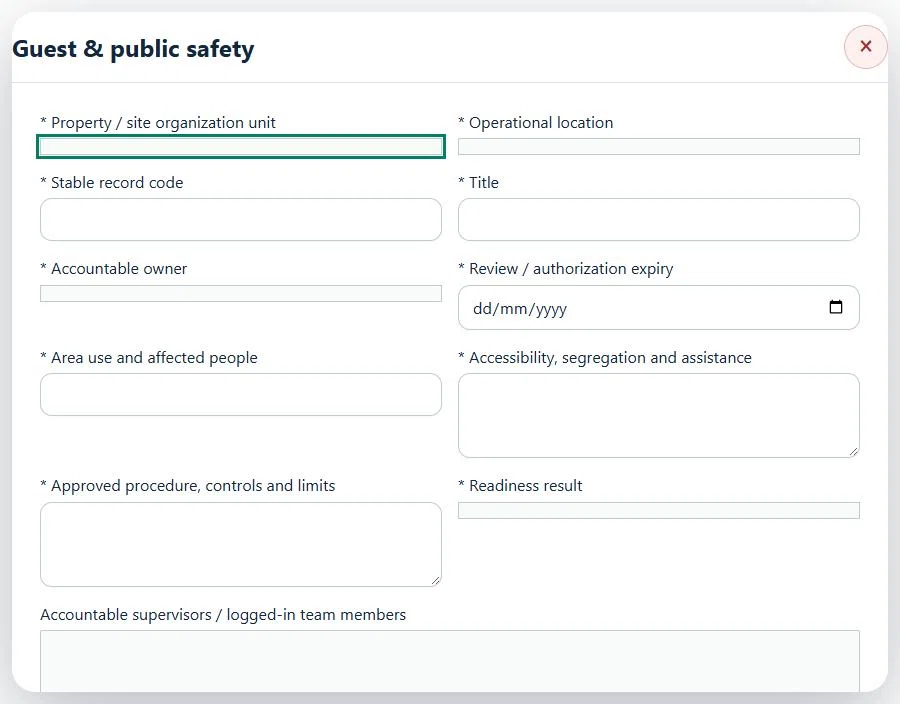
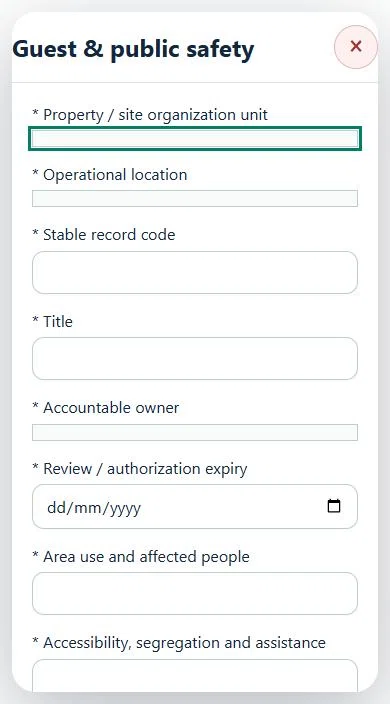
Select the operating context, owner and review due date. Record: Area use and affected people; Accessibility, segregation and assistance; Approved procedure, controls and limits; Readiness result.
Link the relevant saved source records and any required accepted dependencies. Save the draft and attach supporting evidence in Detail.
Submit for independent review; resolve rejected or incomplete evidence before resubmitting. Acceptance does not approve or release the linked source work.
Use a new revision for changes to accepted records. Follow source links to resolve expired evidence, changed sources or failed prerequisites before progressing work.
Desktop · Guest & public safety · Highlight: * Property / site organization unitMobile · Guest & public safety · Highlight: * Property / site organization unit
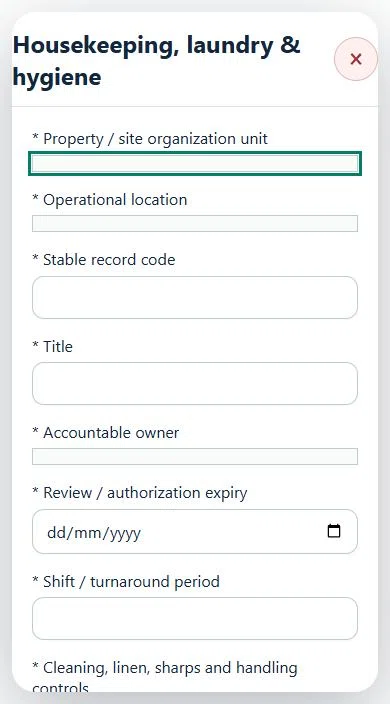
10Hospitality, Tourism & Food ServicesHousekeeping, laundry & hygienePrepare a source-linked assurance record and obtain independent acceptance.
How to use this section
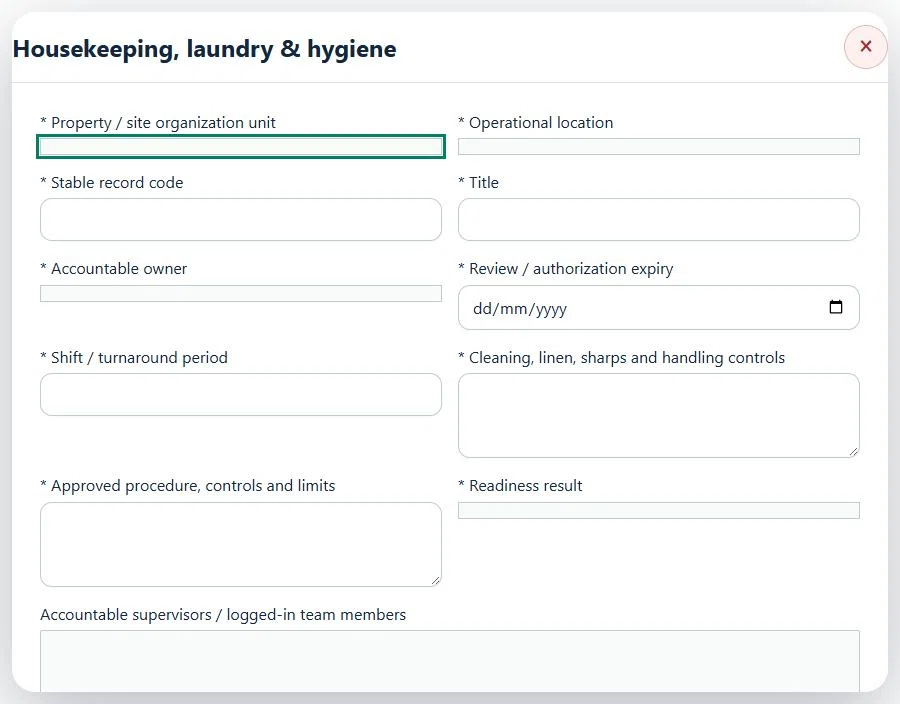
Select the operating context, owner and review due date. Record: Shift / turnaround period; Cleaning, linen, sharps and handling controls; Approved procedure, controls and limits; Readiness result.
Link the relevant saved source records and any required accepted dependencies. Save the draft and attach supporting evidence in Detail.
Submit for independent review; resolve rejected or incomplete evidence before resubmitting. Acceptance does not approve or release the linked source work.
Use a new revision for changes to accepted records. Follow source links to resolve expired evidence, changed sources or failed prerequisites before progressing work.
Desktop · Housekeeping, laundry & hygiene · Highlight: * Property / site organization unitMobile · Housekeeping, laundry & hygiene · Highlight: * Property / site organization unit
Housekeeping & laundry
Record these details: Work area · Cleaning chemical / SDS reference · Shift · Chemical dilution procedure · Linen / waste handling controls
Readiness checks
Chemical dilution and incompatible products reviewed
Manual handling and repetitive work controlled
Sharps, waste and linen handling reviewed
Wet-floor signage and equipment checked
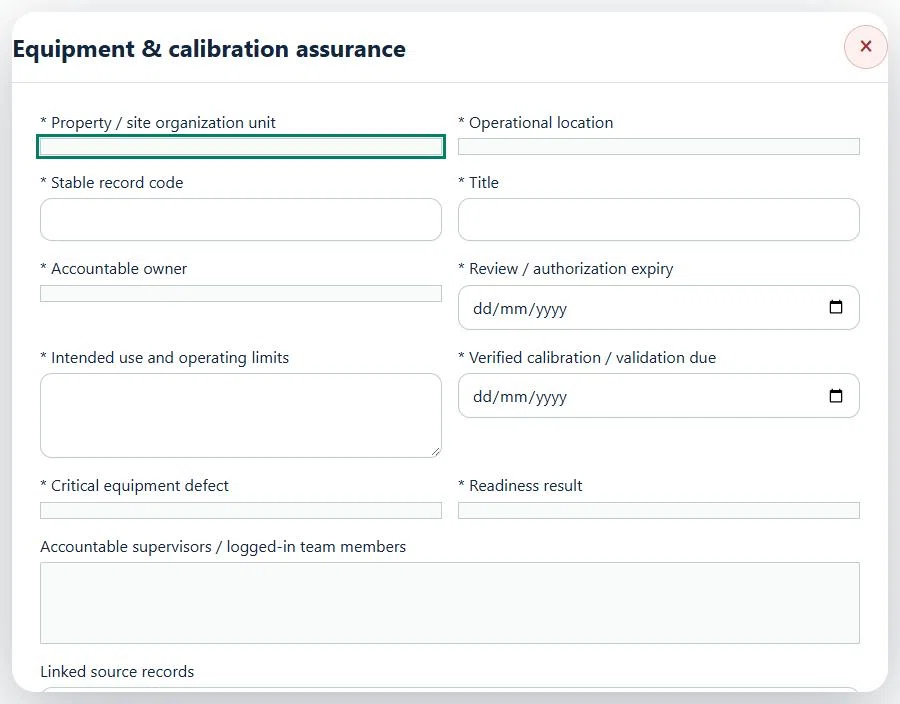
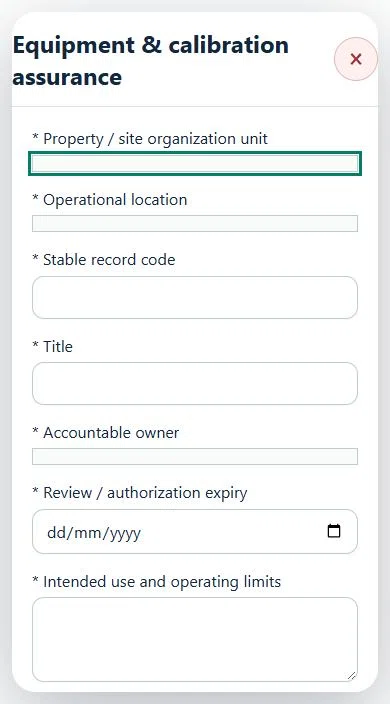
11Hospitality, Tourism & Food ServicesEquipment & calibration assurancePrepare a source-linked assurance record and obtain independent acceptance.
How to use this section
Select the operating context, owner and review due date. Record: Intended use and operating limits; Verified calibration / validation due; Critical equipment defect; Readiness result.
Link the relevant saved source records and any required accepted dependencies. Save the draft and attach supporting evidence in Detail.
Submit for independent review; resolve rejected or incomplete evidence before resubmitting. Acceptance does not approve or release the linked source work.
Use a new revision for changes to accepted records. Follow source links to resolve expired evidence, changed sources or failed prerequisites before progressing work.
Desktop · Equipment & calibration assurance · Highlight: * Property / site organization unitMobile · Equipment & calibration assurance · Highlight: * Property / site organization unit
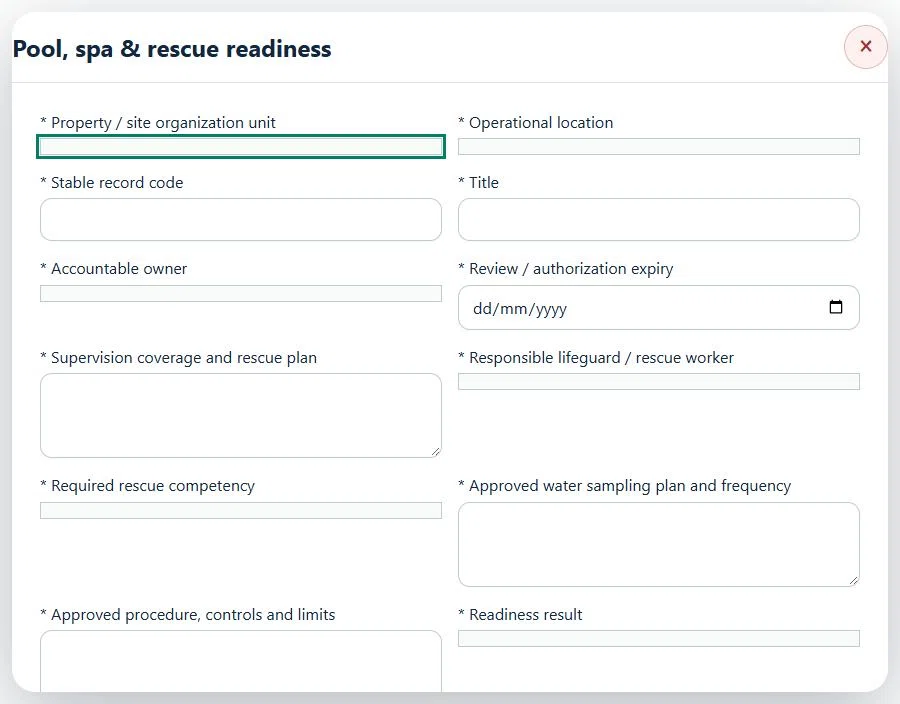
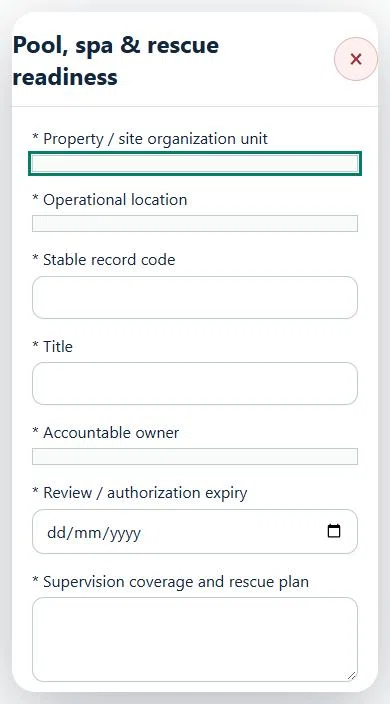
12Hospitality, Tourism & Food ServicesPool, spa & rescue readinessPrepare a source-linked assurance record and obtain independent acceptance.
How to use this section
Select the operating context, owner and review due date. Record: Supervision coverage and rescue plan; Responsible lifeguard / rescue worker; Required rescue competency; Approved water sampling plan and frequency; Approved procedure, controls and limits; Readiness result.
Link the relevant saved source records and any required accepted dependencies. Save the draft and attach supporting evidence in Detail.
Submit for independent review; resolve rejected or incomplete evidence before resubmitting. Acceptance does not approve or release the linked source work.
Use a new revision for changes to accepted records. Follow source links to resolve expired evidence, changed sources or failed prerequisites before progressing work.
Desktop · Pool, spa & rescue readiness · Highlight: * Property / site organization unitMobile · Pool, spa & rescue readiness · Highlight: * Property / site organization unit
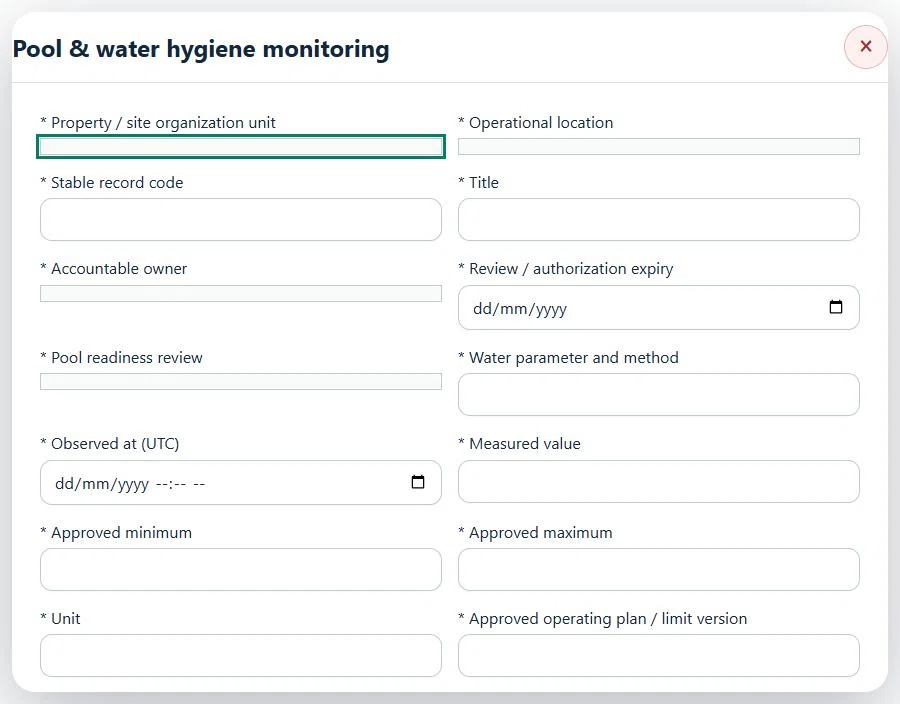
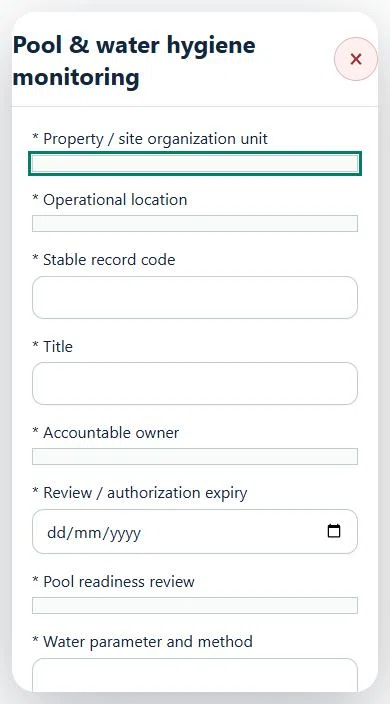
13Hospitality, Tourism & Food ServicesPool & water hygiene monitoringPrepare a source-linked assurance record and obtain independent acceptance.
How to use this section
Select the operating context, owner and review due date. Record: Pool readiness review; Water parameter and method; Observed at (UTC); Measured value; Approved minimum; Approved maximum; Unit; Approved operating plan / limit version; Immediate response / sampling evidence.
Link the relevant saved source records and any required accepted dependencies. Save the draft and attach supporting evidence in Detail.
Submit for independent review; resolve rejected or incomplete evidence before resubmitting. Acceptance does not approve or release the linked source work.
Use a new revision for changes to accepted records. Follow source links to resolve expired evidence, changed sources or failed prerequisites before progressing work.
Desktop · Pool & water hygiene monitoring · Highlight: * Property / site organization unitMobile · Pool & water hygiene monitoring · Highlight: * Property / site organization unit
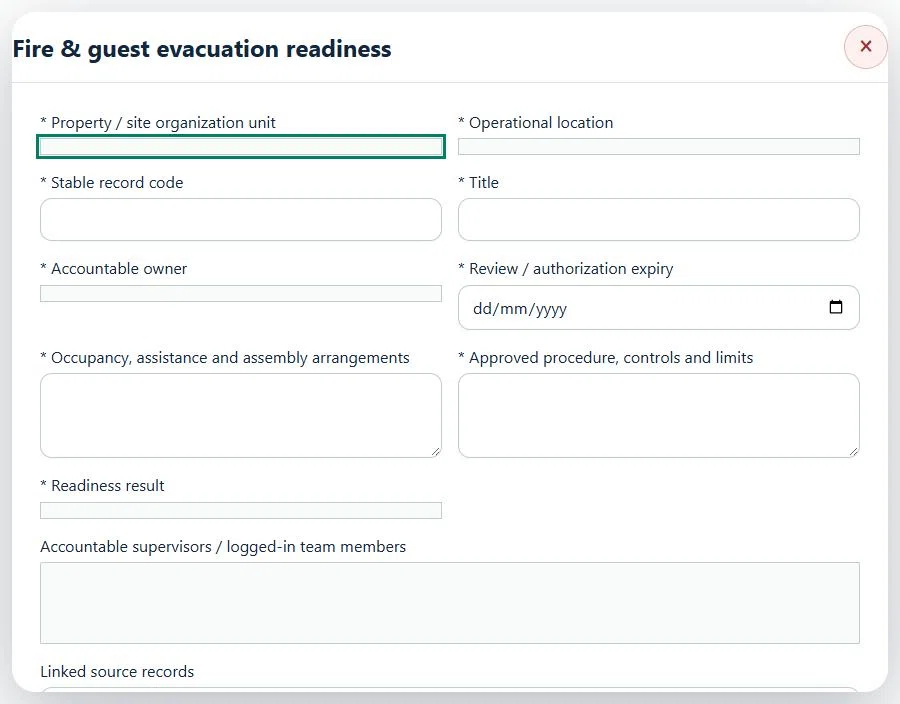
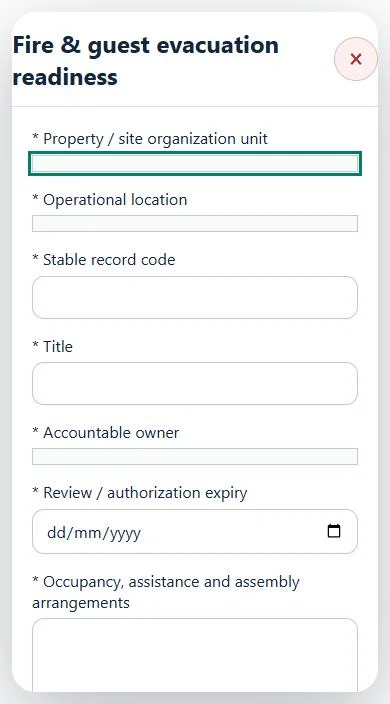
14Hospitality, Tourism & Food ServicesFire & guest evacuation readinessPrepare a source-linked assurance record and obtain independent acceptance.
How to use this section
Select the operating context, owner and review due date. Record: Occupancy, assistance and assembly arrangements; Approved procedure, controls and limits; Readiness result.
Link the relevant saved source records and any required accepted dependencies. Save the draft and attach supporting evidence in Detail.
Submit for independent review; resolve rejected or incomplete evidence before resubmitting. Acceptance does not approve or release the linked source work.
Use a new revision for changes to accepted records. Follow source links to resolve expired evidence, changed sources or failed prerequisites before progressing work.
Desktop · Fire & guest evacuation readiness · Highlight: * Property / site organization unitMobile · Fire & guest evacuation readiness · Highlight: * Property / site organization unit
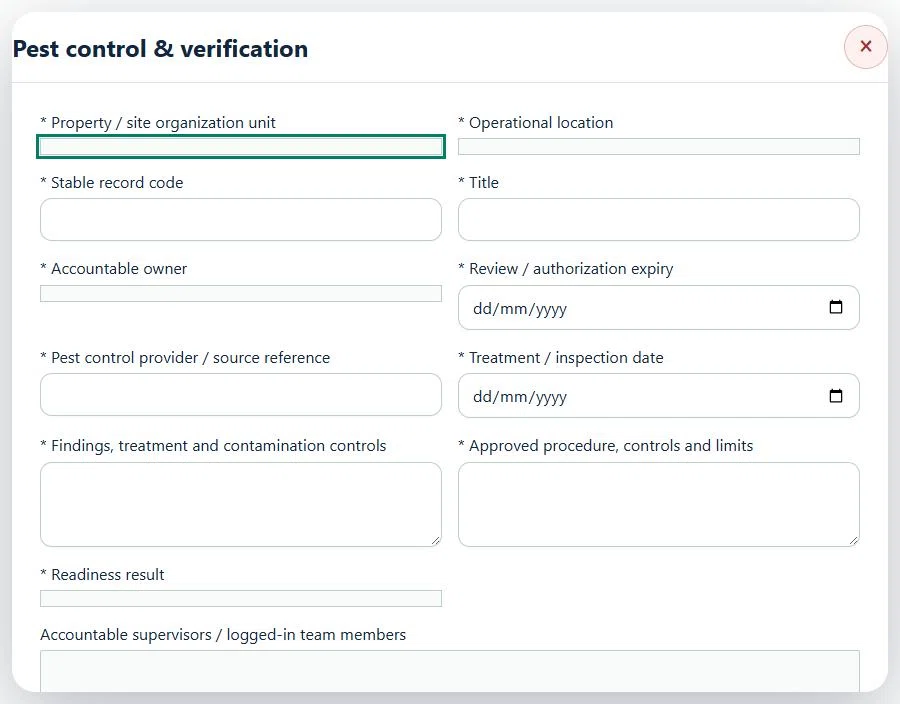
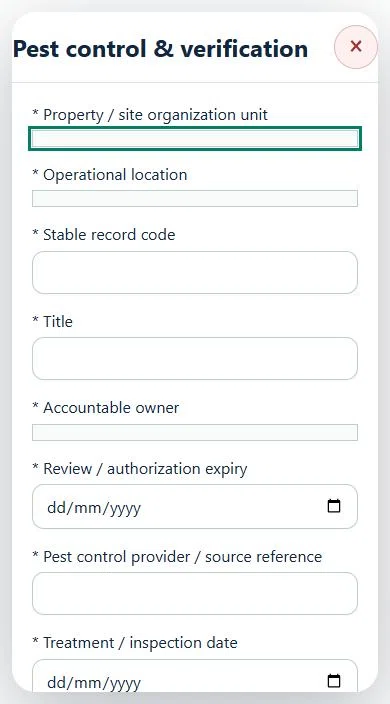
15Hospitality, Tourism & Food ServicesPest control & verificationPrepare a source-linked assurance record and obtain independent acceptance.
How to use this section
Select the operating context, owner and review due date. Record: Pest control provider / source reference; Treatment / inspection date; Findings, treatment and contamination controls; Approved procedure, controls and limits; Readiness result.
Link the relevant saved source records and any required accepted dependencies. Save the draft and attach supporting evidence in Detail.
Submit for independent review; resolve rejected or incomplete evidence before resubmitting. Acceptance does not approve or release the linked source work.
Use a new revision for changes to accepted records. Follow source links to resolve expired evidence, changed sources or failed prerequisites before progressing work.
Desktop · Pest control & verification · Highlight: * Property / site organization unitMobile · Pest control & verification · Highlight: * Property / site organization unit
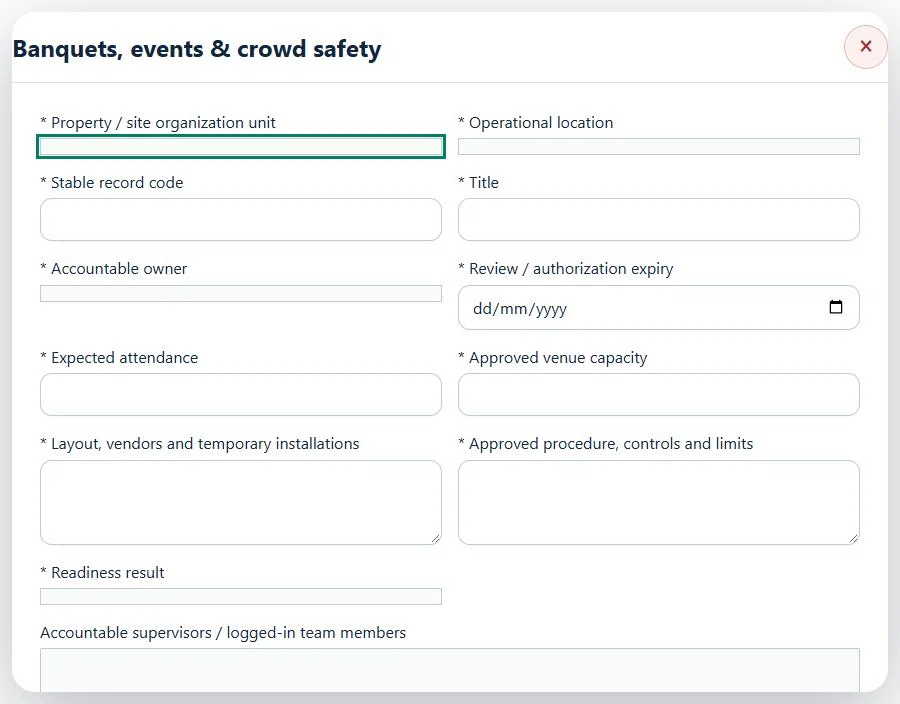
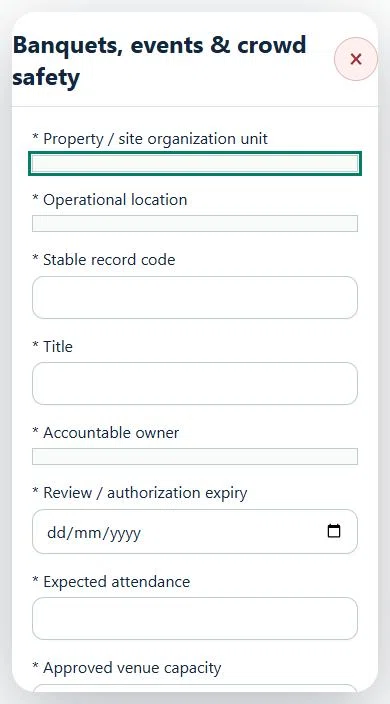
16Hospitality, Tourism & Food ServicesBanquets, events & crowd safetyPrepare a source-linked assurance record and obtain independent acceptance.
How to use this section
Select the operating context, owner and review due date. Record: Expected attendance; Approved venue capacity; Layout, vendors and temporary installations; Approved procedure, controls and limits; Readiness result.
Link the relevant saved source records and any required accepted dependencies. Save the draft and attach supporting evidence in Detail.
Submit for independent review; resolve rejected or incomplete evidence before resubmitting. Acceptance does not approve or release the linked source work.
Use a new revision for changes to accepted records. Follow source links to resolve expired evidence, changed sources or failed prerequisites before progressing work.
Desktop · Banquets, events & crowd safety · Highlight: * Property / site organization unitMobile · Banquets, events & crowd safety · Highlight: * Property / site organization unit
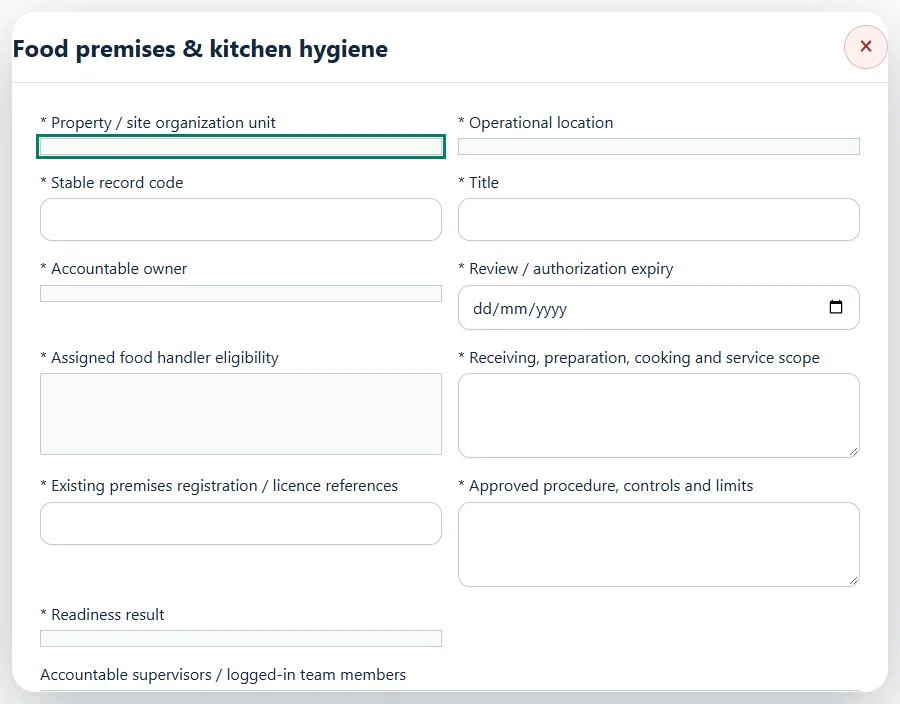
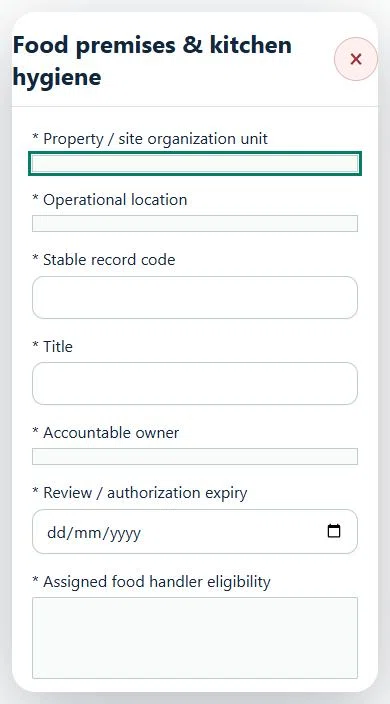
17Hospitality, Tourism & Food ServicesFood premises & kitchen hygienePrepare a source-linked assurance record and obtain independent acceptance.
How to use this section
Select the operating context, owner and review due date. Record: Assigned food handler eligibility; Receiving, preparation, cooking and service scope; Existing premises registration / licence references; Approved procedure, controls and limits; Readiness result.
Link the relevant saved source records and any required accepted dependencies. Save the draft and attach supporting evidence in Detail.
Submit for independent review; resolve rejected or incomplete evidence before resubmitting. Acceptance does not approve or release the linked source work.
Use a new revision for changes to accepted records. Follow source links to resolve expired evidence, changed sources or failed prerequisites before progressing work.
Desktop · Food premises & kitchen hygiene · Highlight: * Property / site organization unitMobile · Food premises & kitchen hygiene · Highlight: * Property / site organization unit
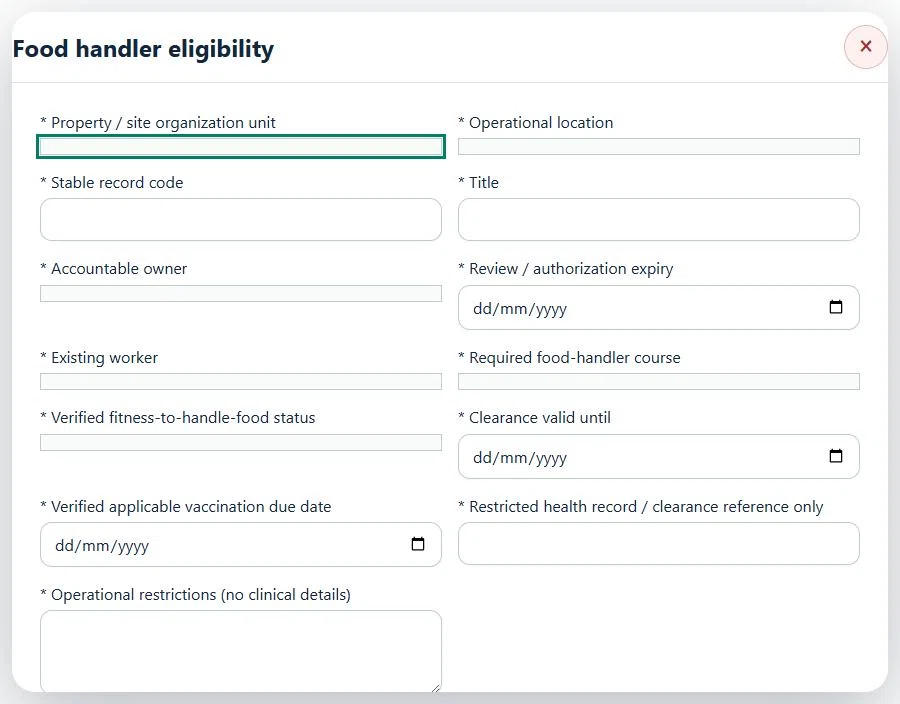
18Hospitality, Tourism & Food ServicesFood handler eligibilityPrepare a source-linked assurance record and obtain independent acceptance.
How to use this section
Select the operating context, owner and review due date. Record: Existing worker; Required food-handler course; Verified fitness-to-handle-food status; Clearance valid until; Verified applicable vaccination due date; Restricted health record / clearance reference only; Operational restrictions (no clinical details).
Link the relevant saved source records and any required accepted dependencies. Save the draft and attach supporting evidence in Detail.
Submit for independent review; resolve rejected or incomplete evidence before resubmitting. Acceptance does not approve or release the linked source work.
Use a new revision for changes to accepted records. Follow source links to resolve expired evidence, changed sources or failed prerequisites before progressing work.
Desktop · Food handler eligibility · Highlight: * Property / site organization unitMobile · Food handler eligibility · Highlight: * Property / site organization unit
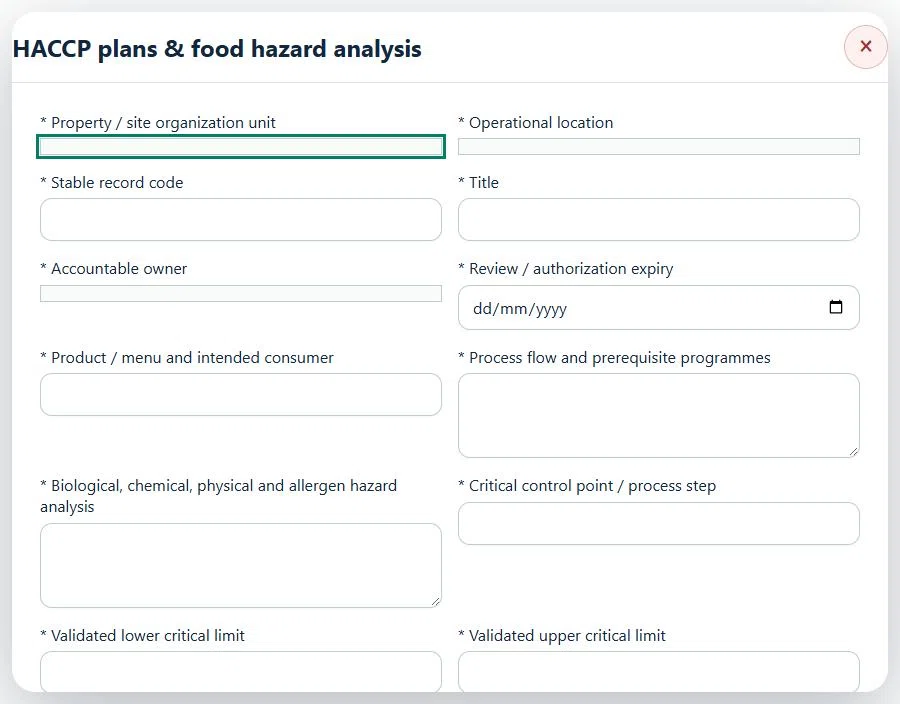
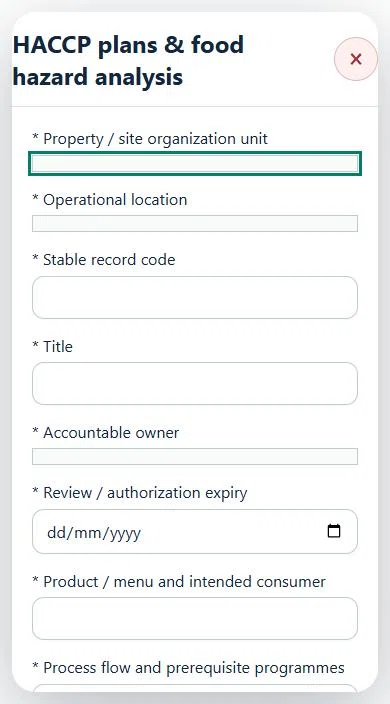
19Hospitality, Tourism & Food ServicesHACCP plans & food hazard analysisPrepare a source-linked assurance record and obtain independent acceptance.
How to use this section
Select the operating context, owner and review due date. Record: Product / menu and intended consumer; Process flow and prerequisite programmes; Biological, chemical, physical and allergen hazard analysis; Critical control point / process step; Validated lower critical limit; Validated upper critical limit; Measurement unit; Method, frequency and accountable monitor; Deviation, disposition and verification procedure; Competent validation evidence / SOP version.
Link the relevant saved source records and any required accepted dependencies. Save the draft and attach supporting evidence in Detail.
Submit for independent review; resolve rejected or incomplete evidence before resubmitting. Acceptance does not approve or release the linked source work.
Use a new revision for changes to accepted records. Follow source links to resolve expired evidence, changed sources or failed prerequisites before progressing work.
20Hospitality, Tourism & Food ServicesSuppliers & ingredient lotsPrepare a source-linked assurance record and obtain independent acceptance.
How to use this section
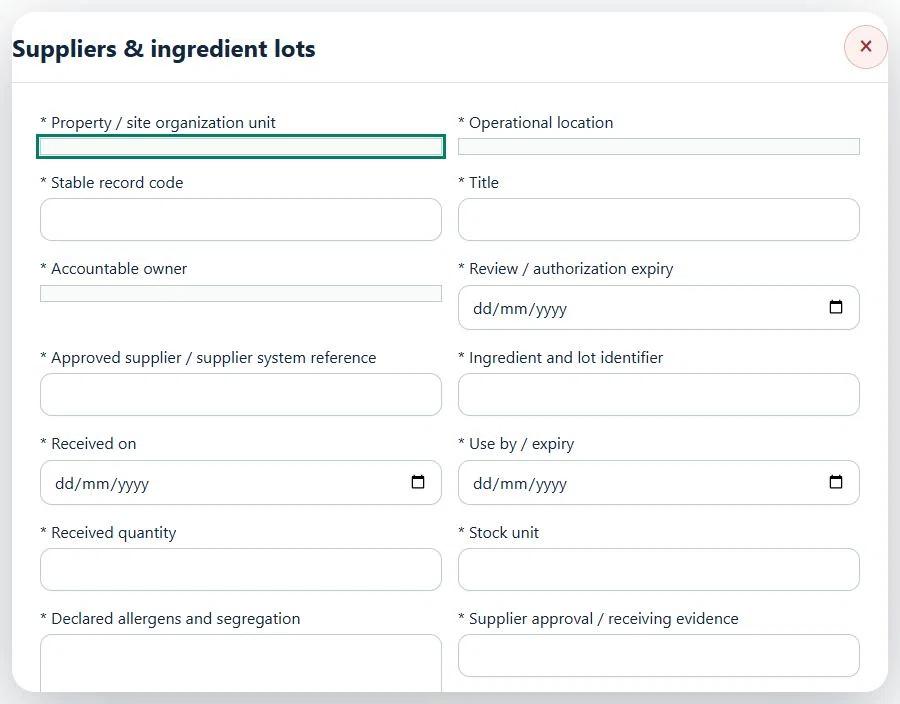
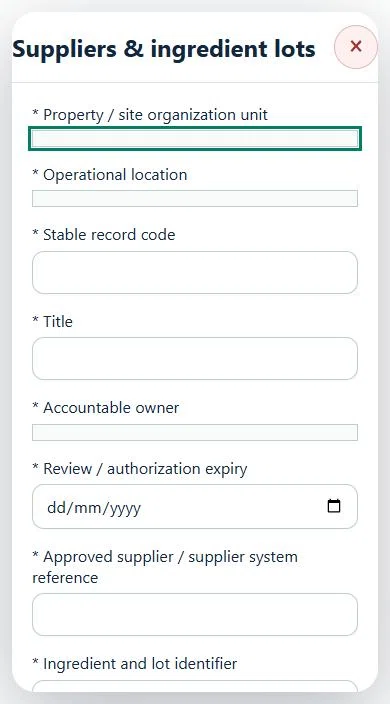
Select the operating context, owner and review due date. Record: Approved supplier / supplier system reference; Ingredient and lot identifier; Received on; Use by / expiry; Received quantity; Stock unit; Declared allergens and segregation; Supplier approval / receiving evidence; Readiness result.
Link the relevant saved source records and any required accepted dependencies. Save the draft and attach supporting evidence in Detail.
Submit for independent review; resolve rejected or incomplete evidence before resubmitting. Acceptance does not approve or release the linked source work.
Use a new revision for changes to accepted records. Follow source links to resolve expired evidence, changed sources or failed prerequisites before progressing work.
Desktop · Suppliers & ingredient lots · Highlight: * Property / site organization unitMobile · Suppliers & ingredient lots · Highlight: * Property / site organization unit
21Hospitality, Tourism & Food ServicesFood batches & ingredient traceabilityPrepare a source-linked assurance record and obtain independent acceptance.
How to use this section
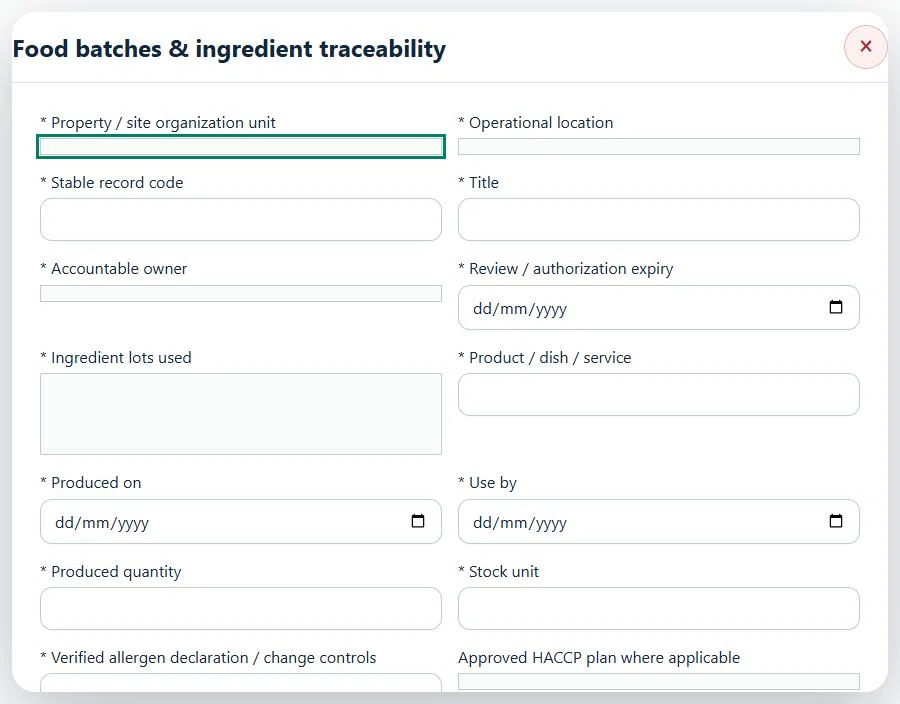
Select the operating context, owner and review due date. Record: Ingredient lots used; Product / dish / service; Produced on; Use by; Produced quantity; Stock unit; Verified allergen declaration / change controls; Approved HACCP plan where applicable; Readiness result.
Link the relevant saved source records and any required accepted dependencies. Save the draft and attach supporting evidence in Detail.
Submit for independent review; resolve rejected or incomplete evidence before resubmitting. Acceptance does not approve or release the linked source work.
Use a new revision for changes to accepted records. Follow source links to resolve expired evidence, changed sources or failed prerequisites before progressing work.
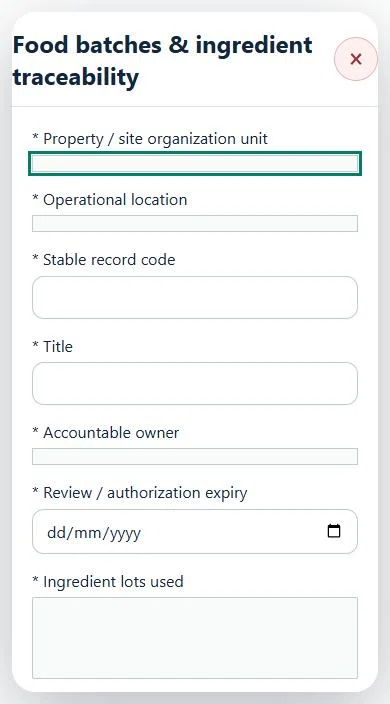
Desktop · Food batches & ingredient traceability · Highlight: * Property / site organization unitMobile · Food batches & ingredient traceability · Highlight: * Property / site organization unit
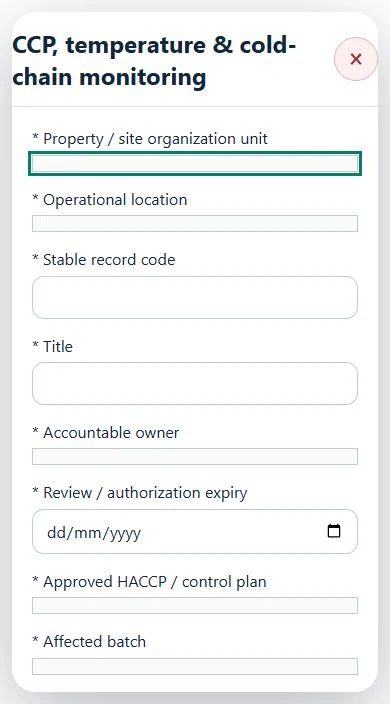
22Hospitality, Tourism & Food ServicesCCP, temperature & cold-chain monitoringPrepare a source-linked assurance record and obtain independent acceptance.
How to use this section
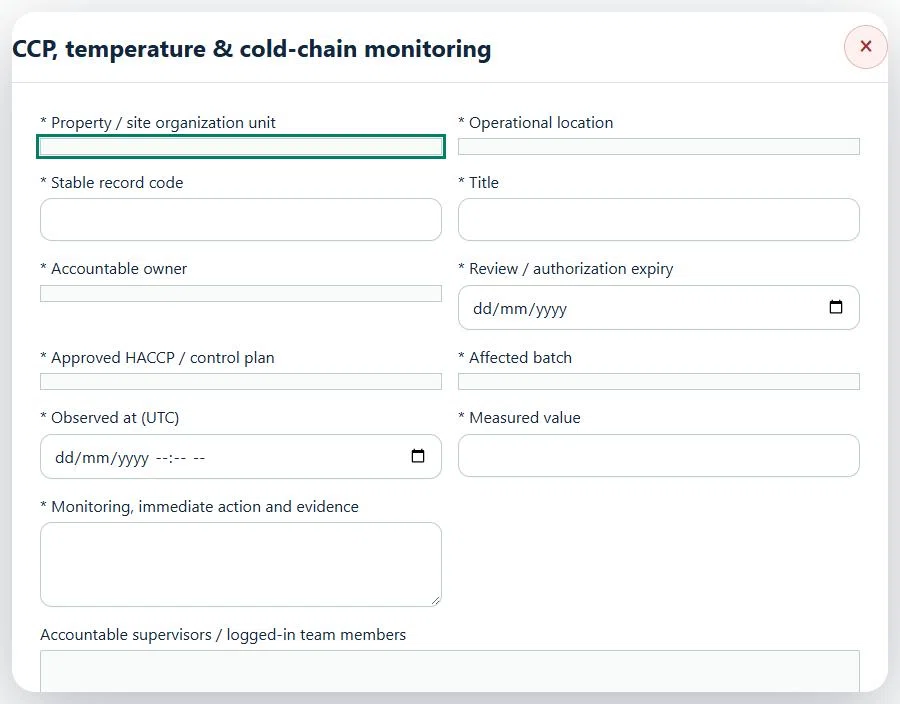
Select the operating context, owner and review due date. Record: Approved HACCP / control plan; Affected batch; Observed at (UTC); Measured value; Monitoring, immediate action and evidence.
Link the relevant saved source records and any required accepted dependencies. Save the draft and attach supporting evidence in Detail.
Submit for independent review; resolve rejected or incomplete evidence before resubmitting. Acceptance does not approve or release the linked source work.
Use a new revision for changes to accepted records. Follow source links to resolve expired evidence, changed sources or failed prerequisites before progressing work.
Desktop · CCP, temperature & cold-chain monitoring · Highlight: * Property / site organization unitMobile · CCP, temperature & cold-chain monitoring · Highlight: * Property / site organization unit
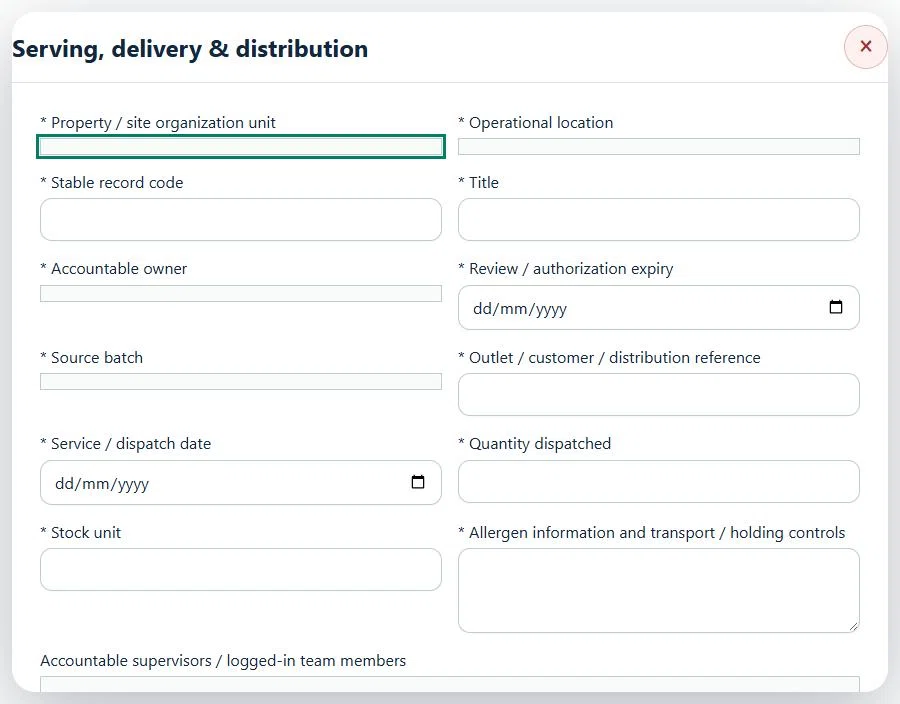
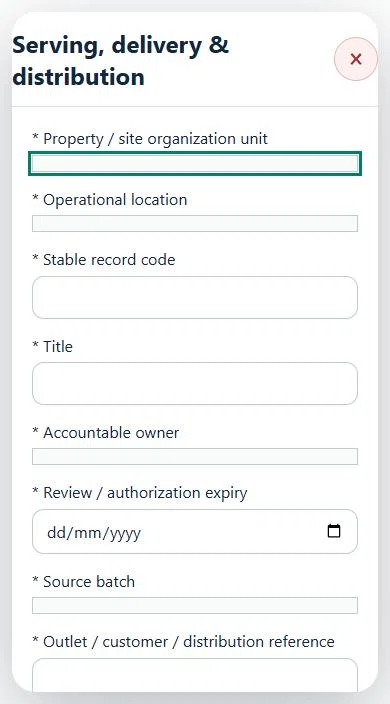
23Hospitality, Tourism & Food ServicesServing, delivery & distributionPrepare a source-linked assurance record and obtain independent acceptance.
How to use this section
Select the operating context, owner and review due date. Record: Source batch; Outlet / customer / distribution reference; Service / dispatch date; Quantity dispatched; Stock unit; Allergen information and transport / holding controls.
Link the relevant saved source records and any required accepted dependencies. Save the draft and attach supporting evidence in Detail.
Submit for independent review; resolve rejected or incomplete evidence before resubmitting. Acceptance does not approve or release the linked source work.
Use a new revision for changes to accepted records. Follow source links to resolve expired evidence, changed sources or failed prerequisites before progressing work.
Desktop · Serving, delivery & distribution · Highlight: * Property / site organization unitMobile · Serving, delivery & distribution · Highlight: * Property / site organization unit
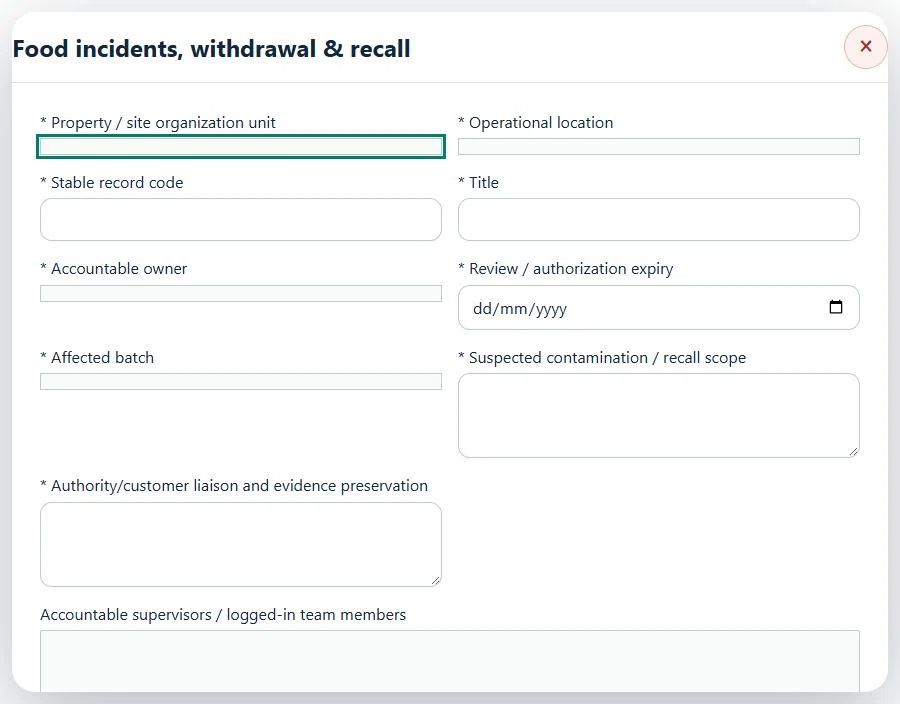
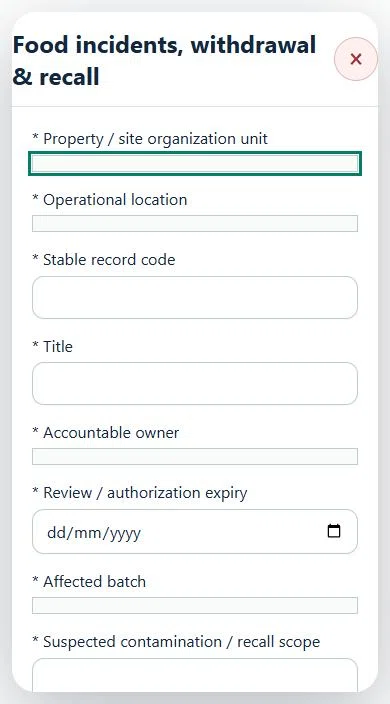
24Hospitality, Tourism & Food ServicesFood incidents, withdrawal & recallPrepare a source-linked assurance record and obtain independent acceptance.
How to use this section
Select the operating context, owner and review due date. Record: Affected batch; Suspected contamination / recall scope; Authority/customer liaison and evidence preservation.
Link the relevant saved source records and any required accepted dependencies. Save the draft and attach supporting evidence in Detail.
Submit for independent review; resolve rejected or incomplete evidence before resubmitting. Acceptance does not approve or release the linked source work.
Use a new revision for changes to accepted records. Follow source links to resolve expired evidence, changed sources or failed prerequisites before progressing work.
Desktop · Food incidents, withdrawal & recall · Highlight: * Property / site organization unitMobile · Food incidents, withdrawal & recall · Highlight: * Property / site organization unit
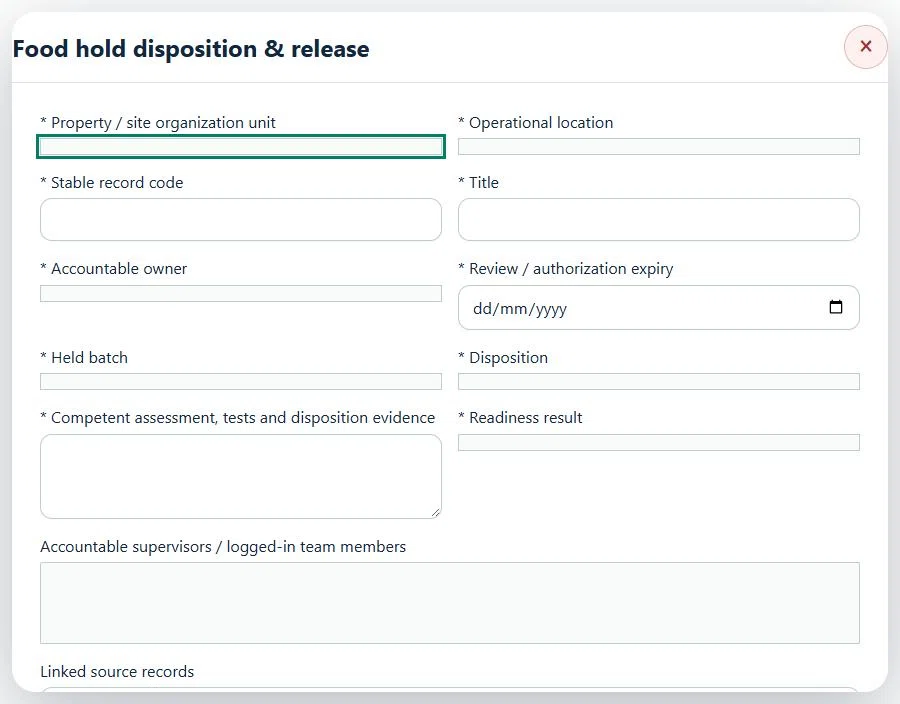
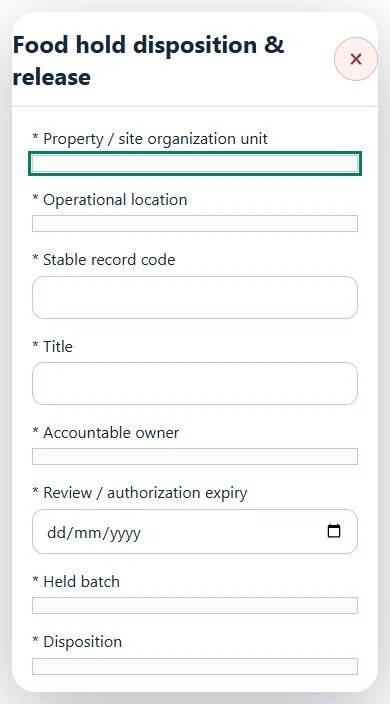
25Hospitality, Tourism & Food ServicesFood hold disposition & releasePrepare a source-linked assurance record and obtain independent acceptance.
How to use this section
Select the operating context, owner and review due date. Record: Held batch; Disposition; Competent assessment, tests and disposition evidence; Readiness result.
Link the relevant saved source records and any required accepted dependencies. Save the draft and attach supporting evidence in Detail.
Submit for independent review; resolve rejected or incomplete evidence before resubmitting. Acceptance does not approve or release the linked source work.
Use a new revision for changes to accepted records. Follow source links to resolve expired evidence, changed sources or failed prerequisites before progressing work.
Desktop · Food hold disposition & release · Highlight: * Property / site organization unitMobile · Food hold disposition & release · Highlight: * Property / site organization unit
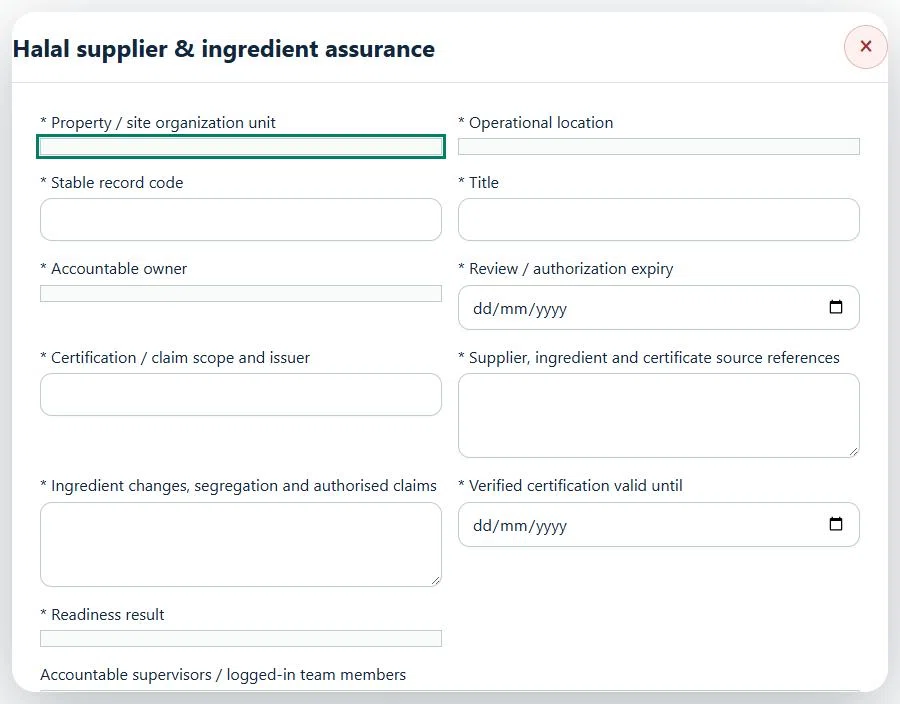
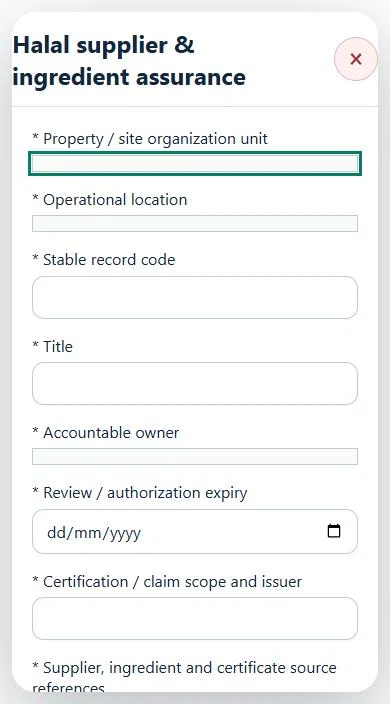
26Hospitality, Tourism & Food ServicesHalal supplier & ingredient assurancePrepare a source-linked assurance record and obtain independent acceptance.
How to use this section
Select the operating context, owner and review due date. Record: Certification / claim scope and issuer; Supplier, ingredient and certificate source references; Ingredient changes, segregation and authorised claims; Verified certification valid until; Readiness result.
Link the relevant saved source records and any required accepted dependencies. Save the draft and attach supporting evidence in Detail.
Submit for independent review; resolve rejected or incomplete evidence before resubmitting. Acceptance does not approve or release the linked source work.
Use a new revision for changes to accepted records. Follow source links to resolve expired evidence, changed sources or failed prerequisites before progressing work.
Desktop · Halal supplier & ingredient assurance · Highlight: * Property / site organization unitMobile · Halal supplier & ingredient assurance · Highlight: * Property / site organization unit
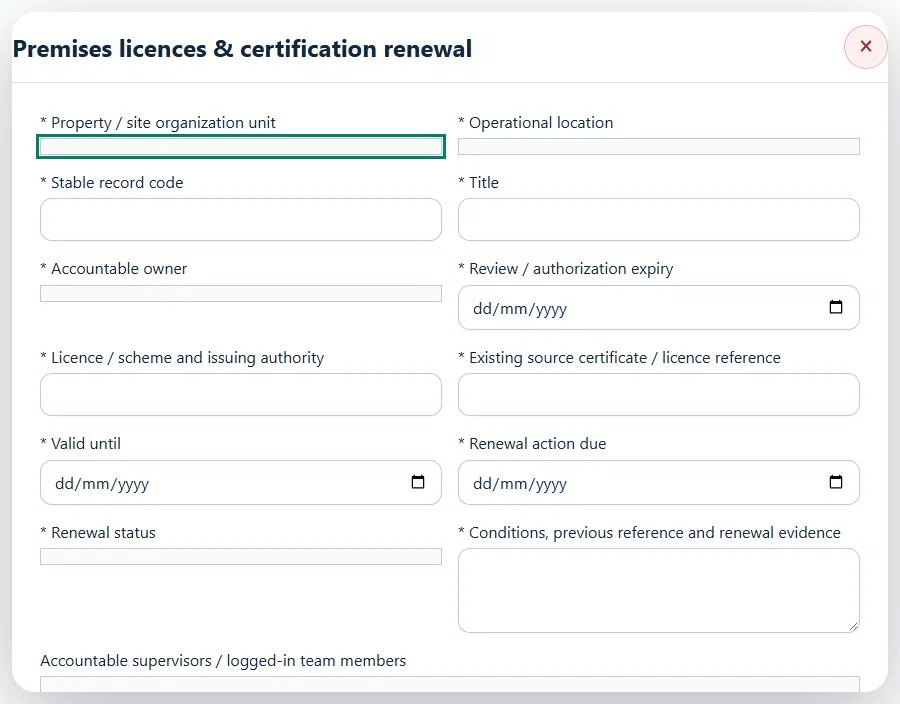
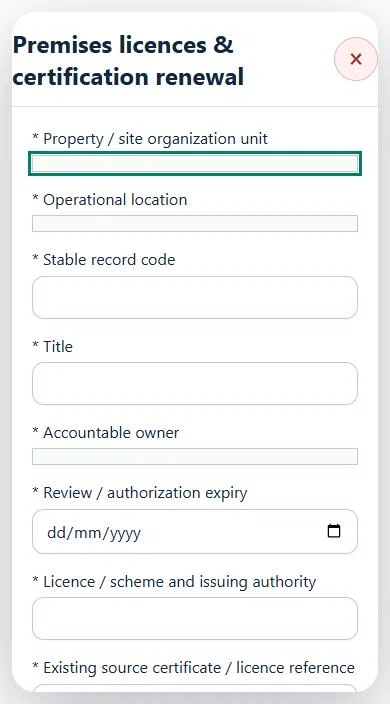
27Hospitality, Tourism & Food ServicesPremises licences & certification renewalPrepare a source-linked assurance record and obtain independent acceptance.
How to use this section
Select the operating context, owner and review due date. Record: Licence / scheme and issuing authority; Existing source certificate / licence reference; Valid until; Renewal action due; Renewal status; Conditions, previous reference and renewal evidence.
Link the relevant saved source records and any required accepted dependencies. Save the draft and attach supporting evidence in Detail.
Submit for independent review; resolve rejected or incomplete evidence before resubmitting. Acceptance does not approve or release the linked source work.
Use a new revision for changes to accepted records. Follow source links to resolve expired evidence, changed sources or failed prerequisites before progressing work.
Desktop · Premises licences & certification renewal · Highlight: * Property / site organization unitMobile · Premises licences & certification renewal · Highlight: * Property / site organization unit
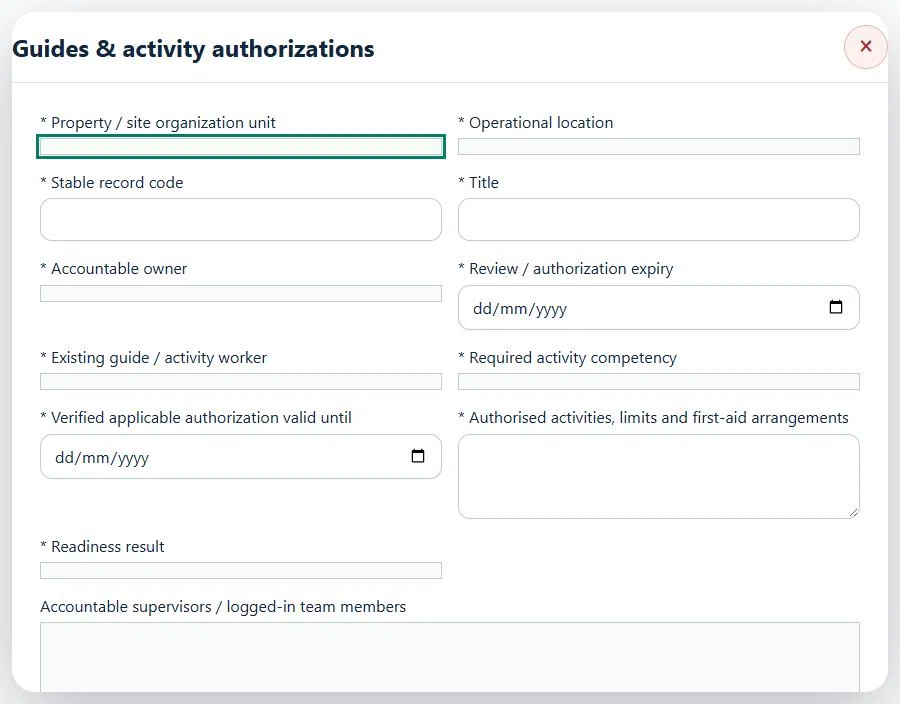
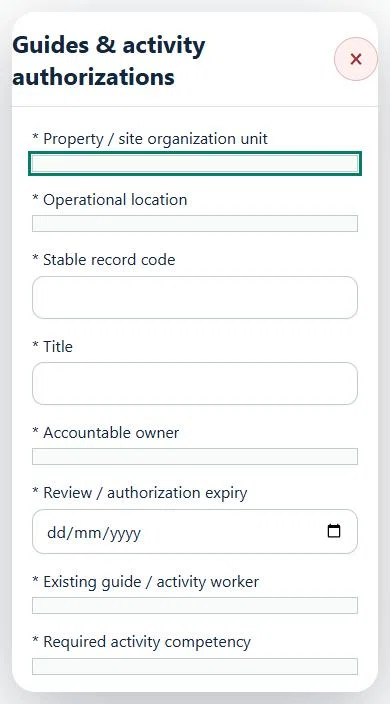
28Hospitality, Tourism & Food ServicesGuides & activity authorizationsPrepare a source-linked assurance record and obtain independent acceptance.
How to use this section
Select the operating context, owner and review due date. Record: Existing guide / activity worker; Required activity competency; Verified applicable authorization valid until; Authorised activities, limits and first-aid arrangements; Readiness result.
Link the relevant saved source records and any required accepted dependencies. Save the draft and attach supporting evidence in Detail.
Submit for independent review; resolve rejected or incomplete evidence before resubmitting. Acceptance does not approve or release the linked source work.
Use a new revision for changes to accepted records. Follow source links to resolve expired evidence, changed sources or failed prerequisites before progressing work.
Desktop · Guides & activity authorizations · Highlight: * Property / site organization unitMobile · Guides & activity authorizations · Highlight: * Property / site organization unit
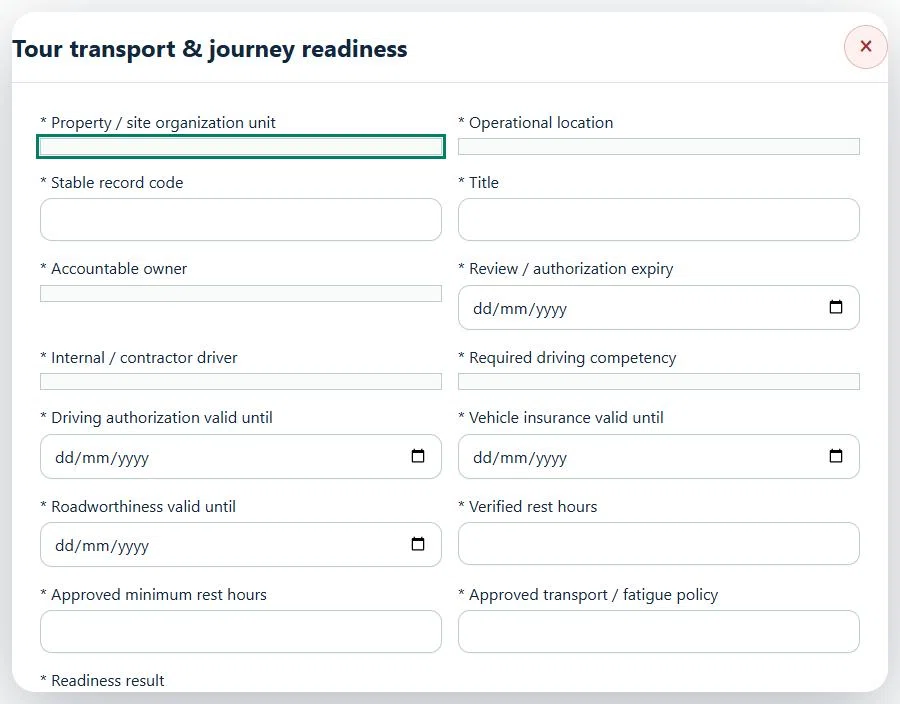
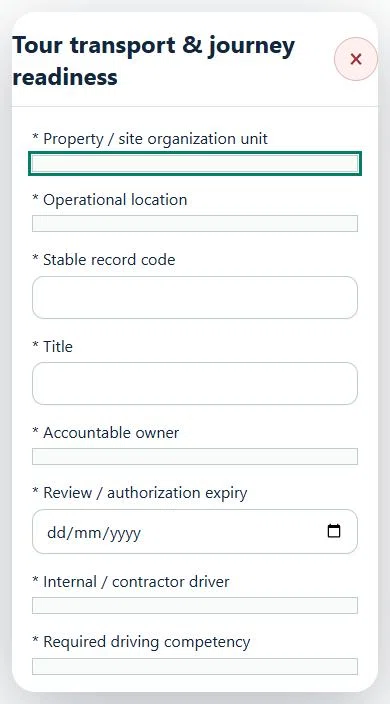
29Hospitality, Tourism & Food ServicesTour transport & journey readinessPrepare a source-linked assurance record and obtain independent acceptance.
Link the relevant saved source records and any required accepted dependencies. Save the draft and attach supporting evidence in Detail.
Submit for independent review; resolve rejected or incomplete evidence before resubmitting. Acceptance does not approve or release the linked source work.
Use a new revision for changes to accepted records. Follow source links to resolve expired evidence, changed sources or failed prerequisites before progressing work.
Desktop · Tour transport & journey readiness · Highlight: * Property / site organization unitMobile · Tour transport & journey readiness · Highlight: * Property / site organization unit
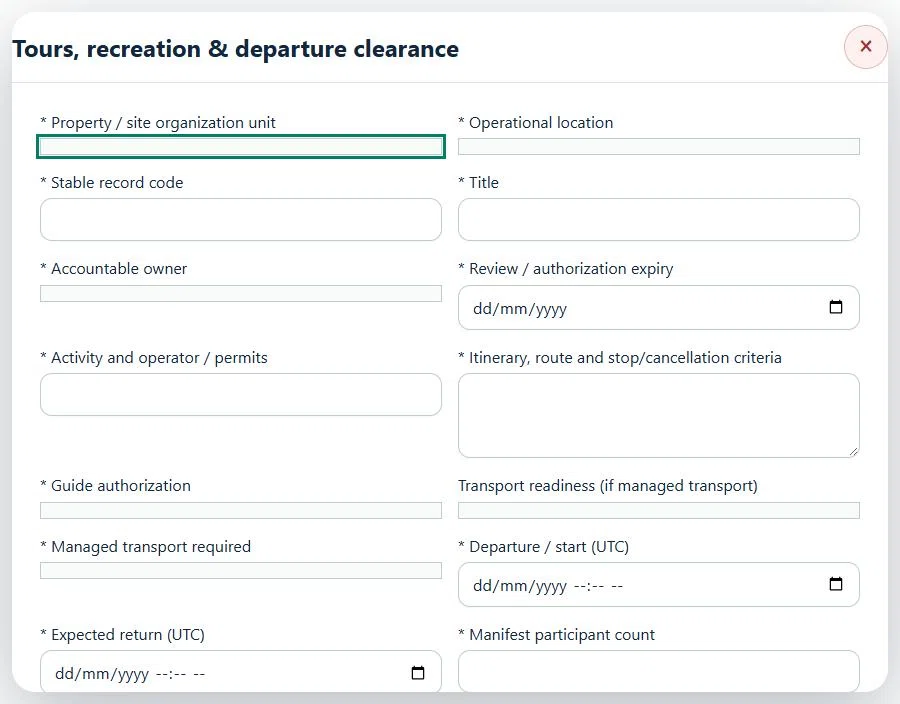
30Hospitality, Tourism & Food ServicesTours, recreation & departure clearancePrepare a source-linked assurance record and obtain independent acceptance.
How to use this section
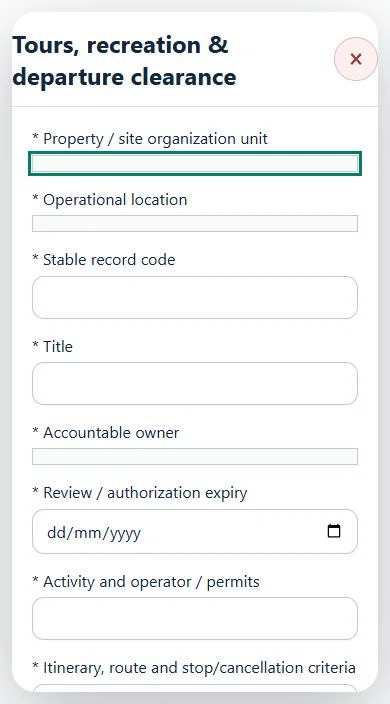
Select the operating context, owner and review due date. Record: Activity and operator / permits; Itinerary, route and stop/cancellation criteria; Guide authorization; Transport readiness (if managed transport); Managed transport required; Departure / start (UTC); Expected return (UTC); Manifest participant count; Approved participant capacity; Restricted manifest / consent source reference; Participant screening, briefing and supervision; Weather & operating conditions; Rescue, communication, check-in and evacuation plan.
Link the relevant saved source records and any required accepted dependencies. Save the draft and attach supporting evidence in Detail.
Submit for independent review; resolve rejected or incomplete evidence before resubmitting. Acceptance does not approve or release the linked source work.
Use a new revision for changes to accepted records. Follow source links to resolve expired evidence, changed sources or failed prerequisites before progressing work.
Desktop · Tours, recreation & departure clearance · Highlight: * Property / site organization unitMobile · Tours, recreation & departure clearance · Highlight: * Property / site organization unit
31Hospitality, Tourism & Food ServicesRestricted area reopeningPrepare a source-linked assurance record and obtain independent acceptance.
How to use this section
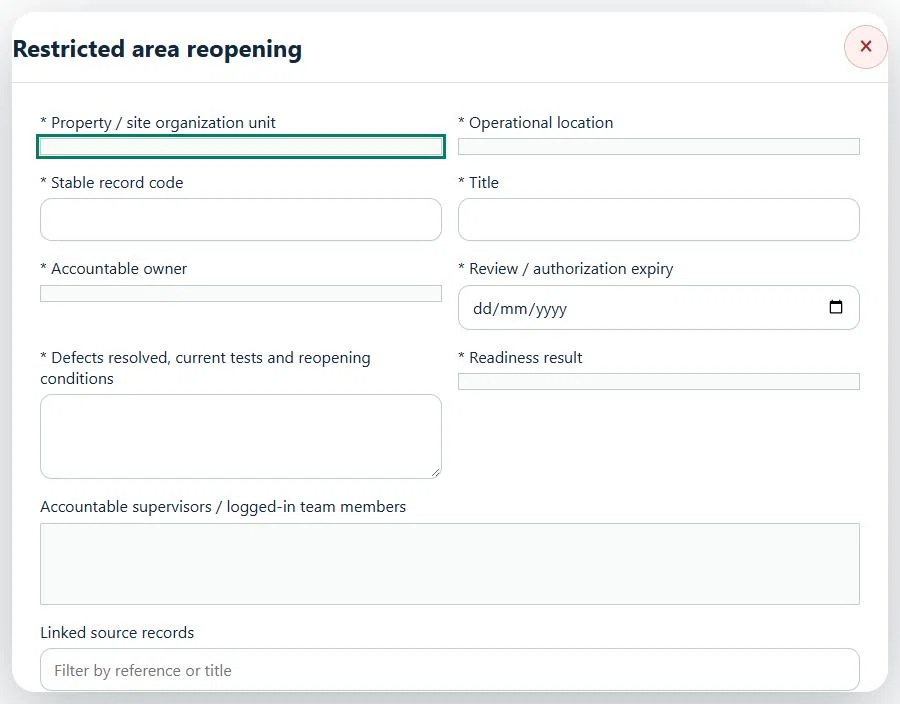
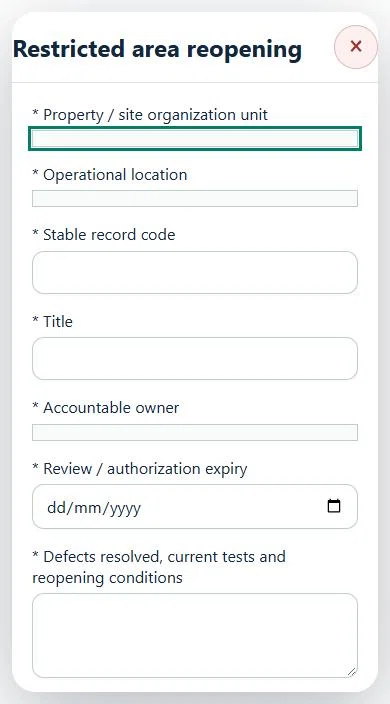
Select the operating context, owner and review due date. Record: Defects resolved, current tests and reopening conditions; Readiness result.
Link the relevant saved source records and any required accepted dependencies. Save the draft and attach supporting evidence in Detail.
Submit for independent review; resolve rejected or incomplete evidence before resubmitting. Acceptance does not approve or release the linked source work.
Use a new revision for changes to accepted records. Follow source links to resolve expired evidence, changed sources or failed prerequisites before progressing work.
Desktop · Restricted area reopening · Highlight: * Property / site organization unitMobile · Restricted area reopening · Highlight: * Property / site organization unit
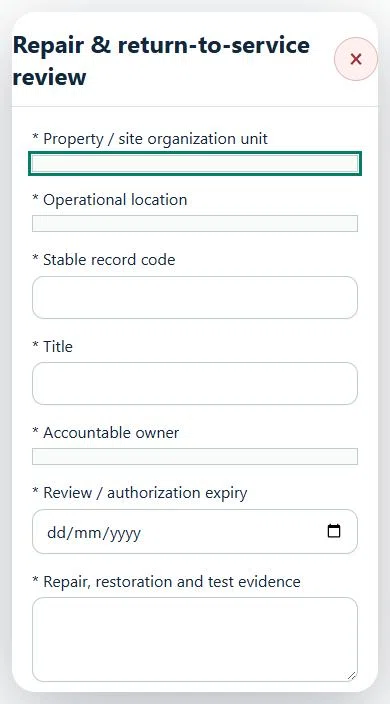
32Hospitality, Tourism & Food ServicesRepair & return-to-service reviewPrepare a source-linked assurance record and obtain independent acceptance.
How to use this section
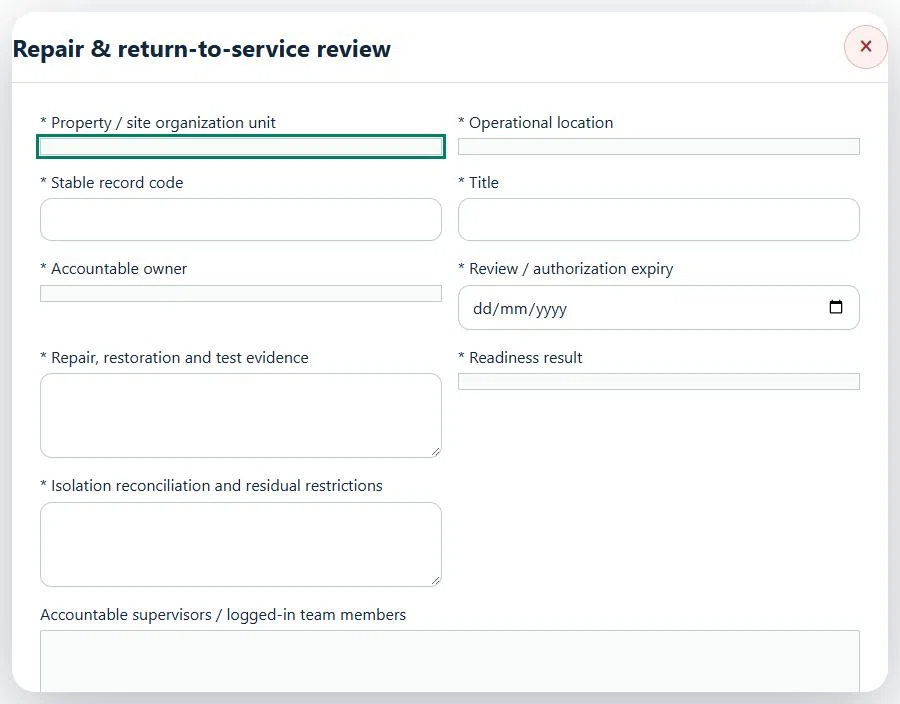
Select the operating context, owner and review due date. Record: Repair, restoration and test evidence; Readiness result; Isolation reconciliation and residual restrictions.
Link the relevant saved source records and any required accepted dependencies. Save the draft and attach supporting evidence in Detail.
Submit for independent review; resolve rejected or incomplete evidence before resubmitting. Acceptance does not approve or release the linked source work.
Use a new revision for changes to accepted records. Follow source links to resolve expired evidence, changed sources or failed prerequisites before progressing work.
Desktop · Repair & return-to-service review · Highlight: * Property / site organization unitMobile · Repair & return-to-service review · Highlight: * Property / site organization unit
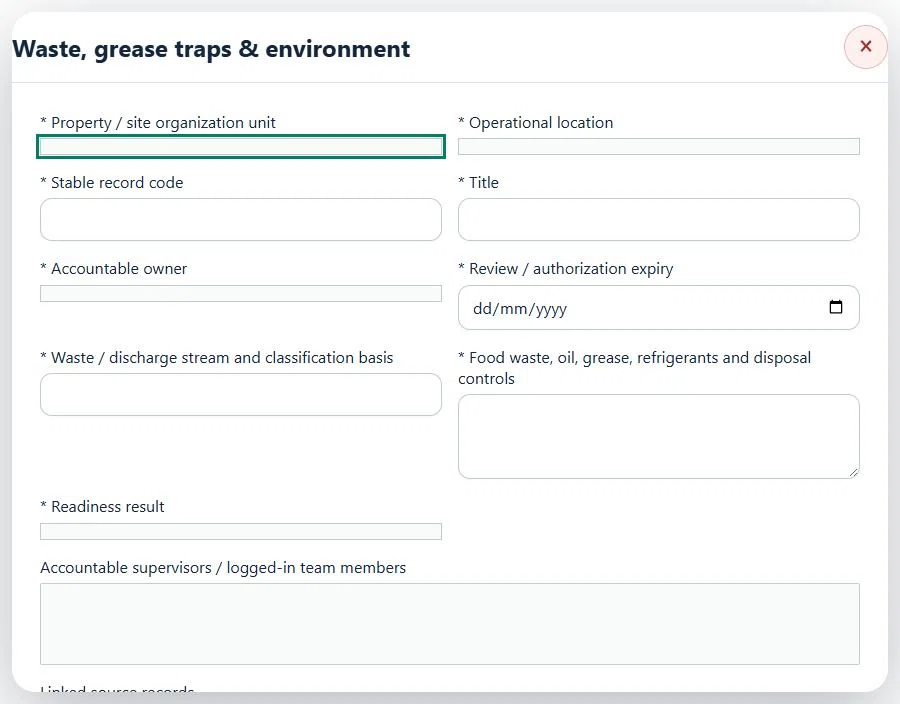
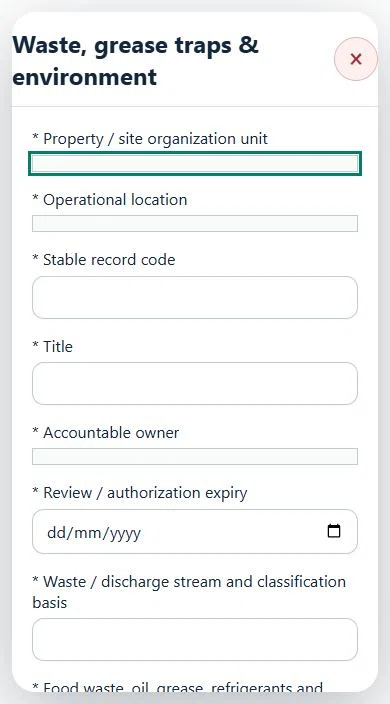
33Hospitality, Tourism & Food ServicesWaste, grease traps & environmentPrepare a source-linked assurance record and obtain independent acceptance.
How to use this section
Select the operating context, owner and review due date. Record: Waste / discharge stream and classification basis; Food waste, oil, grease, refrigerants and disposal controls; Readiness result.
Link the relevant saved source records and any required accepted dependencies. Save the draft and attach supporting evidence in Detail.
Submit for independent review; resolve rejected or incomplete evidence before resubmitting. Acceptance does not approve or release the linked source work.
Use a new revision for changes to accepted records. Follow source links to resolve expired evidence, changed sources or failed prerequisites before progressing work.
Desktop · Waste, grease traps & environment · Highlight: * Property / site organization unitMobile · Waste, grease traps & environment · Highlight: * Property / site organization unit
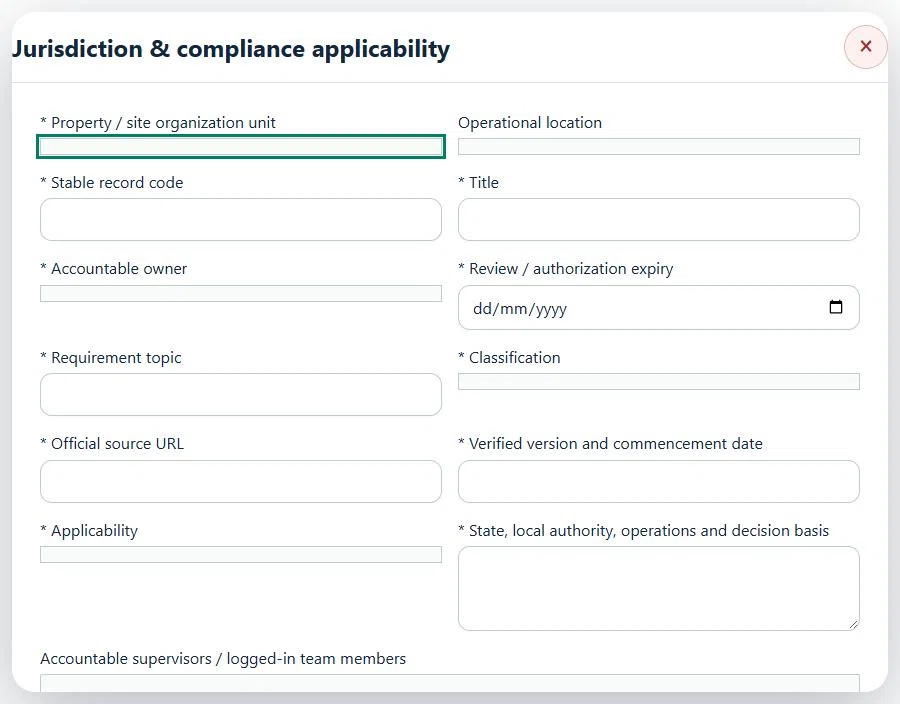
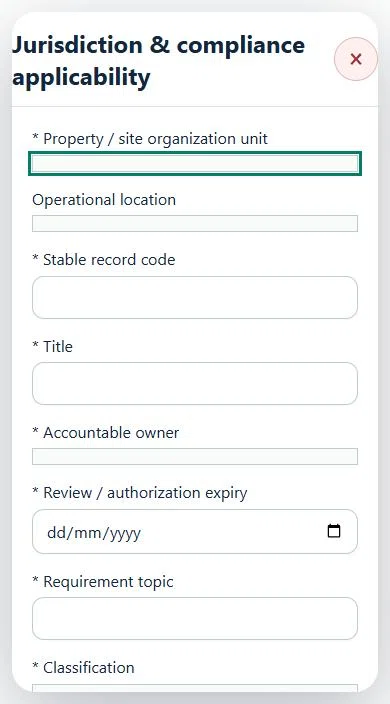
34Hospitality, Tourism & Food ServicesJurisdiction & compliance applicabilityPrepare a source-linked assurance record and obtain independent acceptance.
How to use this section
Select the operating context, owner and review due date. Record: Requirement topic; Classification; Official source URL; Verified version and commencement date; Applicability; State, local authority, operations and decision basis.
Link the relevant saved source records and any required accepted dependencies. Save the draft and attach supporting evidence in Detail.
Submit for independent review; resolve rejected or incomplete evidence before resubmitting. Acceptance does not approve or release the linked source work.
Use a new revision for changes to accepted records. Follow source links to resolve expired evidence, changed sources or failed prerequisites before progressing work.
Desktop · Jurisdiction & compliance applicability · Highlight: * Property / site organization unitMobile · Jurisdiction & compliance applicability · Highlight: * Property / site organization unit
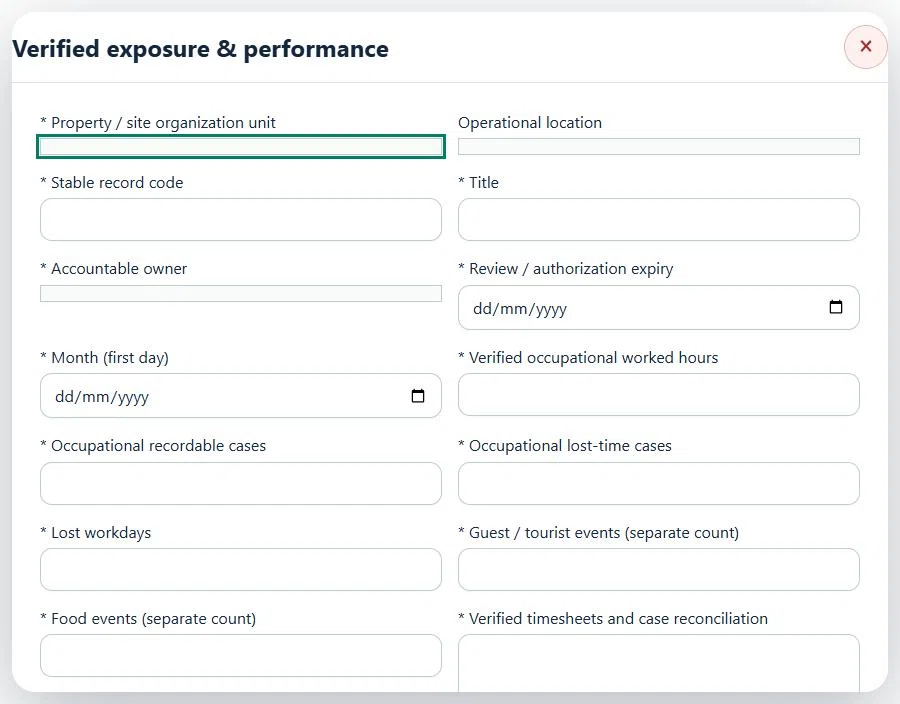
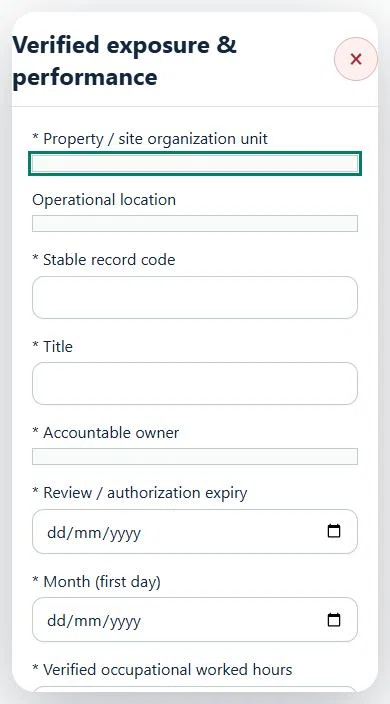
35Hospitality, Tourism & Food ServicesVerified exposure & performancePrepare a source-linked assurance record and obtain independent acceptance.
How to use this section
Select the operating context, owner and review due date. Record: Month (first day); Verified occupational worked hours; Occupational recordable cases; Occupational lost-time cases; Lost workdays; Guest / tourist events (separate count); Food events (separate count); Verified timesheets and case reconciliation.
Link the relevant saved source records and any required accepted dependencies. Save the draft and attach supporting evidence in Detail.
Submit for independent review; resolve rejected or incomplete evidence before resubmitting. Acceptance does not approve or release the linked source work.
Use a new revision for changes to accepted records. Follow source links to resolve expired evidence, changed sources or failed prerequisites before progressing work.
Desktop · Verified exposure & performance · Highlight: * Property / site organization unitMobile · Verified exposure & performance · Highlight: * Property / site organization unit
36Hospitality, Tourism & Food ServicesGuest safety complaint & resolutionCarry out the work with measured results and independent handover.
How to use this section
Manager: select the profile and site, open Operations & handovers → Plan operation, choose Guest safety complaint & resolution, name the owner and a different authorized reviewer, enter the deadline (UTC), and link saved source records and accepted site reviews.
Owner: open the operation in this workspace. Check its scope and source links; choose Start operation. Add the readings and evidence in the step form, using Add row for each additional observation or person. GPS is recorded with the action when captured.
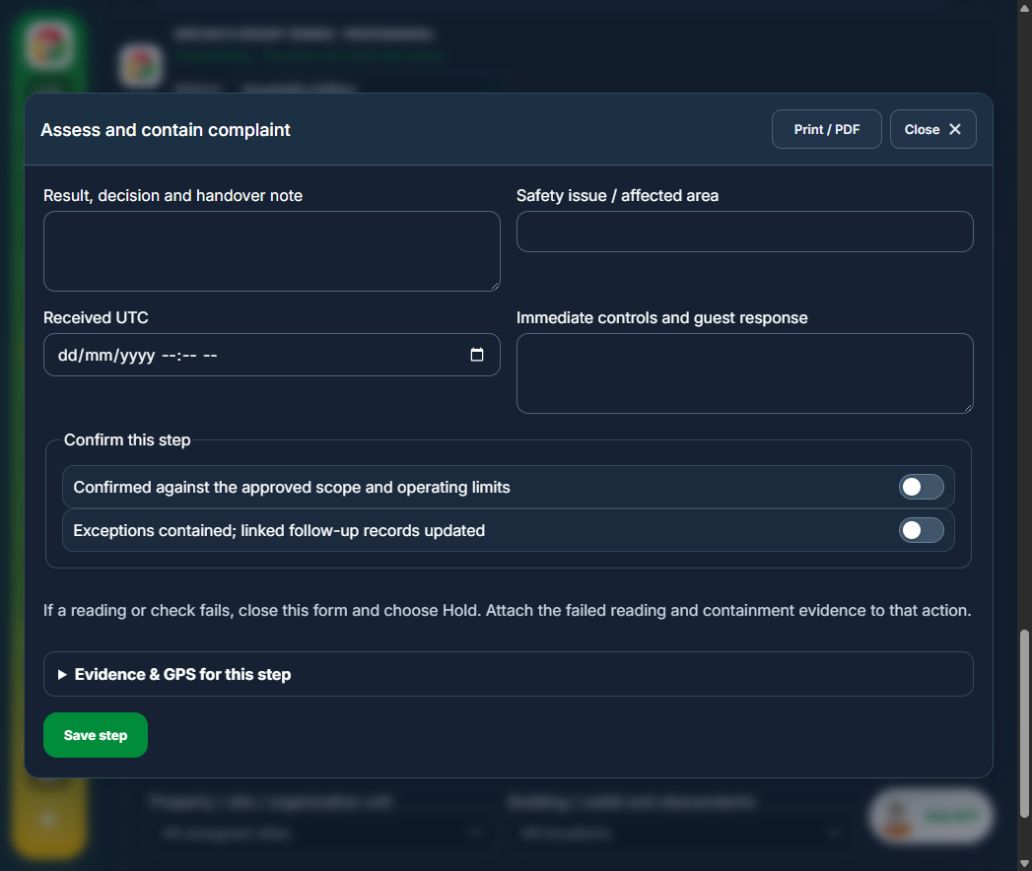
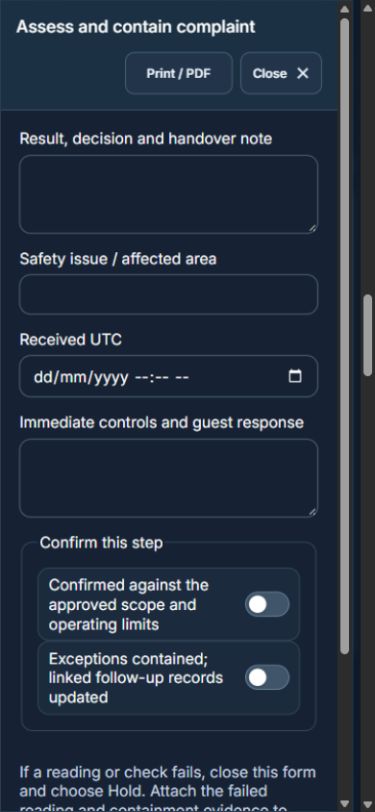
Owner: Assess and contain complaint. Enter Safety issue / affected area; Received UTC; Immediate controls and guest response. Complete the required confirmations: Confirmed against the approved scope and operating limits; Exceptions contained; linked follow-up records updated.
Owner: Investigate and implement response. Enter Finding, cause and response. Complete the required confirmations: Confirmed against the approved scope and operating limits; Exceptions contained; linked follow-up records updated. Link the original capa actions.
Independent reviewer: Confirm effectiveness and response. Enter Response sent, outcome and follow-up. Complete the required confirmations: Confirmed against the approved scope and operating limits; Exceptions contained; linked follow-up records updated.
Independent reviewer: Independent verification & closure. Enter Effectiveness, handover and follow-up review date. Complete the required confirmations: Confirmed against the approved scope and operating limits; Exceptions contained; linked follow-up records updated.
If a check fails: close the step form, choose Hold / quarantine and save the failure, containment evidence and GPS. Correct the source records in the same industry workspace. A different authorized reviewer checks fresh clean recovery evidence before releasing the hold; the owner cannot self-release.
At final sign-off, all required reviews are rechecked. Linked Work Packages, PTW, CAPA and after-hours must be finished, and linked LOTO restoration verified. The independent reviewer closes the operation. Reopen requires that reviewer, a reason and new recovery evidence; earlier readings stay in history.
Use Print / PDF at the operation header or form header for the controlled form, QR and evidence/GPS attachments. Close dismisses a form; it does not close the business record. My Actions and My Deadline use the next permitted role; reminders follow existing in-app, PWA and email preferences.
Desktop · Assess and contain complaintMobile · Assess and contain complaint
37Hospitality, Tourism & Food ServicesRoom / area housekeeping turnaroundCarry out the work with measured results and independent handover.
How to use this section
Manager: select the profile and site, open Operations & handovers → Plan operation, choose Room / area housekeeping turnaround, name the owner and a different authorized reviewer, enter the deadline (UTC), and link saved source records and accepted site reviews.
Owner: open the operation in this workspace. Check its scope and source links; choose Start operation. Add the readings and evidence in the step form, using Add row for each additional observation or person. GPS is recorded with the action when captured.
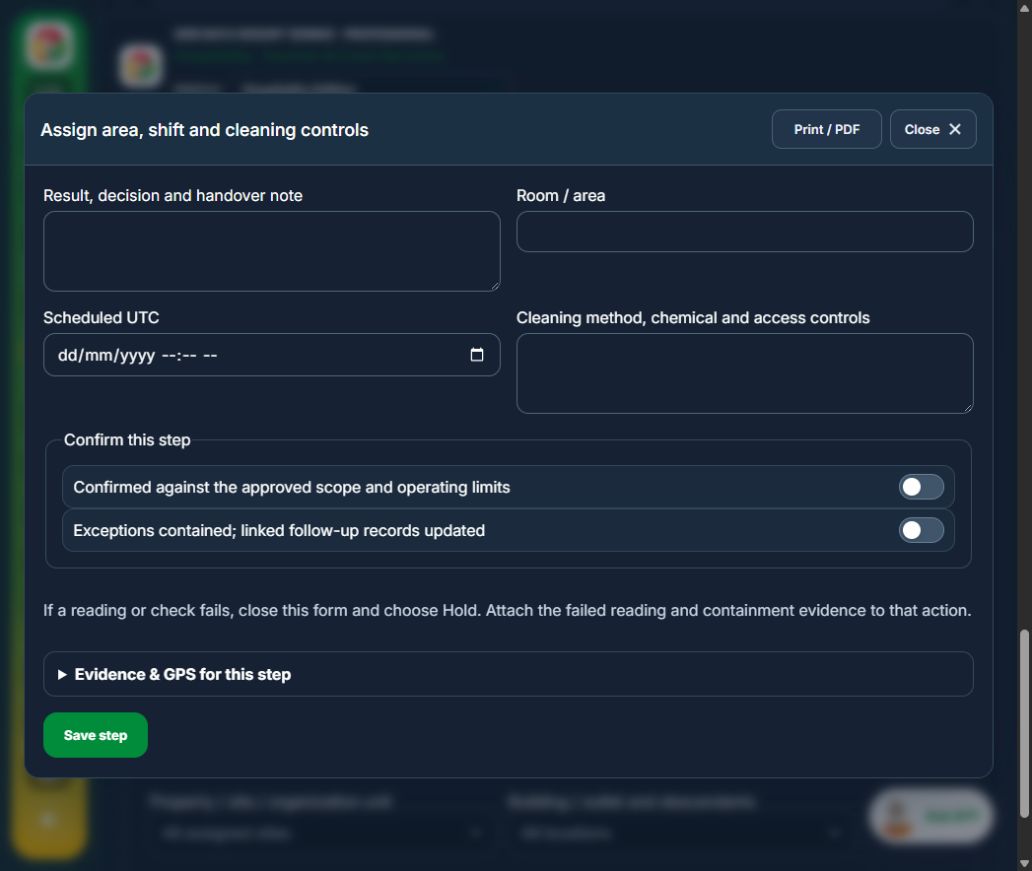
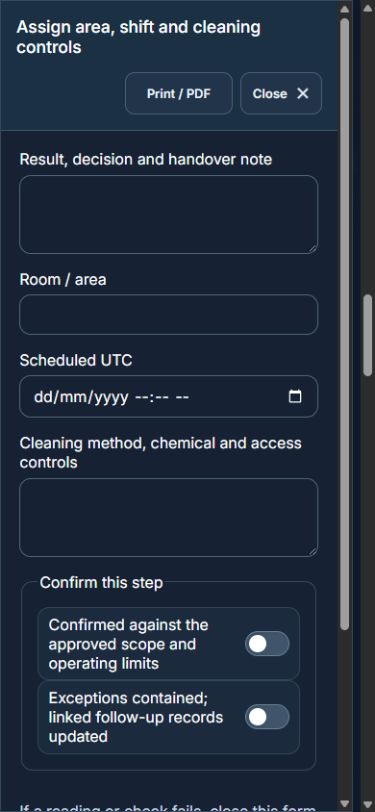
Owner: Assign area, shift and cleaning controls. Enter Room / area; Scheduled UTC; Cleaning method, chemical and access controls. Complete the required confirmations: Confirmed against the approved scope and operating limits; Exceptions contained; linked follow-up records updated. Requires current independently accepted reviews: housekeeping.
Owner: Complete cleaning and defects. Enter Completed UTC; Cleaning result; Defects and containment / none. Complete the required confirmations: Confirmed against the approved scope and operating limits; Exceptions contained; linked follow-up records updated.
Independent reviewer: Independently release room / area. Enter Hygiene and safety recheck. Complete the required confirmations: Confirmed against the approved scope and operating limits; Exceptions contained; linked follow-up records updated.
Independent reviewer: Independent verification & closure. Enter Effectiveness, handover and follow-up review date. Complete the required confirmations: Confirmed against the approved scope and operating limits; Exceptions contained; linked follow-up records updated.
If a check fails: close the step form, choose Hold / quarantine and save the failure, containment evidence and GPS. Correct the source records in the same industry workspace. A different authorized reviewer checks fresh clean recovery evidence before releasing the hold; the owner cannot self-release.
At final sign-off, all required reviews are rechecked. Linked Work Packages, PTW, CAPA and after-hours must be finished, and linked LOTO restoration verified. The independent reviewer closes the operation. Reopen requires that reviewer, a reason and new recovery evidence; earlier readings stay in history.
Use Print / PDF at the operation header or form header for the controlled form, QR and evidence/GPS attachments. Close dismisses a form; it does not close the business record. My Actions and My Deadline use the next permitted role; reminders follow existing in-app, PWA and email preferences.
Desktop · Assign area, shift and cleaning controlsMobile · Assign area, shift and cleaning controls
38Hospitality, Tourism & Food ServicesPest treatment & reinspectionCarry out the work with measured results and independent handover.
How to use this section
Manager: select the profile and site, open Operations & handovers → Plan operation, choose Pest treatment & reinspection, name the owner and a different authorized reviewer, enter the deadline (UTC), and link saved source records and accepted site reviews.
Owner: open the operation in this workspace. Check its scope and source links; choose Start operation. Add the readings and evidence in the step form, using Add row for each additional observation or person. GPS is recorded with the action when captured.
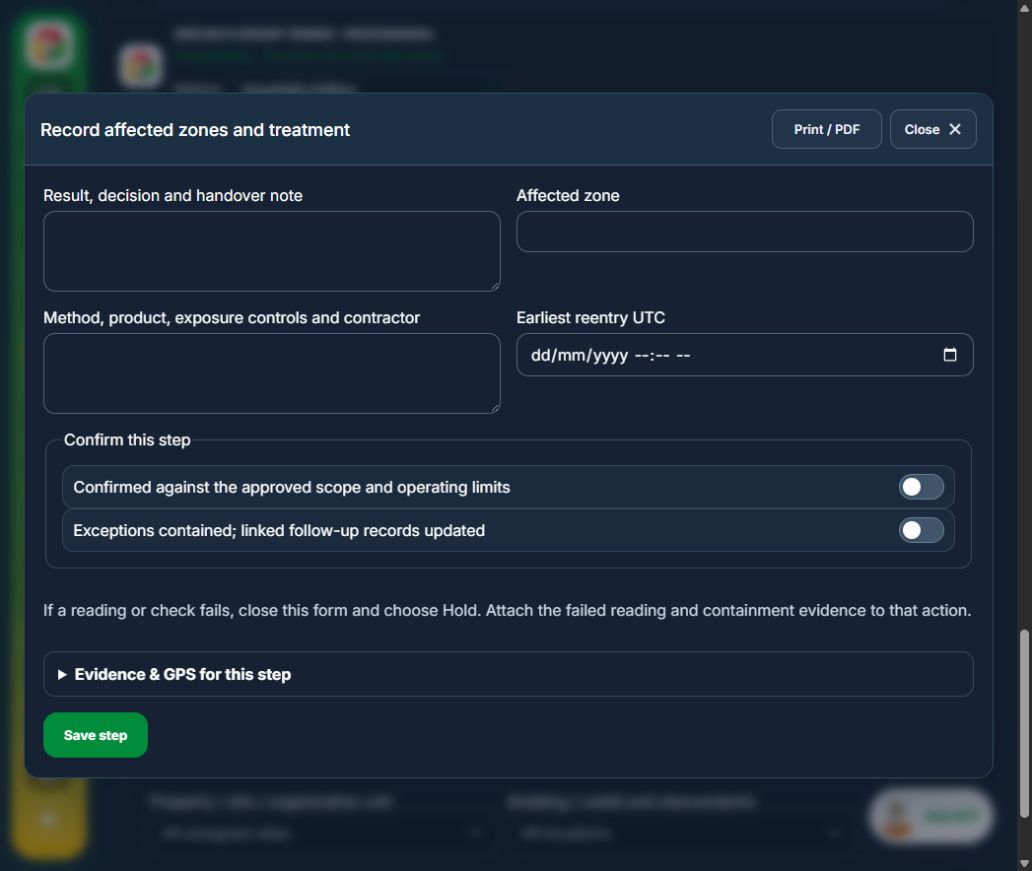
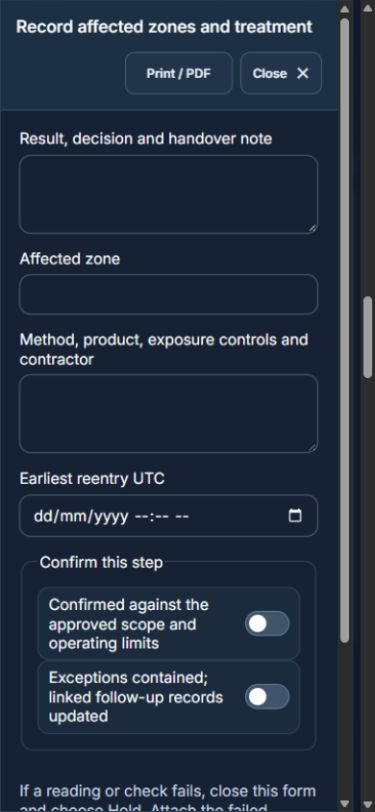
Owner: Record affected zones and treatment. Enter Affected zone; Method, product, exposure controls and contractor; Earliest reentry UTC. Complete the required confirmations: Confirmed against the approved scope and operating limits; Exceptions contained; linked follow-up records updated. Requires current independently accepted reviews: pest control.
Independent reviewer: Verify treatment and reentry. Enter Reinspection UTC; Reinspection result. Complete the required confirmations: Confirmed against the approved scope and operating limits; Exceptions contained; linked follow-up records updated.
Independent reviewer: Independent verification & closure. Enter Effectiveness, handover and follow-up review date. Complete the required confirmations: Confirmed against the approved scope and operating limits; Exceptions contained; linked follow-up records updated.
If a check fails: close the step form, choose Hold / quarantine and save the failure, containment evidence and GPS. Correct the source records in the same industry workspace. A different authorized reviewer checks fresh clean recovery evidence before releasing the hold; the owner cannot self-release.
At final sign-off, all required reviews are rechecked. Linked Work Packages, PTW, CAPA and after-hours must be finished, and linked LOTO restoration verified. The independent reviewer closes the operation. Reopen requires that reviewer, a reason and new recovery evidence; earlier readings stay in history.
Use Print / PDF at the operation header or form header for the controlled form, QR and evidence/GPS attachments. Close dismisses a form; it does not close the business record. My Actions and My Deadline use the next permitted role; reminders follow existing in-app, PWA and email preferences.
Desktop · Record affected zones and treatmentMobile · Record affected zones and treatment
39Hospitality, Tourism & Food ServicesHACCP process / multi-CCP monitoringCarry out the work with measured results and independent handover.
How to use this section
Manager: select the profile and site, open Operations & handovers → Plan operation, choose HACCP process / multi-CCP monitoring, name the owner and a different authorized reviewer, enter the deadline (UTC), and link saved source records and accepted site reviews.
Owner: open the operation in this workspace. Check its scope and source links; choose Start operation. Add the readings and evidence in the step form, using Add row for each additional observation or person. GPS is recorded with the action when captured.
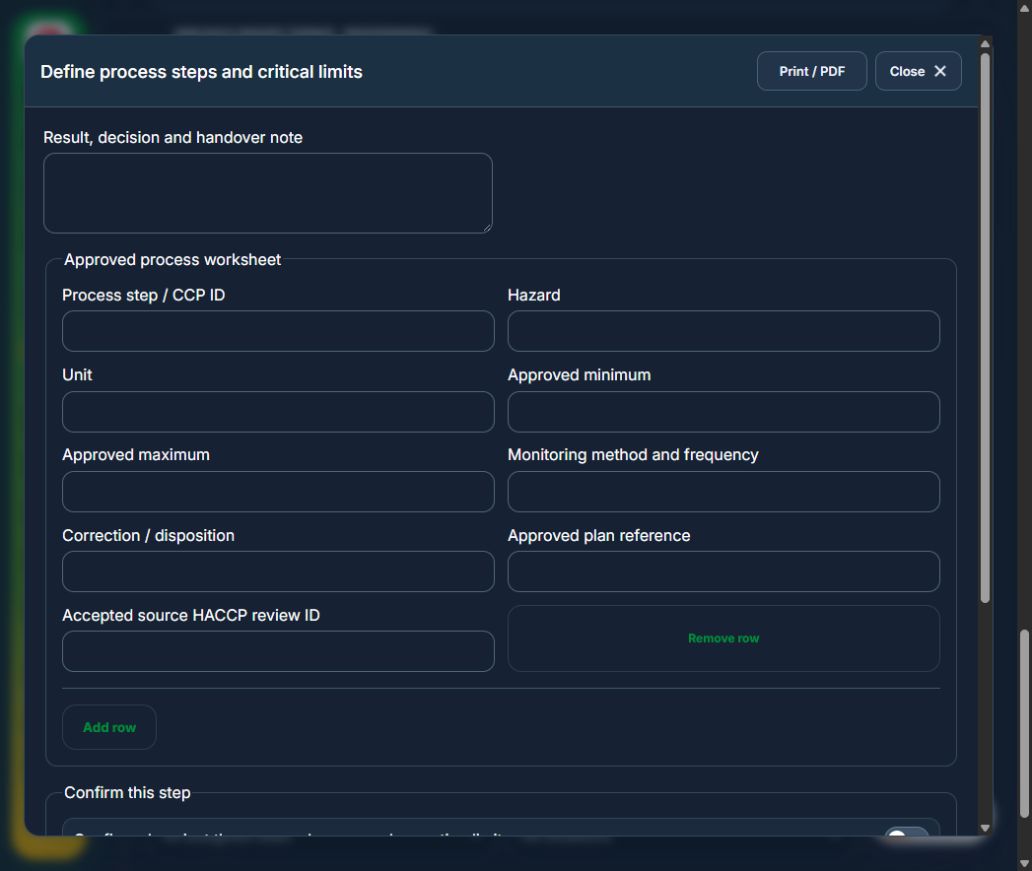
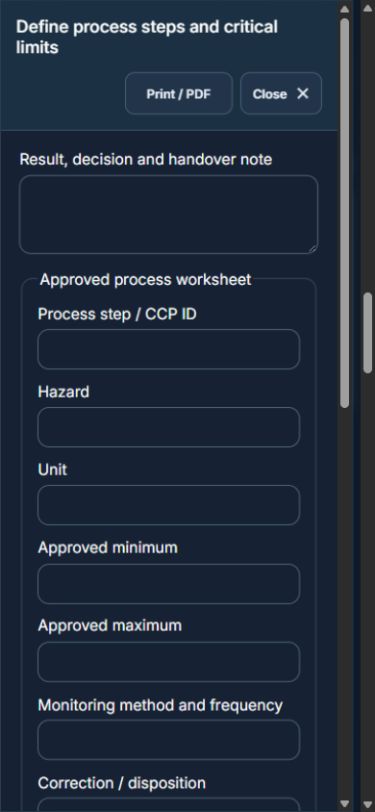
Owner: Define process steps and critical limits. Enter Approved process worksheet (Process step / CCP ID, Hazard, Unit, Approved minimum, Approved maximum, Monitoring method and frequency, Correction / disposition, Approved plan reference, Accepted source HACCP review ID). Complete the required confirmations: Confirmed against the approved scope and operating limits; Exceptions contained; linked follow-up records updated. Requires current independently accepted reviews: haccp plan.
Owner: Record readings against approved limits. Enter Accepted source food batch review ID; CCP readings (CCP ID, Reading, Measured UTC). Complete the required confirmations: Confirmed against the approved scope and operating limits; Exceptions contained; linked follow-up records updated. Requires current independently accepted reviews: food batch.
Independent reviewer: Verify batch and disposition. Enter Batch release / recall / disposal basis. Complete the required confirmations: Confirmed against the approved scope and operating limits; Exceptions contained; linked follow-up records updated. Requires current independently accepted reviews: ccp monitoring.
Independent reviewer: Independent verification & closure. Enter Effectiveness, handover and follow-up review date. Complete the required confirmations: Confirmed against the approved scope and operating limits; Exceptions contained; linked follow-up records updated.
If a check fails: close the step form, choose Hold / quarantine and save the failure, containment evidence and GPS. Correct the source records in the same industry workspace. A different authorized reviewer checks fresh clean recovery evidence before releasing the hold; the owner cannot self-release.
At final sign-off, all required reviews are rechecked. Linked Work Packages, PTW, CAPA and after-hours must be finished, and linked LOTO restoration verified. The independent reviewer closes the operation. Reopen requires that reviewer, a reason and new recovery evidence; earlier readings stay in history.
Use Print / PDF at the operation header or form header for the controlled form, QR and evidence/GPS attachments. Close dismisses a form; it does not close the business record. My Actions and My Deadline use the next permitted role; reminders follow existing in-app, PWA and email preferences.
Desktop · Define process steps and critical limitsMobile · Define process steps and critical limits
40Hospitality, Tourism & Food ServicesRecipe, ingredient & allergen changeCarry out the work with measured results and independent handover.
How to use this section
Manager: select the profile and site, open Operations & handovers → Plan operation, choose Recipe, ingredient & allergen change, name the owner and a different authorized reviewer, enter the deadline (UTC), and link saved source records and accepted site reviews.
Owner: open the operation in this workspace. Check its scope and source links; choose Start operation. Add the readings and evidence in the step form, using Add row for each additional observation or person. GPS is recorded with the action when captured.
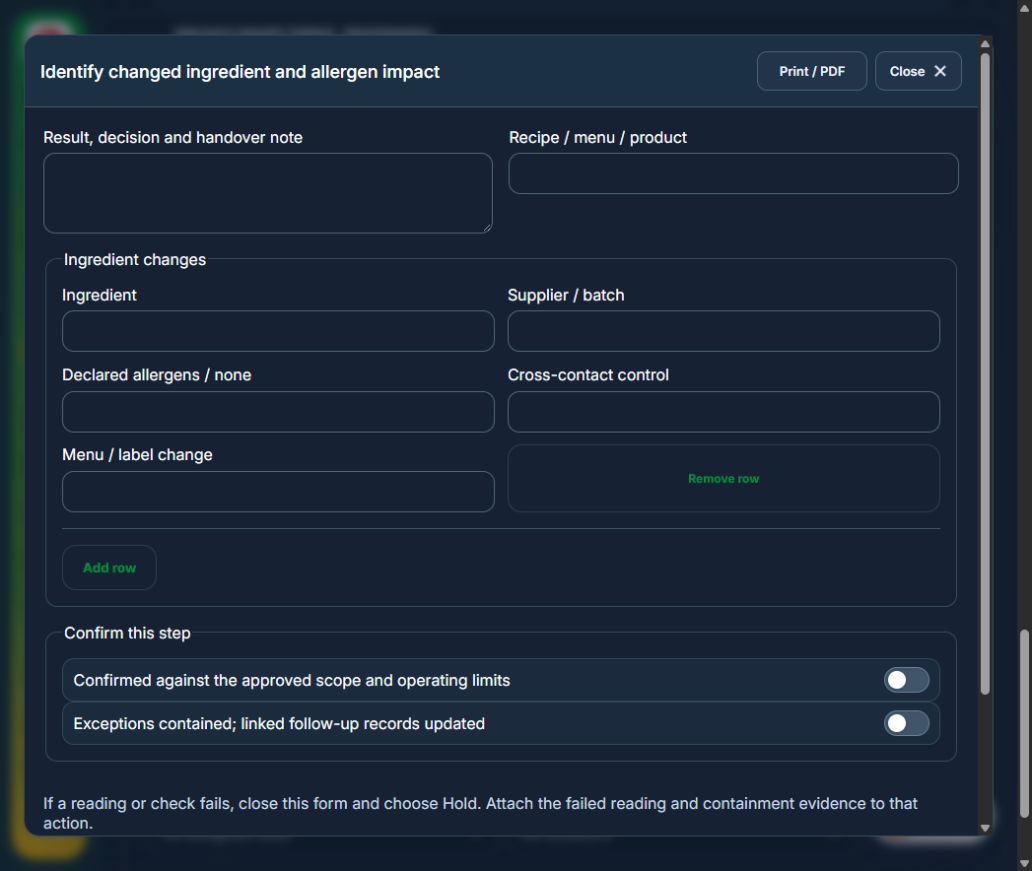
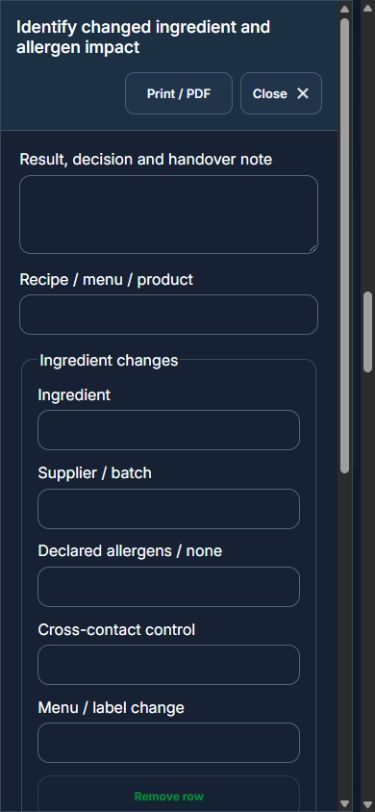
Owner: Identify changed ingredient and allergen impact. Enter Recipe / menu / product; Ingredient changes (Ingredient, Supplier / batch, Declared allergens / none, Cross-contact control, Menu / label change). Complete the required confirmations: Confirmed against the approved scope and operating limits; Exceptions contained; linked follow-up records updated.
Independent reviewer: Verify segregation, cleaning and communication. Enter Cleaning validation, label check and staff briefing. Complete the required confirmations: Confirmed against the approved scope and operating limits; Exceptions contained; linked follow-up records updated. Requires current independently accepted reviews: haccp plan.
Owner: Record controlled recipe release. Enter New controlled recipe / label version; Effective date. Complete the required confirmations: Confirmed against the approved scope and operating limits; Exceptions contained; linked follow-up records updated.
Independent reviewer: Independent verification & closure. Enter Effectiveness, handover and follow-up review date. Complete the required confirmations: Confirmed against the approved scope and operating limits; Exceptions contained; linked follow-up records updated.
If a check fails: close the step form, choose Hold / quarantine and save the failure, containment evidence and GPS. Correct the source records in the same industry workspace. A different authorized reviewer checks fresh clean recovery evidence before releasing the hold; the owner cannot self-release.
At final sign-off, all required reviews are rechecked. Linked Work Packages, PTW, CAPA and after-hours must be finished, and linked LOTO restoration verified. The independent reviewer closes the operation. Reopen requires that reviewer, a reason and new recovery evidence; earlier readings stay in history.
Use Print / PDF at the operation header or form header for the controlled form, QR and evidence/GPS attachments. Close dismisses a form; it does not close the business record. My Actions and My Deadline use the next permitted role; reminders follow existing in-app, PWA and email preferences.
Desktop · Identify changed ingredient and allergen impactMobile · Identify changed ingredient and allergen impact
41Hospitality, Tourism & Food ServicesAttraction / ride opening & handbackCarry out the work with measured results and independent handover.
Available in: Adventure & Recreation · Theme Park & Attractions · Tourism & Recreation Edition
How to use this section
Manager: select the profile and site, open Operations & handovers → Plan operation, choose Attraction / ride opening & handback, name the owner and a different authorized reviewer, enter the deadline (UTC), and link saved source records and accepted site reviews.
Owner: open the operation in this workspace. Check its scope and source links; choose Start operation. Add the readings and evidence in the step form, using Add row for each additional observation or person. GPS is recorded with the action when captured.
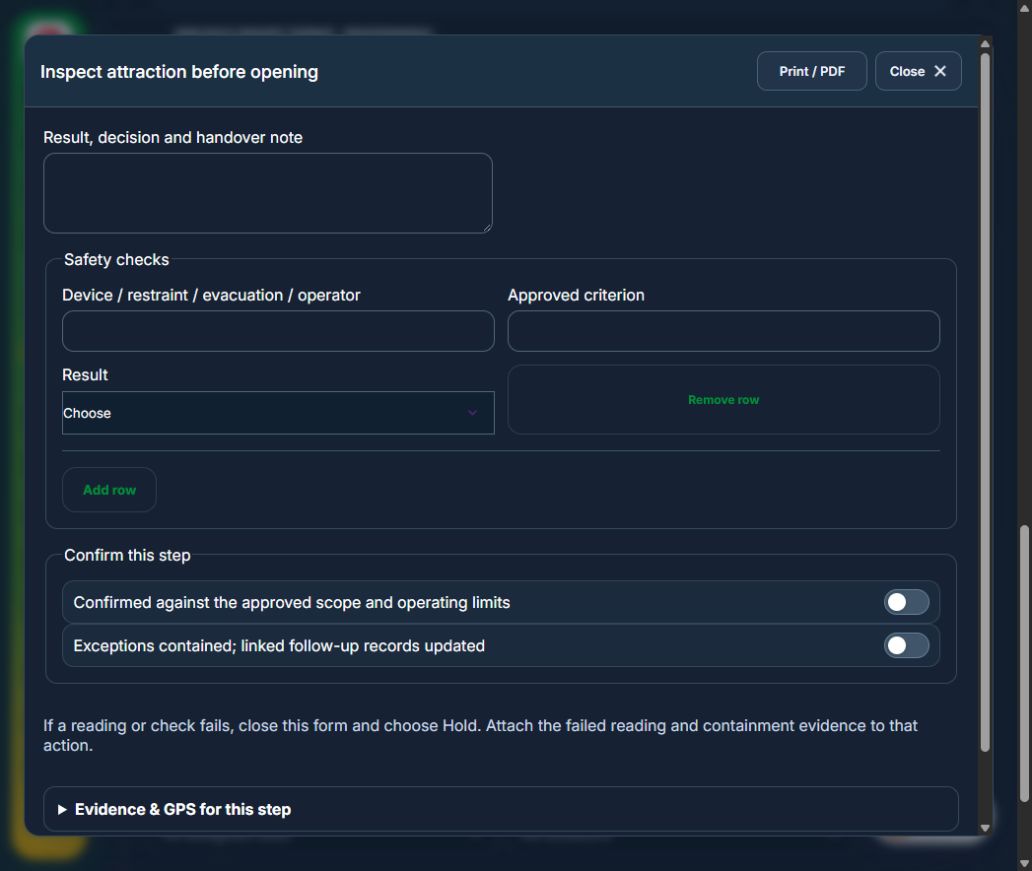
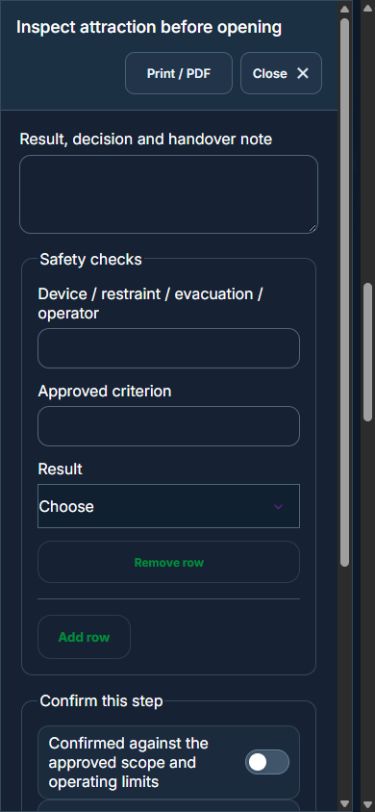
Owner: Inspect attraction before opening. Enter Safety checks (Device / restraint / evacuation / operator, Approved criterion, Result). Complete the required confirmations: Confirmed against the approved scope and operating limits; Exceptions contained; linked follow-up records updated. Link the original equipment assets.
Independent reviewer: Independently authorize opening. Enter Capacity, operator and rescue arrangements. Complete the required confirmations: Confirmed against the approved scope and operating limits; Exceptions contained; linked follow-up records updated. Requires current independently accepted reviews: equipment review.
Owner: Close operation and hand over defects. Enter Participants / riders; Final condition and defects / none. Complete the required confirmations: Confirmed against the approved scope and operating limits; Exceptions contained; linked follow-up records updated.
Independent reviewer: Independent verification & closure. Enter Effectiveness, handover and follow-up review date. Complete the required confirmations: Confirmed against the approved scope and operating limits; Exceptions contained; linked follow-up records updated.
If a check fails: close the step form, choose Hold / quarantine and save the failure, containment evidence and GPS. Correct the source records in the same industry workspace. A different authorized reviewer checks fresh clean recovery evidence before releasing the hold; the owner cannot self-release.
At final sign-off, all required reviews are rechecked. Linked Work Packages, PTW, CAPA and after-hours must be finished, and linked LOTO restoration verified. The independent reviewer closes the operation. Reopen requires that reviewer, a reason and new recovery evidence; earlier readings stay in history.
Use Print / PDF at the operation header or form header for the controlled form, QR and evidence/GPS attachments. Close dismisses a form; it does not close the business record. My Actions and My Deadline use the next permitted role; reminders follow existing in-app, PWA and email preferences.
Desktop · Inspect attraction before openingMobile · Inspect attraction before opening
42Hospitality, Tourism & Food ServicesTour / recreation execution & returnCarry out the work with measured results and independent handover.
How to use this section
Manager: select the profile and site, open Operations & handovers → Plan operation, choose Tour / recreation execution & return, name the owner and a different authorized reviewer, enter the deadline (UTC), and link saved source records and accepted site reviews.
Owner: open the operation in this workspace. Check its scope and source links; choose Start operation. Add the readings and evidence in the step form, using Add row for each additional observation or person. GPS is recorded with the action when captured.
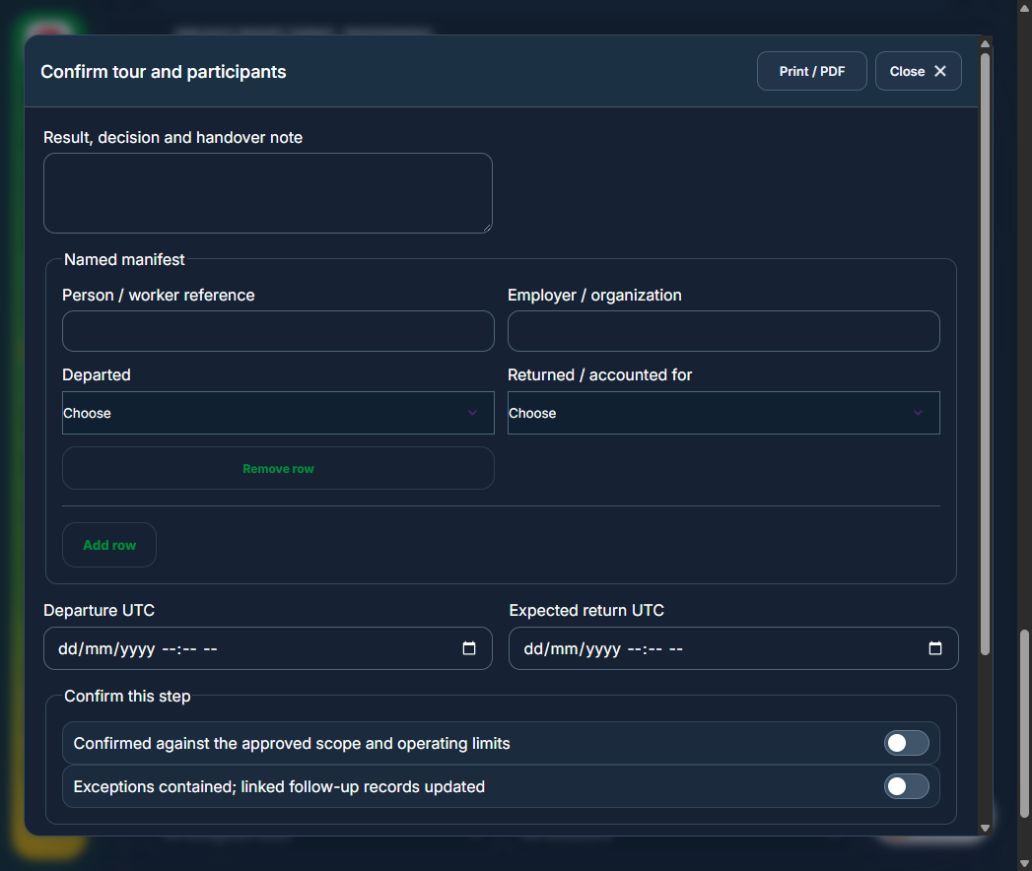
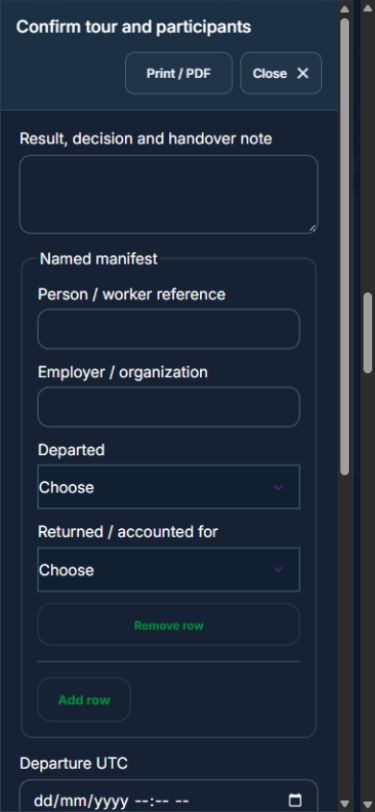
Owner: Confirm tour and participants. Enter Named manifest (Person / worker reference, Employer / organization, Departed, Returned / accounted for); Departure UTC; Expected return UTC. Complete the required confirmations: Confirmed against the approved scope and operating limits; Exceptions contained; linked follow-up records updated. Requires current independently accepted reviews: tour plan.
Owner: Record welfare and route check-in. Enter Time, location and group welfare. Complete the required confirmations: Confirmed against the approved scope and operating limits; Exceptions contained; linked follow-up records updated. Requires current independently accepted reviews: tour plan.
Owner: Reconcile participants and equipment. Enter Named manifest (Person / worker reference, Employer / organization, Departed, Returned / accounted for). Complete the required confirmations: Confirmed against the approved scope and operating limits; Exceptions contained; linked follow-up records updated.
Independent reviewer: Independent verification & closure. Enter Effectiveness, handover and follow-up review date. Complete the required confirmations: Confirmed against the approved scope and operating limits; Exceptions contained; linked follow-up records updated.
If a check fails: close the step form, choose Hold / quarantine and save the failure, containment evidence and GPS. Correct the source records in the same industry workspace. A different authorized reviewer checks fresh clean recovery evidence before releasing the hold; the owner cannot self-release.
At final sign-off, all required reviews are rechecked. Linked Work Packages, PTW, CAPA and after-hours must be finished, and linked LOTO restoration verified. The independent reviewer closes the operation. Reopen requires that reviewer, a reason and new recovery evidence; earlier readings stay in history.
Use Print / PDF at the operation header or form header for the controlled form, QR and evidence/GPS attachments. Close dismisses a form; it does not close the business record. My Actions and My Deadline use the next permitted role; reminders follow existing in-app, PWA and email preferences.
Desktop · Confirm tour and participantsMobile · Confirm tour and participants
43Hospitality, Tourism & Food ServicesAssets, certificates, calendar and reportingUse one source record across industry views.
How to use this section
Assets & equipment is a filtered view of Equipment. Use its shared Add, Edit and Detail forms, certificate records and approval workflow.
Certificates & compliance summarizes source certificates and linked legal obligations. Amend the source record instead of entering a duplicate certificate.
All industries use Equipment Certificates & renewals: required types, PIC reminders, draft evidence, independent verification and retained replacement history. Use Maintenance & work controls for internal, contractor or mixed repair work and controlled return to service.
Use Calendar & recurring work to plan due dates. A new cycle creates a fresh draft and requires fresh readiness checks and approval.
Apply the desired scope and filters before exporting CSV or PDF. Open Action Inbox for assigned reviews and follow-up.