Pesticides, machinery, heat exposure, remote workers and animal handling.
Search by function, activity, role or workflow action.
Browse by operating domain
Dedicated workspace
Record a field task, assess chemical and heat exposure, confirm training and inspect equipment before work.
Use the standard User Guide button in the topbar whenever you need help. All industry instructions are maintained here.
01START HEREYour workflow from setup to closureWho does what, in which order, and how source controls apply.
Set up access and working scope
The organization administrator selects the industry, enables available workspaces and assigns roles with organization-unit scope. Additional workspaces can be disabled from Industry workspaces; the default workspace cannot be disabled. Disabling retains records and history. Package entitlements still control available functions.
Activity workflow
Create the activity with its operating context, location, owner, planned dates and internal, contractor or mixed workforce.
Open Detail, complete the readiness checks, resolve failed checks and attach evidence that passes scanning. Use Work controls to link saved records from the correct organization unit.
Submit for review. A reviewer independent of the creator and owner approves the activity.
Start within the approved date window. Permit-required work also needs a directly linked active PTW within its validity window.
Complete the work, attach completion evidence and request verification. An independent reviewer closes it after directly linked PTW and CAPA are resolved.
Open shared modules without leaving your industry
Open your industry workspace and select the required module from the grouped menu, such as HIRARC, Permit to work, CAPA or Assets & certificates. Resources → Shared services lists the available connections.
The register opens within the industry page. Select Open workspace to review a record and follow its linked Work Package, JSA, permit or other source record in the same industry context.
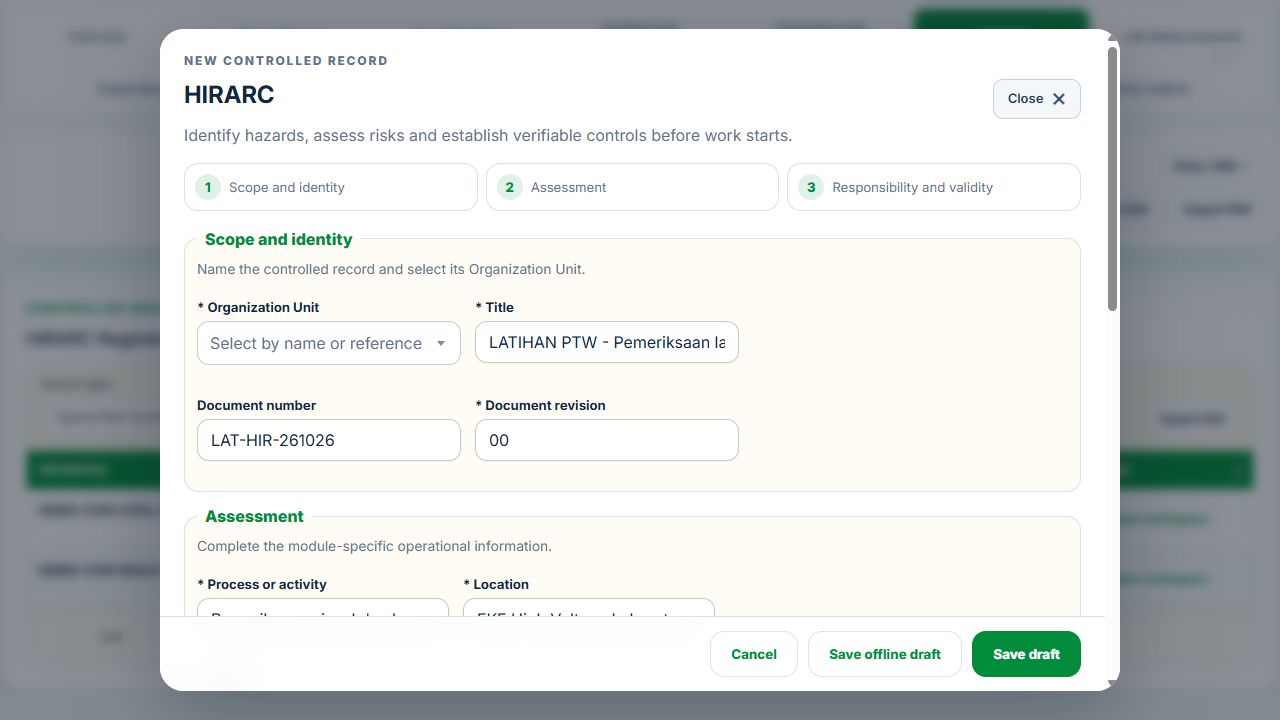
Use New record, Add, Edit or Renew where available. The original form opens in a modal. Select the correct site and organization unit; registers follow the module’s filters and your authorized scope.
Save or submit through the form’s existing controls. Required evidence, assignment, status and independent approval still apply. Use Close at the upper right to dismiss the form; closing a modal does not close the business record.
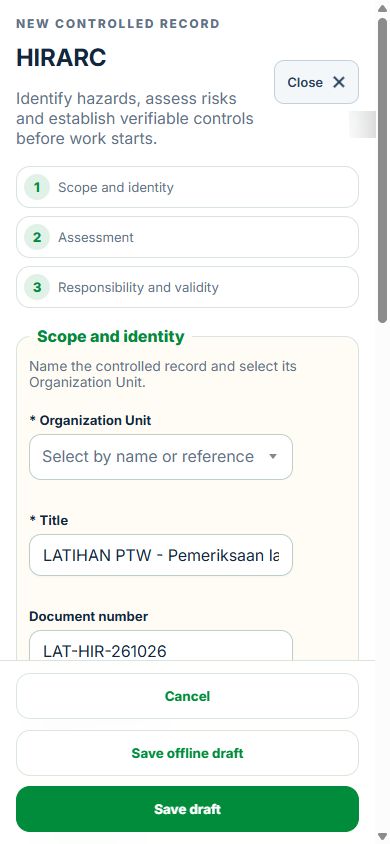
Use the record’s Print / PDF control for its controlled document. Printing and downloads open separately. On mobile the same forms fill the screen, with scrollable content and accessible Close controls.
Desktop · Original HIRARC form and Close controlMobile · Same fields and actions, full-screen form
How linked controls work
Work controls shows the source record, current status, direct links and dependencies reached through a Work Package or PTW. A typed reference does not create a relationship. Activity approval does not approve a Work Package, verify LOTO or activate a permit. Follow each source record's own approval and release workflow; reopen Detail to refresh its status.
Use Add and Edit to open the permitted form. Detail holds evidence, linked records, workflow and history. On mobile, table rows become labeled cards with the same actions.
Agriculture, Plantation & Livestock
Pilih profil di topbar: Agriculture & Crop Farming, Plantation & Estate, Livestock & Animal Farming atau Agro-processing & Palm Oil Mill. Pilihan terus menukar konteks. Semua profil menggunakan organisasi, unit, peranan dan rekod sumber HSE.my yang sama.
Plan & assess. Daftar ladang / estet / kilang, bahagian, plot, reban, stor, laluan, penginapan dan titik persampelan. Pautkan lokasi GIS sedia ada. Lengkapkan skop operasi, HIRARC, JSA, kompetensi dan saringan kebolehgunaan.
Prepare work. Gunakan Work Package untuk tenaga kerja, skop dan penyelia. PTW, LOTO, gas testing dan Equipment kekal dalam modul asal. Aset gagal atau sijil luput memerlukan pembaikan, bukti dan pengesahan sebelum penggunaan semula.
Spray & release. Semak satu produk Chemical Inventory dan SDS yang tepat, versi label, tanaman, kadar, unit, REI dan PHI. Daftar permintaan aplikasi, dapatkan kebenaran bebas, kemudian penyembur dinamakan merekod masa sebenar dan bukti. Satu issue direkod dalam chemical movement ledger. Semua aplikasi bertindih mesti dilepaskan sebelum penuaian. Masa tamat sahaja tidak memberi kebenaran pelepasan.
Harvest & traceability. Pautkan plot, semakan penuaian, berat, kenderaan dan destinasi. Penerima bebas mengesahkan berat diterima, bukti timbangan dan sebab perbezaan. Rekod asal dikekalkan.
Livestock. Daftar spesies dan herd / flock / batch. Rekod intake, birth dan death secara kronologi. Gunakan pergerakan rasmi untuk dispatch; populasi tidak boleh negatif. Kenakan kuarantin / sekatan penyakit segera dan dapatkan arahan veterinar. Rawatan menggunakan arahan disahkan dan withdrawal produk; sistem tidak mencadangkan dos.
Animal movements. Semak permit / asas pengecualian, spesies, destinasi, kenderaan, kebajikan dan semua sekatan. Pengesah bebas melakukan dispatch; penerima lain mengesahkan receipt. Kematian haiwan tidak dimasukkan ke Event Register pekerja atau TRIR / LTIFR.
Monitor & improve. Jadualkan sampel, pautkan keputusan Environmental Monitoring dan bukti makmal. gas tester, attendant, supervisor dan issuer mesti mempunyai kebenaran semasa untuk confined-space entry. Tamatkan akauntabiliti keluar sebelum menutup permit. Gunakan CAPA, sijil, pemantauan dan laporan enam bulan untuk semakan pengurusan.
KPI: nombor dan peratus boleh dijejak ke rekod sumber. Peratus kosong bermaksud bukti / denominator belum tersedia. Kadar kecederaan hanya dikira daripada semua bulan tapak yang disahkan dan jam pekerja yang mencukupi. Mortality dipaparkan berasingan mengikut spesies dan sepanjang hayat kelompok, dengan denominator intake + births.
Evidence & revisions: simpan draf → lampir bukti bersih → hantar → pengesah bebas terima. Pencipta, pemilik atau peserta tidak boleh mengesahkan rekod sendiri. Perubahan sumber dan luput menghilangkan status semasa. Gunakan revisi baharu; sejarah kekal.
Offline & integrations: draf semakan menggunakan Sync Centre sedia ada. Sync memeriksa semula login, CSRF, unit, versi dan kunci pendua. Kelulusan, pelepasan, stok dan pergerakan fizikal memerlukan sambungan server. Farm ERP, cuaca, RFID, telematics, eMSPO, MPOB SIMS, eVetPermit dan makmal ialah staging / rujukan bukti; sambungan vendor langsung belum dikonfigurasi. SITI membaca sumber untuk membantu carian, bukan memberi dos, rawatan atau kelulusan.
Untuk bahan kimia, kuantiti daftar ialah asas inventori; receipt / adjustment menambah dan issue / transfer / disposal menolak baki. Rekonsiliasi asas stok dan ledger sebelum menggunakan aliran aplikasi. Jangan masukkan semula issue yang telah dijana oleh aplikasi.
Reassess current sources: jika bukti aplikasi berubah, pilih semakan semasa dan lampir bukti bebas. Label asal dan penggunaan stok dikekalkan; REI / PHI tidak boleh dipendekkan. Lakukan pengesahan pelepasan semula selepas semua sekatan tamat.
Pelepasan veterinar: pengesah mesti mempunyai rekod kebenaran veterinar semasa atas namanya untuk reban / kandang tersebut. Pilih kebenaran itu dan bukti clearance ketika melepaskan kuarantin atau withdrawal. Pengguna lain tidak boleh menggunakan kebenaran tersebut bagi pihaknya.
02Agriculture, Plantation & LivestockOverview, scope and navigationStart with the right operating context.
How to use this section
Open the enabled industry from the navigation rail or the mobile More menu. Expand the grouped top menu to choose the next stage of work.
Select the organization unit and available project, factory or site context. KPI cards, graphs, maps and registers reflect the scope supported by that workspace.
Follow a KPI or source link to the underlying record. A missing or incomplete reporting value is not an assumed zero.
On mobile, registers become labeled cards. Use the same Detail, Edit and permitted workflow controls from each card.
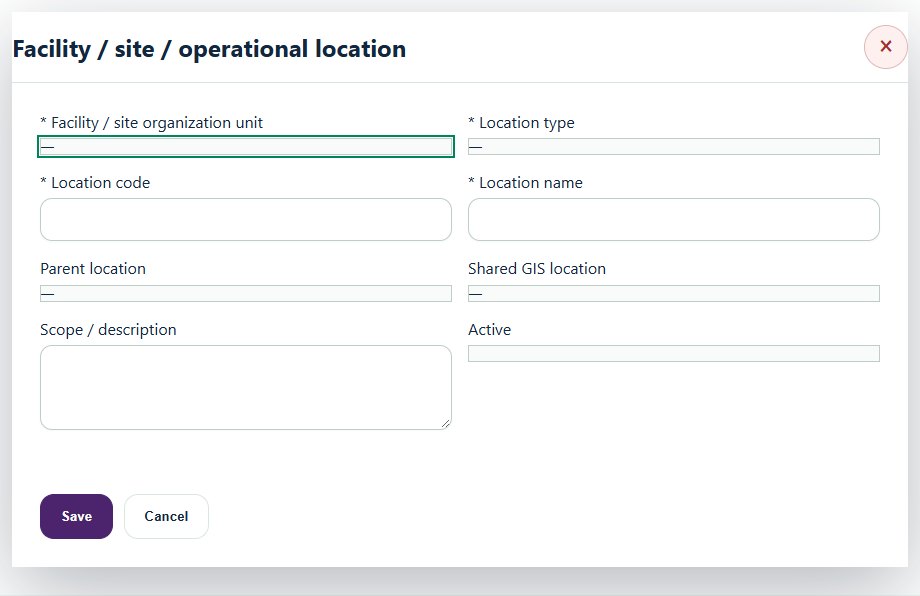
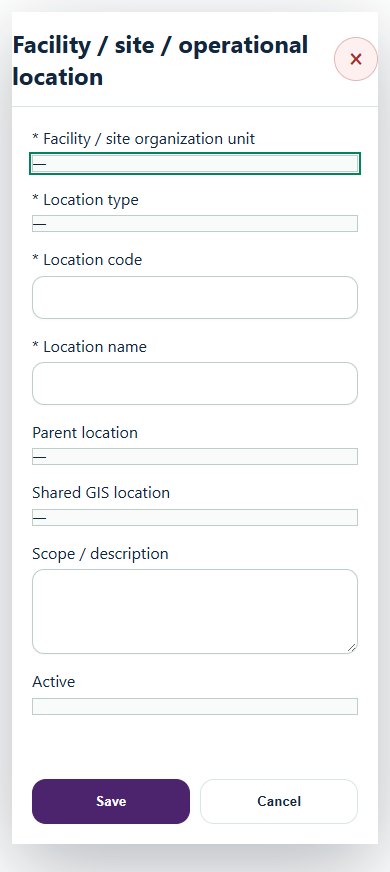
Desktop · Facility / site / operational locationMobile · Facility / site / operational location
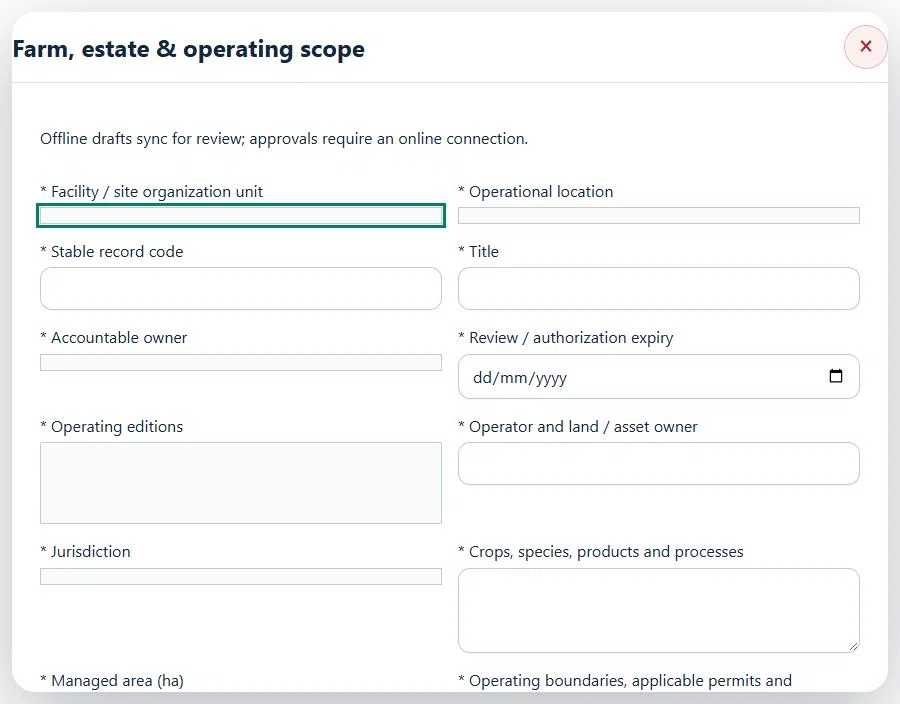
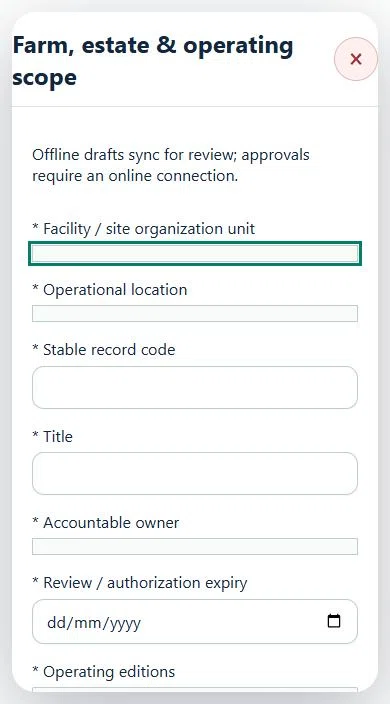
03Agriculture, Plantation & LivestockFarm, estate & operating scopePrepare a source-linked assurance record and obtain independent acceptance.
How to use this section
Select the operating context, owner and review due date. Record: Operating editions; Operator and land / asset owner; Jurisdiction; Crops, species, products and processes; Managed area (ha); Operating boundaries, applicable permits and restrictions.
Link the relevant saved source records and any required accepted dependencies. Save the draft and attach supporting evidence in Detail.
Submit for independent review; resolve rejected or incomplete evidence before resubmitting. Acceptance does not approve or release the linked source work.
Use a new revision for changes to accepted records. Follow source links to resolve expired evidence, changed sources or failed prerequisites before progressing work.
Desktop · Farm, estate & operating scope · Highlight: * Facility / site organization unitMobile · Farm, estate & operating scope · Highlight: * Facility / site organization unit
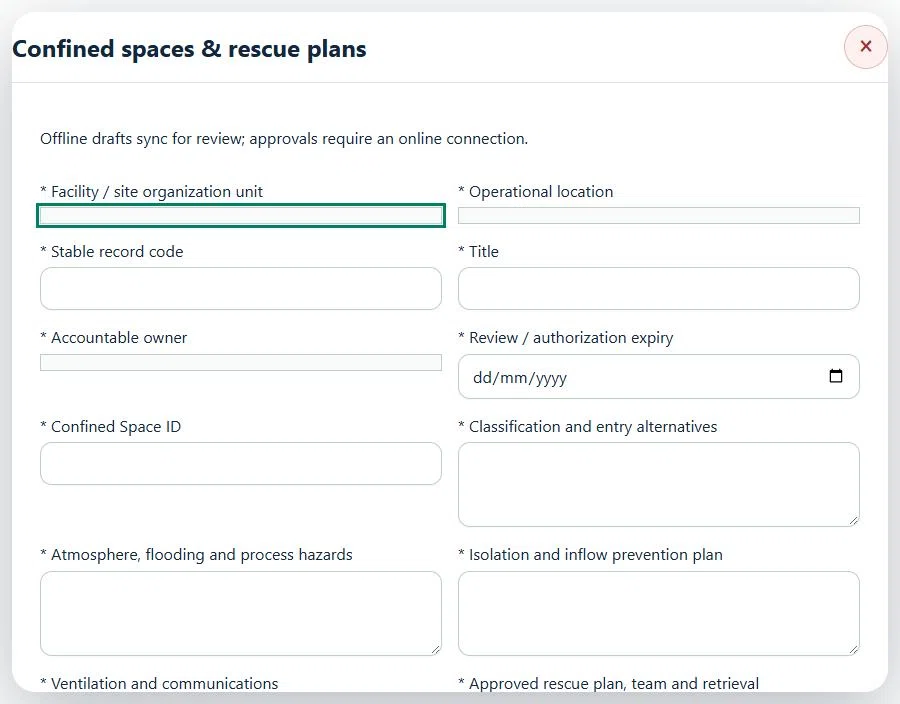
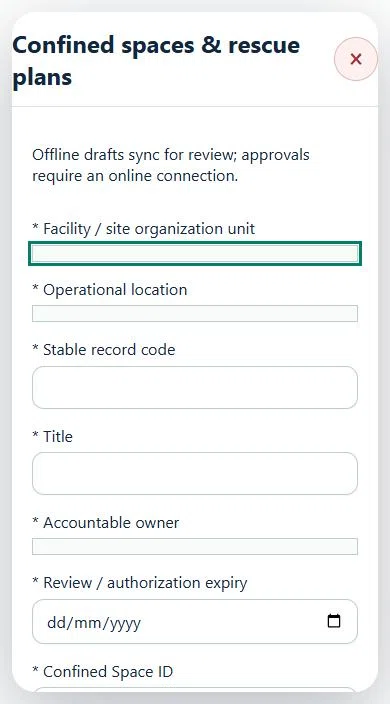
04Agriculture, Plantation & LivestockConfined spaces & rescue plansPrepare a source-linked assurance record and obtain independent acceptance.
How to use this section
Select the operating context, owner and review due date. Record: Confined Space ID; Classification and entry alternatives; Atmosphere, flooding and process hazards; Isolation and inflow prevention plan; Ventilation and communications; Approved rescue plan, team and retrieval arrangements; Approved gas limits, frequency and stop-work procedure; Approved O₂ minimum (%); Approved O₂ maximum (%); Approved LEL maximum (%); Approved H₂S maximum (ppm); Approved CO maximum (ppm); Maximum test age (minutes).
Link the relevant saved source records and any required accepted dependencies. Save the draft and attach supporting evidence in Detail.
Submit for independent review; resolve rejected or incomplete evidence before resubmitting. Acceptance does not approve or release the linked source work.
Use a new revision for changes to accepted records. Follow source links to resolve expired evidence, changed sources or failed prerequisites before progressing work.
Desktop · Confined spaces & rescue plans · Highlight: * Facility / site organization unitMobile · Confined spaces & rescue plans · Highlight: * Facility / site organization unit
05Agriculture, Plantation & LivestockCompetency & role authorisationPrepare a source-linked assurance record and obtain independent acceptance.
How to use this section
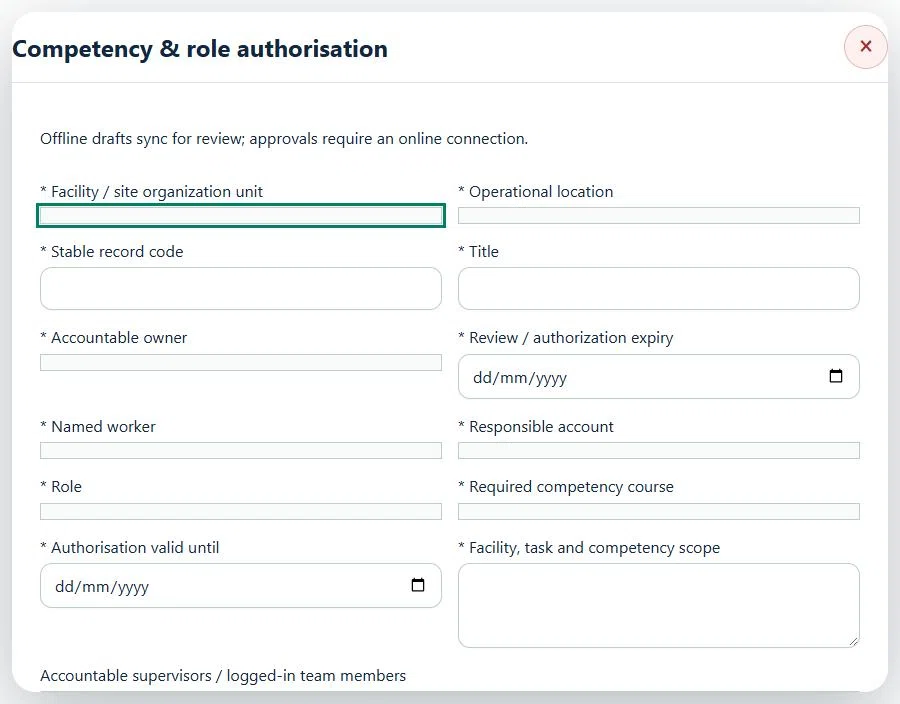
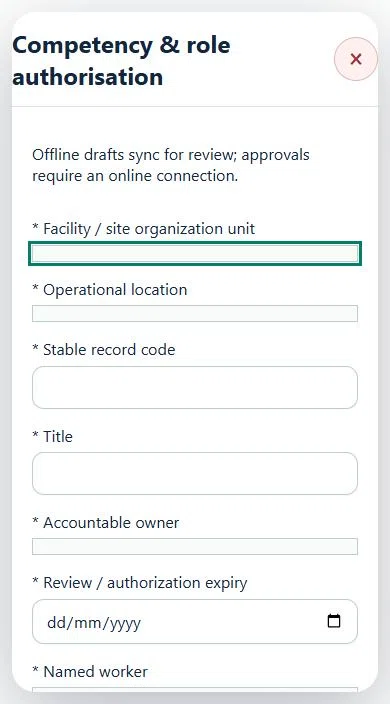
Select the operating context, owner and review due date. Record: Named worker; Responsible account; Role; Required competency course; Authorisation valid until; Facility, task and competency scope.
Link the relevant saved source records and any required accepted dependencies. Save the draft and attach supporting evidence in Detail.
Submit for independent review; resolve rejected or incomplete evidence before resubmitting. Acceptance does not approve or release the linked source work.
Use a new revision for changes to accepted records. Follow source links to resolve expired evidence, changed sources or failed prerequisites before progressing work.
Desktop · Competency & role authorisation · Highlight: * Facility / site organization unitMobile · Competency & role authorisation · Highlight: * Facility / site organization unit
06Agriculture, Plantation & LivestockEntry planning & readinessPrepare a source-linked assurance record and obtain independent acceptance.
How to use this section
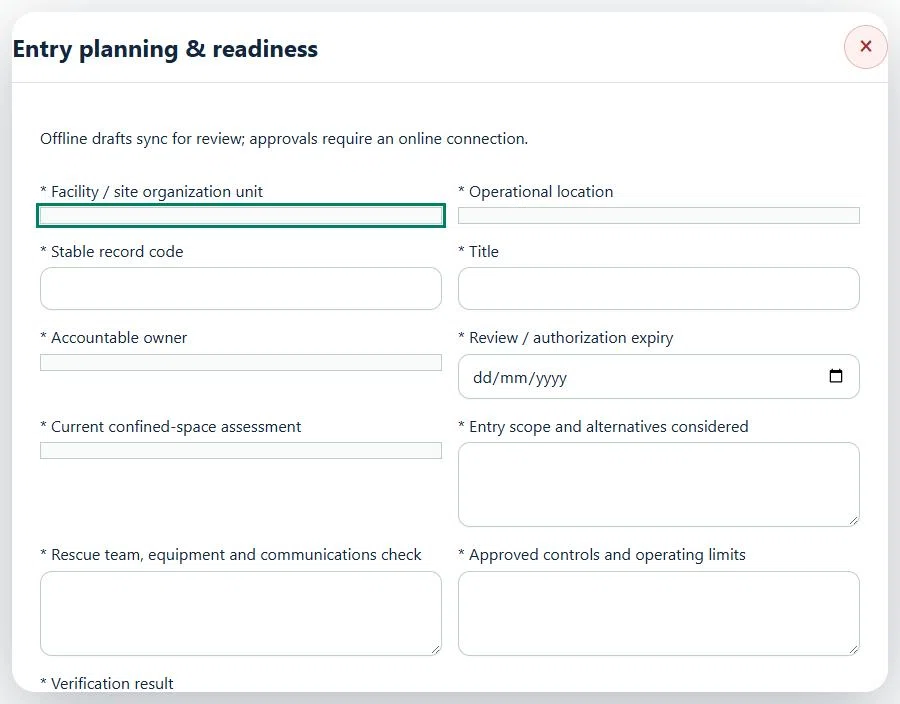
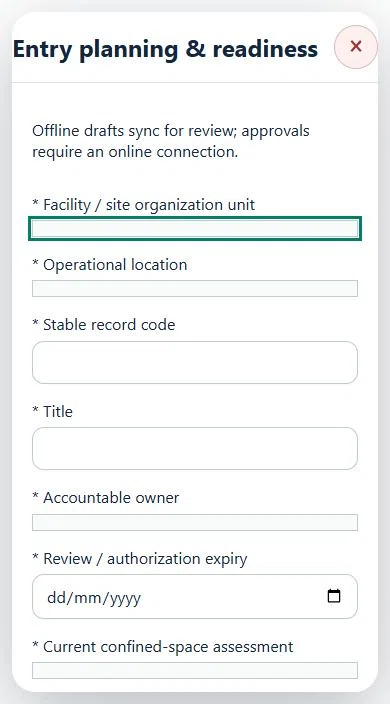
Select the operating context, owner and review due date. Record: Current confined-space assessment; Entry scope and alternatives considered; Rescue team, equipment and communications check; Approved controls and operating limits; Verification result.
Link the relevant saved source records and any required accepted dependencies. Save the draft and attach supporting evidence in Detail.
Submit for independent review; resolve rejected or incomplete evidence before resubmitting. Acceptance does not approve or release the linked source work.
Use a new revision for changes to accepted records. Follow source links to resolve expired evidence, changed sources or failed prerequisites before progressing work.
Desktop · Entry planning & readiness · Highlight: * Facility / site organization unitMobile · Entry planning & readiness · Highlight: * Facility / site organization unit
Entry planning & readiness
Record these details: Task boundary and approved procedure · Approved work window / coordination reference
Readiness checks
Current HIRARC / JSA checked
Competency and employer authority verified
Current asset and operating evidence checked
A directly linked, active PTW within its validity window is required before this activity starts.
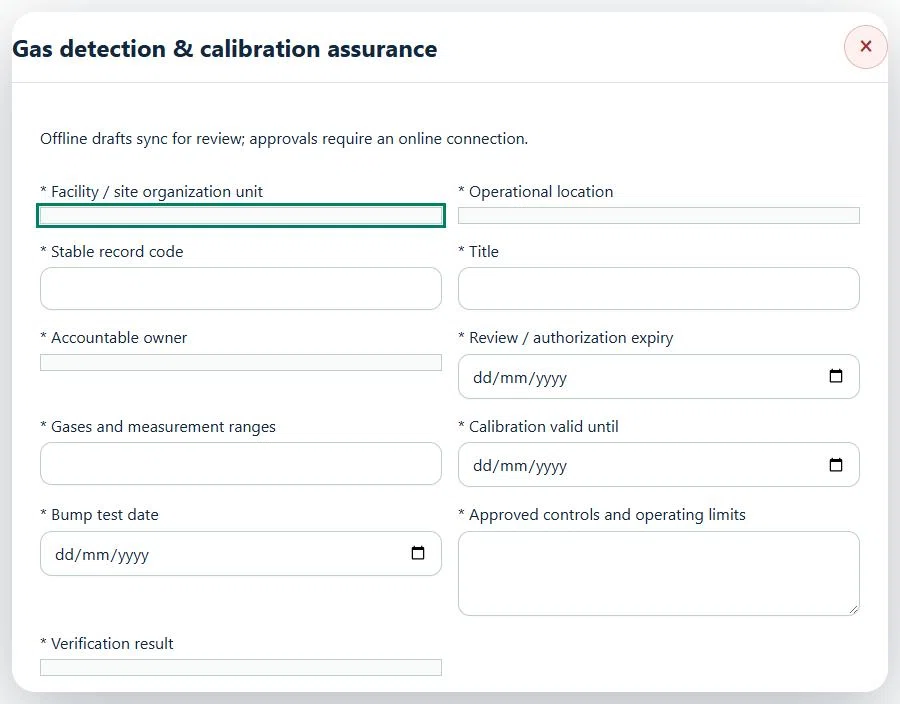
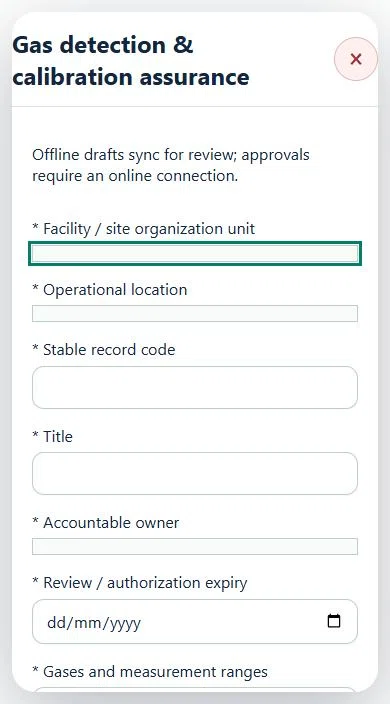
07Agriculture, Plantation & LivestockGas detection & calibration assurancePrepare a source-linked assurance record and obtain independent acceptance.
How to use this section
Select the operating context, owner and review due date. Record: Gases and measurement ranges; Calibration valid until; Bump test date; Approved controls and operating limits; Verification result.
Link the relevant saved source records and any required accepted dependencies. Save the draft and attach supporting evidence in Detail.
Submit for independent review; resolve rejected or incomplete evidence before resubmitting. Acceptance does not approve or release the linked source work.
Use a new revision for changes to accepted records. Follow source links to resolve expired evidence, changed sources or failed prerequisites before progressing work.
Desktop · Gas detection & calibration assurance · Highlight: * Facility / site organization unitMobile · Gas detection & calibration assurance · Highlight: * Facility / site organization unit
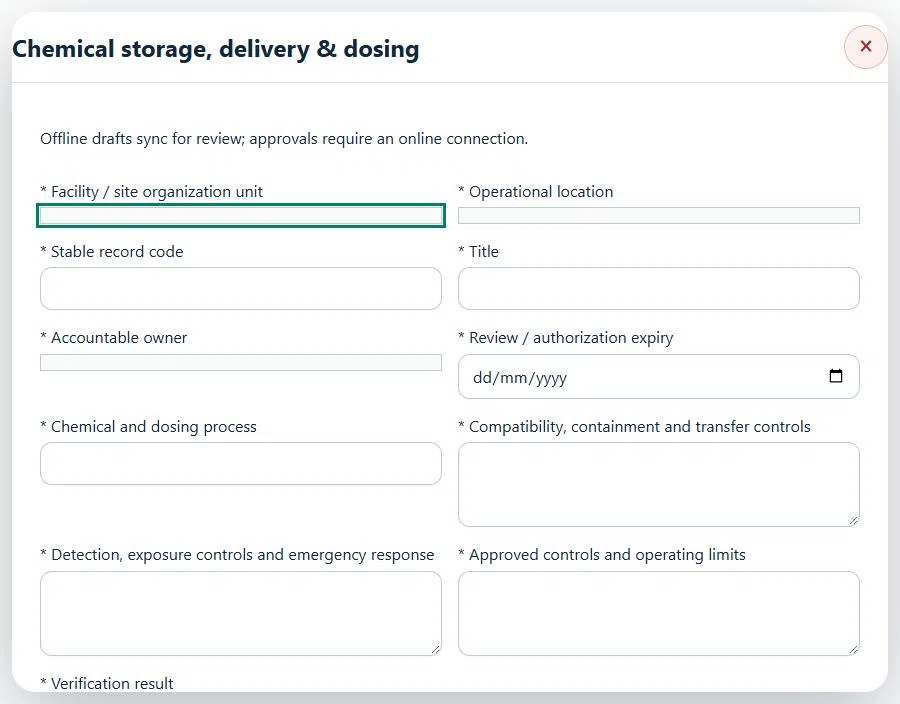
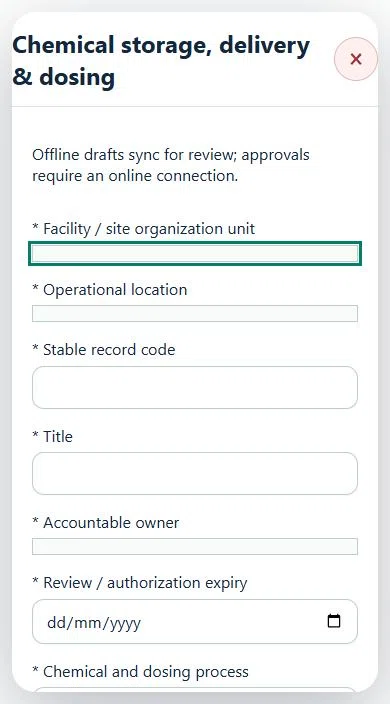
08Agriculture, Plantation & LivestockChemical storage, delivery & dosingPrepare a source-linked assurance record and obtain independent acceptance.
How to use this section
Select the operating context, owner and review due date. Record: Chemical and dosing process; Compatibility, containment and transfer controls; Detection, exposure controls and emergency response; Approved controls and operating limits; Verification result.
Link the relevant saved source records and any required accepted dependencies. Save the draft and attach supporting evidence in Detail.
Submit for independent review; resolve rejected or incomplete evidence before resubmitting. Acceptance does not approve or release the linked source work.
Use a new revision for changes to accepted records. Follow source links to resolve expired evidence, changed sources or failed prerequisites before progressing work.
Desktop · Chemical storage, delivery & dosing · Highlight: * Facility / site organization unitMobile · Chemical storage, delivery & dosing · Highlight: * Facility / site organization unit
Chemical storage, delivery & dosing
Record these details: Task boundary and approved procedure · Approved work window / coordination reference
Readiness checks
Current HIRARC / JSA checked
Competency and employer authority verified
Current asset and operating evidence checked
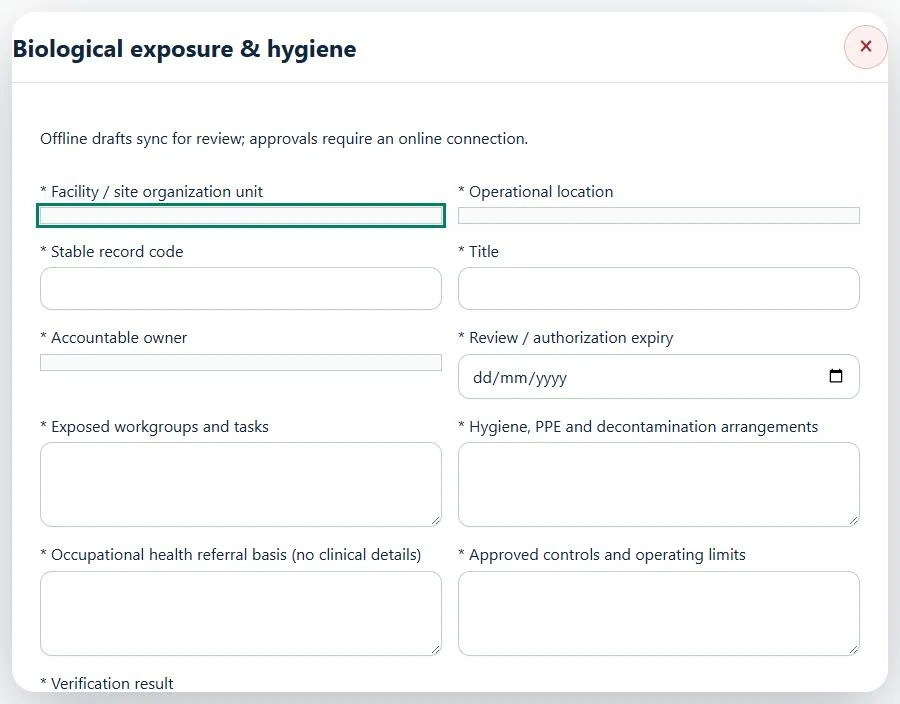
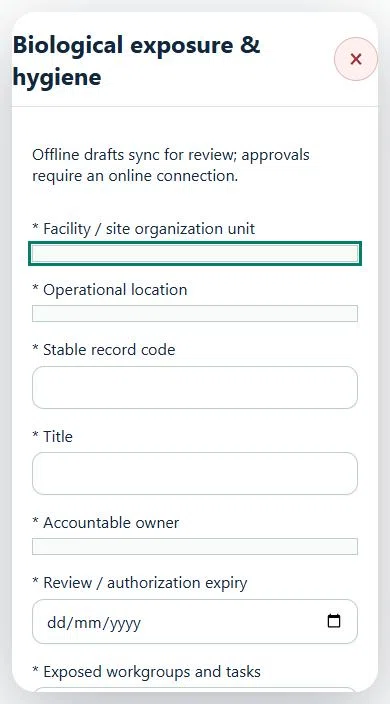
09Agriculture, Plantation & LivestockBiological exposure & hygienePrepare a source-linked assurance record and obtain independent acceptance.
How to use this section
Select the operating context, owner and review due date. Record: Exposed workgroups and tasks; Hygiene, PPE and decontamination arrangements; Occupational health referral basis (no clinical details); Approved controls and operating limits; Verification result.
Link the relevant saved source records and any required accepted dependencies. Save the draft and attach supporting evidence in Detail.
Submit for independent review; resolve rejected or incomplete evidence before resubmitting. Acceptance does not approve or release the linked source work.
Use a new revision for changes to accepted records. Follow source links to resolve expired evidence, changed sources or failed prerequisites before progressing work.
Desktop · Biological exposure & hygiene · Highlight: * Facility / site organization unitMobile · Biological exposure & hygiene · Highlight: * Facility / site organization unit
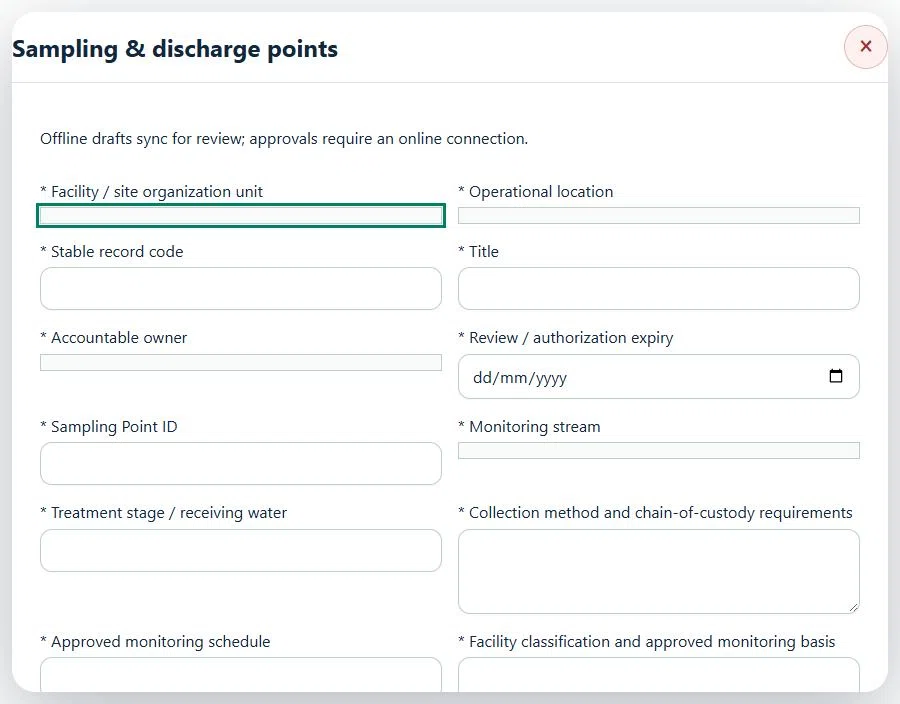
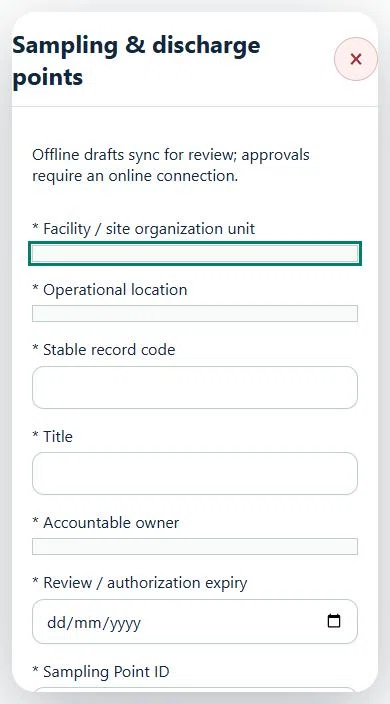
10Agriculture, Plantation & LivestockSampling & discharge pointsPrepare a source-linked assurance record and obtain independent acceptance.
How to use this section
Select the operating context, owner and review due date. Record: Sampling Point ID; Monitoring stream; Treatment stage / receiving water; Collection method and chain-of-custody requirements; Approved monitoring schedule; Facility classification and approved monitoring basis.
Link the relevant saved source records and any required accepted dependencies. Save the draft and attach supporting evidence in Detail.
Submit for independent review; resolve rejected or incomplete evidence before resubmitting. Acceptance does not approve or release the linked source work.
Use a new revision for changes to accepted records. Follow source links to resolve expired evidence, changed sources or failed prerequisites before progressing work.
Desktop · Sampling & discharge points · Highlight: * Facility / site organization unitMobile · Sampling & discharge points · Highlight: * Facility / site organization unit
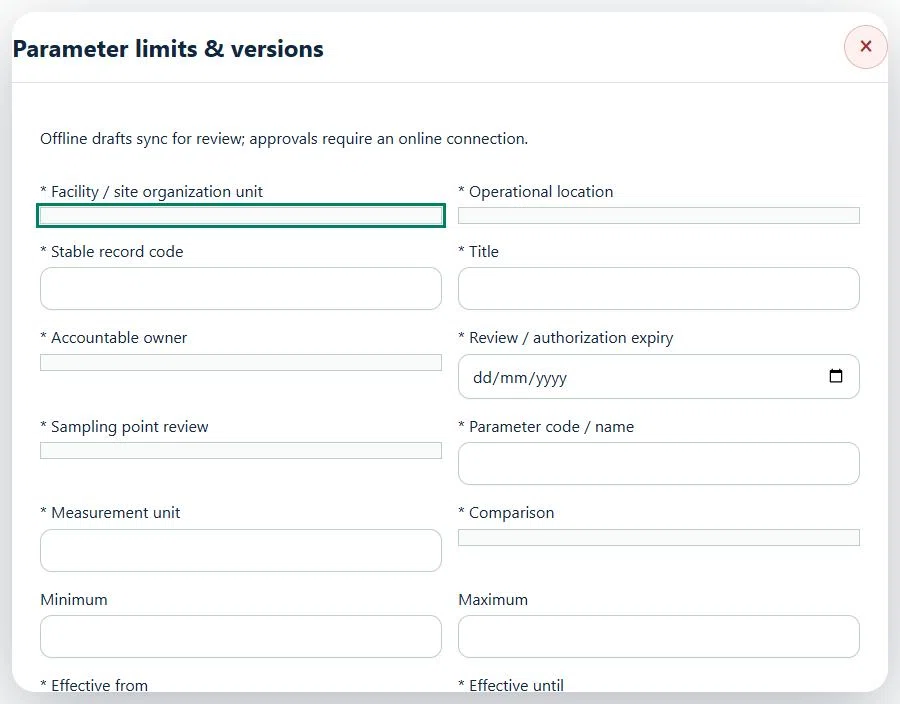
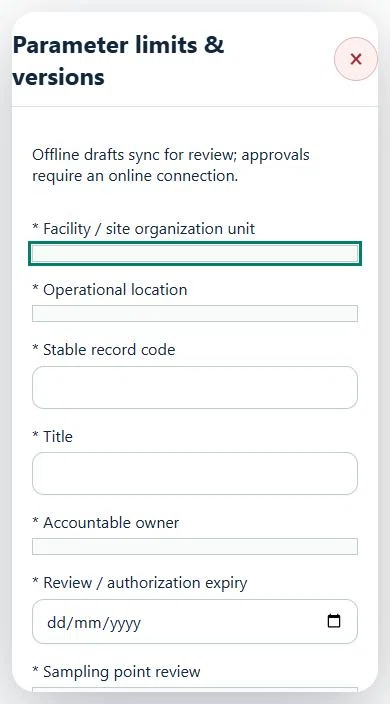
11Agriculture, Plantation & LivestockParameter limits & versionsPrepare a source-linked assurance record and obtain independent acceptance.
How to use this section
Select the operating context, owner and review due date. Record: Sampling point review; Parameter code / name; Measurement unit; Comparison; Minimum; Maximum; Effective from; Effective until; Approved analytical method; Approved limit reference and version; Basis.
Link the relevant saved source records and any required accepted dependencies. Save the draft and attach supporting evidence in Detail.
Submit for independent review; resolve rejected or incomplete evidence before resubmitting. Acceptance does not approve or release the linked source work.
Use a new revision for changes to accepted records. Follow source links to resolve expired evidence, changed sources or failed prerequisites before progressing work.
Desktop · Parameter limits & versions · Highlight: * Facility / site organization unitMobile · Parameter limits & versions · Highlight: * Facility / site organization unit
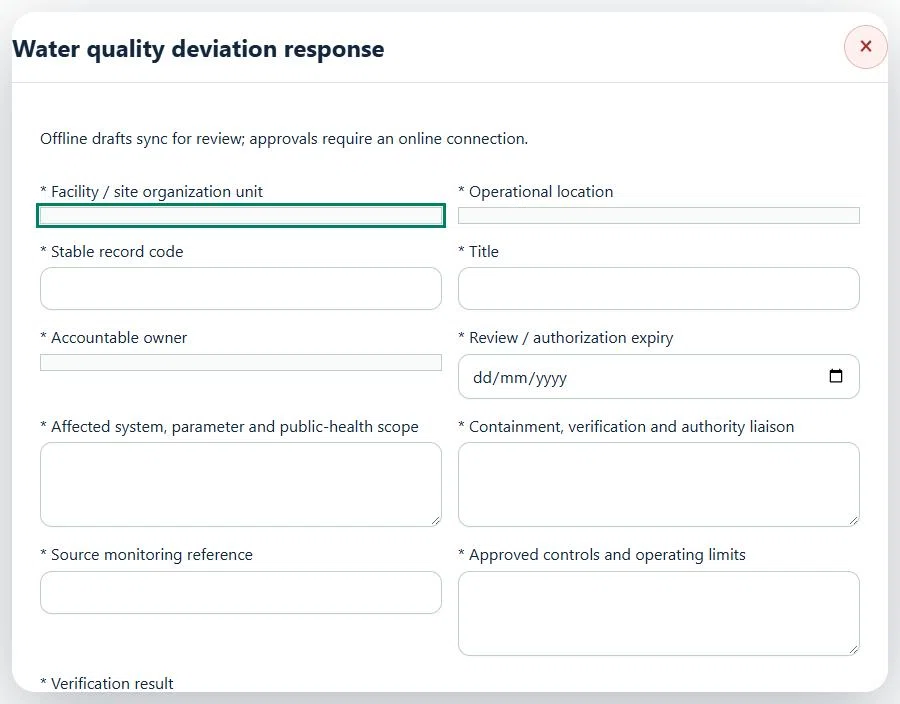
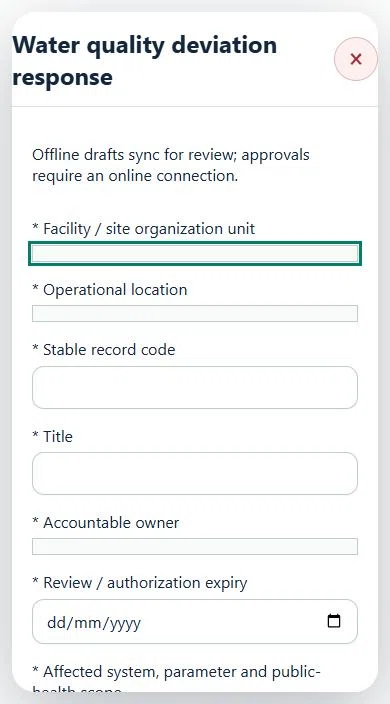
12Agriculture, Plantation & LivestockWater quality deviation responsePrepare a source-linked assurance record and obtain independent acceptance.
How to use this section
Select the operating context, owner and review due date. Record: Affected system, parameter and public-health scope; Containment, verification and authority liaison; Source monitoring reference; Approved controls and operating limits; Verification result.
Link the relevant saved source records and any required accepted dependencies. Save the draft and attach supporting evidence in Detail.
Submit for independent review; resolve rejected or incomplete evidence before resubmitting. Acceptance does not approve or release the linked source work.
Use a new revision for changes to accepted records. Follow source links to resolve expired evidence, changed sources or failed prerequisites before progressing work.
Desktop · Water quality deviation response · Highlight: * Facility / site organization unitMobile · Water quality deviation response · Highlight: * Facility / site organization unit
13Agriculture, Plantation & LivestockCritical asset integrityPrepare a source-linked assurance record and obtain independent acceptance.
How to use this section
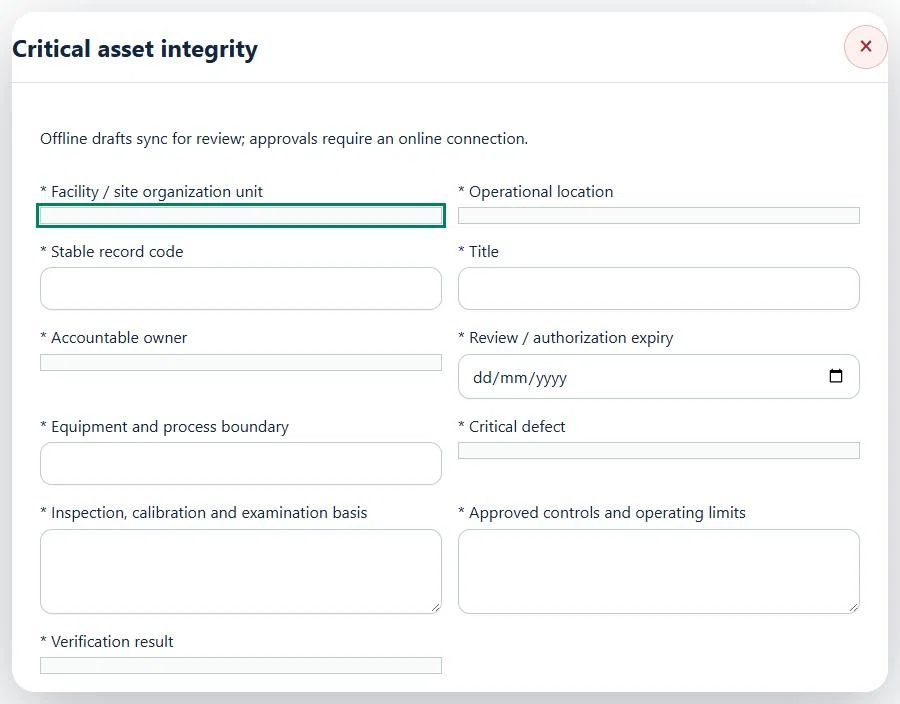
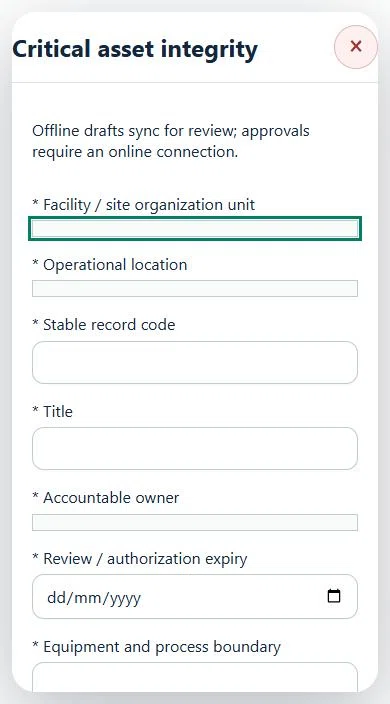
Select the operating context, owner and review due date. Record: Equipment and process boundary; Critical defect; Inspection, calibration and examination basis; Approved controls and operating limits; Verification result.
Link the relevant saved source records and any required accepted dependencies. Save the draft and attach supporting evidence in Detail.
Submit for independent review; resolve rejected or incomplete evidence before resubmitting. Acceptance does not approve or release the linked source work.
Use a new revision for changes to accepted records. Follow source links to resolve expired evidence, changed sources or failed prerequisites before progressing work.
Desktop · Critical asset integrity · Highlight: * Facility / site organization unitMobile · Critical asset integrity · Highlight: * Facility / site organization unit
14Agriculture, Plantation & LivestockMaintenance & isolation planningPrepare a source-linked assurance record and obtain independent acceptance.
How to use this section
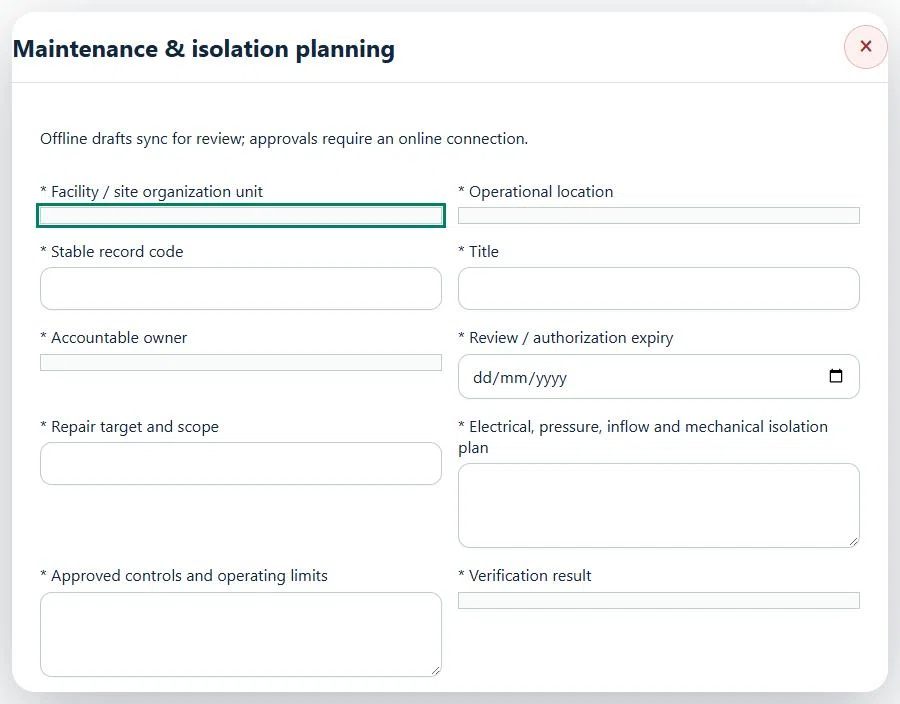
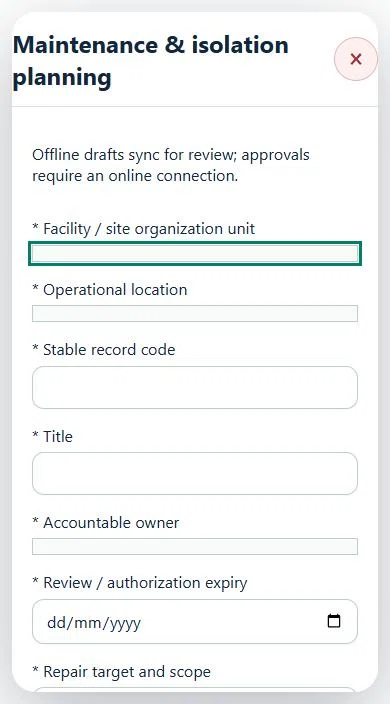
Select the operating context, owner and review due date. Record: Repair target and scope; Electrical, pressure, inflow and mechanical isolation plan; Approved controls and operating limits; Verification result.
Link the relevant saved source records and any required accepted dependencies. Save the draft and attach supporting evidence in Detail.
Submit for independent review; resolve rejected or incomplete evidence before resubmitting. Acceptance does not approve or release the linked source work.
Use a new revision for changes to accepted records. Follow source links to resolve expired evidence, changed sources or failed prerequisites before progressing work.
Desktop · Maintenance & isolation planning · Highlight: * Facility / site organization unitMobile · Maintenance & isolation planning · Highlight: * Facility / site organization unit
Maintenance & isolation planning
Record these details: Task boundary and approved procedure · Approved work window / coordination reference
Readiness checks
Current HIRARC / JSA checked
Competency and employer authority verified
Current asset and operating evidence checked
A directly linked, active PTW within its validity window is required before this activity starts.
15Agriculture, Plantation & LivestockRepair & return-to-servicePrepare a source-linked assurance record and obtain independent acceptance.
How to use this section
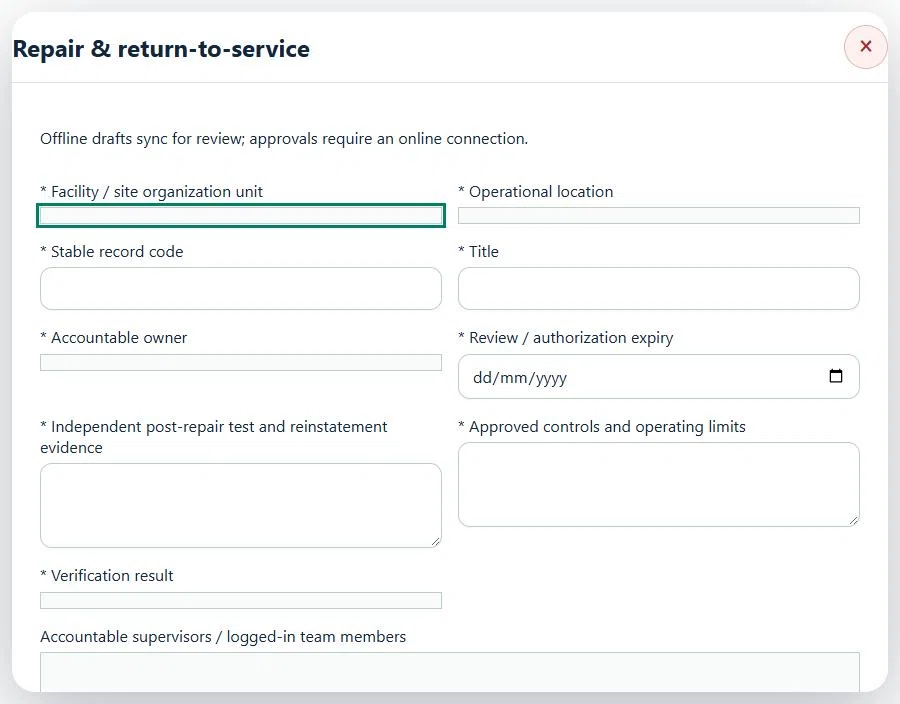
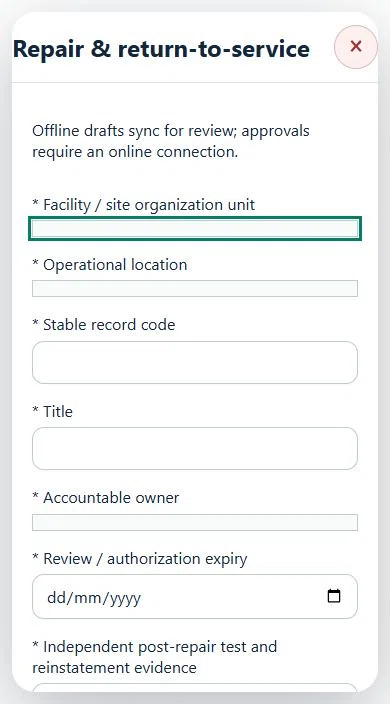
Select the operating context, owner and review due date. Record: Independent post-repair test and reinstatement evidence; Approved controls and operating limits; Verification result.
Link the relevant saved source records and any required accepted dependencies. Save the draft and attach supporting evidence in Detail.
Submit for independent review; resolve rejected or incomplete evidence before resubmitting. Acceptance does not approve or release the linked source work.
Use a new revision for changes to accepted records. Follow source links to resolve expired evidence, changed sources or failed prerequisites before progressing work.
Desktop · Repair & return-to-service · Highlight: * Facility / site organization unitMobile · Repair & return-to-service · Highlight: * Facility / site organization unit
16Agriculture, Plantation & LivestockProcess changes & commissioningPrepare a source-linked assurance record and obtain independent acceptance.
How to use this section
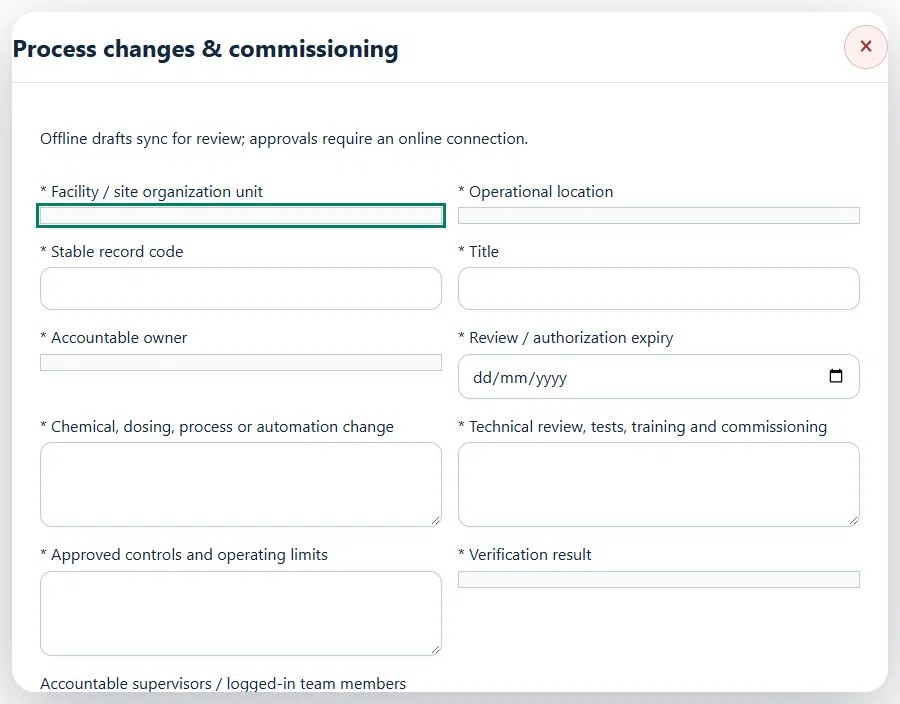
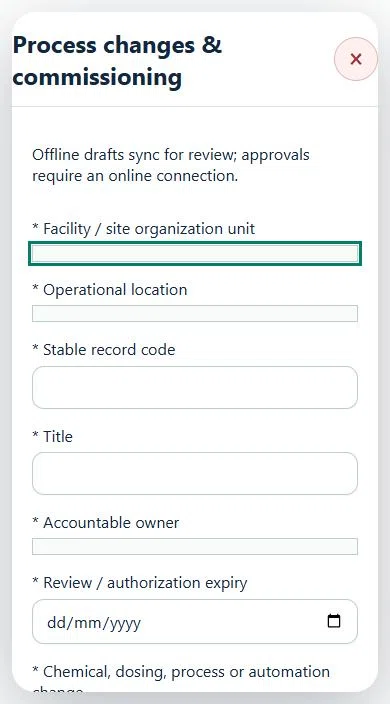
Select the operating context, owner and review due date. Record: Chemical, dosing, process or automation change; Technical review, tests, training and commissioning; Approved controls and operating limits; Verification result.
Link the relevant saved source records and any required accepted dependencies. Save the draft and attach supporting evidence in Detail.
Submit for independent review; resolve rejected or incomplete evidence before resubmitting. Acceptance does not approve or release the linked source work.
Use a new revision for changes to accepted records. Follow source links to resolve expired evidence, changed sources or failed prerequisites before progressing work.
Desktop · Process changes & commissioning · Highlight: * Facility / site organization unitMobile · Process changes & commissioning · Highlight: * Facility / site organization unit
Process changes & commissioning
Record these details: Task boundary and approved procedure · Approved work window / coordination reference
Readiness checks
Current HIRARC / JSA checked
Competency and employer authority verified
Current asset and operating evidence checked
A directly linked, active PTW within its validity window is required before this activity starts.
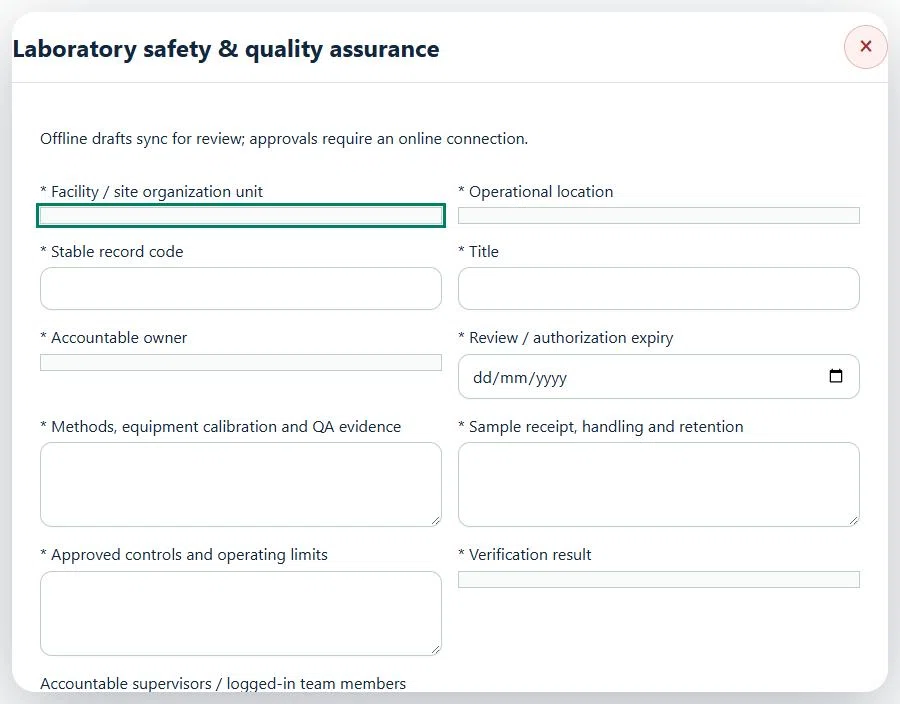
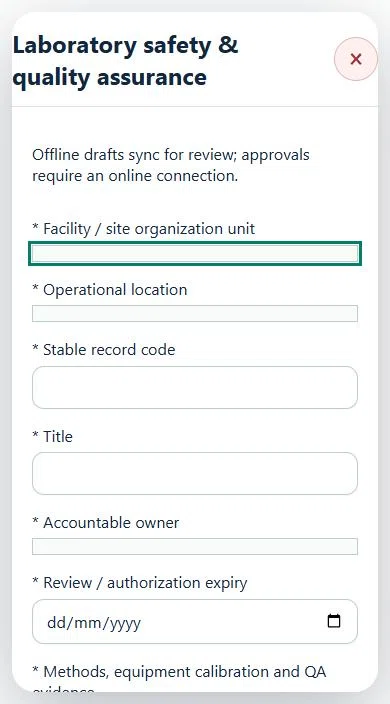
17Agriculture, Plantation & LivestockLaboratory safety & quality assurancePrepare a source-linked assurance record and obtain independent acceptance.
How to use this section
Select the operating context, owner and review due date. Record: Methods, equipment calibration and QA evidence; Sample receipt, handling and retention; Approved controls and operating limits; Verification result.
Link the relevant saved source records and any required accepted dependencies. Save the draft and attach supporting evidence in Detail.
Submit for independent review; resolve rejected or incomplete evidence before resubmitting. Acceptance does not approve or release the linked source work.
Use a new revision for changes to accepted records. Follow source links to resolve expired evidence, changed sources or failed prerequisites before progressing work.
Desktop · Laboratory safety & quality assurance · Highlight: * Facility / site organization unitMobile · Laboratory safety & quality assurance · Highlight: * Facility / site organization unit
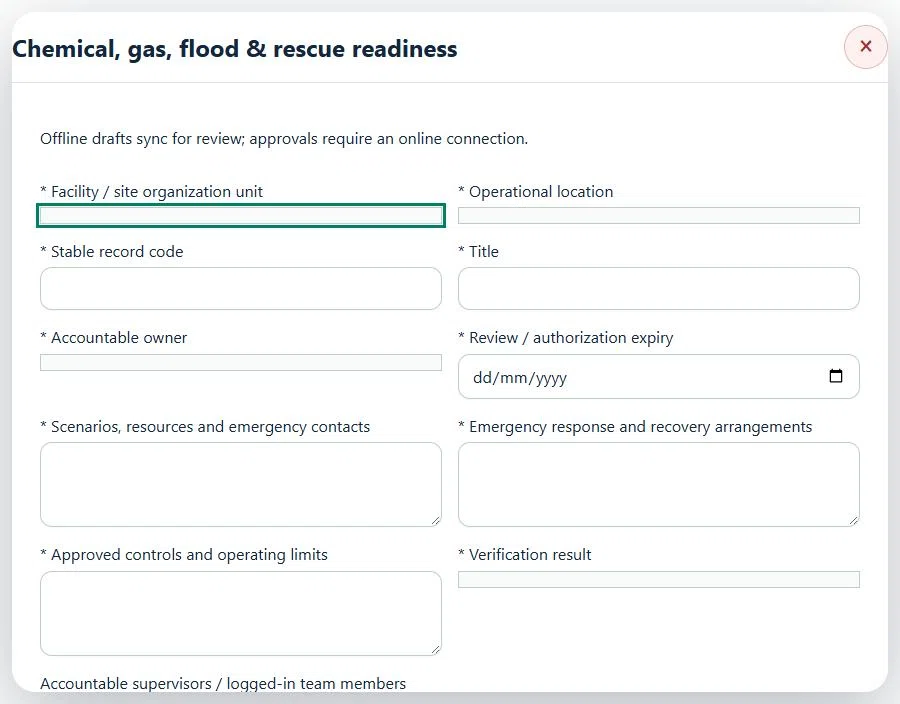
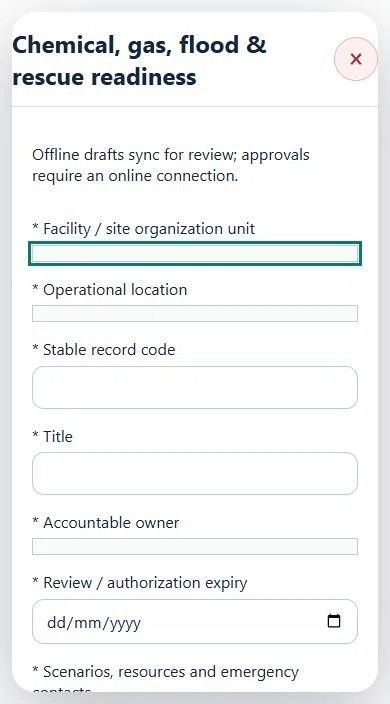
18Agriculture, Plantation & LivestockChemical, gas, flood & rescue readinessPrepare a source-linked assurance record and obtain independent acceptance.
How to use this section
Select the operating context, owner and review due date. Record: Scenarios, resources and emergency contacts; Emergency response and recovery arrangements; Approved controls and operating limits; Verification result.
Link the relevant saved source records and any required accepted dependencies. Save the draft and attach supporting evidence in Detail.
Submit for independent review; resolve rejected or incomplete evidence before resubmitting. Acceptance does not approve or release the linked source work.
Use a new revision for changes to accepted records. Follow source links to resolve expired evidence, changed sources or failed prerequisites before progressing work.
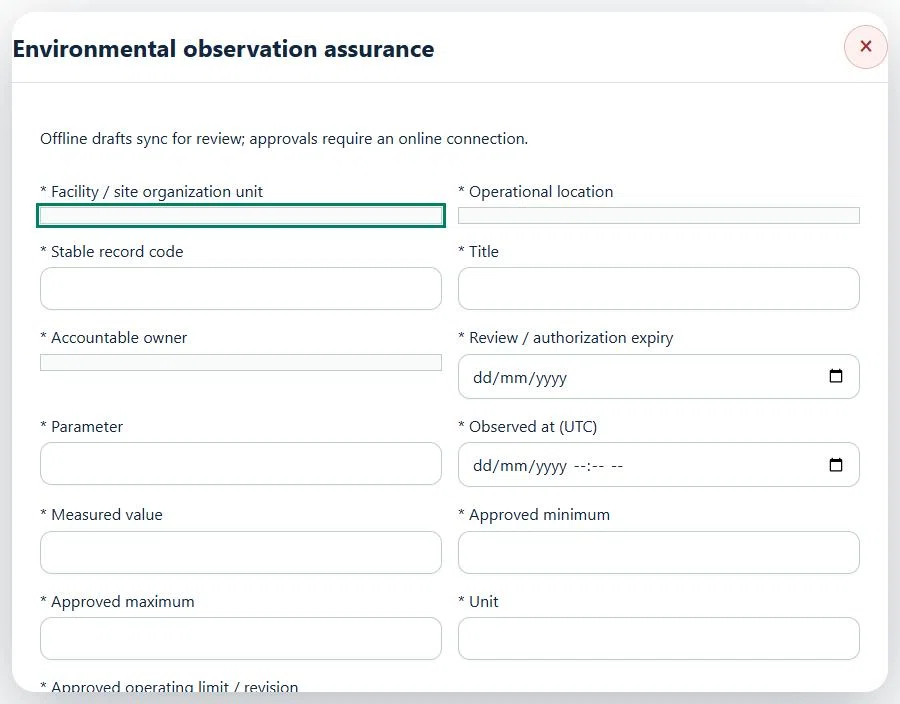
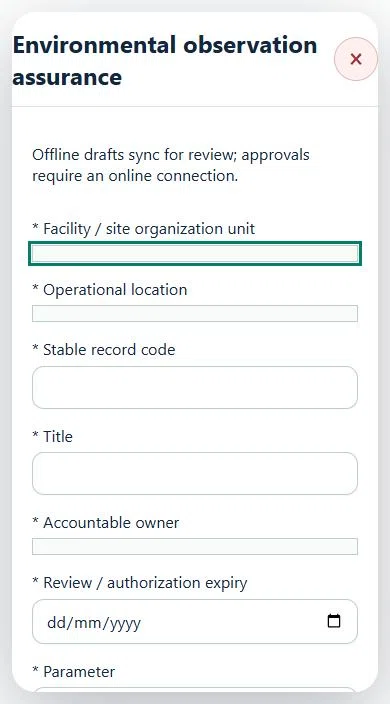
19Agriculture, Plantation & LivestockEnvironmental observation assurancePrepare a source-linked assurance record and obtain independent acceptance.
How to use this section
Select the operating context, owner and review due date. Record: Parameter; Observed at (UTC); Measured value; Approved minimum; Approved maximum; Unit; Approved operating limit / revision.
Link the relevant saved source records and any required accepted dependencies. Save the draft and attach supporting evidence in Detail.
Submit for independent review; resolve rejected or incomplete evidence before resubmitting. Acceptance does not approve or release the linked source work.
Use a new revision for changes to accepted records. Follow source links to resolve expired evidence, changed sources or failed prerequisites before progressing work.
Desktop · Environmental observation assurance · Highlight: * Facility / site organization unitMobile · Environmental observation assurance · Highlight: * Facility / site organization unit
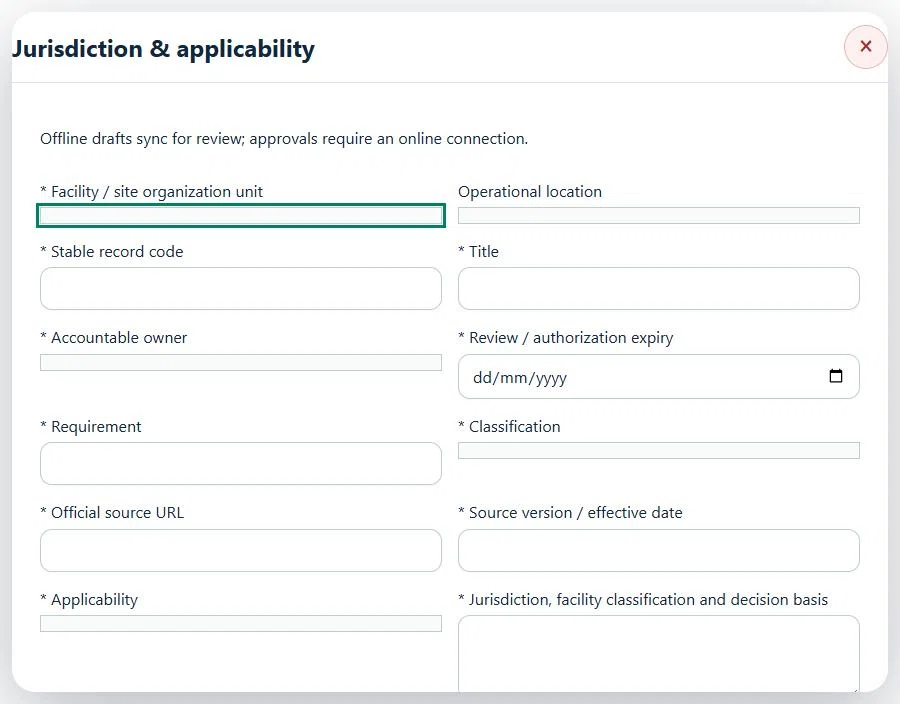
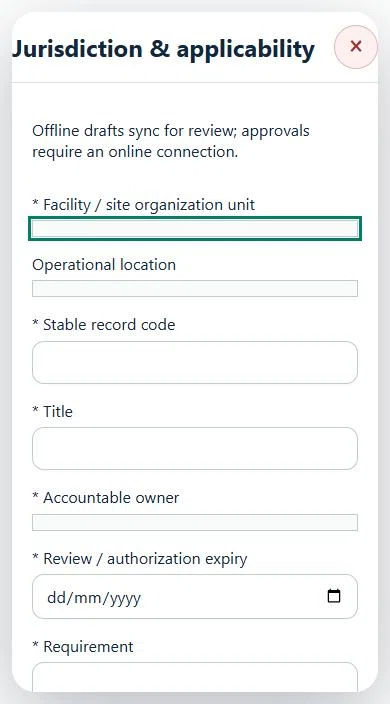
20Agriculture, Plantation & LivestockJurisdiction & applicabilityPrepare a source-linked assurance record and obtain independent acceptance.
How to use this section
Select the operating context, owner and review due date. Record: Requirement; Classification; Official source URL; Source version / effective date; Applicability; Jurisdiction, facility classification and decision basis.
Link the relevant saved source records and any required accepted dependencies. Save the draft and attach supporting evidence in Detail.
Submit for independent review; resolve rejected or incomplete evidence before resubmitting. Acceptance does not approve or release the linked source work.
Use a new revision for changes to accepted records. Follow source links to resolve expired evidence, changed sources or failed prerequisites before progressing work.
Desktop · Jurisdiction & applicability · Highlight: * Facility / site organization unitMobile · Jurisdiction & applicability · Highlight: * Facility / site organization unit
21Agriculture, Plantation & LivestockRegulatory notifications & evidencePrepare a source-linked assurance record and obtain independent acceptance.
How to use this section
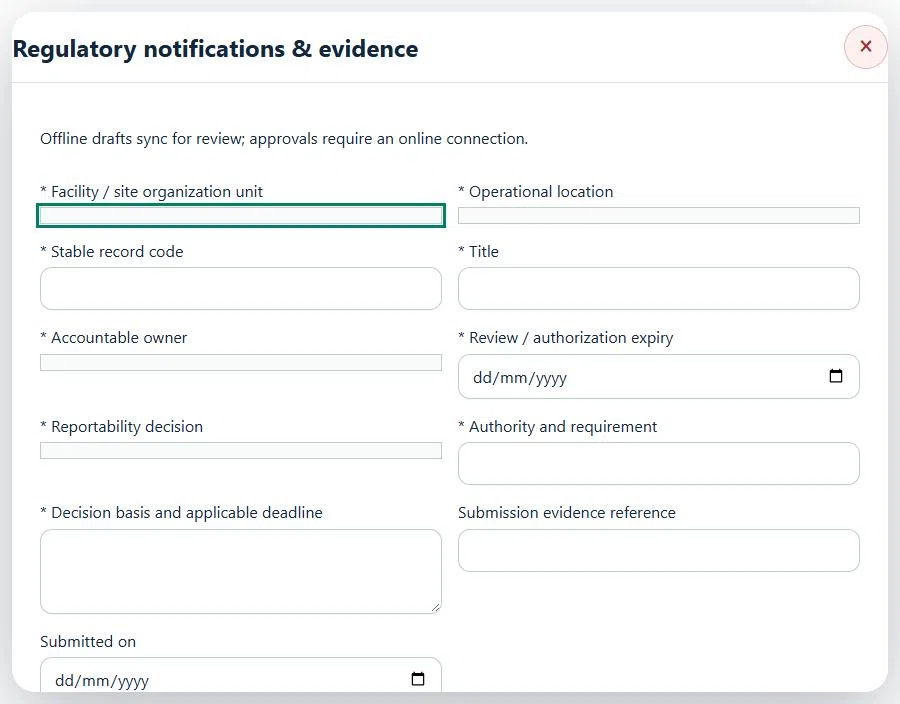
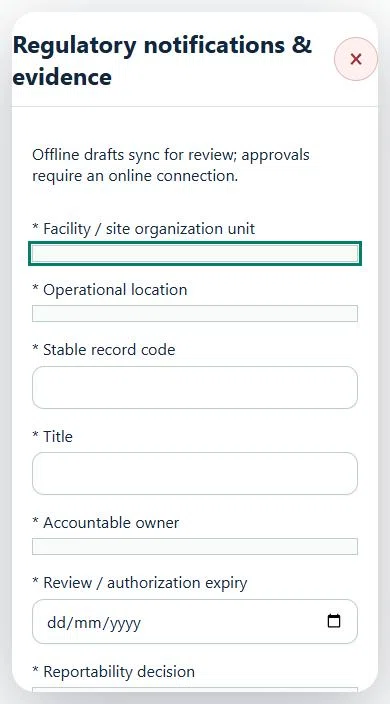
Select the operating context, owner and review due date. Record: Reportability decision; Authority and requirement; Decision basis and applicable deadline; Submission evidence reference; Submitted on.
Link the relevant saved source records and any required accepted dependencies. Save the draft and attach supporting evidence in Detail.
Submit for independent review; resolve rejected or incomplete evidence before resubmitting. Acceptance does not approve or release the linked source work.
Use a new revision for changes to accepted records. Follow source links to resolve expired evidence, changed sources or failed prerequisites before progressing work.
Desktop · Regulatory notifications & evidence · Highlight: * Facility / site organization unitMobile · Regulatory notifications & evidence · Highlight: * Facility / site organization unit
22Agriculture, Plantation & LivestockVerified hours & outcomesPrepare a source-linked assurance record and obtain independent acceptance.
How to use this section
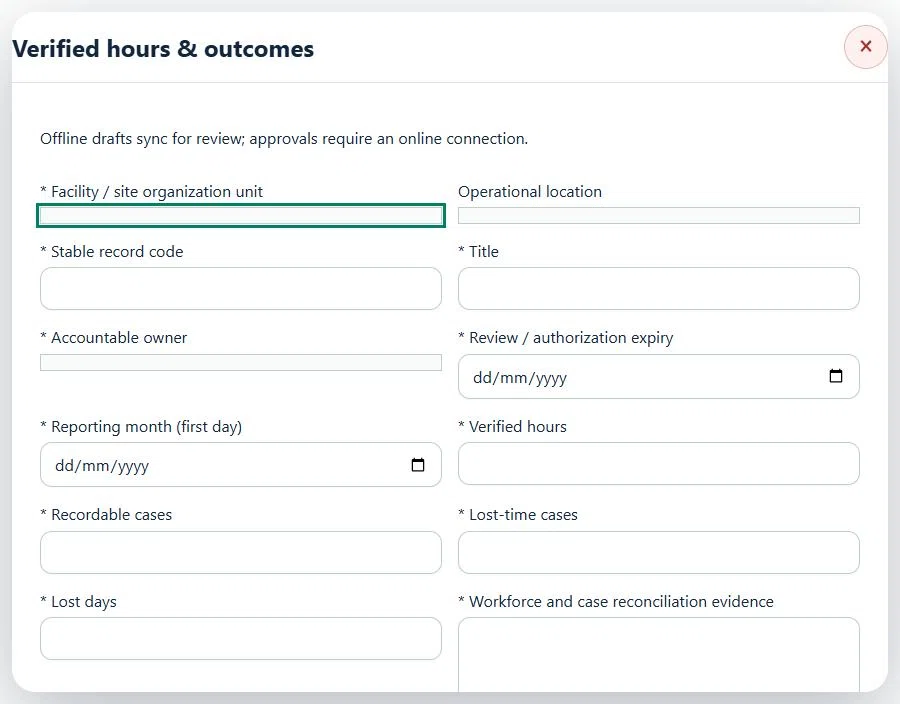
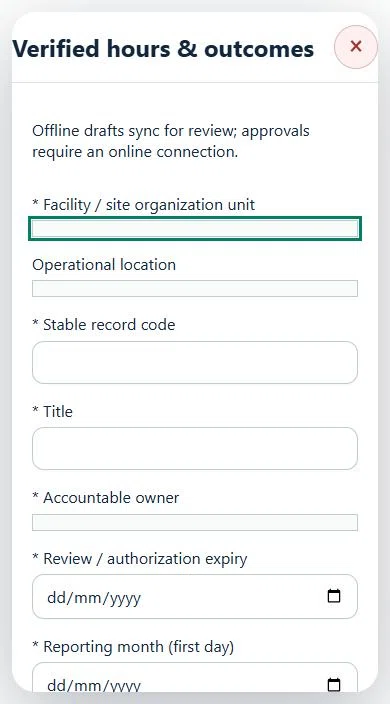
Select the operating context, owner and review due date. Record: Reporting month (first day); Verified hours; Recordable cases; Lost-time cases; Lost days; Workforce and case reconciliation evidence.
Link the relevant saved source records and any required accepted dependencies. Save the draft and attach supporting evidence in Detail.
Submit for independent review; resolve rejected or incomplete evidence before resubmitting. Acceptance does not approve or release the linked source work.
Use a new revision for changes to accepted records. Follow source links to resolve expired evidence, changed sources or failed prerequisites before progressing work.
Desktop · Verified hours & outcomes · Highlight: * Facility / site organization unitMobile · Verified hours & outcomes · Highlight: * Facility / site organization unit
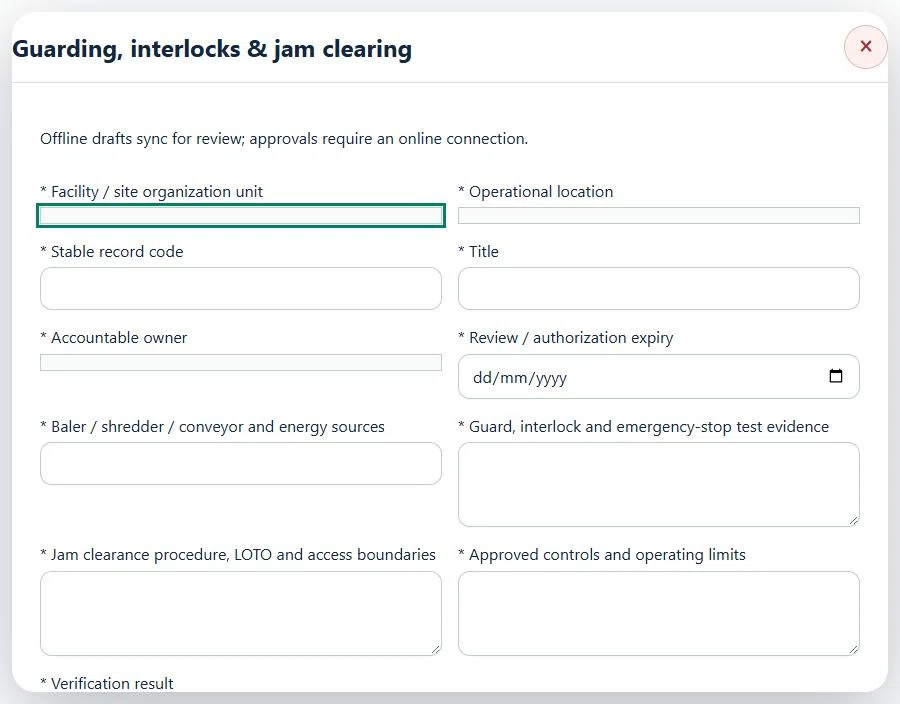
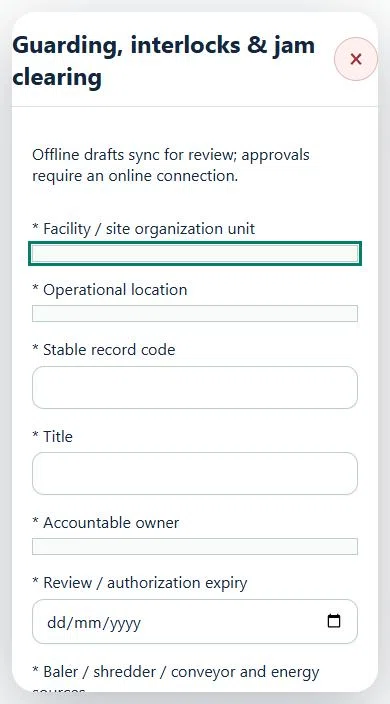
23Agriculture, Plantation & LivestockGuarding, interlocks & jam clearingPrepare a source-linked assurance record and obtain independent acceptance.
How to use this section
Select the operating context, owner and review due date. Record: Baler / shredder / conveyor and energy sources; Guard, interlock and emergency-stop test evidence; Jam clearance procedure, LOTO and access boundaries; Approved controls and operating limits; Verification result.
Link the relevant saved source records and any required accepted dependencies. Save the draft and attach supporting evidence in Detail.
Submit for independent review; resolve rejected or incomplete evidence before resubmitting. Acceptance does not approve or release the linked source work.
Use a new revision for changes to accepted records. Follow source links to resolve expired evidence, changed sources or failed prerequisites before progressing work.
Desktop · Guarding, interlocks & jam clearing · Highlight: * Facility / site organization unitMobile · Guarding, interlocks & jam clearing · Highlight: * Facility / site organization unit
Guarding, interlocks & jam clearing
Record these details: Task boundary and approved procedure · Approved work window / coordination reference
Readiness checks
Current HIRARC / JSA checked
Competency and employer authority verified
Current asset and operating evidence checked
A directly linked, active PTW within its validity window is required before this activity starts.
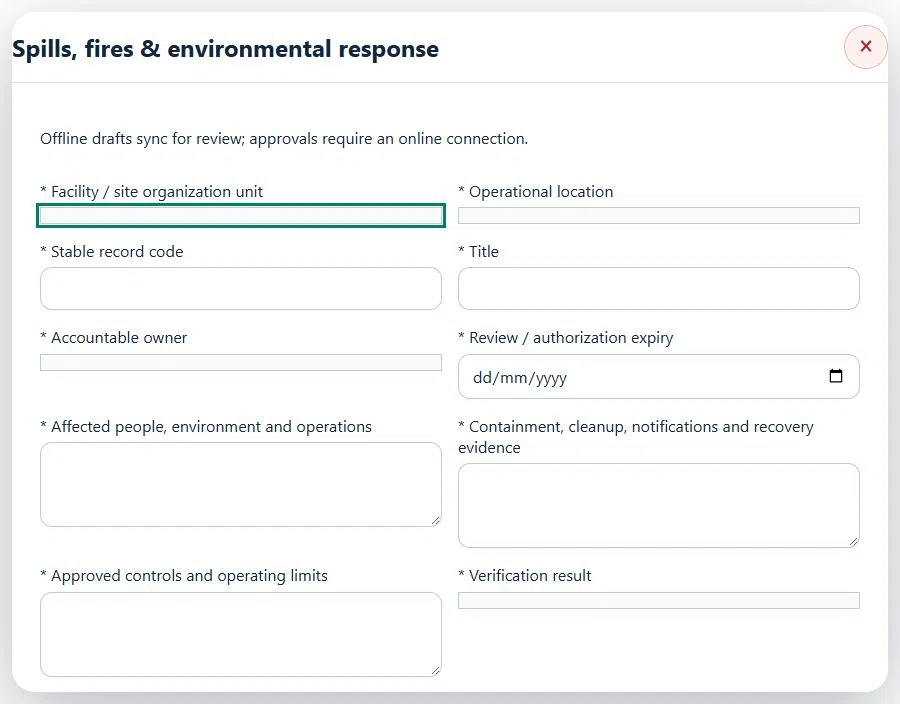
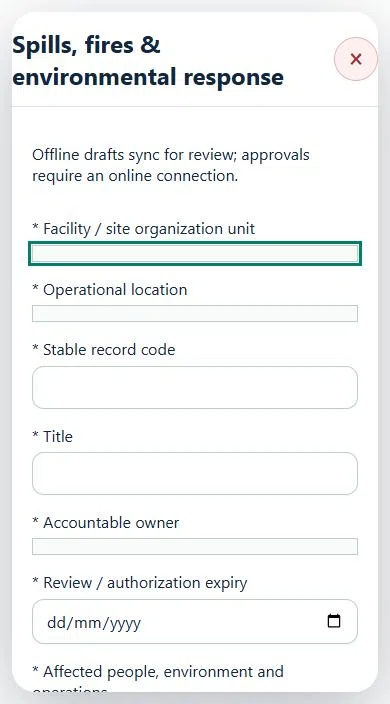
24Agriculture, Plantation & LivestockSpills, fires & environmental responsePrepare a source-linked assurance record and obtain independent acceptance.
How to use this section
Select the operating context, owner and review due date. Record: Affected people, environment and operations; Containment, cleanup, notifications and recovery evidence; Approved controls and operating limits; Verification result.
Link the relevant saved source records and any required accepted dependencies. Save the draft and attach supporting evidence in Detail.
Submit for independent review; resolve rejected or incomplete evidence before resubmitting. Acceptance does not approve or release the linked source work.
Use a new revision for changes to accepted records. Follow source links to resolve expired evidence, changed sources or failed prerequisites before progressing work.
Desktop · Spills, fires & environmental response · Highlight: * Facility / site organization unitMobile · Spills, fires & environmental response · Highlight: * Facility / site organization unit
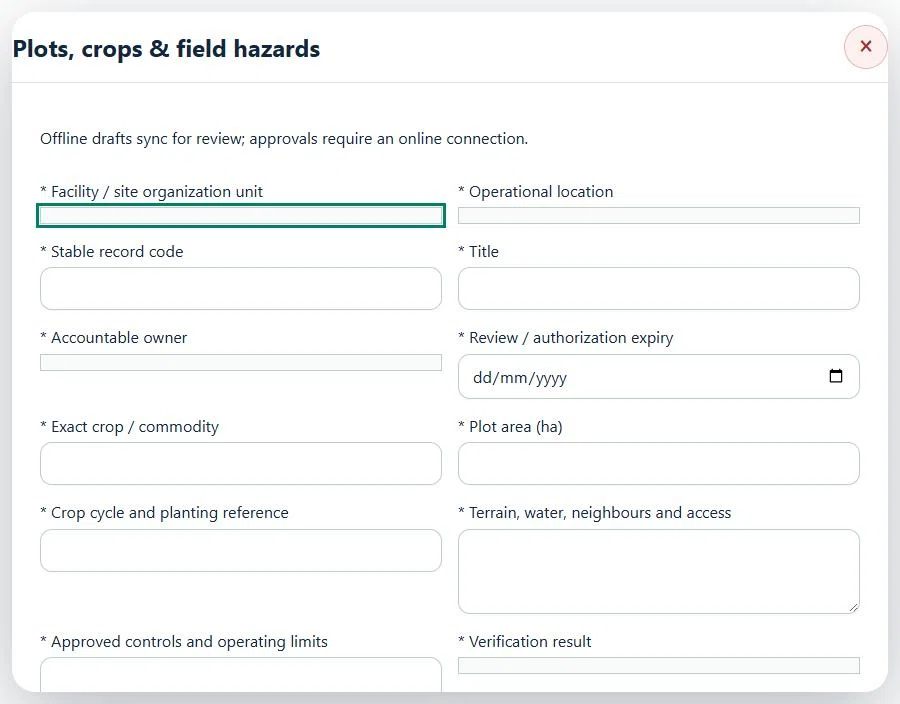
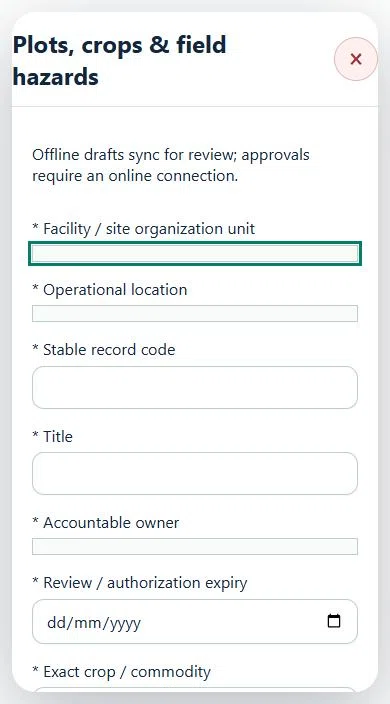
25Agriculture, Plantation & LivestockPlots, crops & field hazardsPrepare a source-linked assurance record and obtain independent acceptance.
How to use this section
Select the operating context, owner and review due date. Record: Exact crop / commodity; Plot area (ha); Crop cycle and planting reference; Terrain, water, neighbours and access; Approved controls and operating limits; Verification result.
Link the relevant saved source records and any required accepted dependencies. Save the draft and attach supporting evidence in Detail.
Submit for independent review; resolve rejected or incomplete evidence before resubmitting. Acceptance does not approve or release the linked source work.
Use a new revision for changes to accepted records. Follow source links to resolve expired evidence, changed sources or failed prerequisites before progressing work.
Desktop · Plots, crops & field hazards · Highlight: * Facility / site organization unitMobile · Plots, crops & field hazards · Highlight: * Facility / site organization unit
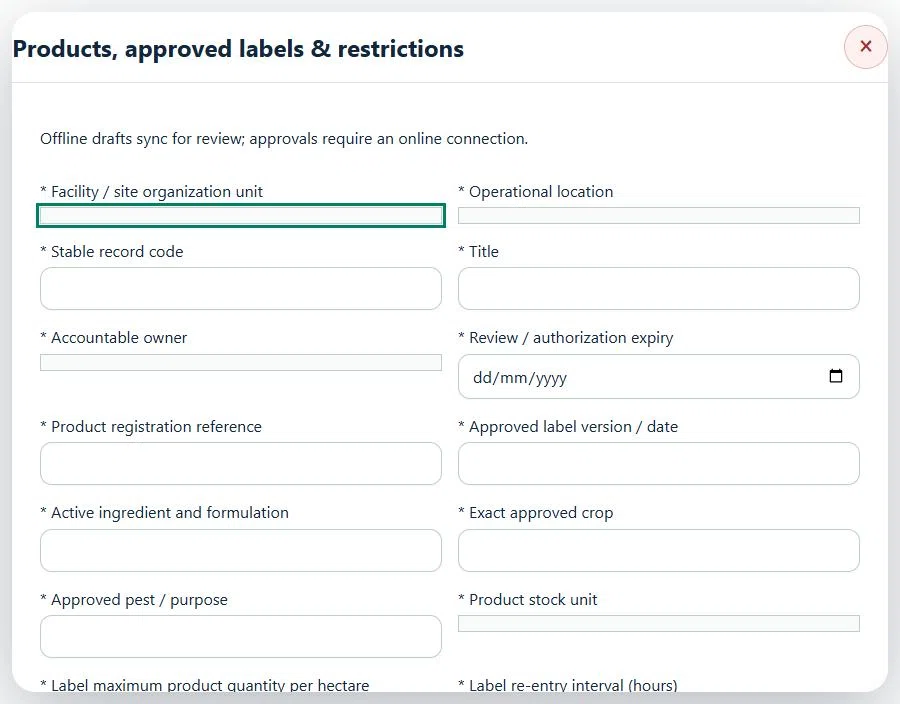
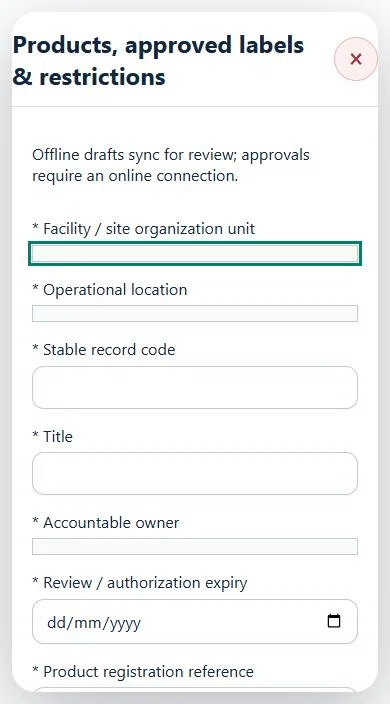
26Agriculture, Plantation & LivestockProducts, approved labels & restrictionsPrepare a source-linked assurance record and obtain independent acceptance.
How to use this section
Select the operating context, owner and review due date. Record: Product registration reference; Approved label version / date; Active ingredient and formulation; Exact approved crop; Approved pest / purpose; Product stock unit; Label maximum product quantity per hectare; Label re-entry interval (hours); Label pre-harvest interval (days); Exact label clauses for rate, REI and PHI; explicit basis if zero; Effective from; Reviewed valid through.
Link the relevant saved source records and any required accepted dependencies. Save the draft and attach supporting evidence in Detail.
Submit for independent review; resolve rejected or incomplete evidence before resubmitting. Acceptance does not approve or release the linked source work.
Use a new revision for changes to accepted records. Follow source links to resolve expired evidence, changed sources or failed prerequisites before progressing work.
Desktop · Products, approved labels & restrictions · Highlight: * Facility / site organization unitMobile · Products, approved labels & restrictions · Highlight: * Facility / site organization unit
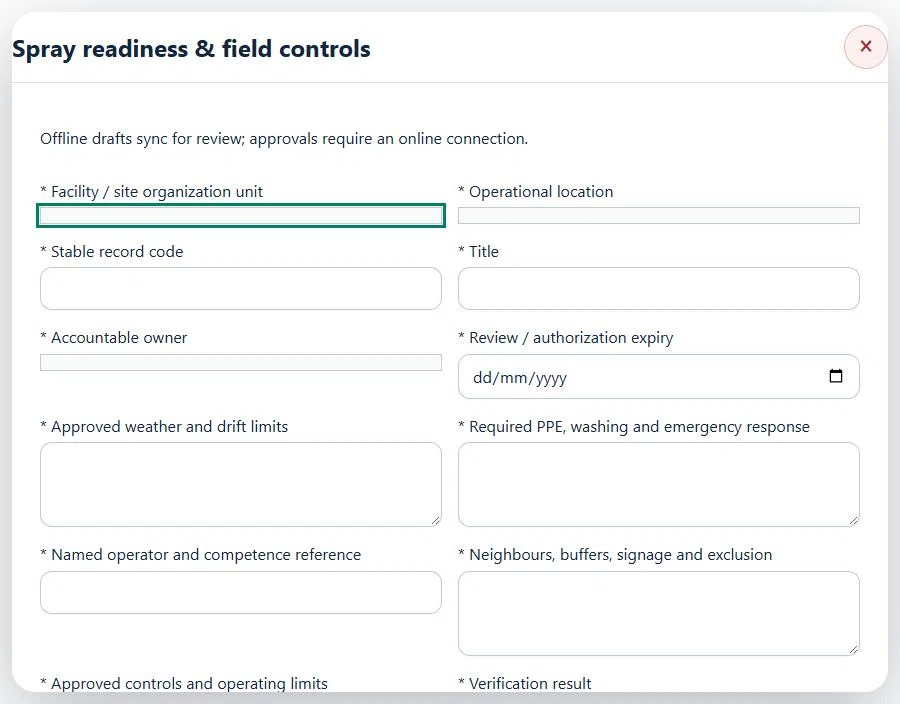
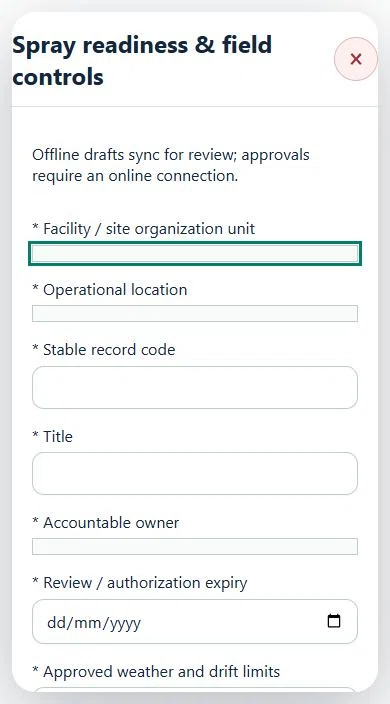
27Agriculture, Plantation & LivestockSpray readiness & field controlsPrepare a source-linked assurance record and obtain independent acceptance.
How to use this section
Select the operating context, owner and review due date. Record: Approved weather and drift limits; Required PPE, washing and emergency response; Named operator and competence reference; Neighbours, buffers, signage and exclusion; Approved controls and operating limits; Verification result.
Link the relevant saved source records and any required accepted dependencies. Save the draft and attach supporting evidence in Detail.
Submit for independent review; resolve rejected or incomplete evidence before resubmitting. Acceptance does not approve or release the linked source work.
Use a new revision for changes to accepted records. Follow source links to resolve expired evidence, changed sources or failed prerequisites before progressing work.
Desktop · Spray readiness & field controls · Highlight: * Facility / site organization unitMobile · Spray readiness & field controls · Highlight: * Facility / site organization unit
Spray readiness & field controls
Record these details: Task boundary and approved procedure · Approved work window / coordination reference
Readiness checks
Current HIRARC / JSA checked
Competency and employer authority verified
Current asset and operating evidence checked
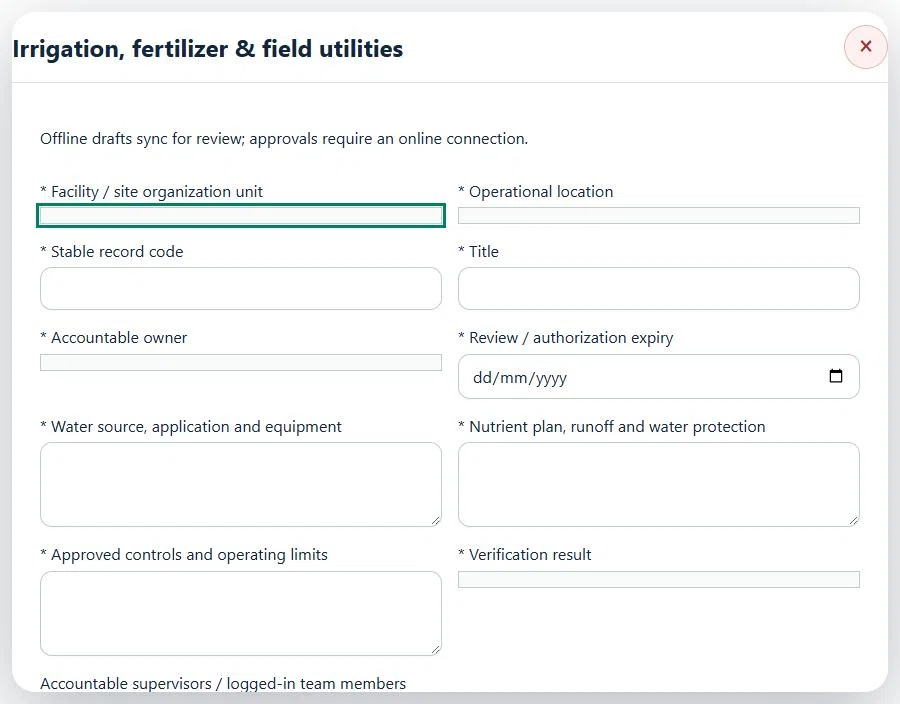
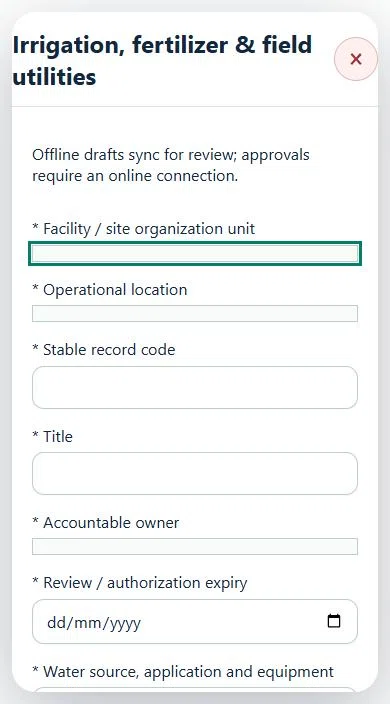
28Agriculture, Plantation & LivestockIrrigation, fertilizer & field utilitiesPrepare a source-linked assurance record and obtain independent acceptance.
How to use this section
Select the operating context, owner and review due date. Record: Water source, application and equipment; Nutrient plan, runoff and water protection; Approved controls and operating limits; Verification result.
Link the relevant saved source records and any required accepted dependencies. Save the draft and attach supporting evidence in Detail.
Submit for independent review; resolve rejected or incomplete evidence before resubmitting. Acceptance does not approve or release the linked source work.
Use a new revision for changes to accepted records. Follow source links to resolve expired evidence, changed sources or failed prerequisites before progressing work.
Desktop · Irrigation, fertilizer & field utilities · Highlight: * Facility / site organization unitMobile · Irrigation, fertilizer & field utilities · Highlight: * Facility / site organization unit
Irrigation, fertilizer & field utilities
Record these details: Task boundary and approved procedure · Approved work window / coordination reference
Readiness checks
Current HIRARC / JSA checked
Competency and employer authority verified
Current asset and operating evidence checked
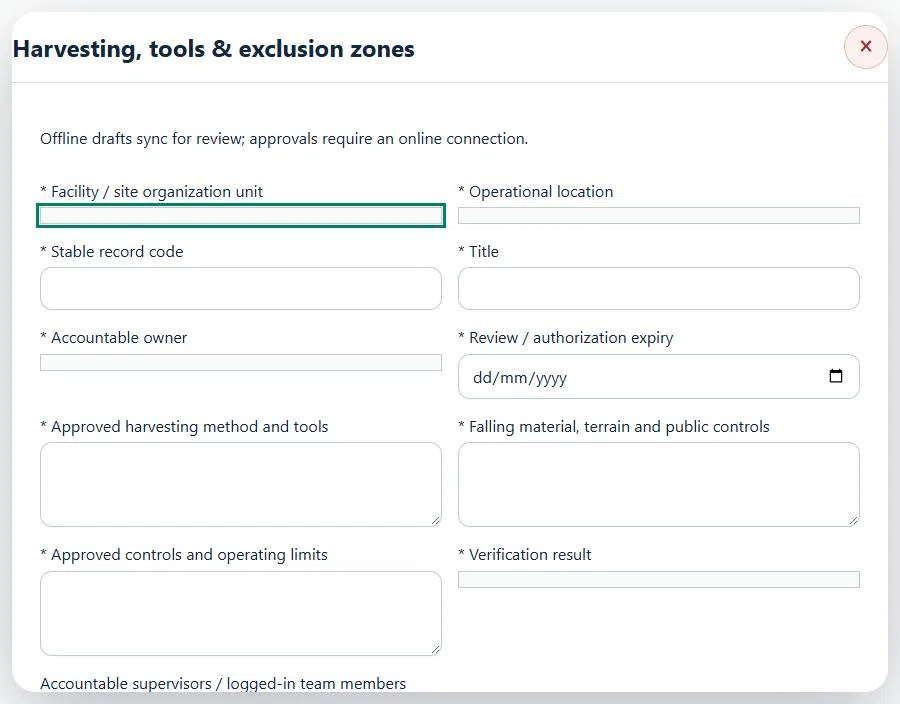
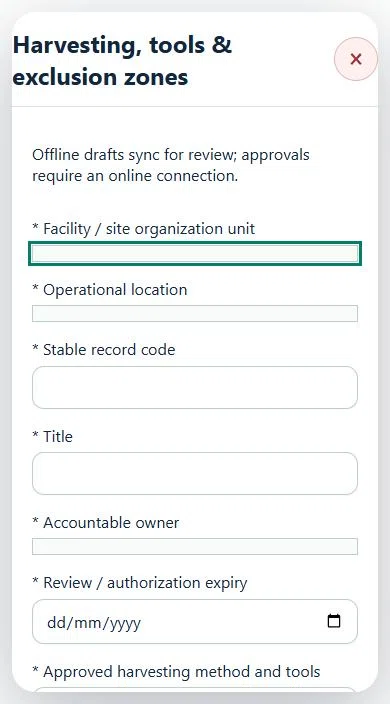
29Agriculture, Plantation & LivestockHarvesting, tools & exclusion zonesPrepare a source-linked assurance record and obtain independent acceptance.
How to use this section
Select the operating context, owner and review due date. Record: Approved harvesting method and tools; Falling material, terrain and public controls; Approved controls and operating limits; Verification result.
Link the relevant saved source records and any required accepted dependencies. Save the draft and attach supporting evidence in Detail.
Submit for independent review; resolve rejected or incomplete evidence before resubmitting. Acceptance does not approve or release the linked source work.
Use a new revision for changes to accepted records. Follow source links to resolve expired evidence, changed sources or failed prerequisites before progressing work.
Desktop · Harvesting, tools & exclusion zones · Highlight: * Facility / site organization unitMobile · Harvesting, tools & exclusion zones · Highlight: * Facility / site organization unit
Harvesting, tools & exclusion zones
Record these details: Task boundary and approved procedure · Approved work window / coordination reference
Readiness checks
Current HIRARC / JSA checked
Competency and employer authority verified
Current asset and operating evidence checked
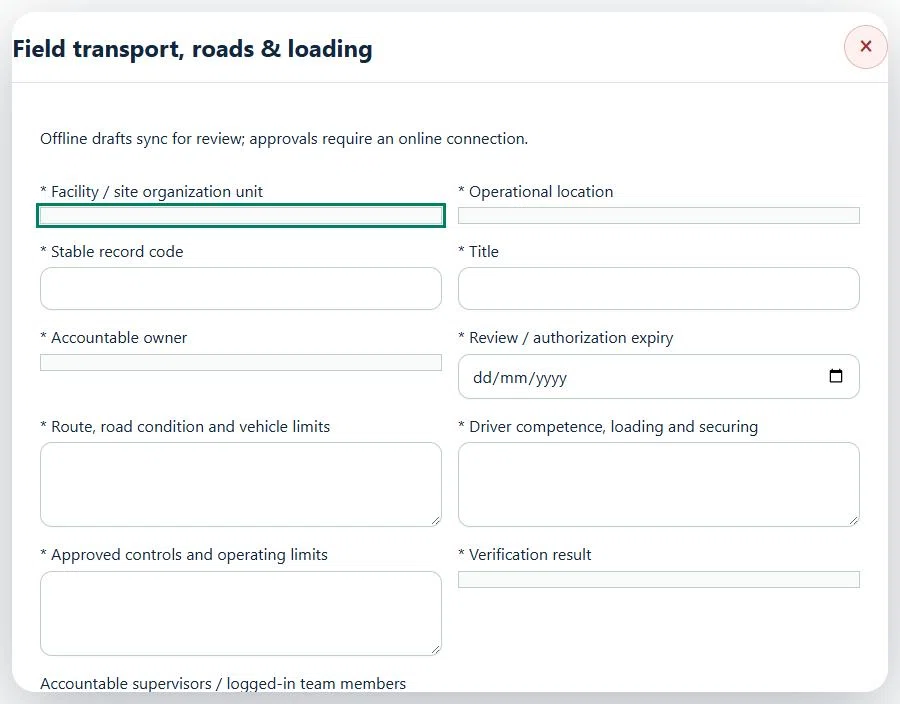
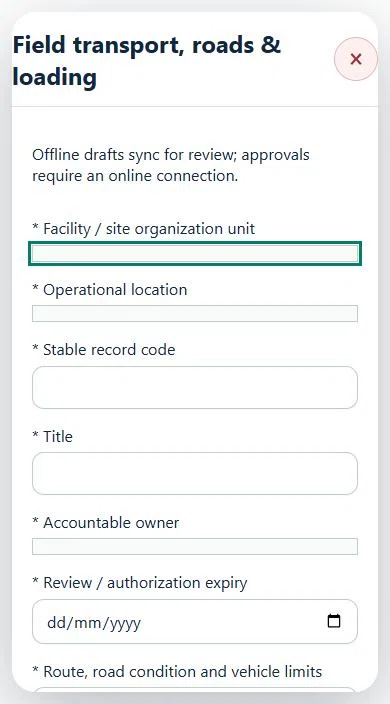
30Agriculture, Plantation & LivestockField transport, roads & loadingPrepare a source-linked assurance record and obtain independent acceptance.
How to use this section
Select the operating context, owner and review due date. Record: Route, road condition and vehicle limits; Driver competence, loading and securing; Approved controls and operating limits; Verification result.
Link the relevant saved source records and any required accepted dependencies. Save the draft and attach supporting evidence in Detail.
Submit for independent review; resolve rejected or incomplete evidence before resubmitting. Acceptance does not approve or release the linked source work.
Use a new revision for changes to accepted records. Follow source links to resolve expired evidence, changed sources or failed prerequisites before progressing work.
Desktop · Field transport, roads & loading · Highlight: * Facility / site organization unitMobile · Field transport, roads & loading · Highlight: * Facility / site organization unit
Field transport, roads & loading
Record these details: Task boundary and approved procedure · Approved work window / coordination reference
Readiness checks
Current HIRARC / JSA checked
Competency and employer authority verified
Current asset and operating evidence checked
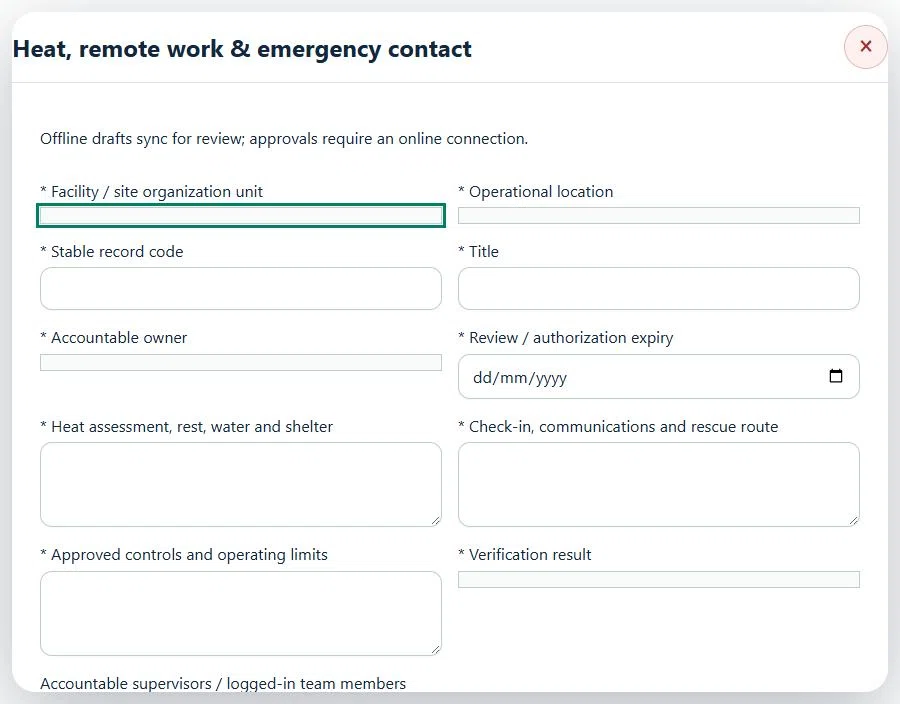
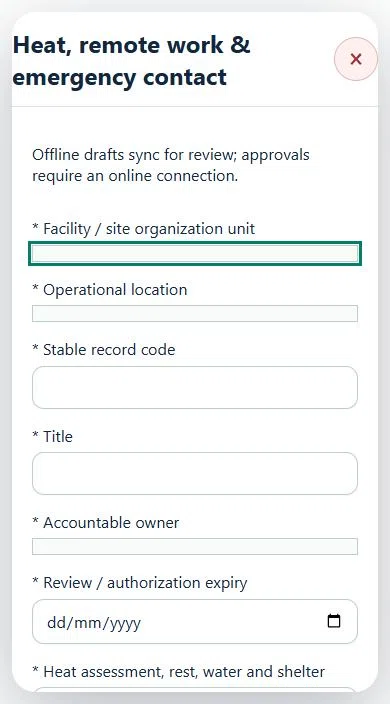
31Agriculture, Plantation & LivestockHeat, remote work & emergency contactPrepare a source-linked assurance record and obtain independent acceptance.
How to use this section
Select the operating context, owner and review due date. Record: Heat assessment, rest, water and shelter; Check-in, communications and rescue route; Approved controls and operating limits; Verification result.
Link the relevant saved source records and any required accepted dependencies. Save the draft and attach supporting evidence in Detail.
Submit for independent review; resolve rejected or incomplete evidence before resubmitting. Acceptance does not approve or release the linked source work.
Use a new revision for changes to accepted records. Follow source links to resolve expired evidence, changed sources or failed prerequisites before progressing work.
Desktop · Heat, remote work & emergency contact · Highlight: * Facility / site organization unitMobile · Heat, remote work & emergency contact · Highlight: * Facility / site organization unit
Heat, remote work & emergency contact
Record these details: Task boundary and approved procedure · Approved work window / coordination reference
Readiness checks
Current HIRARC / JSA checked
Competency and employer authority verified
Current asset and operating evidence checked
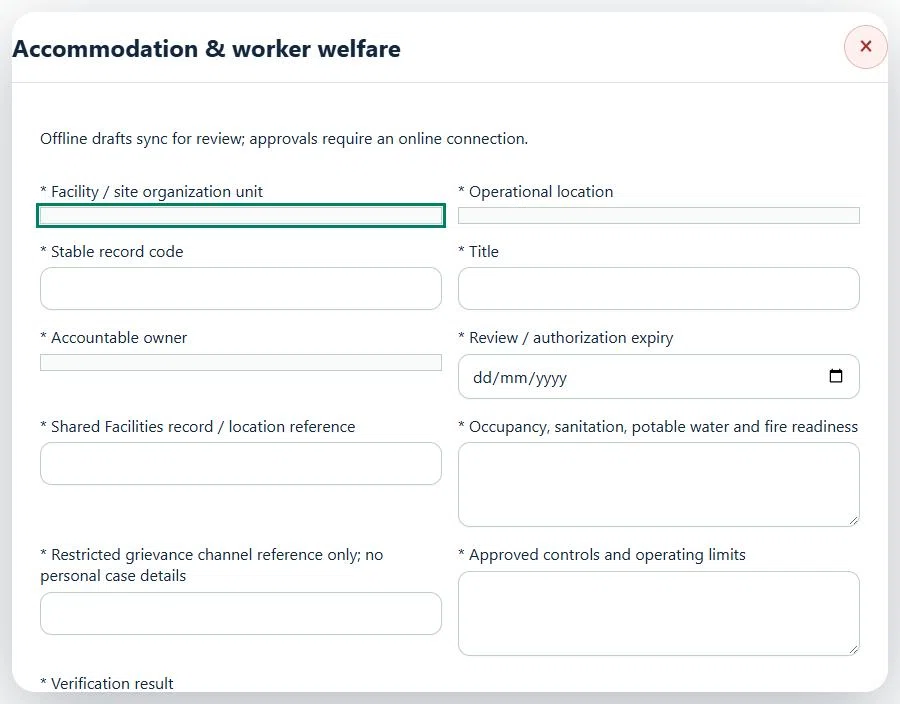
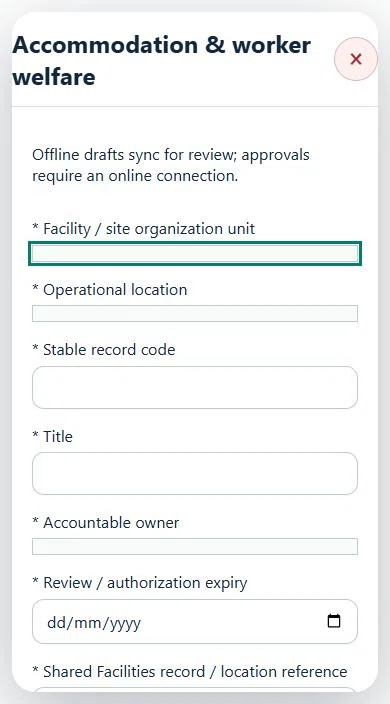
32Agriculture, Plantation & LivestockAccommodation & worker welfarePrepare a source-linked assurance record and obtain independent acceptance.
How to use this section
Select the operating context, owner and review due date. Record: Shared Facilities record / location reference; Occupancy, sanitation, potable water and fire readiness; Restricted grievance channel reference only; no personal case details; Approved controls and operating limits; Verification result.
Link the relevant saved source records and any required accepted dependencies. Save the draft and attach supporting evidence in Detail.
Submit for independent review; resolve rejected or incomplete evidence before resubmitting. Acceptance does not approve or release the linked source work.
Use a new revision for changes to accepted records. Follow source links to resolve expired evidence, changed sources or failed prerequisites before progressing work.
Desktop · Accommodation & worker welfare · Highlight: * Facility / site organization unitMobile · Accommodation & worker welfare · Highlight: * Facility / site organization unit
33Agriculture, Plantation & LivestockMSPO, MPOB, myGAP & certificationPrepare a source-linked assurance record and obtain independent acceptance.
How to use this section
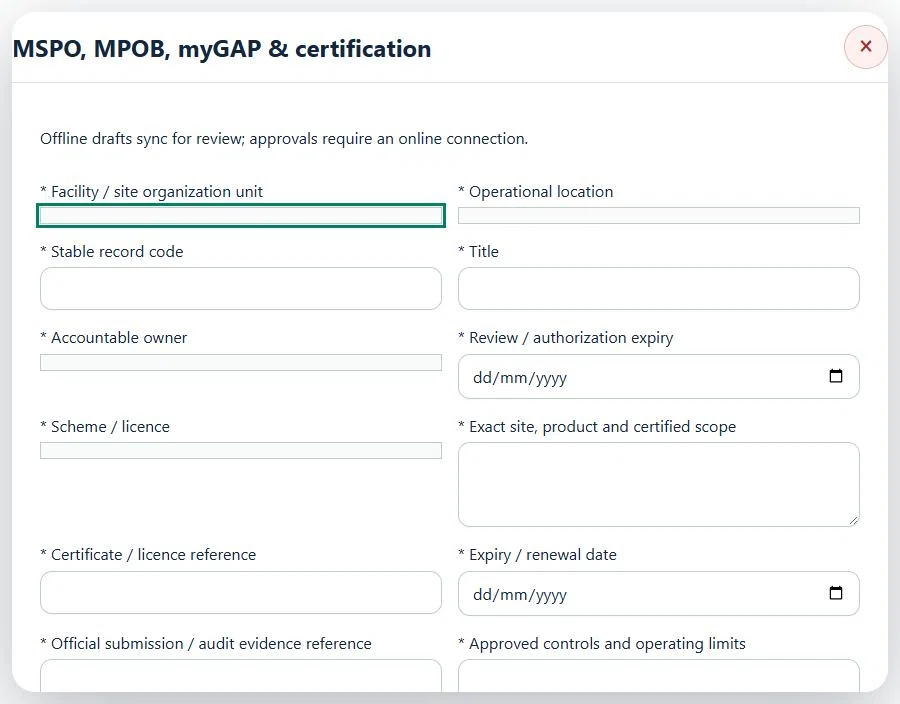
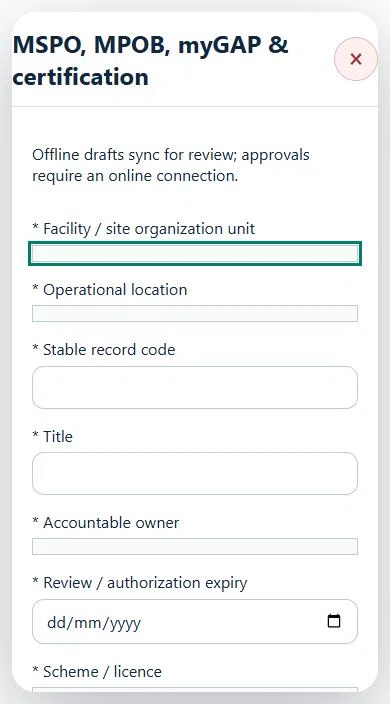
Select the operating context, owner and review due date. Record: Scheme / licence; Exact site, product and certified scope; Certificate / licence reference; Expiry / renewal date; Official submission / audit evidence reference; Approved controls and operating limits; Verification result.
Link the relevant saved source records and any required accepted dependencies. Save the draft and attach supporting evidence in Detail.
Submit for independent review; resolve rejected or incomplete evidence before resubmitting. Acceptance does not approve or release the linked source work.
Use a new revision for changes to accepted records. Follow source links to resolve expired evidence, changed sources or failed prerequisites before progressing work.
Desktop · MSPO, MPOB, myGAP & certification · Highlight: * Facility / site organization unitMobile · MSPO, MPOB, myGAP & certification · Highlight: * Facility / site organization unit
34Agriculture, Plantation & LivestockBiosecurity, quarantine & accessPrepare a source-linked assurance record and obtain independent acceptance.
How to use this section
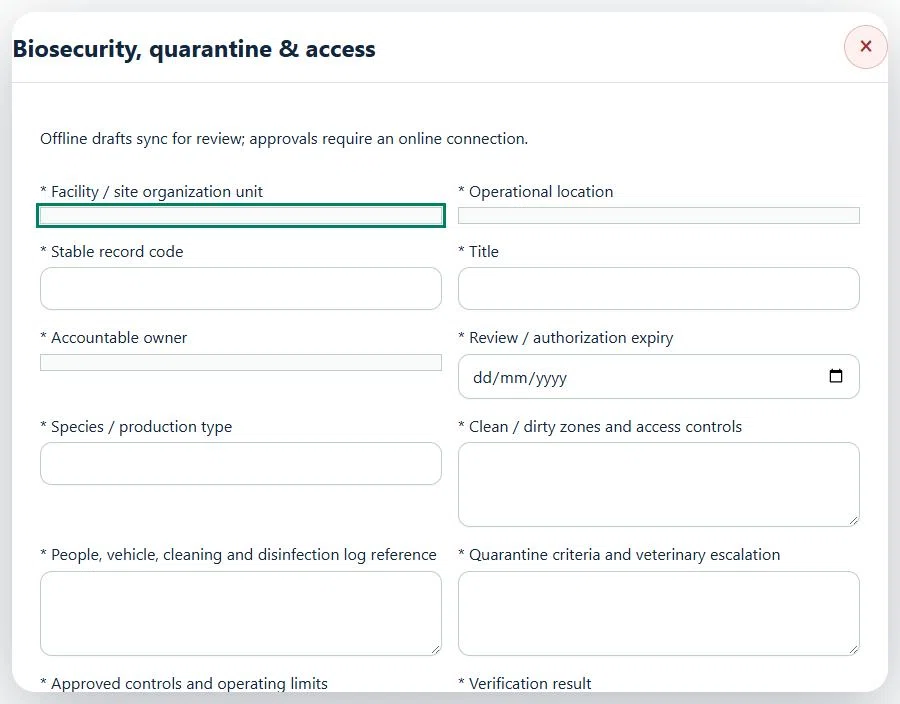
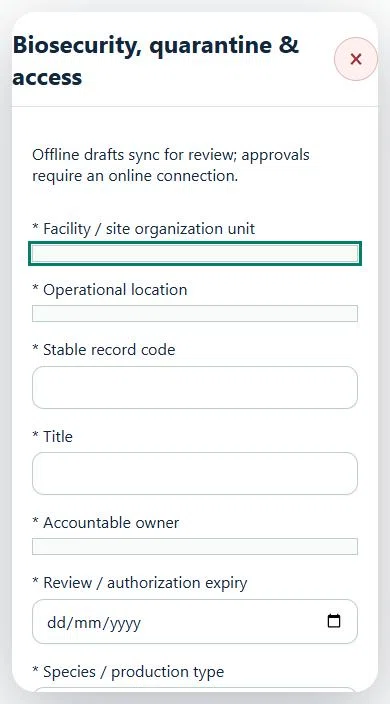
Select the operating context, owner and review due date. Record: Species / production type; Clean / dirty zones and access controls; People, vehicle, cleaning and disinfection log reference; Quarantine criteria and veterinary escalation; Approved controls and operating limits; Verification result.
Link the relevant saved source records and any required accepted dependencies. Save the draft and attach supporting evidence in Detail.
Submit for independent review; resolve rejected or incomplete evidence before resubmitting. Acceptance does not approve or release the linked source work.
Use a new revision for changes to accepted records. Follow source links to resolve expired evidence, changed sources or failed prerequisites before progressing work.
Desktop · Biosecurity, quarantine & access · Highlight: * Facility / site organization unitMobile · Biosecurity, quarantine & access · Highlight: * Facility / site organization unit
Biosecurity, quarantine & access
Record these details: Task boundary and approved procedure · Approved work window / coordination reference
Readiness checks
Current HIRARC / JSA checked
Competency and employer authority verified
Current asset and operating evidence checked
35Agriculture, Plantation & LivestockVeterinary instructions & withdrawal basisPrepare a source-linked assurance record and obtain independent acceptance.
How to use this section
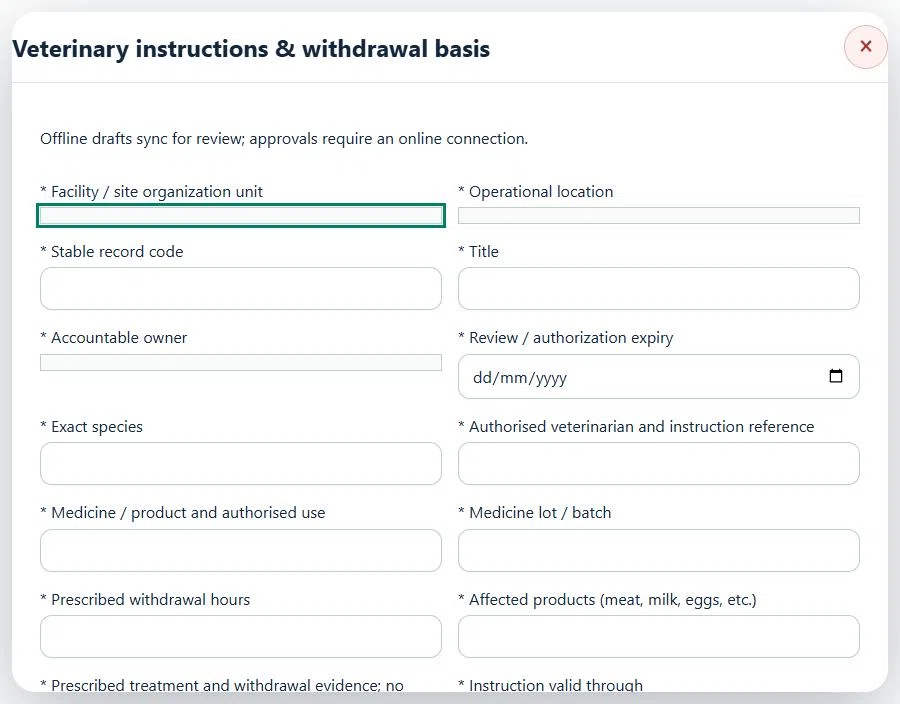
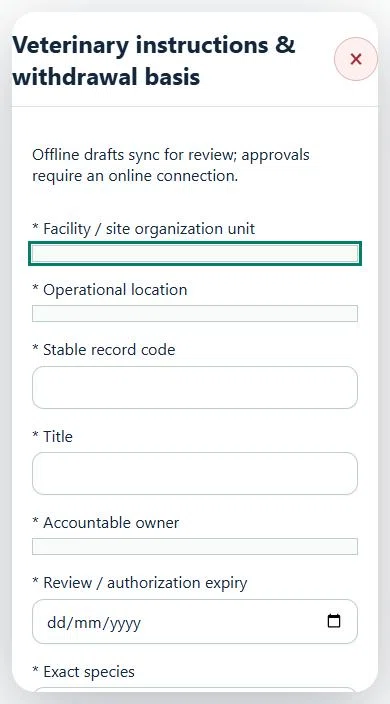
Select the operating context, owner and review due date. Record: Exact species; Authorised veterinarian and instruction reference; Medicine / product and authorised use; Medicine lot / batch; Prescribed withdrawal hours; Affected products (meat, milk, eggs, etc.); Prescribed treatment and withdrawal evidence; no system dosing advice; Instruction valid through.
Link the relevant saved source records and any required accepted dependencies. Save the draft and attach supporting evidence in Detail.
Submit for independent review; resolve rejected or incomplete evidence before resubmitting. Acceptance does not approve or release the linked source work.
Use a new revision for changes to accepted records. Follow source links to resolve expired evidence, changed sources or failed prerequisites before progressing work.
Desktop · Veterinary instructions & withdrawal basis · Highlight: * Facility / site organization unitMobile · Veterinary instructions & withdrawal basis · Highlight: * Facility / site organization unit
36Agriculture, Plantation & LivestockAnimal welfare, disease response & carePrepare a source-linked assurance record and obtain independent acceptance.
How to use this section
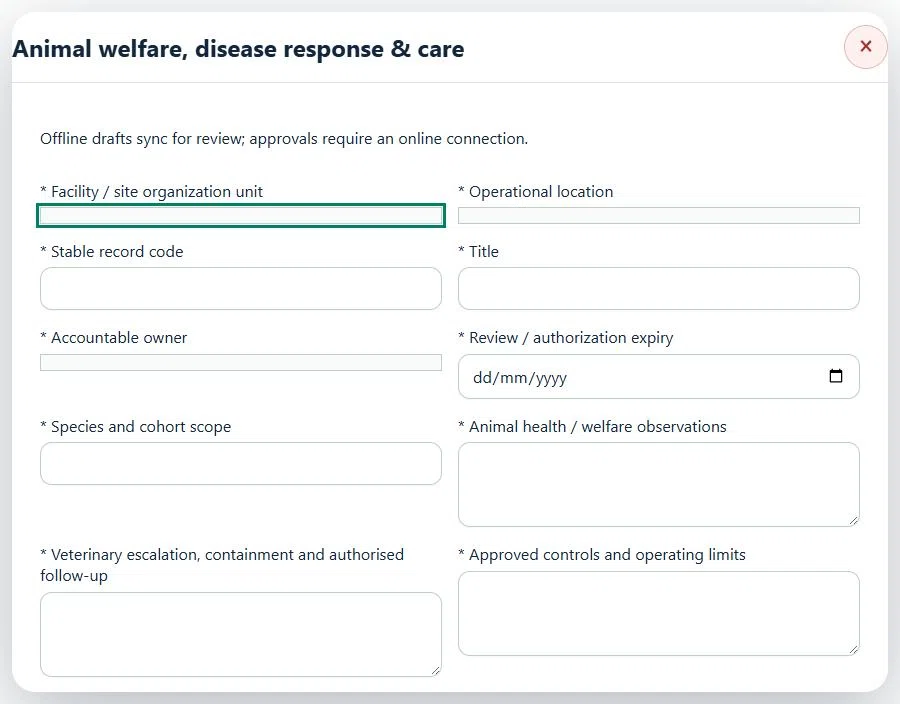
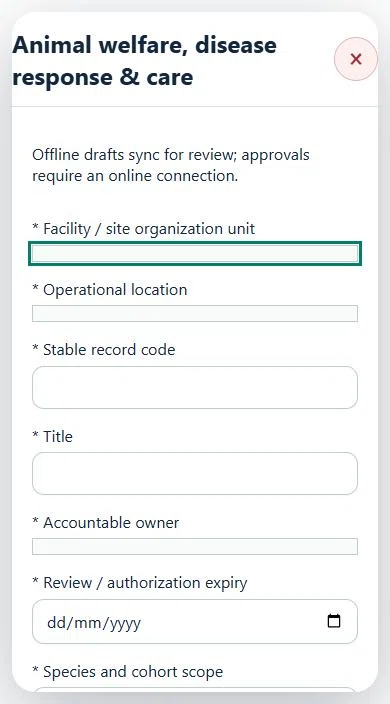
Select the operating context, owner and review due date. Record: Species and cohort scope; Animal health / welfare observations; Veterinary escalation, containment and authorised follow-up; Approved controls and operating limits; Verification result.
Link the relevant saved source records and any required accepted dependencies. Save the draft and attach supporting evidence in Detail.
Submit for independent review; resolve rejected or incomplete evidence before resubmitting. Acceptance does not approve or release the linked source work.
Use a new revision for changes to accepted records. Follow source links to resolve expired evidence, changed sources or failed prerequisites before progressing work.
Desktop · Animal welfare, disease response & care · Highlight: * Facility / site organization unitMobile · Animal welfare, disease response & care · Highlight: * Facility / site organization unit
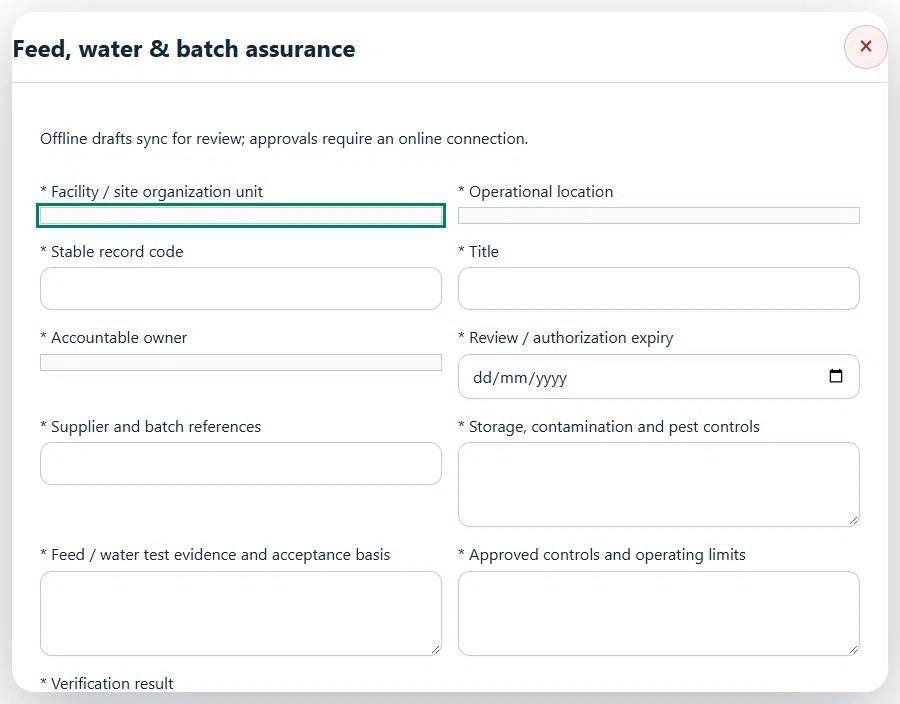
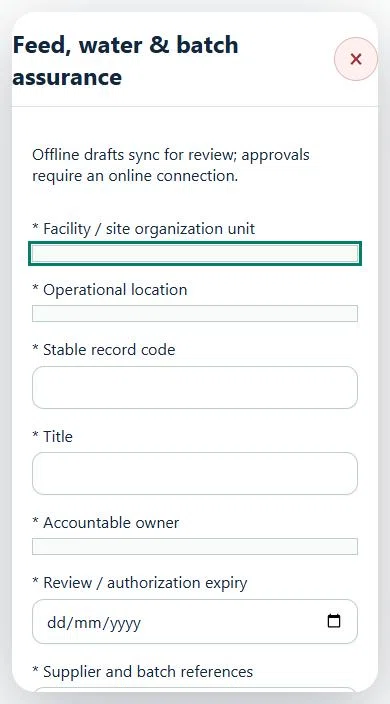
37Agriculture, Plantation & LivestockFeed, water & batch assurancePrepare a source-linked assurance record and obtain independent acceptance.
How to use this section
Select the operating context, owner and review due date. Record: Supplier and batch references; Storage, contamination and pest controls; Feed / water test evidence and acceptance basis; Approved controls and operating limits; Verification result.
Link the relevant saved source records and any required accepted dependencies. Save the draft and attach supporting evidence in Detail.
Submit for independent review; resolve rejected or incomplete evidence before resubmitting. Acceptance does not approve or release the linked source work.
Use a new revision for changes to accepted records. Follow source links to resolve expired evidence, changed sources or failed prerequisites before progressing work.
Desktop · Feed, water & batch assurance · Highlight: * Facility / site organization unitMobile · Feed, water & batch assurance · Highlight: * Facility / site organization unit
Feed, water & batch assurance
Record these details: Task boundary and approved procedure · Approved work window / coordination reference
Readiness checks
Current HIRARC / JSA checked
Competency and employer authority verified
Current asset and operating evidence checked
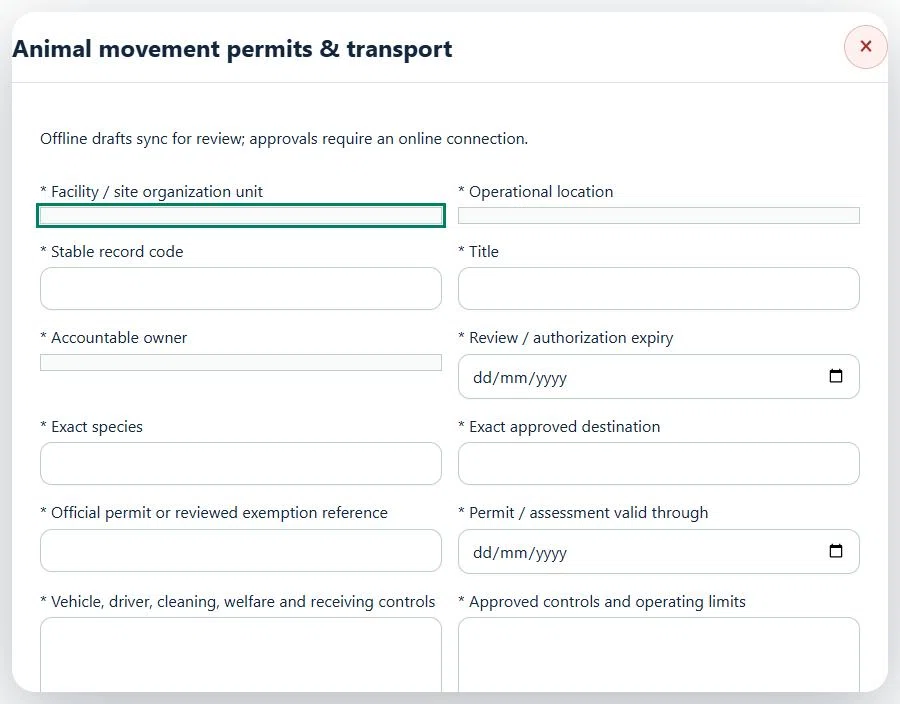
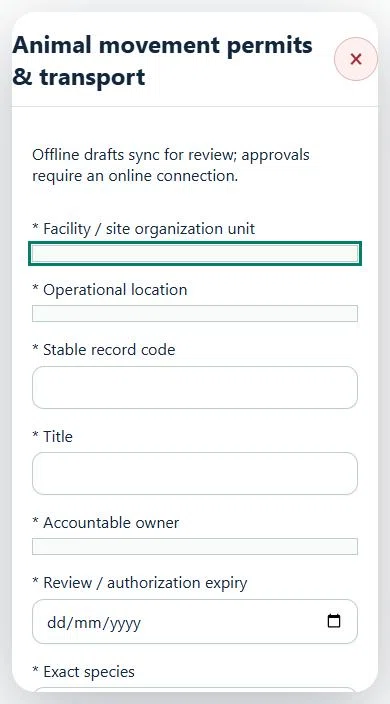
38Agriculture, Plantation & LivestockAnimal movement permits & transportPrepare a source-linked assurance record and obtain independent acceptance.
How to use this section
Select the operating context, owner and review due date. Record: Exact species; Exact approved destination; Official permit or reviewed exemption reference; Permit / assessment valid through; Vehicle, driver, cleaning, welfare and receiving controls; Approved controls and operating limits; Verification result.
Link the relevant saved source records and any required accepted dependencies. Save the draft and attach supporting evidence in Detail.
Submit for independent review; resolve rejected or incomplete evidence before resubmitting. Acceptance does not approve or release the linked source work.
Use a new revision for changes to accepted records. Follow source links to resolve expired evidence, changed sources or failed prerequisites before progressing work.
Desktop · Animal movement permits & transport · Highlight: * Facility / site organization unitMobile · Animal movement permits & transport · Highlight: * Facility / site organization unit
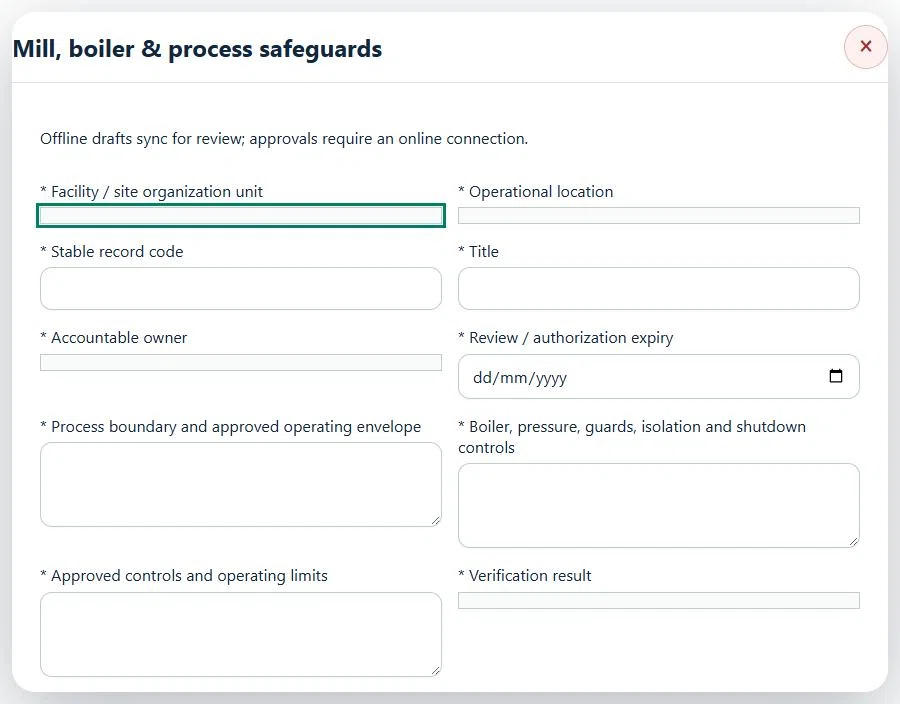
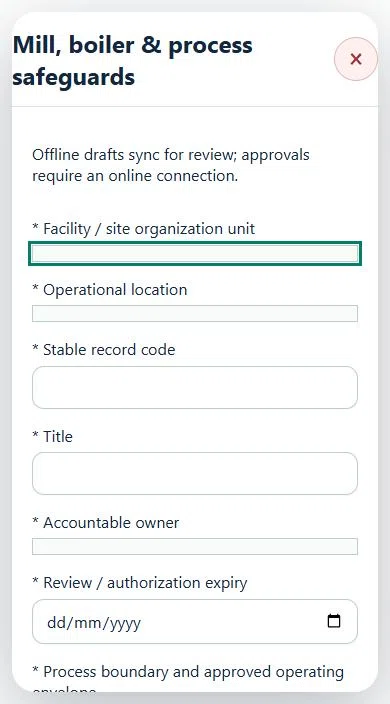
39Agriculture, Plantation & LivestockMill, boiler & process safeguardsPrepare a source-linked assurance record and obtain independent acceptance.
How to use this section
Select the operating context, owner and review due date. Record: Process boundary and approved operating envelope; Boiler, pressure, guards, isolation and shutdown controls; Approved controls and operating limits; Verification result.
Link the relevant saved source records and any required accepted dependencies. Save the draft and attach supporting evidence in Detail.
Submit for independent review; resolve rejected or incomplete evidence before resubmitting. Acceptance does not approve or release the linked source work.
Use a new revision for changes to accepted records. Follow source links to resolve expired evidence, changed sources or failed prerequisites before progressing work.
Desktop · Mill, boiler & process safeguards · Highlight: * Facility / site organization unitMobile · Mill, boiler & process safeguards · Highlight: * Facility / site organization unit
Mill, boiler & process safeguards
Record these details: Task boundary and approved procedure · Approved work window / coordination reference
Readiness checks
Current HIRARC / JSA checked
Competency and employer authority verified
Current asset and operating evidence checked
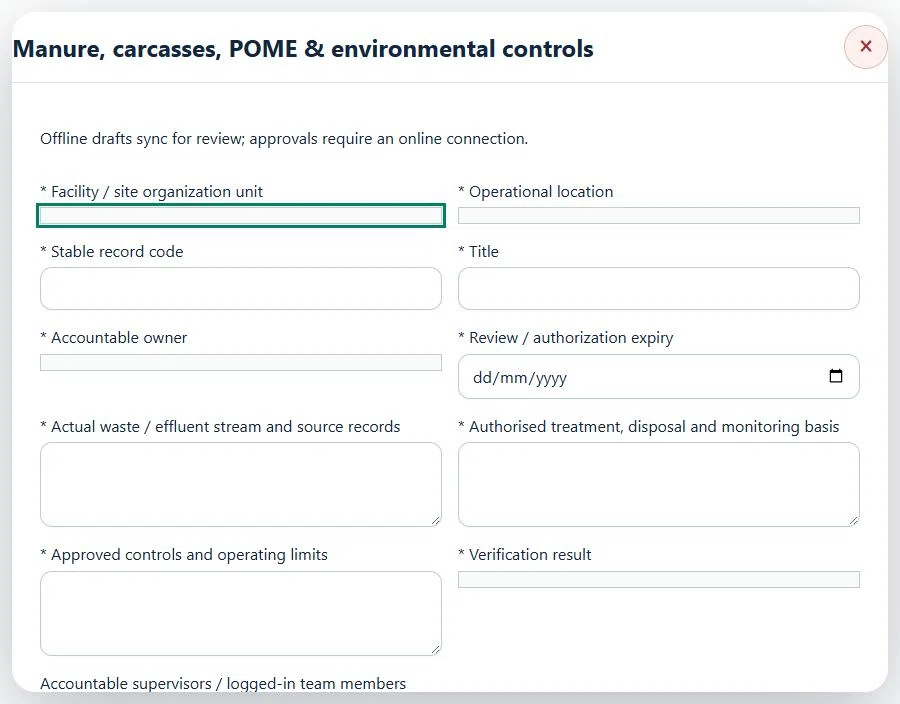
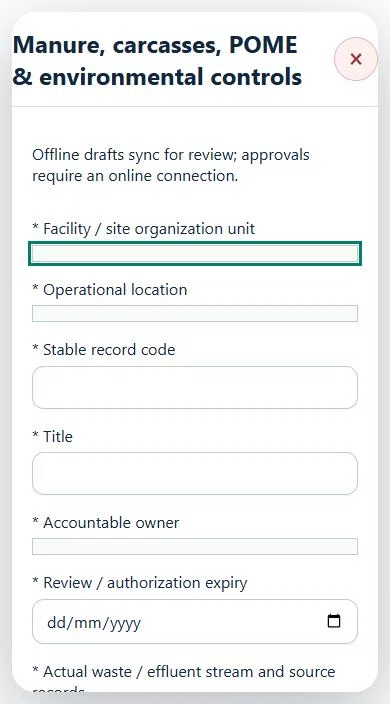
40Agriculture, Plantation & LivestockManure, carcasses, POME & environmental controlsPrepare a source-linked assurance record and obtain independent acceptance.
How to use this section
Select the operating context, owner and review due date. Record: Actual waste / effluent stream and source records; Authorised treatment, disposal and monitoring basis; Approved controls and operating limits; Verification result.
Link the relevant saved source records and any required accepted dependencies. Save the draft and attach supporting evidence in Detail.
Submit for independent review; resolve rejected or incomplete evidence before resubmitting. Acceptance does not approve or release the linked source work.
Use a new revision for changes to accepted records. Follow source links to resolve expired evidence, changed sources or failed prerequisites before progressing work.
Record these details: Task boundary and approved procedure · Approved work window / coordination reference
Readiness checks
Current HIRARC / JSA checked
Competency and employer authority verified
Current asset and operating evidence checked
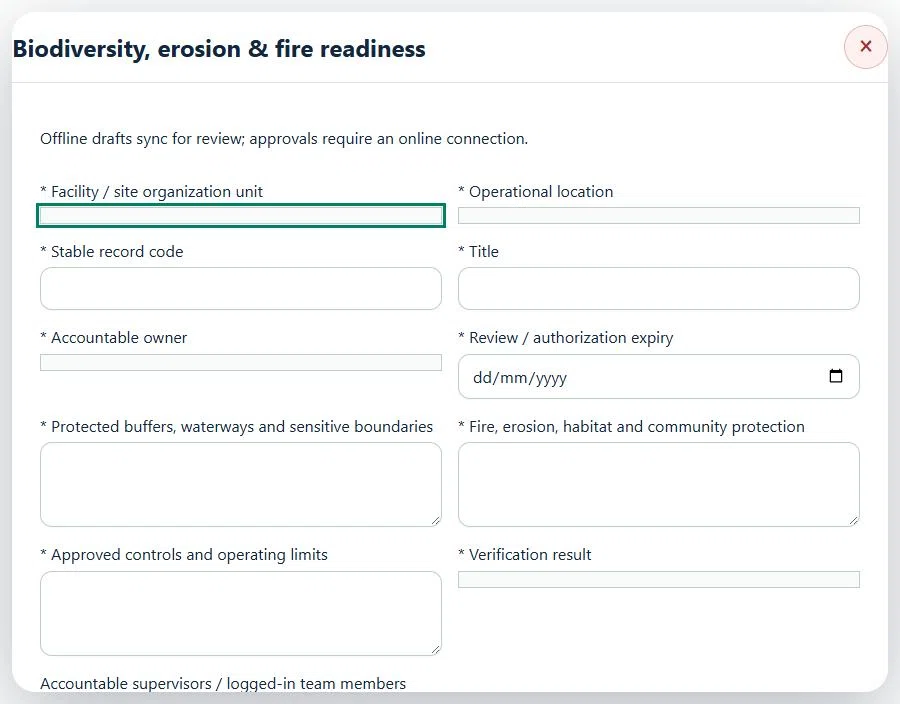
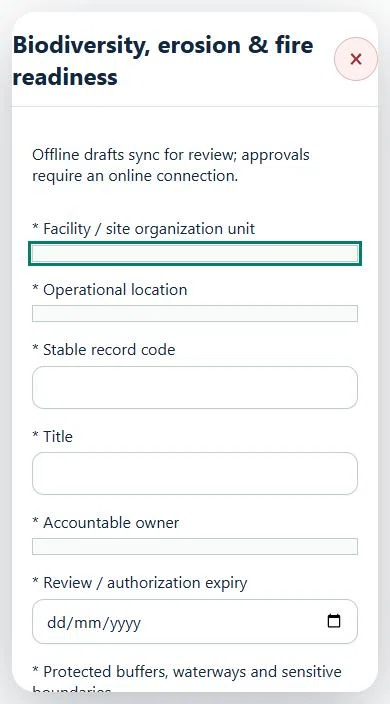
41Agriculture, Plantation & LivestockBiodiversity, erosion & fire readinessPrepare a source-linked assurance record and obtain independent acceptance.
How to use this section
Select the operating context, owner and review due date. Record: Protected buffers, waterways and sensitive boundaries; Fire, erosion, habitat and community protection; Approved controls and operating limits; Verification result.
Link the relevant saved source records and any required accepted dependencies. Save the draft and attach supporting evidence in Detail.
Submit for independent review; resolve rejected or incomplete evidence before resubmitting. Acceptance does not approve or release the linked source work.
Use a new revision for changes to accepted records. Follow source links to resolve expired evidence, changed sources or failed prerequisites before progressing work.
Desktop · Biodiversity, erosion & fire readiness · Highlight: * Facility / site organization unitMobile · Biodiversity, erosion & fire readiness · Highlight: * Facility / site organization unit
42Agriculture, Plantation & LivestockAssets, certificates, calendar and reportingUse one source record across industry views.
How to use this section
Assets & equipment is a filtered view of Equipment. Use its shared Add, Edit and Detail forms, certificate records and approval workflow.
Certificates & compliance summarizes source certificates and linked legal obligations. Amend the source record instead of entering a duplicate certificate.
All industries use Equipment Certificates & renewals: required types, PIC reminders, draft evidence, independent verification and retained replacement history. Use Maintenance & work controls for internal, contractor or mixed repair work and controlled return to service.
Use Calendar & recurring work to plan due dates. A new cycle creates a fresh draft and requires fresh readiness checks and approval.
Apply the desired scope and filters before exporting CSV or PDF. Open Action Inbox for assigned reviews and follow-up.