Six editions: Contractor, Plant & Terminal, Upstream & Offshore, Midstream, Upstream Onshore and Retail & Pump Station, with shared HSE records.
Search by function, activity, role or workflow action.
Browse by operating domain
Dedicated workspace
Coordinate work in an operating area, link the source permits and accepted assurance, then verify restoration before release.
Use the standard User Guide button in the topbar whenever you need help. All industry instructions are maintained here.
01START HEREYour workflow from setup to closureWho does what, in which order, and how source controls apply.
Set up access and working scope
The organization administrator selects the industry, enables available workspaces and assigns roles with organization-unit scope. Additional workspaces can be disabled from Industry workspaces; the default workspace cannot be disabled. Disabling retains records and history. Package entitlements still control available functions.
Activity workflow
Create the activity with its operating context, location, owner, planned dates and internal, contractor or mixed workforce.
Open Detail, complete the readiness checks, resolve failed checks and attach evidence that passes scanning. Use Work controls to link saved records from the correct organization unit.
Submit for review. A reviewer independent of the creator and owner approves the activity.
Start within the approved date window. Permit-required work also needs a directly linked active PTW within its validity window.
Complete the work, attach completion evidence and request verification. An independent reviewer closes it after directly linked PTW and CAPA are resolved.
Open shared modules without leaving your industry
Open your industry workspace and select the required module from the grouped menu, such as HIRARC, Permit to work, CAPA or Assets & certificates. Resources → Shared services lists the available connections.
The register opens within the industry page. Select Open workspace to review a record and follow its linked Work Package, JSA, permit or other source record in the same industry context.
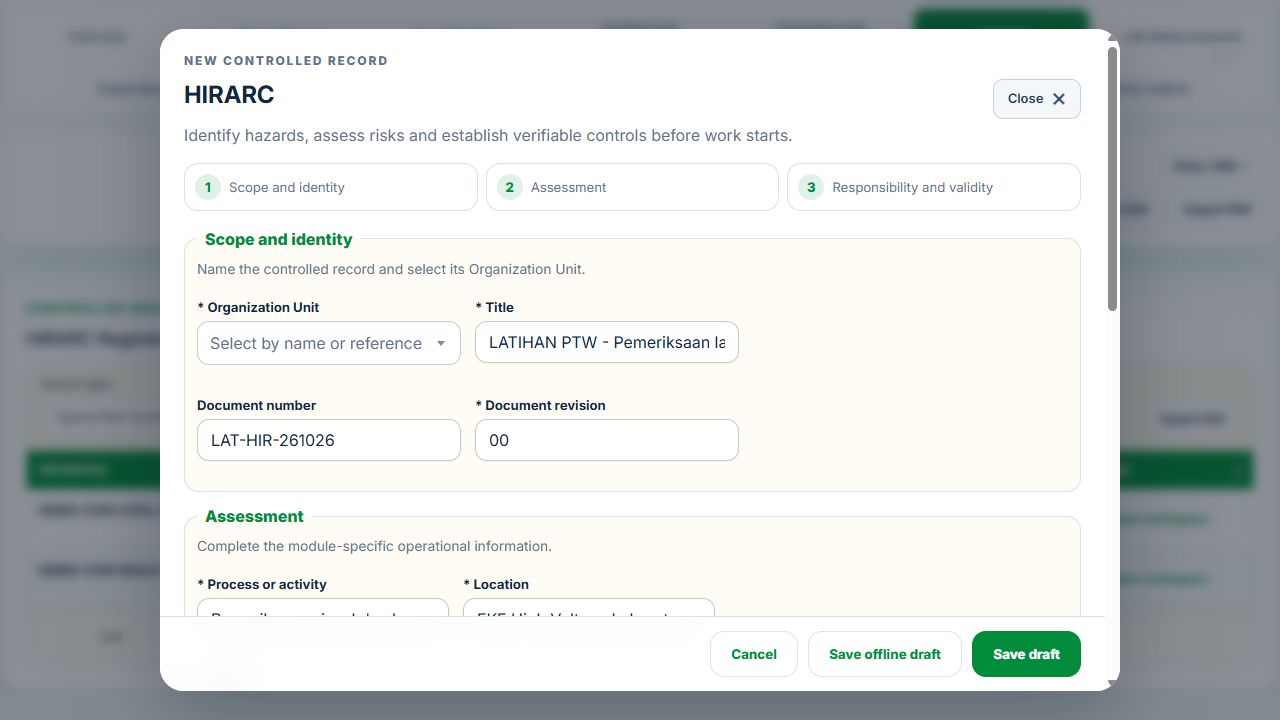
Use New record, Add, Edit or Renew where available. The original form opens in a modal. Select the correct site and organization unit; registers follow the module’s filters and your authorized scope.
Save or submit through the form’s existing controls. Required evidence, assignment, status and independent approval still apply. Use Close at the upper right to dismiss the form; closing a modal does not close the business record.
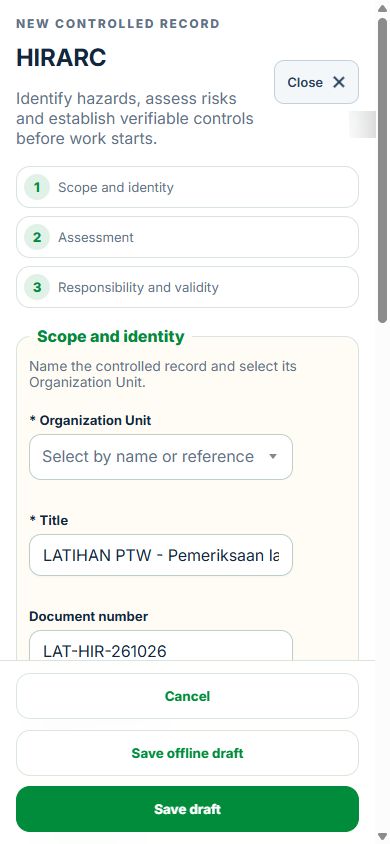
Use the record’s Print / PDF control for its controlled document. Printing and downloads open separately. On mobile the same forms fill the screen, with scrollable content and accessible Close controls.
Desktop · Original HIRARC form and Close controlMobile · Same fields and actions, full-screen form
How linked controls work
Work controls shows the source record, current status, direct links and dependencies reached through a Work Package or PTW. A typed reference does not create a relationship. Activity approval does not approve a Work Package, verify LOTO or activate a permit. Follow each source record's own approval and release workflow; reopen Detail to refresh its status.
Use Add and Edit to open the permitted form. Detail holds evidence, linked records, workflow and history. On mobile, table rows become labeled cards with the same actions.
Using the OGP editions
Select Contractor, Plant & Terminal or Upstream & Offshore above the menu. Editions use the same organization and HSE source records.
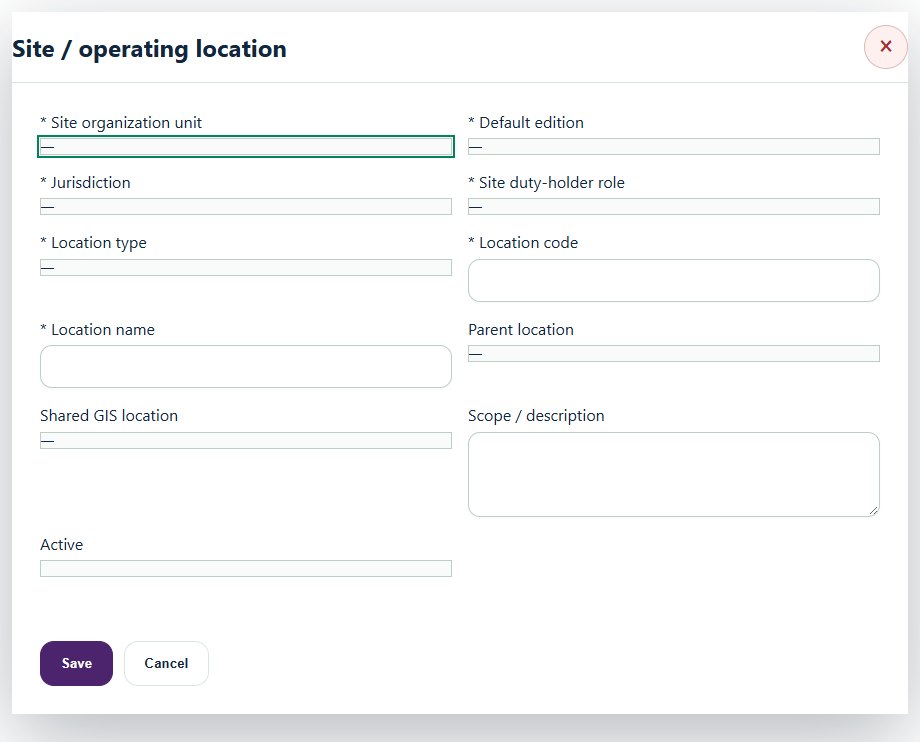
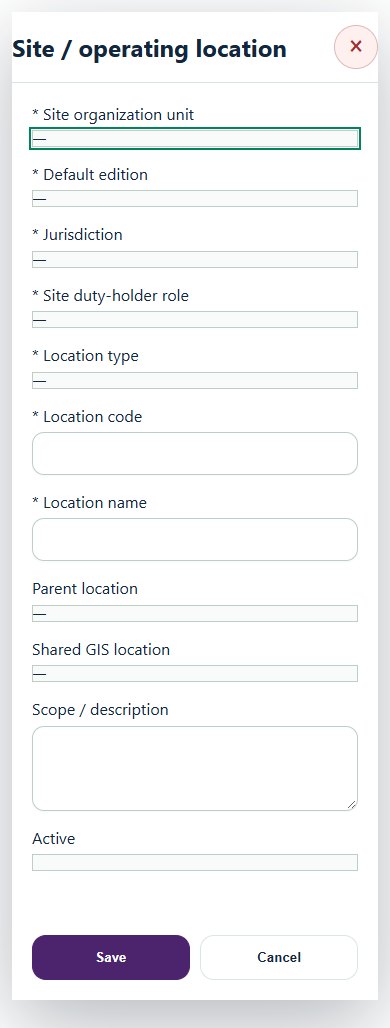
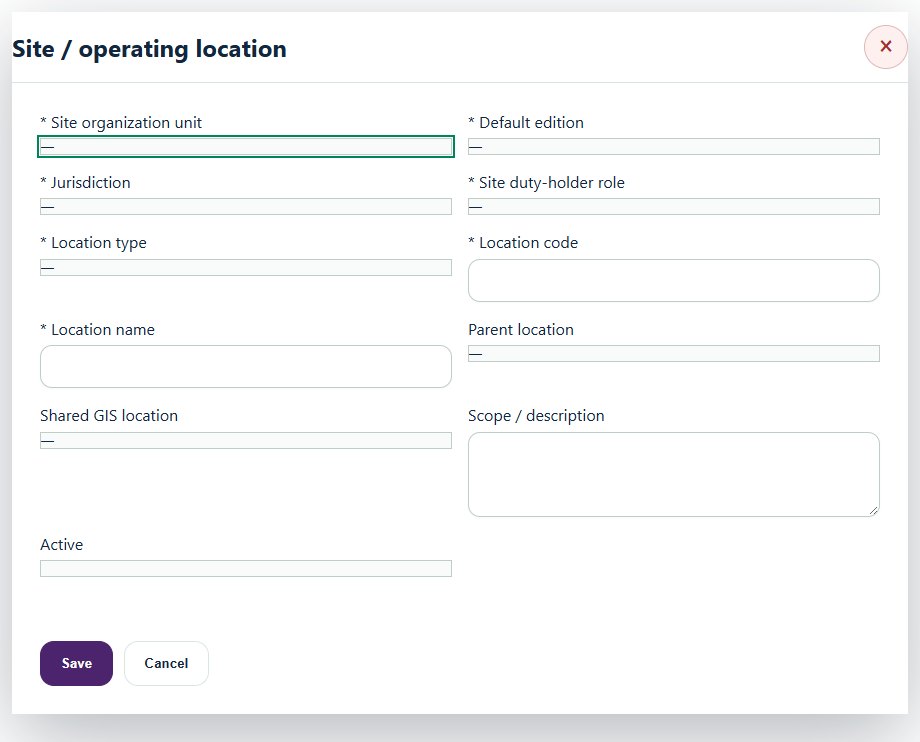
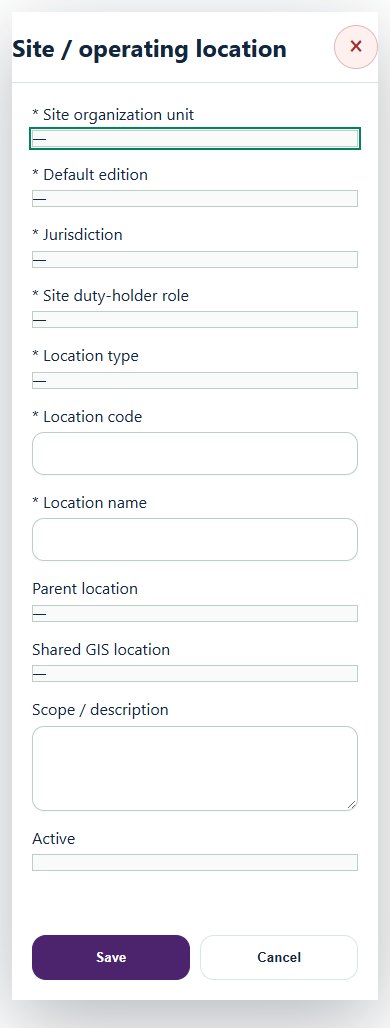
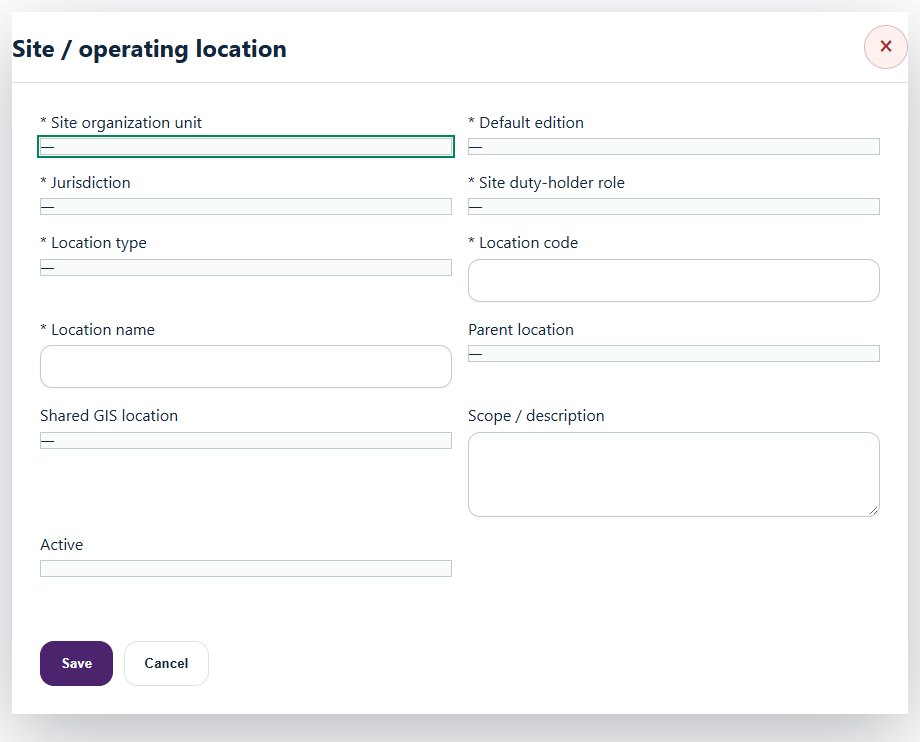
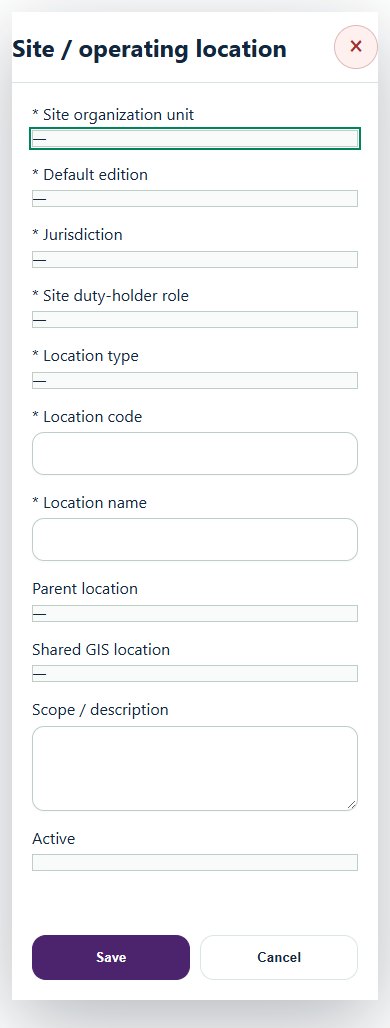
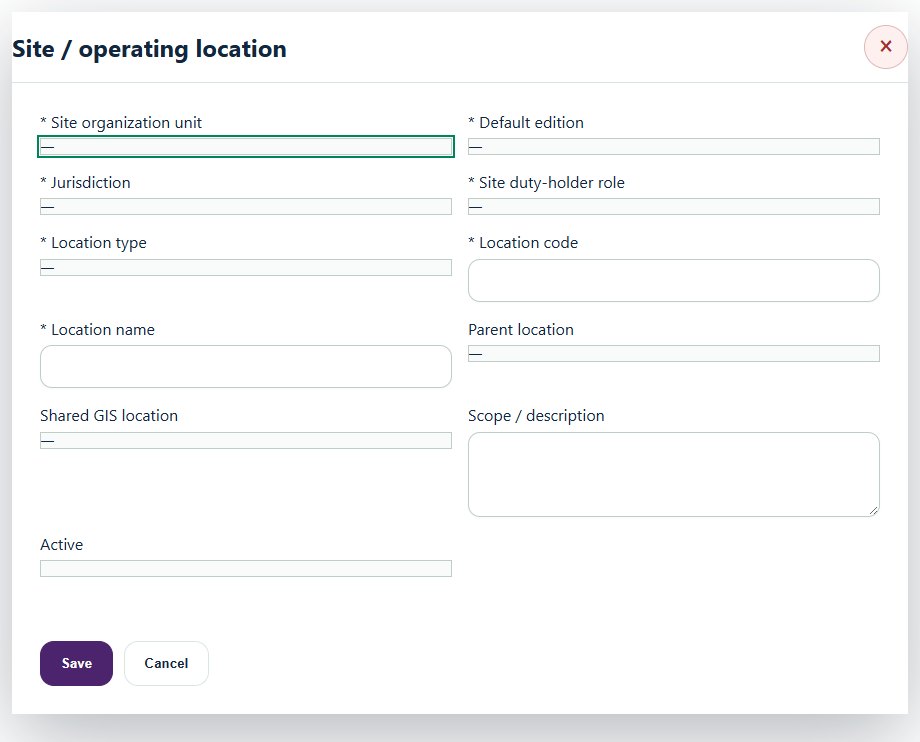
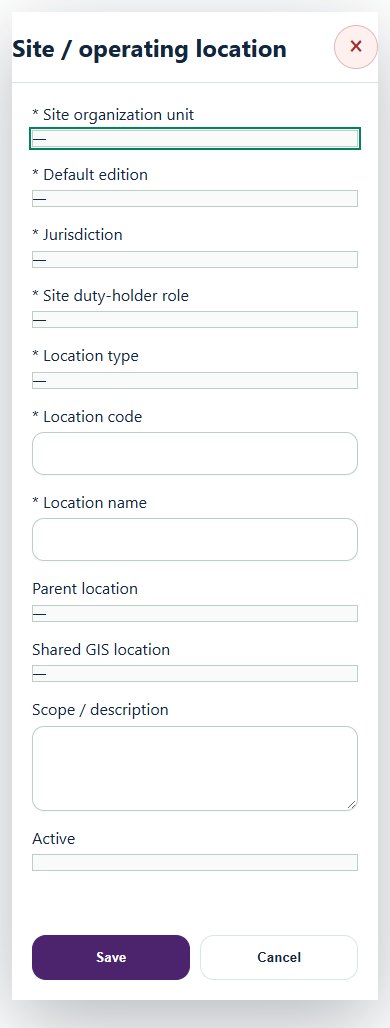
Create a site and its areas / systems in Sites, systems & edition defaults. Link the existing GIS location and record jurisdiction and duty-holder role.
Create typed reviews with the existing Equipment, Work Package, JSA, training, Inspection and legal references. Select compatible OGP dependencies. Save, attach evidence, then request independent review.
Map each draft activity to its edition, site / system, Equipment and accepted assurance. Work controls shows unmet prerequisites. Existing Work Package and PTW workflows remain authoritative.
For operator-issued permits, record the issuer, reference, scope, validity and verified status. This interface records evidence; it does not issue a permit. Create an independently accepted closure revision before closing the activity.
Accepted reviews are immutable. Create a new revision when sources change, dates expire or work scope changes. Failed safety-critical assurance and unresolved restoration prevent release.
Applicability screening creates pending assessments. Confirm the current authoritative source and actual duty-holder context. CIMAH thresholds and classification require a documented qualified assessment.
Dashboard rates need complete accepted monthly hours and cases. Missing evidence is shown as unavailable. CSV/PDF exports and SITI respect your assigned scope.
Choose an OGP edition
OGP Contractor Edition
Fabrication, maintenance, inspection and service contractors: mobilisation, vendor assurance, workforce readiness and operator permit interfaces.
OGP Plant & Terminal Edition
Refineries, processing plants and terminals: process studies, barriers, integrity, CIMAH evidence and environmental assurance.
OGP Upstream & Offshore Edition
Upstream operators and offshore services: well safety, offshore integrity, marine operations and offshore assurance.
Terminal, Tank Farm & Midstream
Tank farms, pipeline and transfer interfaces with integrity, isolation and controlled movement.
Upstream Onshore
Onshore wells, well barriers, work authorization and return to service.
Retail & Pump Station
Pump stations: receiving fuel, safe tank capacity, dispensing equipment, stock reconciliation and shift handover.
Change the edition beneath the industry title in the topbar. The selection opens automatically. Editions use the same organization and source records; changing edition does not change package access or permissions.
02Oil, Gas & PetrochemicalsOverview, scope and navigationStart with the right operating context.
How to use this section
Open the enabled industry from the navigation rail or the mobile More menu. Expand the grouped top menu to choose the next stage of work.
Select the organization unit and available project, factory or site context. KPI cards, graphs, maps and registers reflect the scope supported by that workspace.
Follow a KPI or source link to the underlying record. A missing or incomplete reporting value is not an assumed zero.
On mobile, registers become labeled cards. Use the same Detail, Edit and permitted workflow controls from each card.
Desktop · Site / operating locationMobile · Site / operating location
03Oil, Gas & PetrochemicalsWell, marine & aviation activitiesUse accepted well / marine / helideck assurance with canonical Equipment, competencies and work controls.
How to use this section
Choose Add on the relevant activity card. Enter its organization unit, location, owner, planned dates and internal, contractor or mixed workforce.
Save the draft, open Detail and complete the readiness checks below. Explain failed or not-applicable answers; resolve failed checks and attach supporting evidence before review.
Open Work controls to link saved HSE source records. A typed reference alone does not create a relationship or grant approval.
Desktop · Site / operating locationMobile · Site / operating location
Well operations & barrier control
Record these details: Approved well programme · Well / campaign reference · Well barrier scheme
Readiness checks
Approved programme, well barriers and limits verified
Competency and contingency arrangements confirmed
SIMOPS and permit interfaces reconciled
A directly linked, active PTW within its validity window is required before this activity starts.
Marine cargo & personnel transfer
Record these details: Vessel / voyage reference · Controlled manifest reference · Weather / vessel operating limits
Readiness checks
Current marine assurance and approved manifest verified
Lifting and vessel interfaces controlled
Weather and emergency arrangements accepted
A directly linked, active PTW within its validity window is required before this activity starts.
Helideck readiness & flight interface
Record these details: Flight / manifest reference · Helideck reference · Weather and operating restrictions
Readiness checks
Current helideck assurance verified
Rescue and communications ready
Manifest and operator interface confirmed
04Oil, Gas & PetrochemicalsPipelines & ROW activitiesLink integrity evidence, isolation and permit controls to each pipeline segment.
How to use this section
Choose Add on the relevant activity card. Enter its organization unit, location, owner, planned dates and internal, contractor or mixed workforce.
Save the draft, open Detail and complete the readiness checks below. Explain failed or not-applicable answers; resolve failed checks and attach supporting evidence before review.
Open Work controls to link saved HSE source records. A typed reference alone does not create a relationship or grant approval.
Desktop · Site / operating locationMobile · Site / operating location
Pipeline integrity & ROW work
Record these details: Pipeline / ROW segment · Integrity / inspection scheme · Isolation and third-party work boundary
Readiness checks
Current integrity assessment and Equipment sources verified
Isolation and permit interfaces controlled
Third-party interference and restoration addressed
A directly linked, active PTW within its validity window is required before this activity starts.
05Oil, Gas & PetrochemicalsProcess areas & PSSRReview operating envelopes, handovers and pre-startup readiness for new or modified systems.
How to use this section
Choose Add on the relevant activity card. Enter its organization unit, location, owner, planned dates and internal, contractor or mixed workforce.
Save the draft, open Detail and complete the readiness checks below. Explain failed or not-applicable answers; resolve failed checks and attach supporting evidence before review.
Open Work controls to link saved HSE source records. A typed reference alone does not create a relationship or grant approval.
Desktop · Site / operating locationMobile · Site / operating location
Process area readiness
Record these details: Process area / unit · Operating mode · Shift handover reference · Operating envelope reference · Outstanding shift actions
Readiness checks
Operating envelope and hazards reviewed
Safety-critical equipment status checked
Emergency response and access confirmed
Shift handover and outstanding actions reviewed
Pre-startup safety review (PSSR)
Record these details: New / modified system reference · Source MOC / project reference · Design and construction acceptance reference · Outstanding actions and startup restrictions · Operating / emergency procedure revisions · Accountable startup authority
Readiness checks
Construction and equipment verified against approved design
Risk review actions and startup blockers resolved
Operating, maintenance and emergency procedures ready
Operating team competency and handover confirmed
Safeguard tests and isolation reconciliation completed
Startup release follows the source MOC and operating authorization
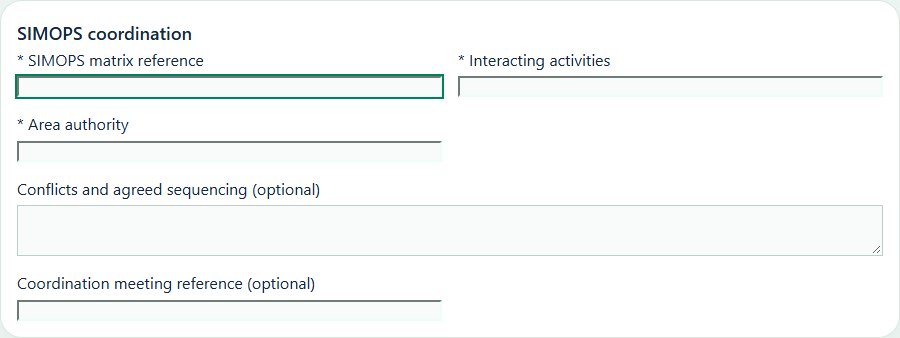
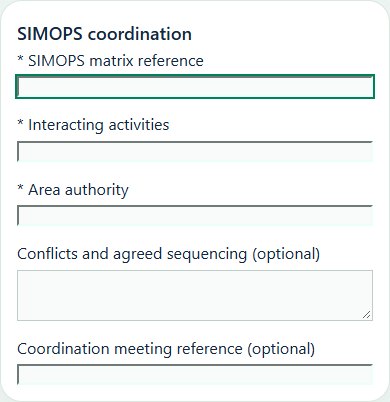
06Oil, Gas & PetrochemicalsSIMOPS coordinationResolve interacting tasks, area authority interfaces and conflicting work windows.
How to use this section
Choose Add on the relevant activity card. Enter its organization unit, location, owner, planned dates and internal, contractor or mixed workforce.
Save the draft, open Detail and complete the readiness checks below. Explain failed or not-applicable answers; resolve failed checks and attach supporting evidence before review.
Open Work controls to link saved HSE source records. A typed reference alone does not create a relationship or grant approval.
Record these details: SIMOPS matrix reference · Interacting activities · Area authority · Conflicts and agreed sequencing · Coordination meeting reference
Readiness checks
Conflicting activities and boundaries assessed
Permit and isolations interfaces coordinated
Communication and stop-work authority agreed
Emergency scenarios and escape routes reviewed
A directly linked, active PTW within its validity window is required before this activity starts.
07Oil, Gas & PetrochemicalsProcess isolationPlan system boundaries, verification and controlled reinstatement through source LOTO and PTW.
How to use this section
Choose Add on the relevant activity card. Enter its organization unit, location, owner, planned dates and internal, contractor or mixed workforce.
Save the draft, open Detail and complete the readiness checks below. Explain failed or not-applicable answers; resolve failed checks and attach supporting evidence before review.
Open Work controls to link saved HSE source records. A typed reference alone does not create a relationship or grant approval.
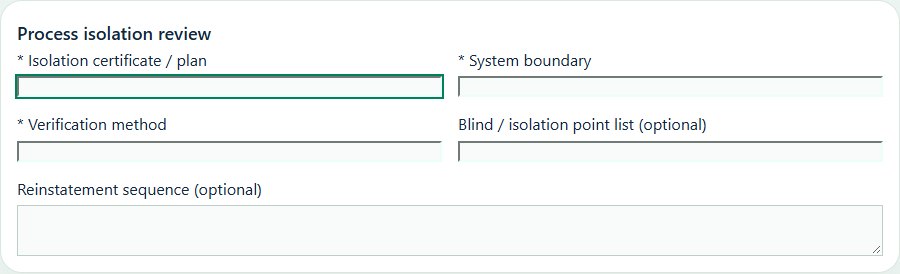
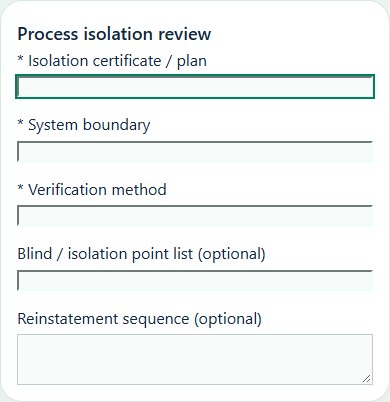
Desktop · Process isolation review · Activity formMobile · Process isolation review · Activity form
Process isolation review
Record these details: Isolation certificate / plan · System boundary · Verification method · Blind / isolation point list · Reinstatement sequence
Readiness checks
All process and energy sources identified
Isolation scheme independently reviewed
Draining, venting and gas testing considered
Reinstatement sequence and authority agreed
A directly linked, active PTW within its validity window is required before this activity starts.
08Oil, Gas & PetrochemicalsTurnaround & shutdownCoordinate contractor interfaces, critical work and commissioning evidence.
How to use this section
Choose Add on the relevant activity card. Enter its organization unit, location, owner, planned dates and internal, contractor or mixed workforce.
Save the draft, open Detail and complete the readiness checks below. Explain failed or not-applicable answers; resolve failed checks and attach supporting evidence before review.
Open Work controls to link saved HSE source records. A typed reference alone does not create a relationship or grant approval.
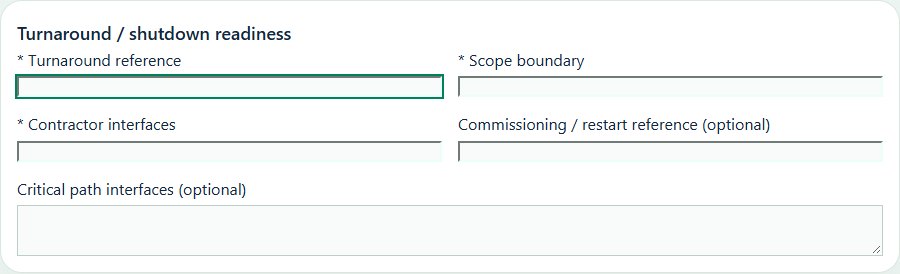
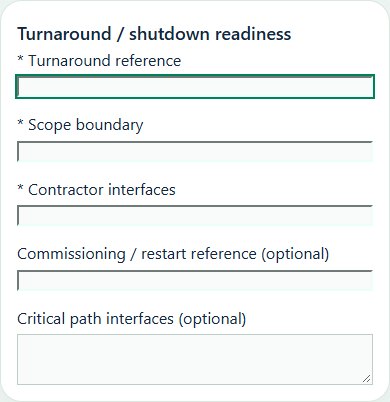
Record these details: Turnaround reference · Scope boundary · Contractor interfaces · Commissioning / restart reference · Critical path interfaces
Readiness checks
Work packages and critical path hazards reviewed
Competency, staffing and fatigue controls checked
Permits, isolations and SIMOPS coordinated
Commissioning and restart checks assigned
A directly linked, active PTW within its validity window is required before this activity starts.
09Oil, Gas & PetrochemicalsTransfer & containmentReview transfer connections and loss-of-containment follow-up with source events and CAPA.
How to use this section
Choose Add on the relevant activity card. Enter its organization unit, location, owner, planned dates and internal, contractor or mixed workforce.
Save the draft, open Detail and complete the readiness checks below. Explain failed or not-applicable answers; resolve failed checks and attach supporting evidence before review.
Open Work controls to link saved HSE source records. A typed reference alone does not create a relationship or grant approval.
Record these details: Product / SDS reference · Transfer route / connection · Receiving system · Receiving capacity verification · Emergency shutdown test reference
Readiness checks
Compatibility, capacity and connection verified
Containment and ignition controls checked
Communication and emergency shutdown agreed
Spill response and transfer monitoring assigned
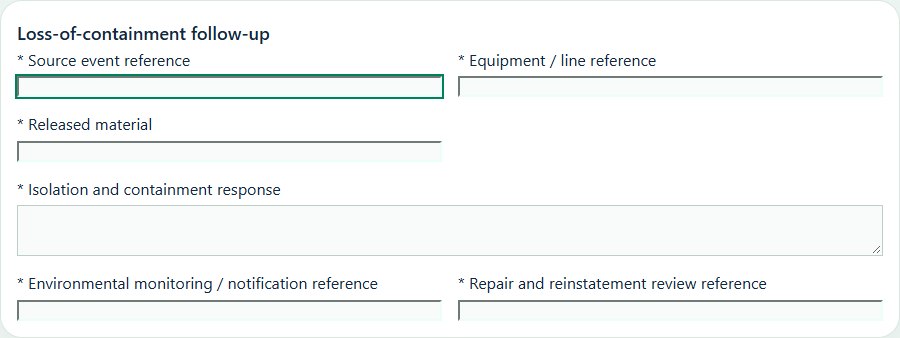
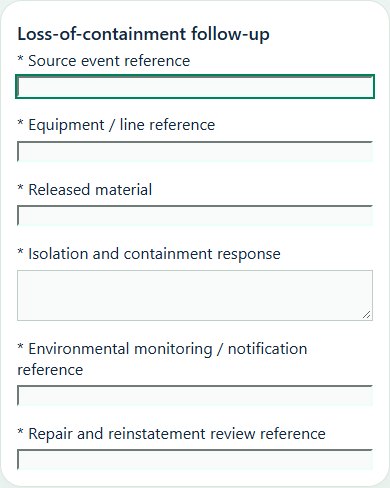
Loss-of-containment follow-up
Record these details: Source event reference · Equipment / line reference · Released material · Isolation and containment response · Environmental monitoring / notification reference · Repair and reinstatement review reference
Readiness checks
Event captured in the source event register
Immediate protection and isolation verified
Potential environmental and public impacts assessed
Investigation and corrective actions linked to sources
Repair integrity and pre-start requirements reviewed
Notifications and authorized reinstatement evidence retained
10Oil, Gas & PetrochemicalsSafety barriers & impairmentsTrack safeguard test references, impairments, compensating controls and restoration reviews.
How to use this section
Choose Add on the relevant activity card. Enter its organization unit, location, owner, planned dates and internal, contractor or mixed workforce.
Save the draft, open Detail and complete the readiness checks below. Explain failed or not-applicable answers; resolve failed checks and attach supporting evidence before review.
Open Work controls to link saved HSE source records. A typed reference alone does not create a relationship or grant approval.
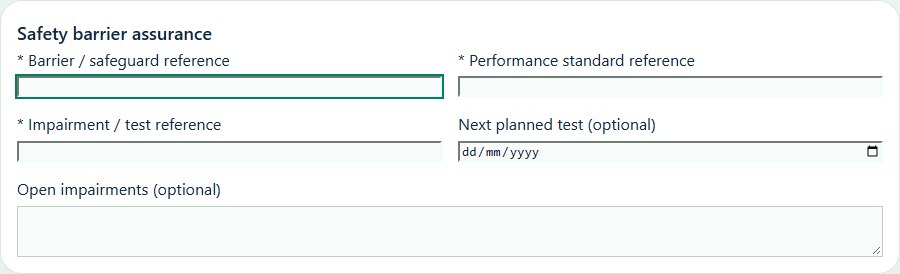
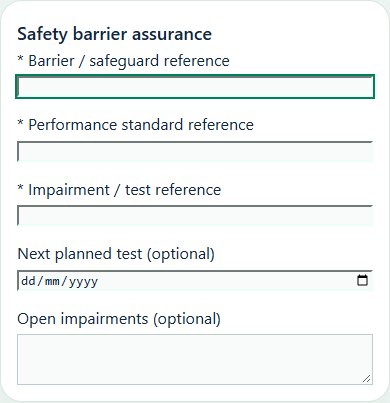
Record these details: Barrier / safeguard reference · Performance standard reference · Impairment / test reference · Next planned test · Open impairments
Readiness checks
Barrier condition and test evidence reviewed
Impairments and compensating controls recorded
Owners and restoration dates assigned
Independent acceptance and communication checked
Barrier impairment & restoration
Record these details: Safety-critical barrier reference · Impairment and affected scenarios · Compensating controls and monitoring · Temporary impairment authorization reference · Restoration review date · Restoration test / acceptance reference
Readiness checks
Affected hazards and dependencies evaluated
Temporary risk controls independently reviewed
Operating restrictions communicated to all shifts
Restoration deadline and responsible owner assigned
Any extension follows a fresh authorized risk review
Restoration test and source record release verified
11Oil, Gas & PetrochemicalsVendor qualification & PETRONASPrepare a source-linked assurance record and obtain independent acceptance.
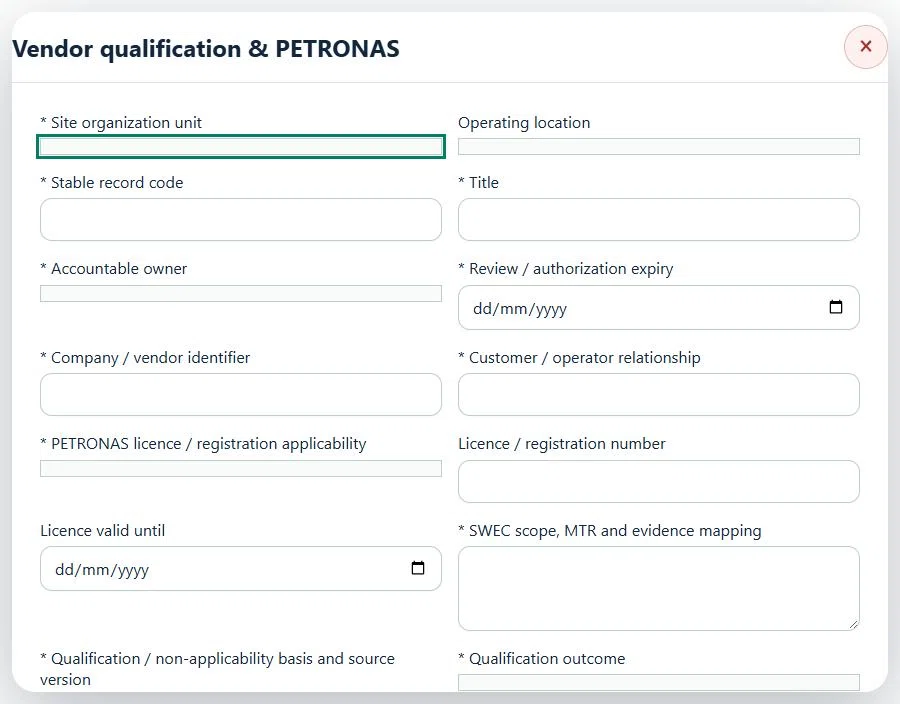
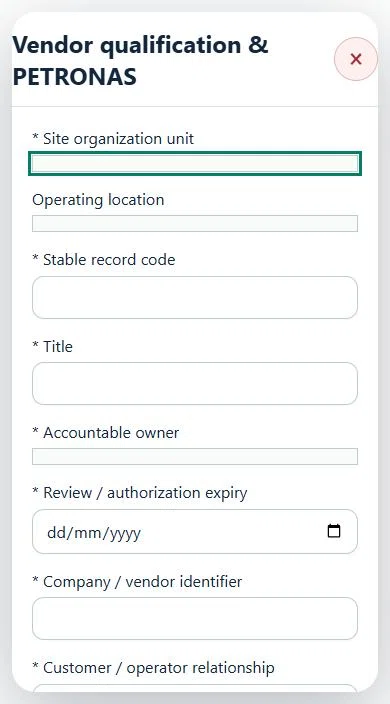
Select the operating context, owner and review due date. Record: Company / vendor identifier; Customer / operator relationship; PETRONAS licence / registration applicability; Licence / registration number; Licence valid until; SWEC scope, MTR and evidence mapping; Qualification / non-applicability basis and source version; Qualification outcome.
Link the relevant saved source records and any required accepted dependencies. Save the draft and attach supporting evidence in Detail.
Submit for independent review; resolve rejected or incomplete evidence before resubmitting. Acceptance does not approve or release the linked source work.
Use a new revision for changes to accepted records. Follow source links to resolve expired evidence, changed sources or failed prerequisites before progressing work.
Desktop · Vendor qualification & PETRONAS · Highlight: * Site organization unitMobile · Vendor qualification & PETRONAS · Highlight: * Site organization unit
12Oil, Gas & PetrochemicalsContracts & customer HSE requirementsPrepare a source-linked assurance record and obtain independent acceptance.
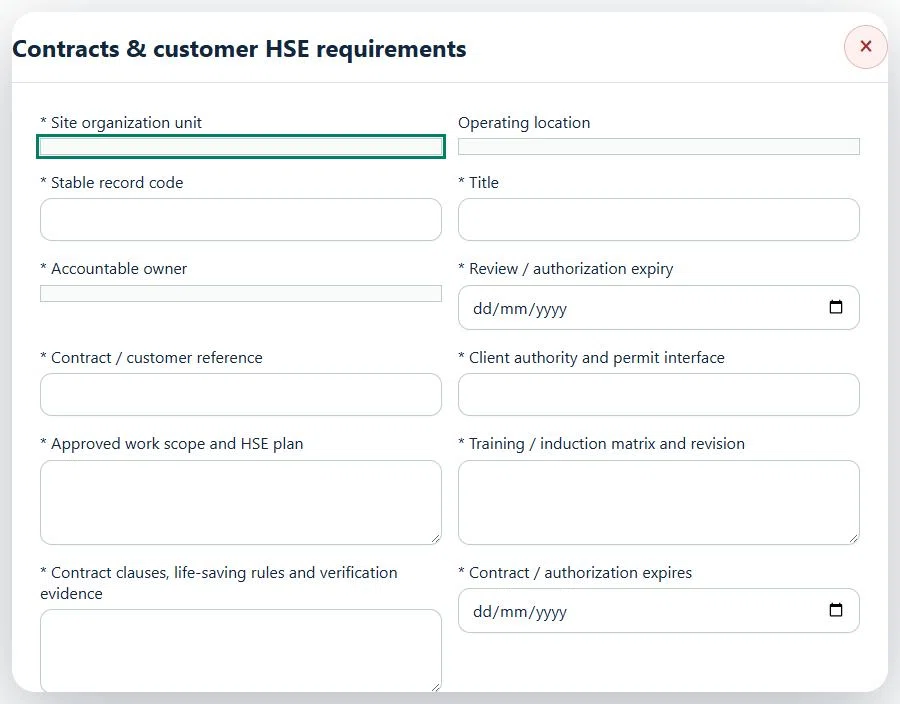
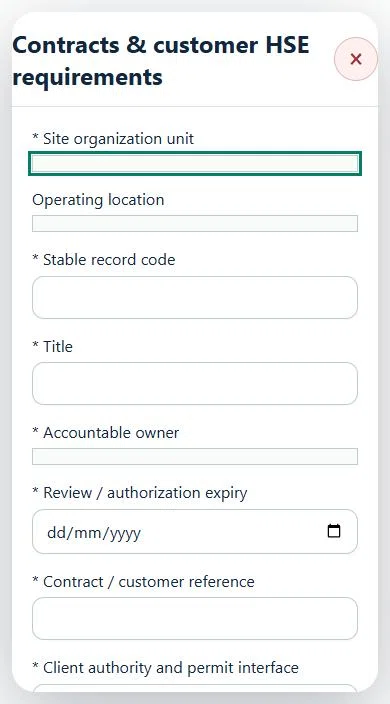
Select the operating context, owner and review due date. Record: Contract / customer reference; Client authority and permit interface; Approved work scope and HSE plan; Training / induction matrix and revision; Contract clauses, life-saving rules and verification evidence; Contract / authorization expires; Requirements reconciled.
Link the relevant saved source records and any required accepted dependencies. Save the draft and attach supporting evidence in Detail.
Submit for independent review; resolve rejected or incomplete evidence before resubmitting. Acceptance does not approve or release the linked source work.
Use a new revision for changes to accepted records. Follow source links to resolve expired evidence, changed sources or failed prerequisites before progressing work.
Desktop · Contracts & customer HSE requirements · Highlight: * Site organization unitMobile · Contracts & customer HSE requirements · Highlight: * Site organization unit
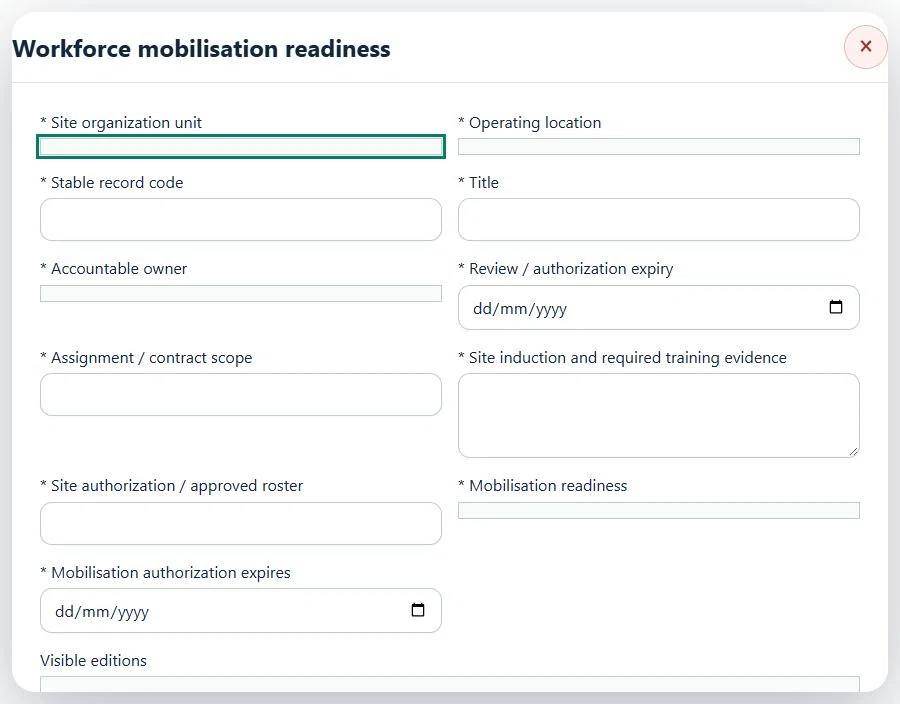
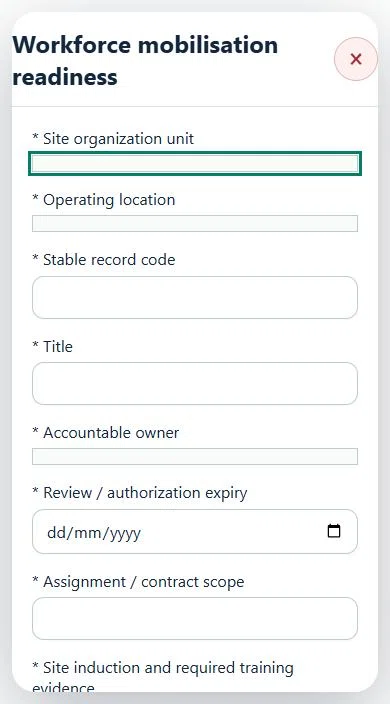
13Oil, Gas & PetrochemicalsWorkforce mobilisation readinessPrepare a source-linked assurance record and obtain independent acceptance.
Select the operating context, owner and review due date. Record: Additional workforce identities: user:ID or contractor:ID, one per line; Required course ID for additional workforce; Assignment / contract scope; Site induction and required training evidence; Site authorization / approved roster; Mobilisation readiness; Mobilisation authorization expires.
Link the relevant saved source records and any required accepted dependencies. Save the draft and attach supporting evidence in Detail.
Submit for independent review; resolve rejected or incomplete evidence before resubmitting. Acceptance does not approve or release the linked source work.
Use a new revision for changes to accepted records. Follow source links to resolve expired evidence, changed sources or failed prerequisites before progressing work.
Desktop · Workforce mobilisation readiness · Highlight: * Site organization unitMobile · Workforce mobilisation readiness · Highlight: * Site organization unit
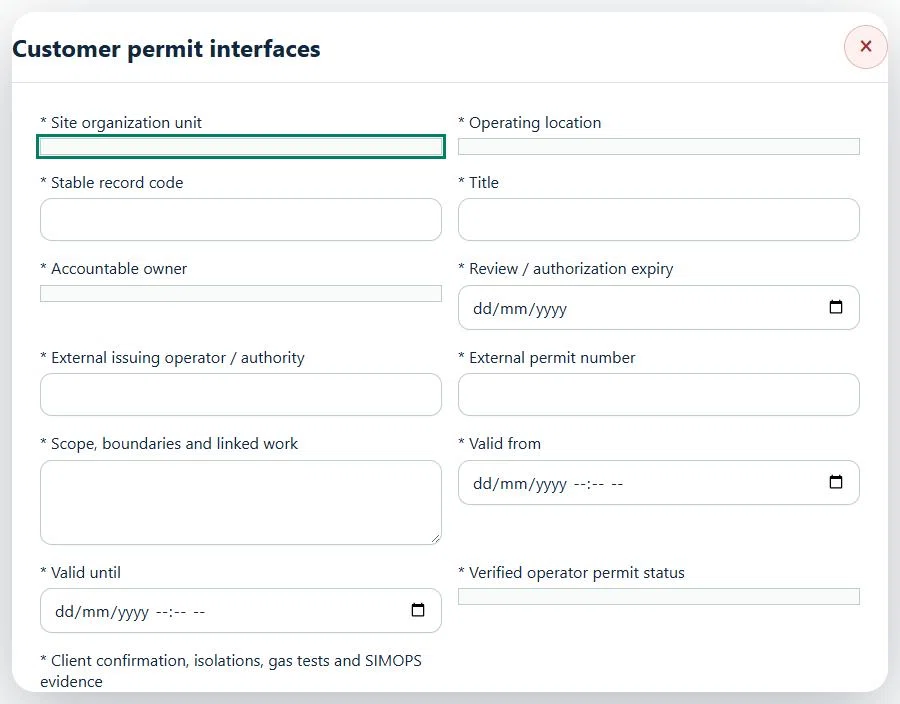
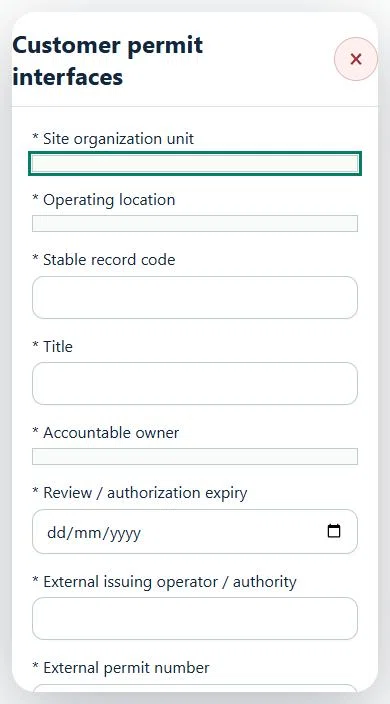
14Oil, Gas & PetrochemicalsCustomer permit interfacesPrepare a source-linked assurance record and obtain independent acceptance.
Select the operating context, owner and review due date. Record: External issuing operator / authority; External permit number; Scope, boundaries and linked work; Valid from; Valid until; Verified operator permit status; Client confirmation, isolations, gas tests and SIMOPS evidence.
Link the relevant saved source records and any required accepted dependencies. Save the draft and attach supporting evidence in Detail.
Submit for independent review; resolve rejected or incomplete evidence before resubmitting. Acceptance does not approve or release the linked source work.
Use a new revision for changes to accepted records. Follow source links to resolve expired evidence, changed sources or failed prerequisites before progressing work.
Desktop · Customer permit interfaces · Highlight: * Site organization unitMobile · Customer permit interfaces · Highlight: * Site organization unit
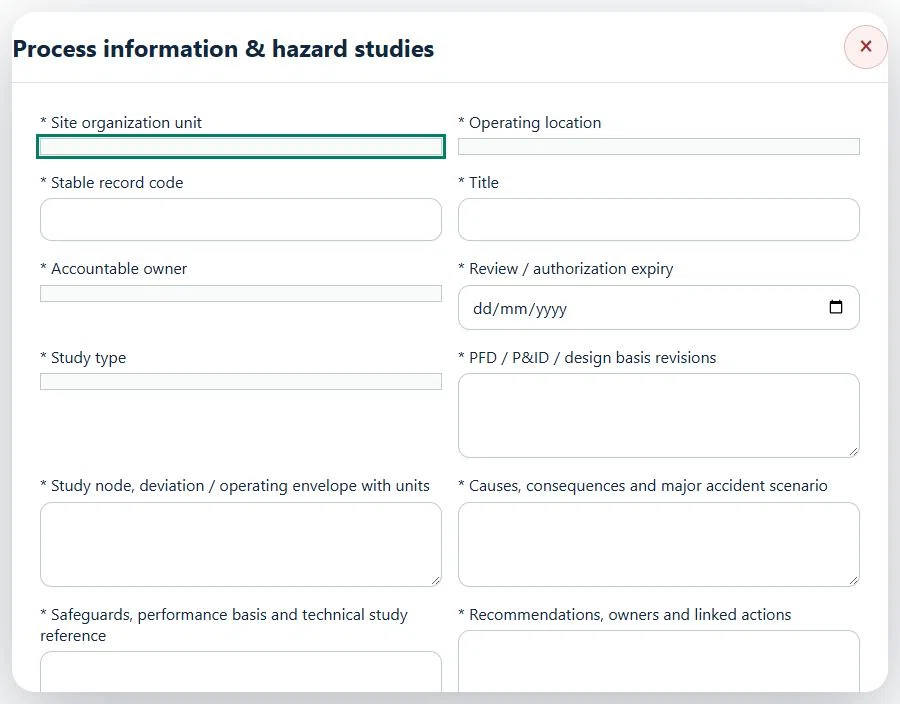
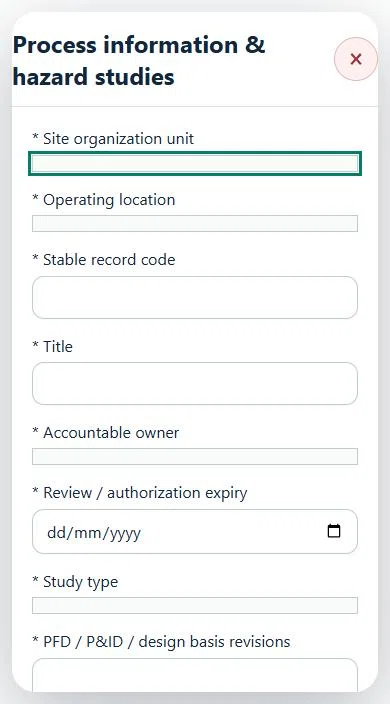
15Oil, Gas & PetrochemicalsProcess information & hazard studiesPrepare a source-linked assurance record and obtain independent acceptance.
Available in: OGP Plant & Terminal Edition · OGP Upstream & Offshore Edition · Terminal, Tank Farm & Midstream · Upstream Onshore · Retail & Pump Station
How to use this section
Select the operating context, owner and review due date. Record: Study type; PFD / P&ID / design basis revisions; Study node, deviation / operating envelope with units; Causes, consequences and major accident scenario; Safeguards, performance basis and technical study reference; Recommendations, owners and linked actions; Technical review outcome.
Link the relevant saved source records and any required accepted dependencies. Save the draft and attach supporting evidence in Detail.
Submit for independent review; resolve rejected or incomplete evidence before resubmitting. Acceptance does not approve or release the linked source work.
Use a new revision for changes to accepted records. Follow source links to resolve expired evidence, changed sources or failed prerequisites before progressing work.
Desktop · Process information & hazard studies · Highlight: * Site organization unitMobile · Process information & hazard studies · Highlight: * Site organization unit
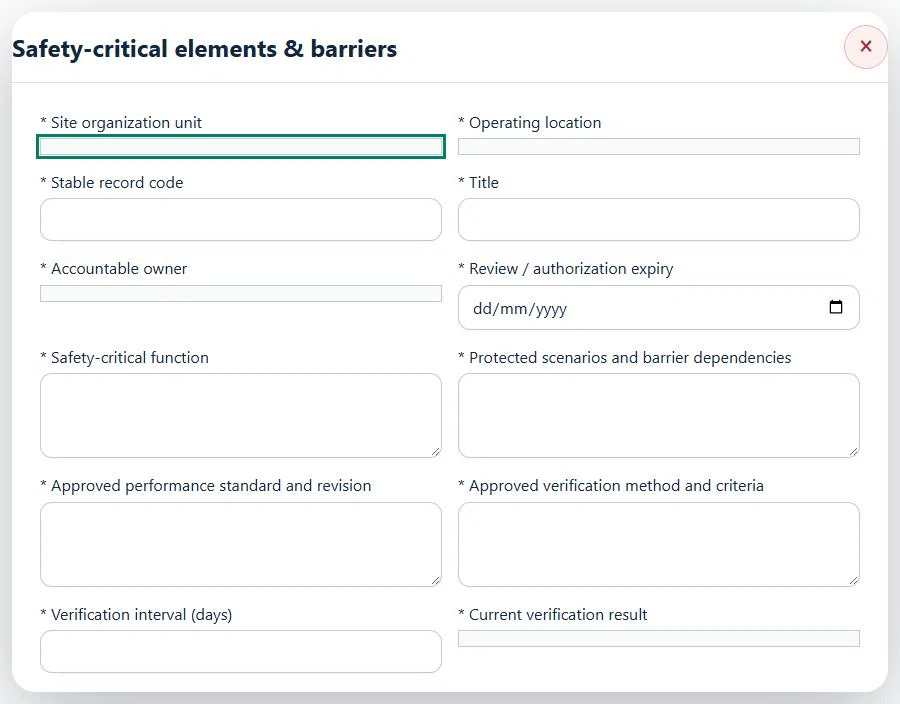
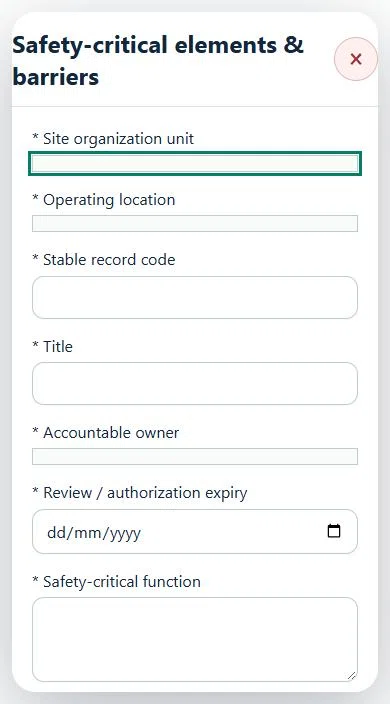
16Oil, Gas & PetrochemicalsSafety-critical elements & barriersPrepare a source-linked assurance record and obtain independent acceptance.
Available in: OGP Plant & Terminal Edition · OGP Upstream & Offshore Edition · Terminal, Tank Farm & Midstream · Upstream Onshore · Retail & Pump Station
How to use this section
Select the operating context, owner and review due date. Record: Safety-critical function; Protected scenarios and barrier dependencies; Approved performance standard and revision; Approved verification method and criteria; Verification interval (days); Current verification result; Next verification due.
Link the relevant saved source records and any required accepted dependencies. Save the draft and attach supporting evidence in Detail.
Submit for independent review; resolve rejected or incomplete evidence before resubmitting. Acceptance does not approve or release the linked source work.
Use a new revision for changes to accepted records. Follow source links to resolve expired evidence, changed sources or failed prerequisites before progressing work.
Desktop · Safety-critical elements & barriers · Highlight: * Site organization unitMobile · Safety-critical elements & barriers · Highlight: * Site organization unit
17Oil, Gas & PetrochemicalsBarrier impairment & restoration assurancePrepare a source-linked assurance record and obtain independent acceptance.
Available in: OGP Plant & Terminal Edition · OGP Upstream & Offshore Edition · Terminal, Tank Farm & Midstream · Upstream Onshore · Retail & Pump Station
How to use this section
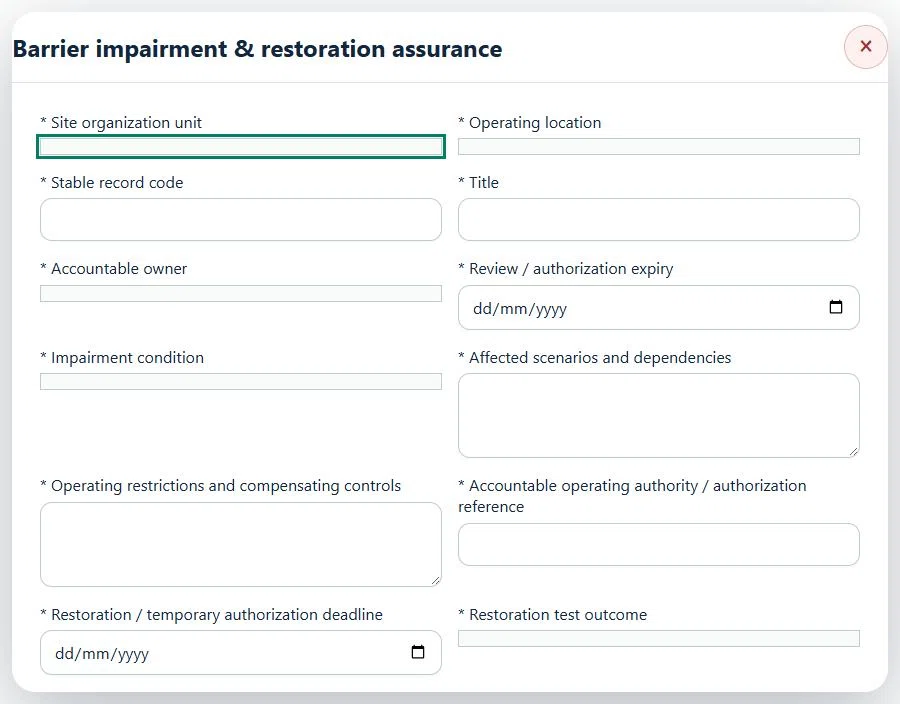
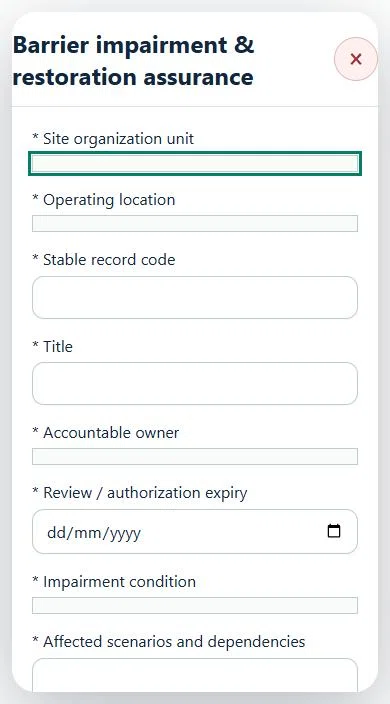
Select the operating context, owner and review due date. Record: Impairment condition; Affected scenarios and dependencies; Operating restrictions and compensating controls; Accountable operating authority / authorization reference; Restoration / temporary authorization deadline; Restoration test outcome.
Link the relevant saved source records and any required accepted dependencies. Save the draft and attach supporting evidence in Detail.
Submit for independent review; resolve rejected or incomplete evidence before resubmitting. Acceptance does not approve or release the linked source work.
Use a new revision for changes to accepted records. Follow source links to resolve expired evidence, changed sources or failed prerequisites before progressing work.
Desktop · Barrier impairment & restoration assurance · Highlight: * Site organization unitMobile · Barrier impairment & restoration assurance · Highlight: * Site organization unit
18Oil, Gas & PetrochemicalsIntegrity, inspections & return-to-servicePrepare a source-linked assurance record and obtain independent acceptance.
Available in: OGP Plant & Terminal Edition · OGP Upstream & Offshore Edition · Terminal, Tank Farm & Midstream · Upstream Onshore · Retail & Pump Station
How to use this section
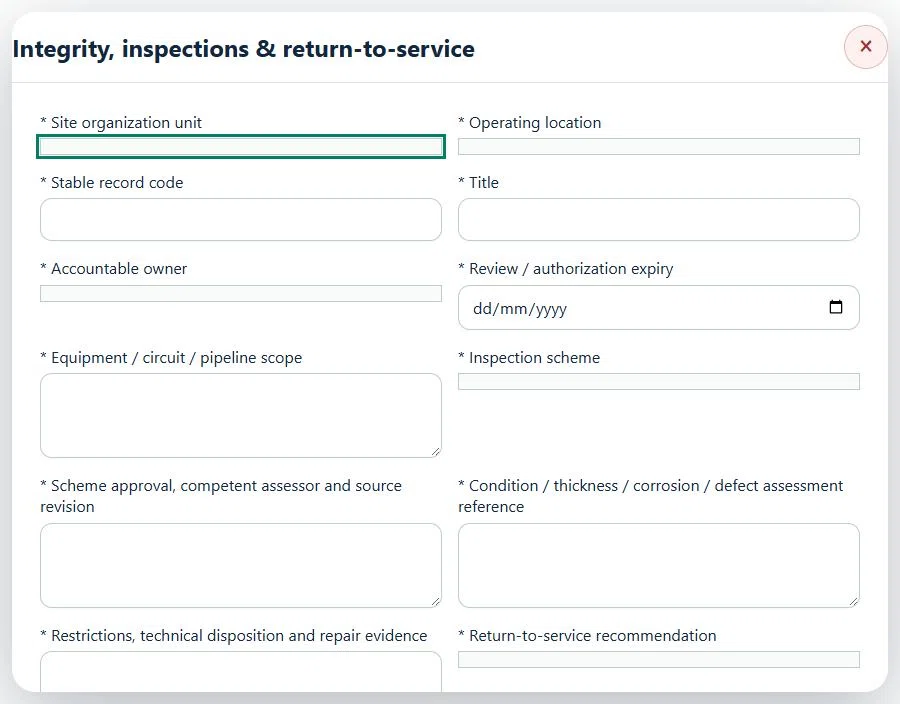
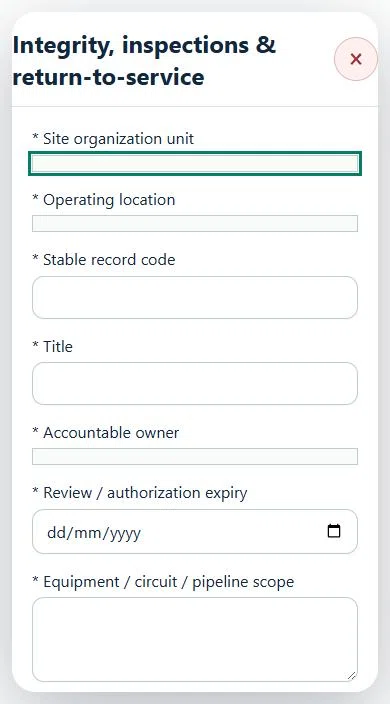
Select the operating context, owner and review due date. Record: Equipment / circuit / pipeline scope; Inspection scheme; Scheme approval, competent assessor and source revision; Condition / thickness / corrosion / defect assessment reference; Restrictions, technical disposition and repair evidence; Return-to-service recommendation; Next inspection due.
Link the relevant saved source records and any required accepted dependencies. Save the draft and attach supporting evidence in Detail.
Submit for independent review; resolve rejected or incomplete evidence before resubmitting. Acceptance does not approve or release the linked source work.
Use a new revision for changes to accepted records. Follow source links to resolve expired evidence, changed sources or failed prerequisites before progressing work.
Desktop · Integrity, inspections & return-to-service · Highlight: * Site organization unitMobile · Integrity, inspections & return-to-service · Highlight: * Site organization unit
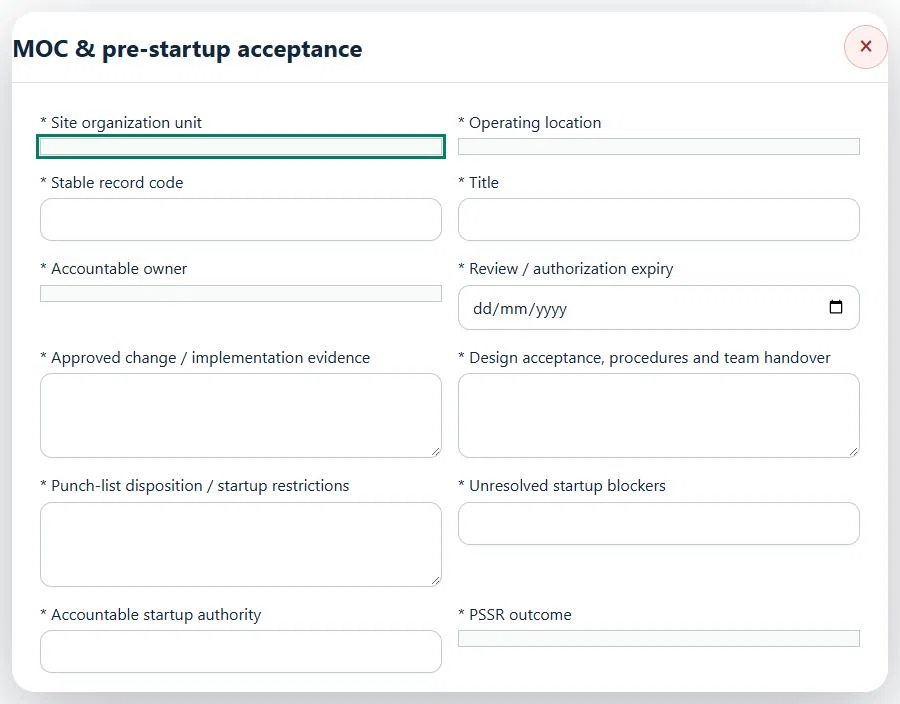
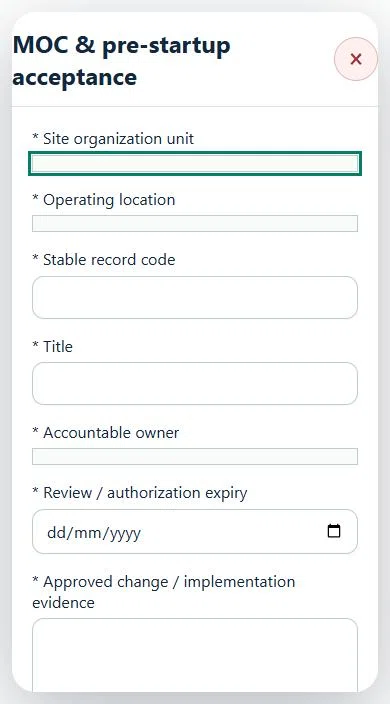
19Oil, Gas & PetrochemicalsMOC & pre-startup acceptancePrepare a source-linked assurance record and obtain independent acceptance.
Available in: OGP Plant & Terminal Edition · OGP Upstream & Offshore Edition · Terminal, Tank Farm & Midstream · Upstream Onshore · Retail & Pump Station
How to use this section
Select the operating context, owner and review due date. Record: Approved change / implementation evidence; Design acceptance, procedures and team handover; Punch-list disposition / startup restrictions; Unresolved startup blockers; Accountable startup authority; PSSR outcome.
Link the relevant saved source records and any required accepted dependencies. Save the draft and attach supporting evidence in Detail.
Submit for independent review; resolve rejected or incomplete evidence before resubmitting. Acceptance does not approve or release the linked source work.
Use a new revision for changes to accepted records. Follow source links to resolve expired evidence, changed sources or failed prerequisites before progressing work.
Desktop · MOC & pre-startup acceptance · Highlight: * Site organization unitMobile · MOC & pre-startup acceptance · Highlight: * Site organization unit
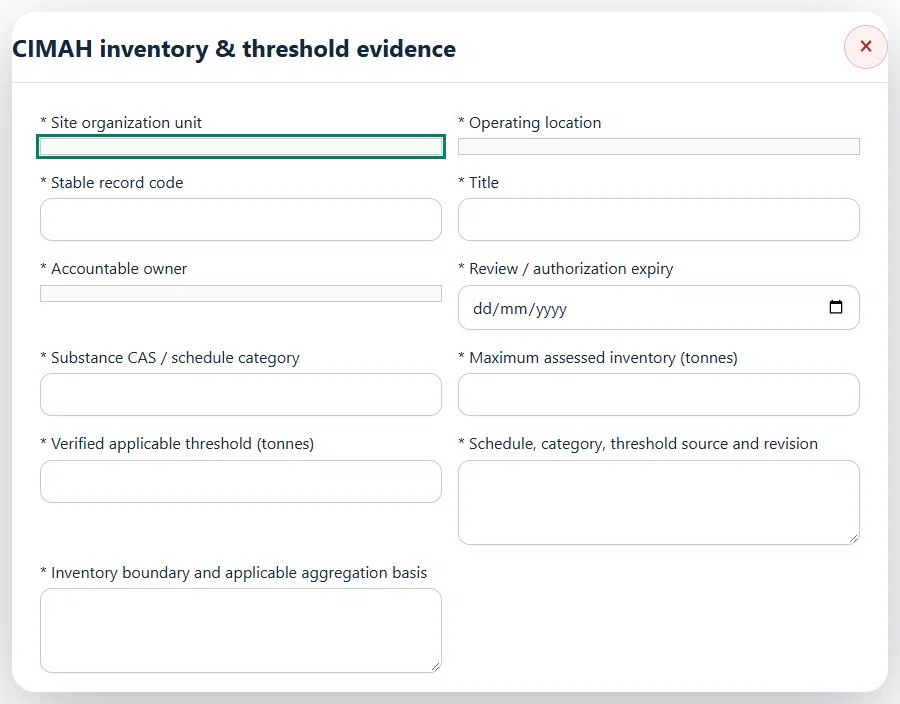
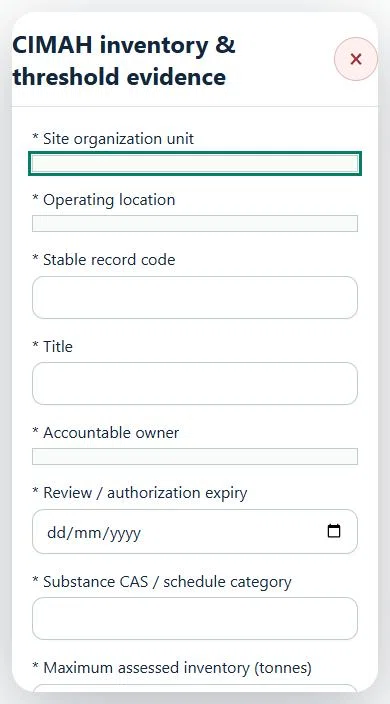
20Oil, Gas & PetrochemicalsCIMAH inventory & threshold evidencePrepare a source-linked assurance record and obtain independent acceptance.
Available in: OGP Plant & Terminal Edition · OGP Upstream & Offshore Edition · Terminal, Tank Farm & Midstream · Upstream Onshore · Retail & Pump Station
How to use this section
Select the operating context, owner and review due date. Record: Substance CAS / schedule category; Maximum assessed inventory (tonnes); Verified applicable threshold (tonnes); Schedule, category, threshold source and revision; Inventory boundary and applicable aggregation basis.
Link the relevant saved source records and any required accepted dependencies. Save the draft and attach supporting evidence in Detail.
Submit for independent review; resolve rejected or incomplete evidence before resubmitting. Acceptance does not approve or release the linked source work.
Use a new revision for changes to accepted records. Follow source links to resolve expired evidence, changed sources or failed prerequisites before progressing work.
Desktop · CIMAH inventory & threshold evidence · Highlight: * Site organization unitMobile · CIMAH inventory & threshold evidence · Highlight: * Site organization unit
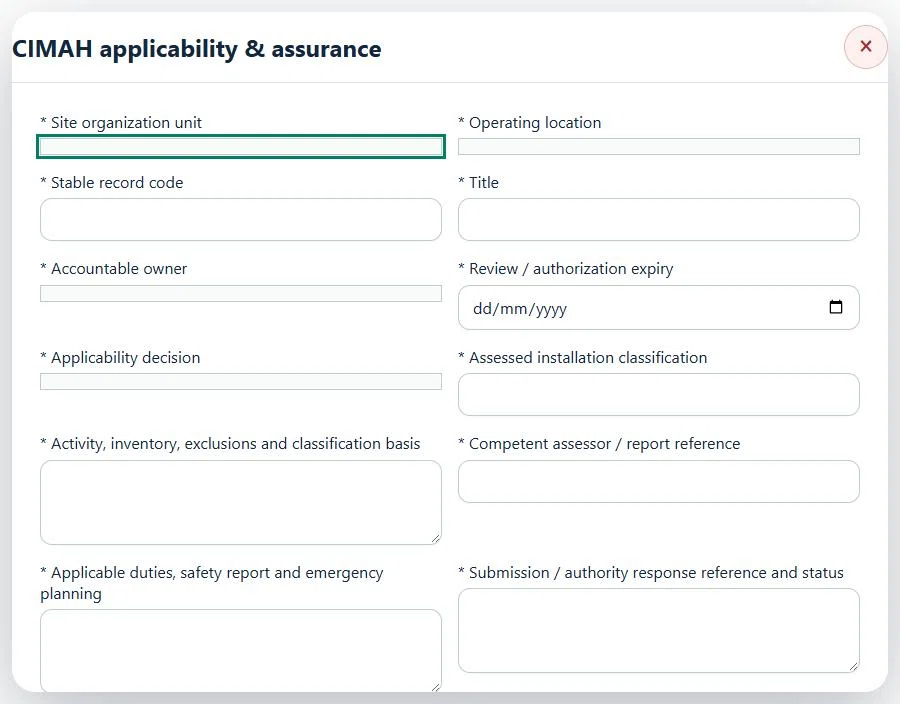
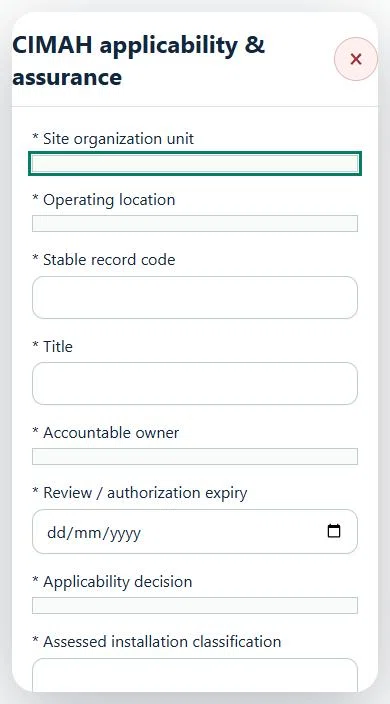
21Oil, Gas & PetrochemicalsCIMAH applicability & assurancePrepare a source-linked assurance record and obtain independent acceptance.
Available in: OGP Plant & Terminal Edition · OGP Upstream & Offshore Edition · Terminal, Tank Farm & Midstream · Upstream Onshore · Retail & Pump Station
How to use this section
Select the operating context, owner and review due date. Record: Applicability decision; Assessed installation classification; Activity, inventory, exclusions and classification basis; Competent assessor / report reference; Applicable duties, safety report and emergency planning; Submission / authority response reference and status.
Link the relevant saved source records and any required accepted dependencies. Save the draft and attach supporting evidence in Detail.
Submit for independent review; resolve rejected or incomplete evidence before resubmitting. Acceptance does not approve or release the linked source work.
Use a new revision for changes to accepted records. Follow source links to resolve expired evidence, changed sources or failed prerequisites before progressing work.
Desktop · CIMAH applicability & assurance · Highlight: * Site organization unitMobile · CIMAH applicability & assurance · Highlight: * Site organization unit
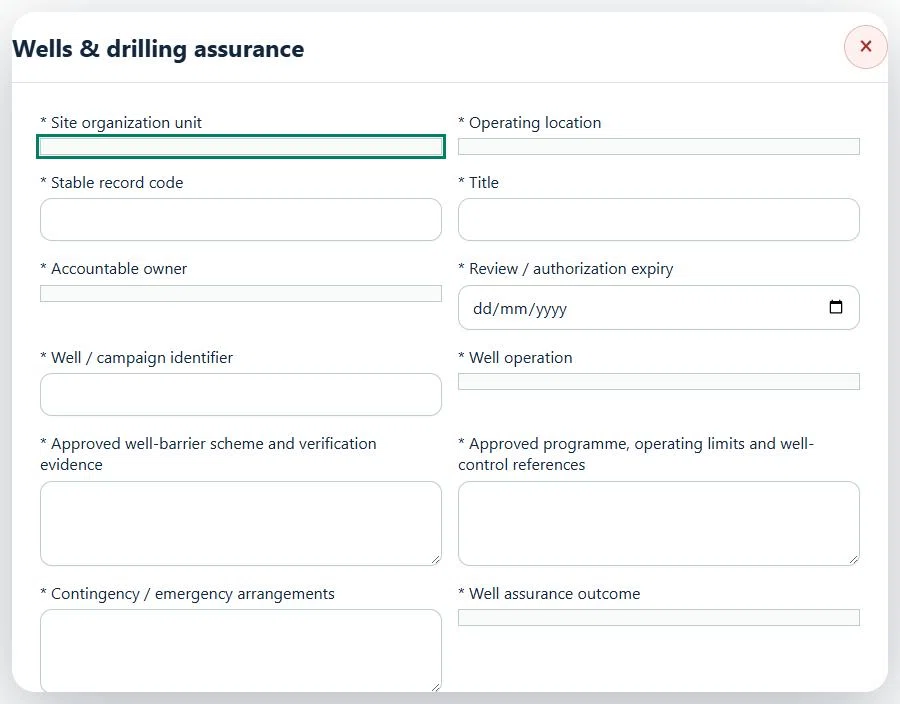
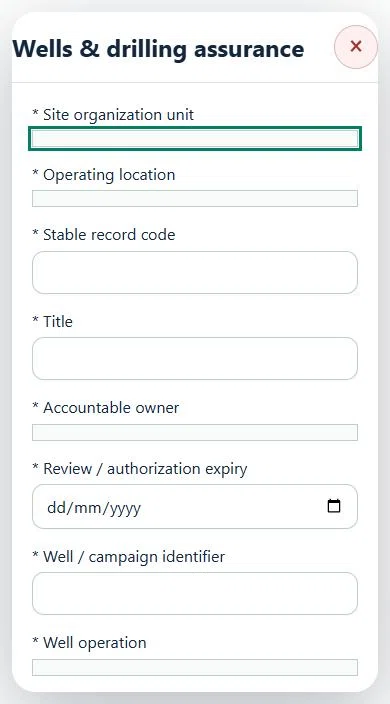
22Oil, Gas & PetrochemicalsWells & drilling assurancePrepare a source-linked assurance record and obtain independent acceptance.
Available in: OGP Upstream & Offshore Edition · Upstream Onshore · Terminal, Tank Farm & Midstream
How to use this section
Select the operating context, owner and review due date. Record: Well / campaign identifier; Well operation; Approved well-barrier scheme and verification evidence; Approved programme, operating limits and well-control references; Contingency / emergency arrangements; Well assurance outcome.
Link the relevant saved source records and any required accepted dependencies. Save the draft and attach supporting evidence in Detail.
Submit for independent review; resolve rejected or incomplete evidence before resubmitting. Acceptance does not approve or release the linked source work.
Use a new revision for changes to accepted records. Follow source links to resolve expired evidence, changed sources or failed prerequisites before progressing work.
Desktop · Wells & drilling assurance · Highlight: * Site organization unitMobile · Wells & drilling assurance · Highlight: * Site organization unit
23Oil, Gas & PetrochemicalsMarine operations & personnel transferPrepare a source-linked assurance record and obtain independent acceptance.
Available in: OGP Upstream & Offshore Edition · Upstream Onshore · Terminal, Tank Farm & Midstream
How to use this section
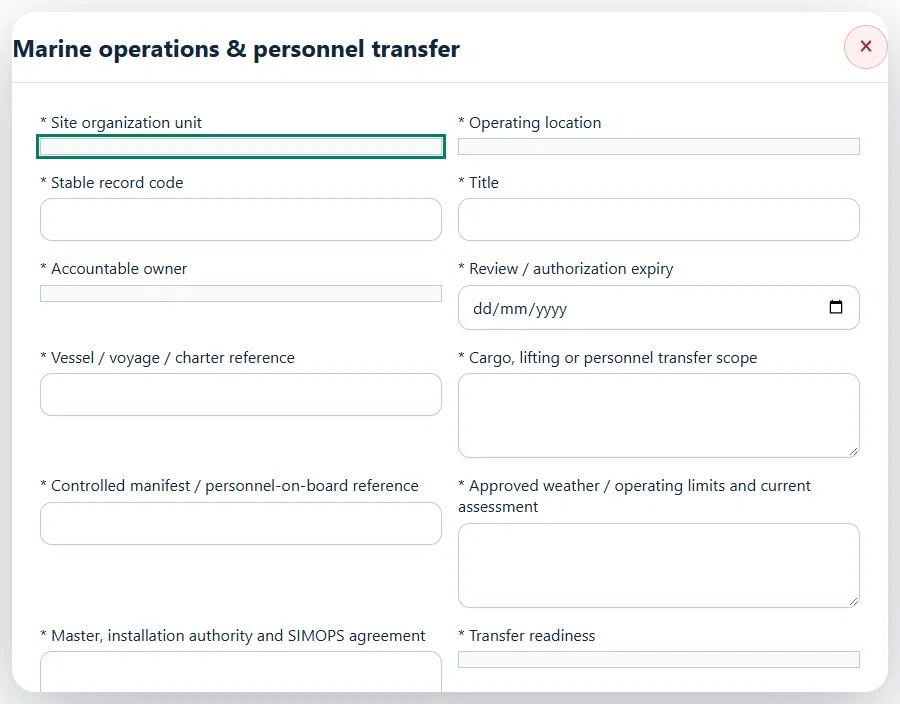
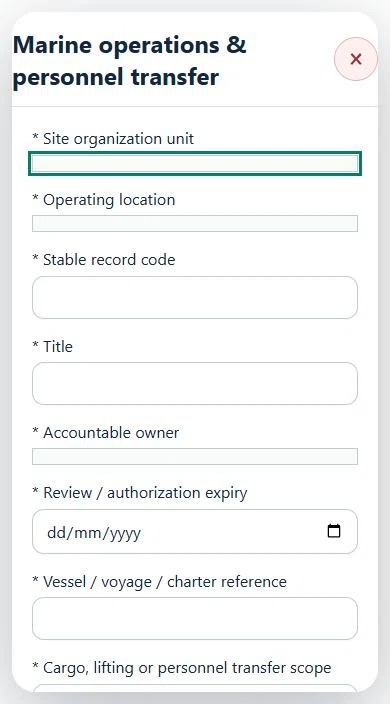
Select the operating context, owner and review due date. Record: Vessel / voyage / charter reference; Cargo, lifting or personnel transfer scope; Controlled manifest / personnel-on-board reference; Approved weather / operating limits and current assessment; Master, installation authority and SIMOPS agreement; Transfer readiness.
Link the relevant saved source records and any required accepted dependencies. Save the draft and attach supporting evidence in Detail.
Submit for independent review; resolve rejected or incomplete evidence before resubmitting. Acceptance does not approve or release the linked source work.
Use a new revision for changes to accepted records. Follow source links to resolve expired evidence, changed sources or failed prerequisites before progressing work.
Desktop · Marine operations & personnel transfer · Highlight: * Site organization unitMobile · Marine operations & personnel transfer · Highlight: * Site organization unit
24Oil, Gas & PetrochemicalsHelideck & aviation interfacesPrepare a source-linked assurance record and obtain independent acceptance.
Available in: OGP Upstream & Offshore Edition · Upstream Onshore · Terminal, Tank Farm & Midstream
How to use this section
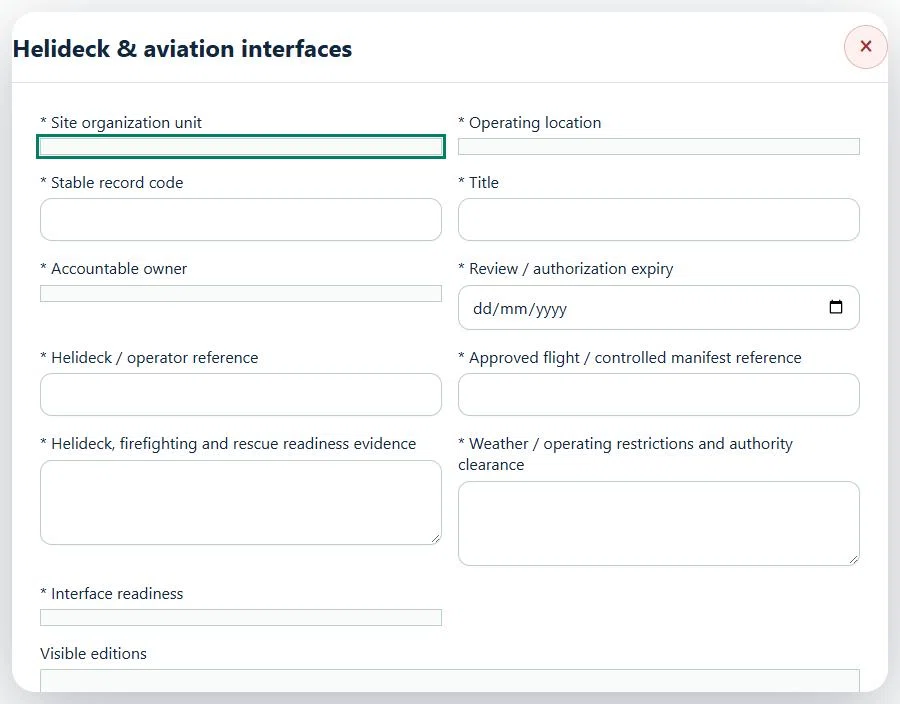
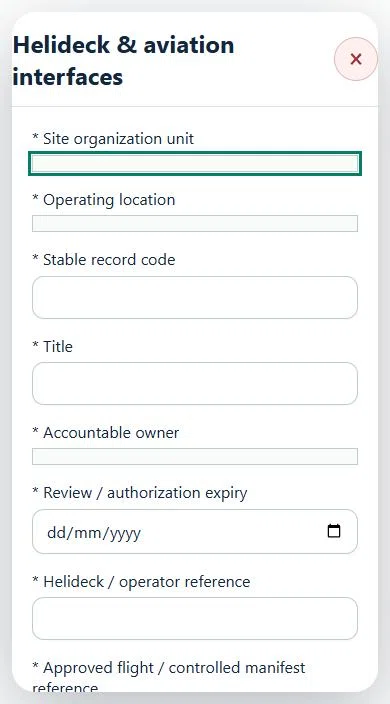
Select the operating context, owner and review due date. Record: Helideck / operator reference; Approved flight / controlled manifest reference; Helideck, firefighting and rescue readiness evidence; Weather / operating restrictions and authority clearance; Interface readiness.
Link the relevant saved source records and any required accepted dependencies. Save the draft and attach supporting evidence in Detail.
Submit for independent review; resolve rejected or incomplete evidence before resubmitting. Acceptance does not approve or release the linked source work.
Use a new revision for changes to accepted records. Follow source links to resolve expired evidence, changed sources or failed prerequisites before progressing work.
Desktop · Helideck & aviation interfaces · Highlight: * Site organization unitMobile · Helideck & aviation interfaces · Highlight: * Site organization unit
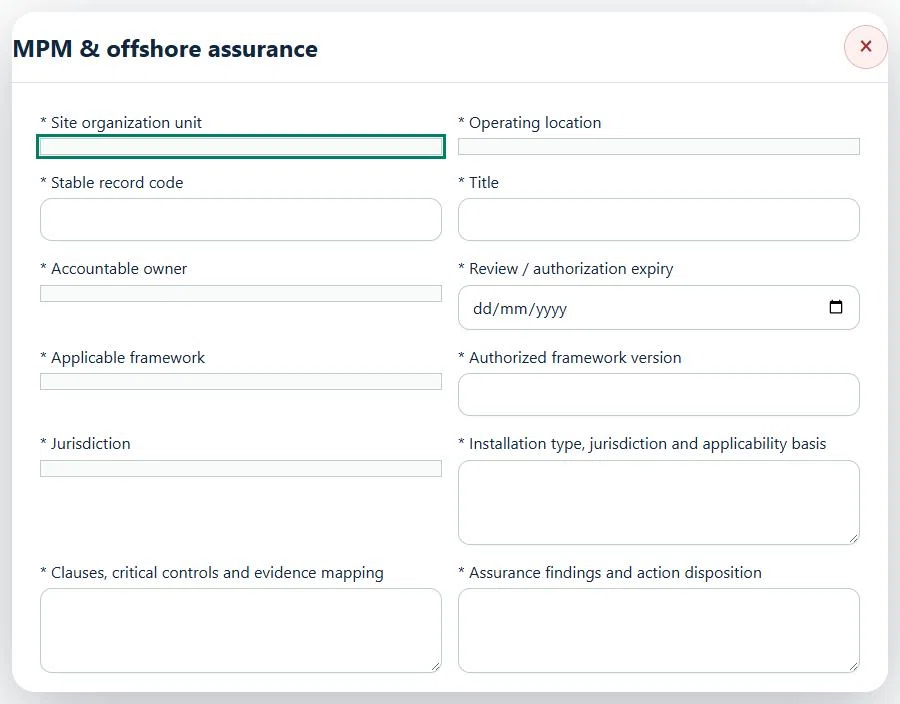
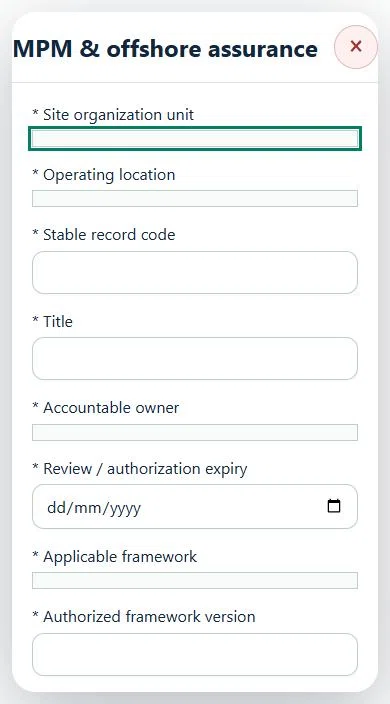
25Oil, Gas & PetrochemicalsMPM & offshore assurancePrepare a source-linked assurance record and obtain independent acceptance.
Available in: OGP Upstream & Offshore Edition
How to use this section
Select the operating context, owner and review due date. Record: Applicable framework; Authorized framework version; Jurisdiction; Installation type, jurisdiction and applicability basis; Clauses, critical controls and evidence mapping; Assurance findings and action disposition; Assurance outcome.
Link the relevant saved source records and any required accepted dependencies. Save the draft and attach supporting evidence in Detail.
Submit for independent review; resolve rejected or incomplete evidence before resubmitting. Acceptance does not approve or release the linked source work.
Use a new revision for changes to accepted records. Follow source links to resolve expired evidence, changed sources or failed prerequisites before progressing work.
Desktop · MPM & offshore assurance · Highlight: * Site organization unitMobile · MPM & offshore assurance · Highlight: * Site organization unit
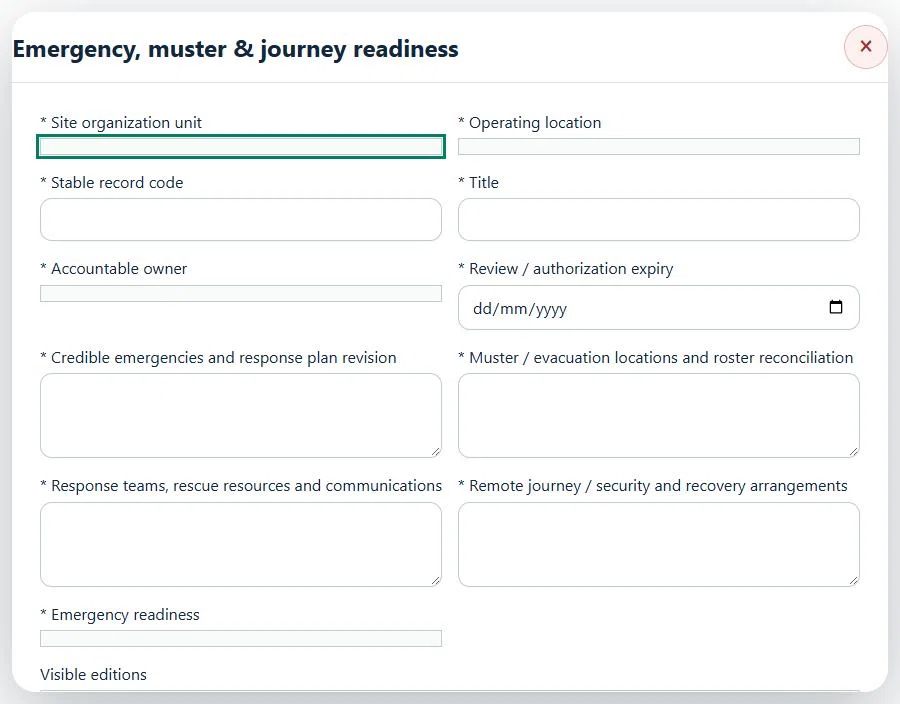
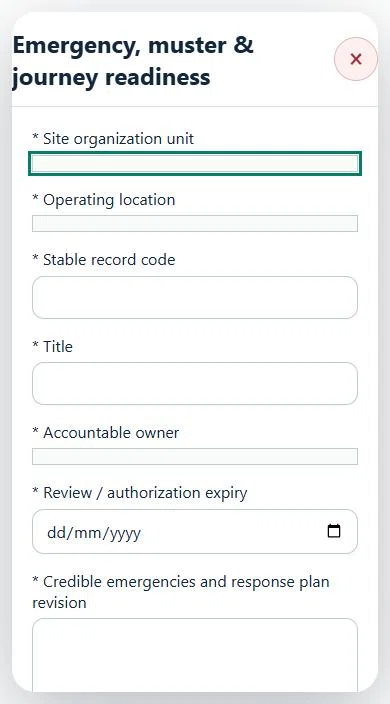
26Oil, Gas & PetrochemicalsEmergency, muster & journey readinessPrepare a source-linked assurance record and obtain independent acceptance.
Select the operating context, owner and review due date. Record: Credible emergencies and response plan revision; Muster / evacuation locations and roster reconciliation; Response teams, rescue resources and communications; Remote journey / security and recovery arrangements; Emergency readiness.
Link the relevant saved source records and any required accepted dependencies. Save the draft and attach supporting evidence in Detail.
Submit for independent review; resolve rejected or incomplete evidence before resubmitting. Acceptance does not approve or release the linked source work.
Use a new revision for changes to accepted records. Follow source links to resolve expired evidence, changed sources or failed prerequisites before progressing work.
Desktop · Emergency, muster & journey readiness · Highlight: * Site organization unitMobile · Emergency, muster & journey readiness · Highlight: * Site organization unit
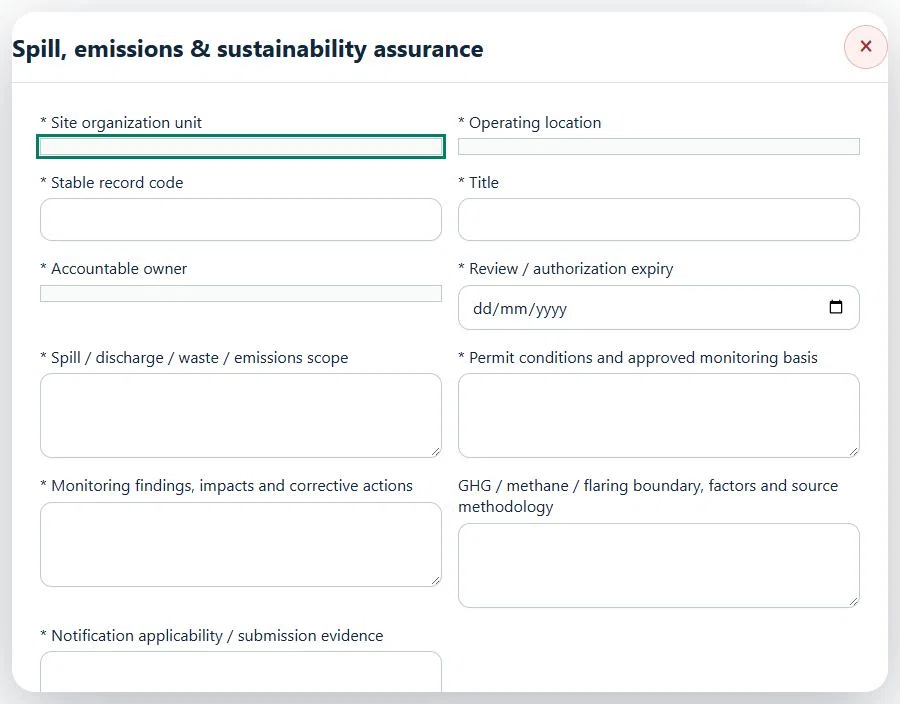
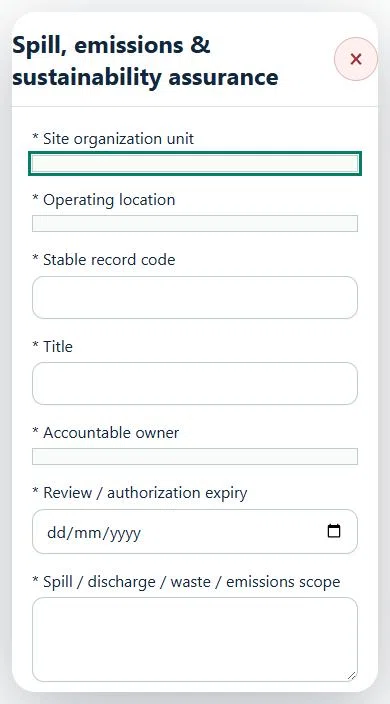
27Oil, Gas & PetrochemicalsSpill, emissions & sustainability assurancePrepare a source-linked assurance record and obtain independent acceptance.
Select the operating context, owner and review due date. Record: Spill / discharge / waste / emissions scope; Permit conditions and approved monitoring basis; Monitoring findings, impacts and corrective actions; GHG / methane / flaring boundary, factors and source methodology; Notification applicability / submission evidence.
Link the relevant saved source records and any required accepted dependencies. Save the draft and attach supporting evidence in Detail.
Submit for independent review; resolve rejected or incomplete evidence before resubmitting. Acceptance does not approve or release the linked source work.
Use a new revision for changes to accepted records. Follow source links to resolve expired evidence, changed sources or failed prerequisites before progressing work.
Desktop · Spill, emissions & sustainability assurance · Highlight: * Site organization unitMobile · Spill, emissions & sustainability assurance · Highlight: * Site organization unit
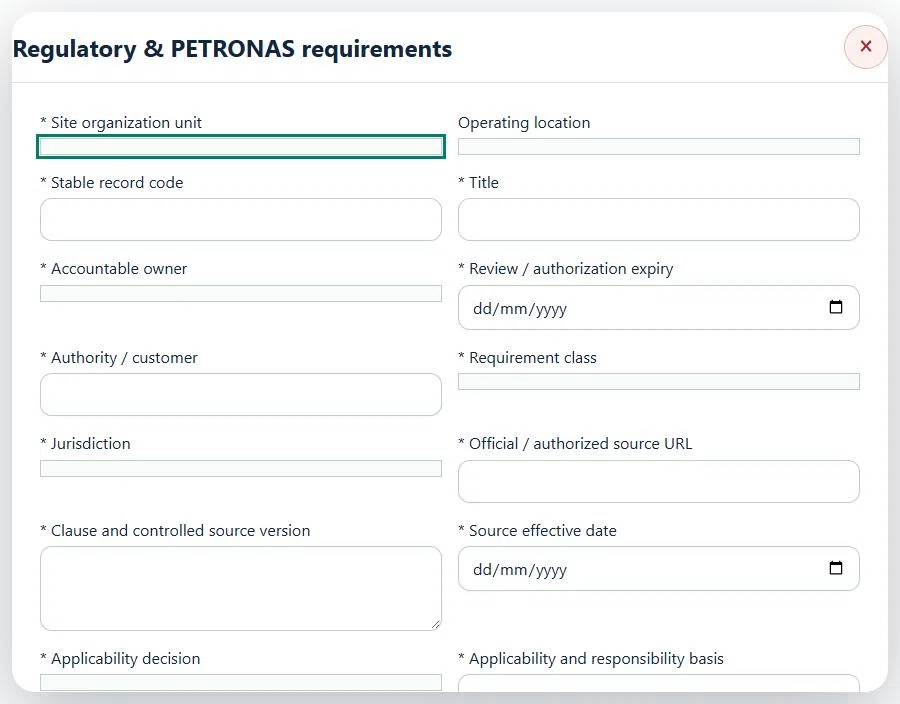
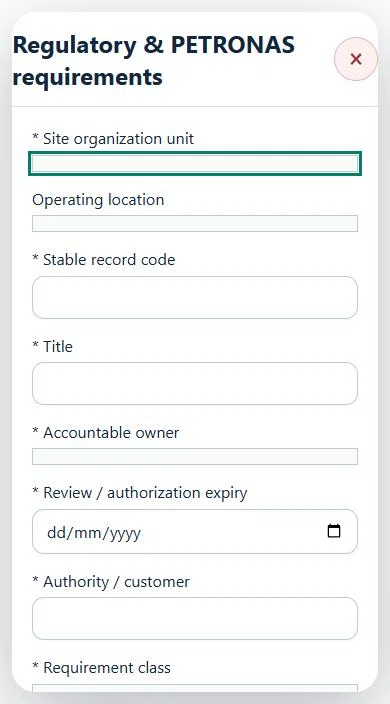
28Oil, Gas & PetrochemicalsRegulatory & PETRONAS requirementsPrepare a source-linked assurance record and obtain independent acceptance.
Select the operating context, owner and review due date. Record: Authority / customer; Requirement class; Jurisdiction; Official / authorized source URL; Clause and controlled source version; Source effective date; Applicability decision; Applicability and responsibility basis; Submission / renewal status and reference.
Link the relevant saved source records and any required accepted dependencies. Save the draft and attach supporting evidence in Detail.
Submit for independent review; resolve rejected or incomplete evidence before resubmitting. Acceptance does not approve or release the linked source work.
Use a new revision for changes to accepted records. Follow source links to resolve expired evidence, changed sources or failed prerequisites before progressing work.
Desktop · Regulatory & PETRONAS requirements · Highlight: * Site organization unitMobile · Regulatory & PETRONAS requirements · Highlight: * Site organization unit
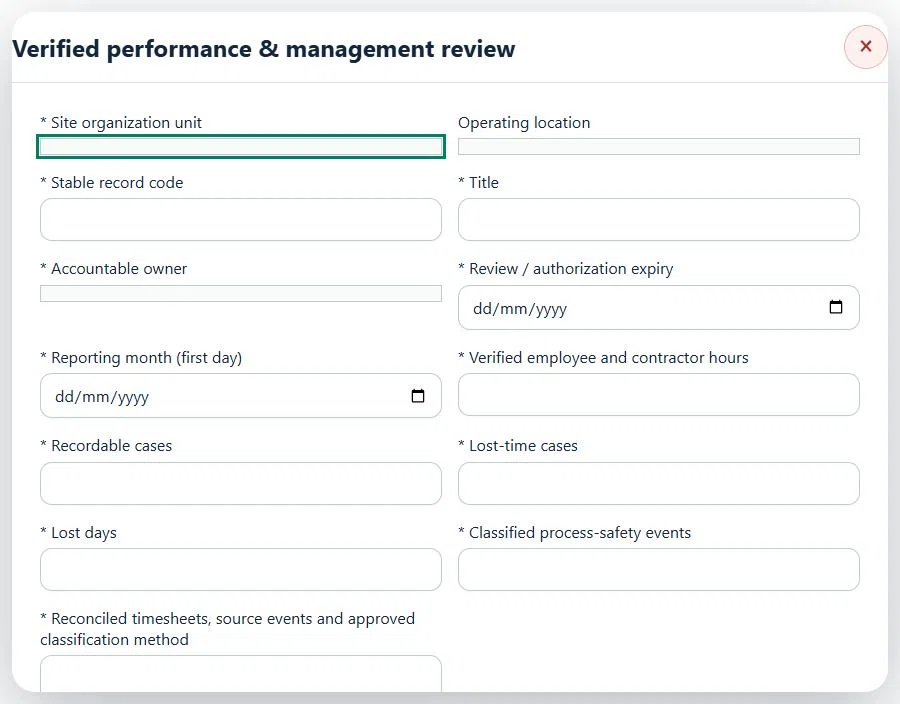
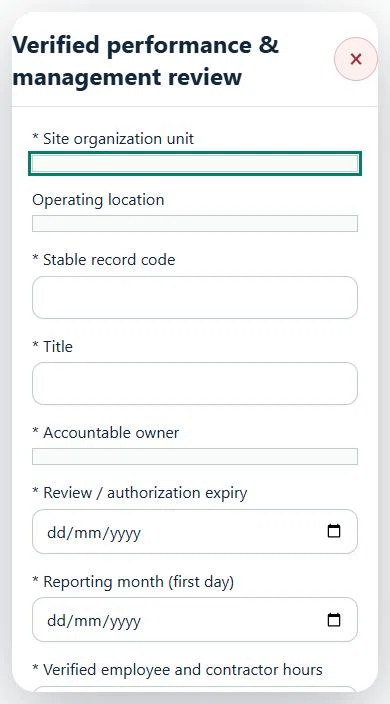
29Oil, Gas & PetrochemicalsVerified performance & management reviewPrepare a source-linked assurance record and obtain independent acceptance.
Select the operating context, owner and review due date. Record: Reporting month (first day); Verified employee and contractor hours; Recordable cases; Lost-time cases; Lost days; Classified process-safety events; Reconciled timesheets, source events and approved classification method.
Link the relevant saved source records and any required accepted dependencies. Save the draft and attach supporting evidence in Detail.
Submit for independent review; resolve rejected or incomplete evidence before resubmitting. Acceptance does not approve or release the linked source work.
Use a new revision for changes to accepted records. Follow source links to resolve expired evidence, changed sources or failed prerequisites before progressing work.
Desktop · Verified performance & management review · Highlight: * Site organization unitMobile · Verified performance & management review · Highlight: * Site organization unit
30Oil, Gas & PetrochemicalsProduct delivery, transfer & unloadingCarry out the work with measured results and independent handover.
How to use this section
Manager: select the profile and site, open Operations & handovers → Plan operation, choose Product delivery, transfer & unloading, name the owner and a different authorized reviewer, enter the deadline (UTC), and link saved source records and accepted site reviews.
Owner: open the operation in this workspace. Check its scope and source links; choose Start operation. Add the readings and evidence in the step form, using Add row for each additional observation or person. GPS is recorded with the action when captured.
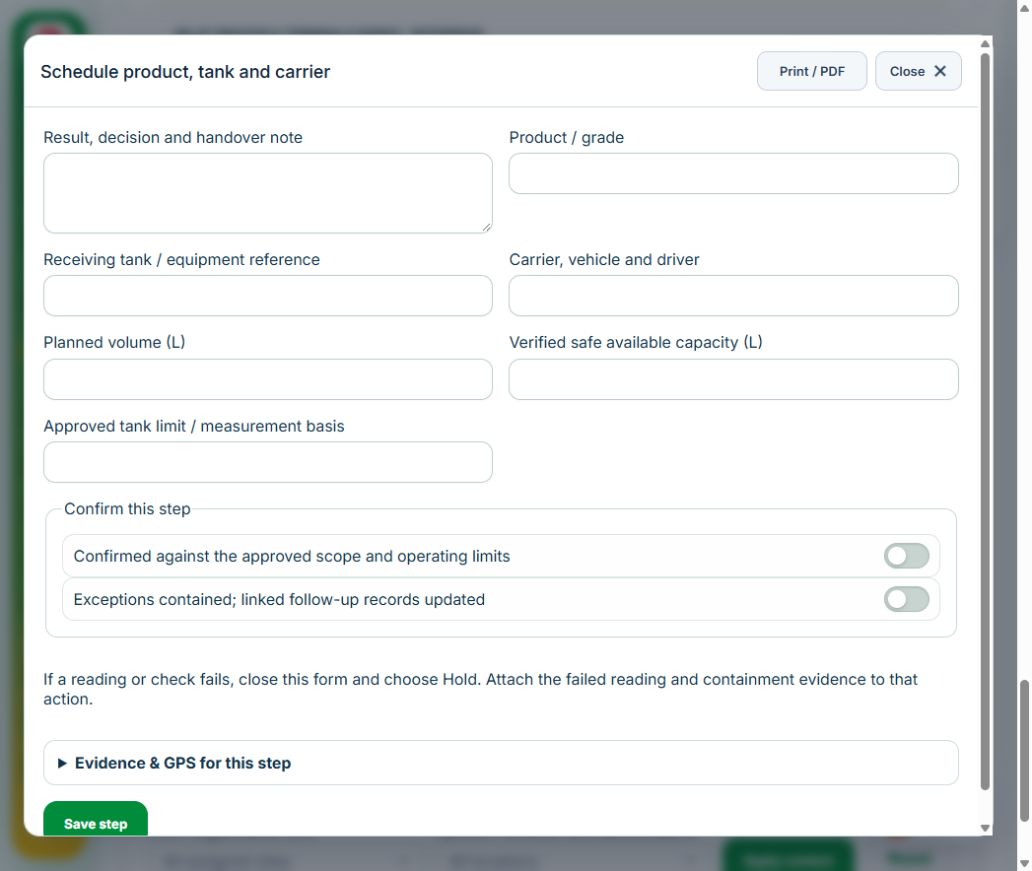
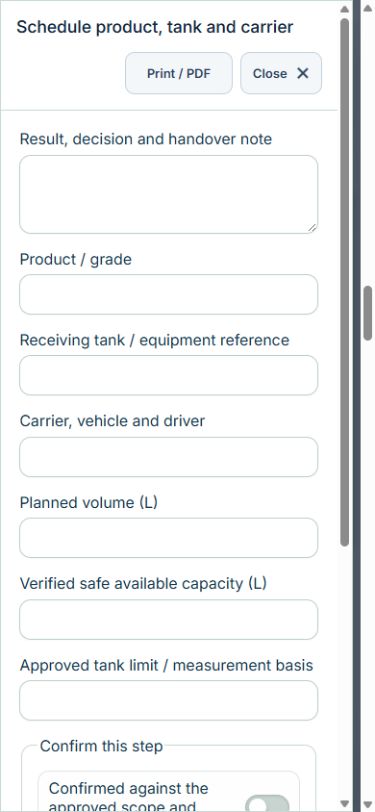
Owner: Schedule product, tank and carrier. Enter Product / grade; Receiving tank / equipment reference; Carrier, vehicle and driver; Planned volume (L); Verified safe available capacity (L); Approved tank limit / measurement basis. Complete the required confirmations: Confirmed against the approved scope and operating limits; Exceptions contained; linked follow-up records updated. Link the original equipment assets.
Independent reviewer: Independently authorize transfer. Enter Isolation, bonding, exclusion zone and emergency readiness. Complete the required confirmations: Confirmed against the approved scope and operating limits; Exceptions contained; linked follow-up records updated. Requires current independently accepted reviews: emergency.
Owner: Monitor and reconcile transfer. Enter Tank receipt (L); Delivery meter (L); Approved reconciliation tolerance (L); Approved tolerance reference; Leak / spill. Complete the required confirmations: Confirmed against the approved scope and operating limits; Exceptions contained; linked follow-up records updated.
Owner: Confirm final condition. Enter Hose, valve, seal and stock handover. Complete the required confirmations: Confirmed against the approved scope and operating limits; Exceptions contained; linked follow-up records updated.
Independent reviewer: Independent verification & closure. Enter Effectiveness, handover and follow-up review date. Complete the required confirmations: Confirmed against the approved scope and operating limits; Exceptions contained; linked follow-up records updated.
If a check fails: close the step form, choose Hold / quarantine and save the failure, containment evidence and GPS. Correct the source records in the same industry workspace. A different authorized reviewer checks fresh clean recovery evidence before releasing the hold; the owner cannot self-release.
At final sign-off, all required reviews are rechecked. Linked Work Packages, PTW, CAPA and after-hours must be finished, and linked LOTO restoration verified. The independent reviewer closes the operation. Reopen requires that reviewer, a reason and new recovery evidence; earlier readings stay in history.
Use Print / PDF at the operation header or form header for the controlled form, QR and evidence/GPS attachments. Close dismisses a form; it does not close the business record. My Actions and My Deadline use the next permitted role; reminders follow existing in-app, PWA and email preferences.
Desktop · Schedule product, tank and carrierMobile · Schedule product, tank and carrier
31Oil, Gas & PetrochemicalsForecourt opening & shift handoverCarry out the work with measured results and independent handover.
Available in: Retail & Pump Station
How to use this section
Manager: select the profile and site, open Operations & handovers → Plan operation, choose Forecourt opening & shift handover, name the owner and a different authorized reviewer, enter the deadline (UTC), and link saved source records and accepted site reviews.
Owner: open the operation in this workspace. Check its scope and source links; choose Start operation. Add the readings and evidence in the step form, using Add row for each additional observation or person. GPS is recorded with the action when captured.
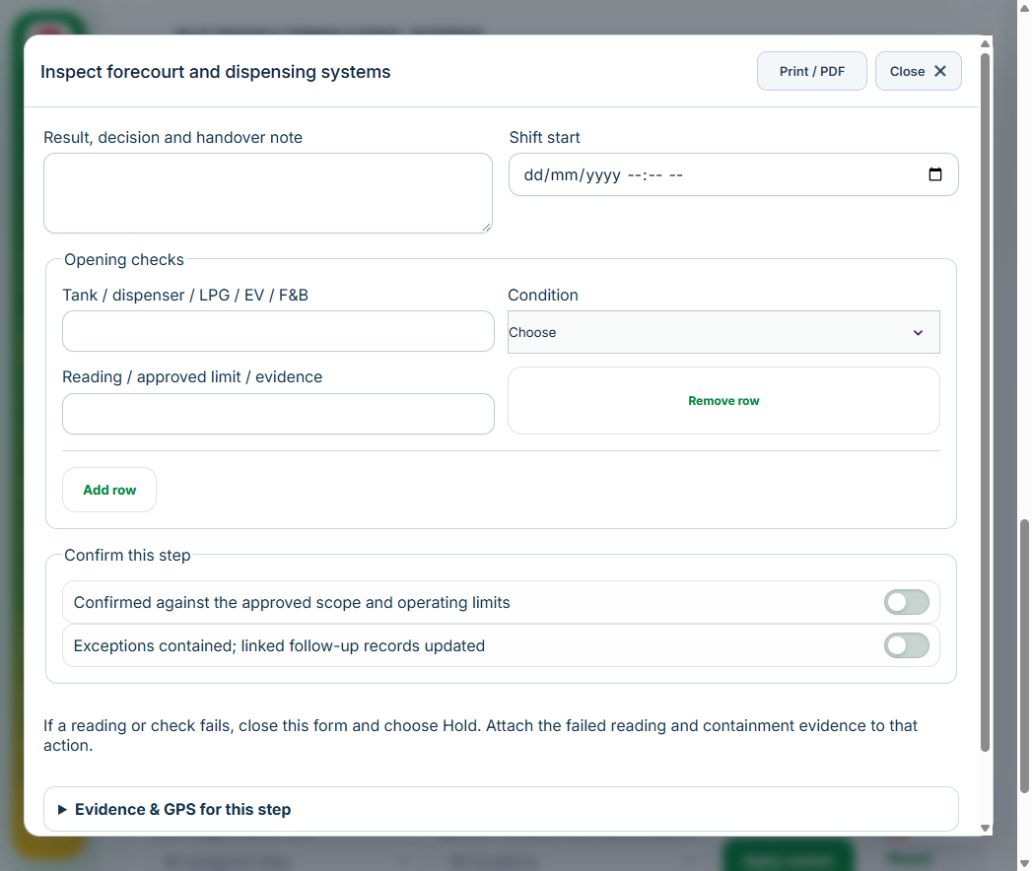
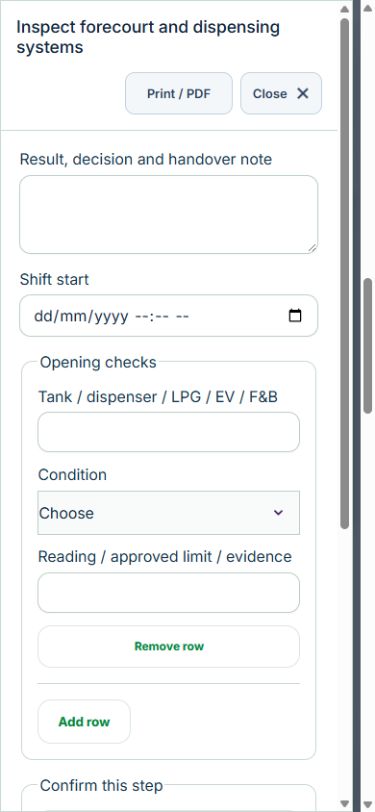
Owner: Inspect forecourt and dispensing systems. Enter Shift start; Opening checks (Tank / dispenser / LPG / EV / F&B, Condition, Reading / approved limit / evidence). Complete the required confirmations: Confirmed against the approved scope and operating limits; Exceptions contained; linked follow-up records updated. Link the original equipment assets.
Owner: Reconcile shift and restrictions. Enter Shift end; Restrictions, stock, outstanding defects and incoming operator. Complete the required confirmations: Confirmed against the approved scope and operating limits; Exceptions contained; linked follow-up records updated.
Independent reviewer: Independent verification & closure. Enter Effectiveness, handover and follow-up review date. Complete the required confirmations: Confirmed against the approved scope and operating limits; Exceptions contained; linked follow-up records updated.
If a check fails: close the step form, choose Hold / quarantine and save the failure, containment evidence and GPS. Correct the source records in the same industry workspace. A different authorized reviewer checks fresh clean recovery evidence before releasing the hold; the owner cannot self-release.
At final sign-off, all required reviews are rechecked. Linked Work Packages, PTW, CAPA and after-hours must be finished, and linked LOTO restoration verified. The independent reviewer closes the operation. Reopen requires that reviewer, a reason and new recovery evidence; earlier readings stay in history.
Use Print / PDF at the operation header or form header for the controlled form, QR and evidence/GPS attachments. Close dismisses a form; it does not close the business record. My Actions and My Deadline use the next permitted role; reminders follow existing in-app, PWA and email preferences.
Desktop · Inspect forecourt and dispensing systemsMobile · Inspect forecourt and dispensing systems
32Oil, Gas & PetrochemicalsTank stock variance investigationCarry out the work with measured results and independent handover.
How to use this section
Manager: select the profile and site, open Operations & handovers → Plan operation, choose Tank stock variance investigation, name the owner and a different authorized reviewer, enter the deadline (UTC), and link saved source records and accepted site reviews.
Owner: open the operation in this workspace. Check its scope and source links; choose Start operation. Add the readings and evidence in the step form, using Add row for each additional observation or person. GPS is recorded with the action when captured.
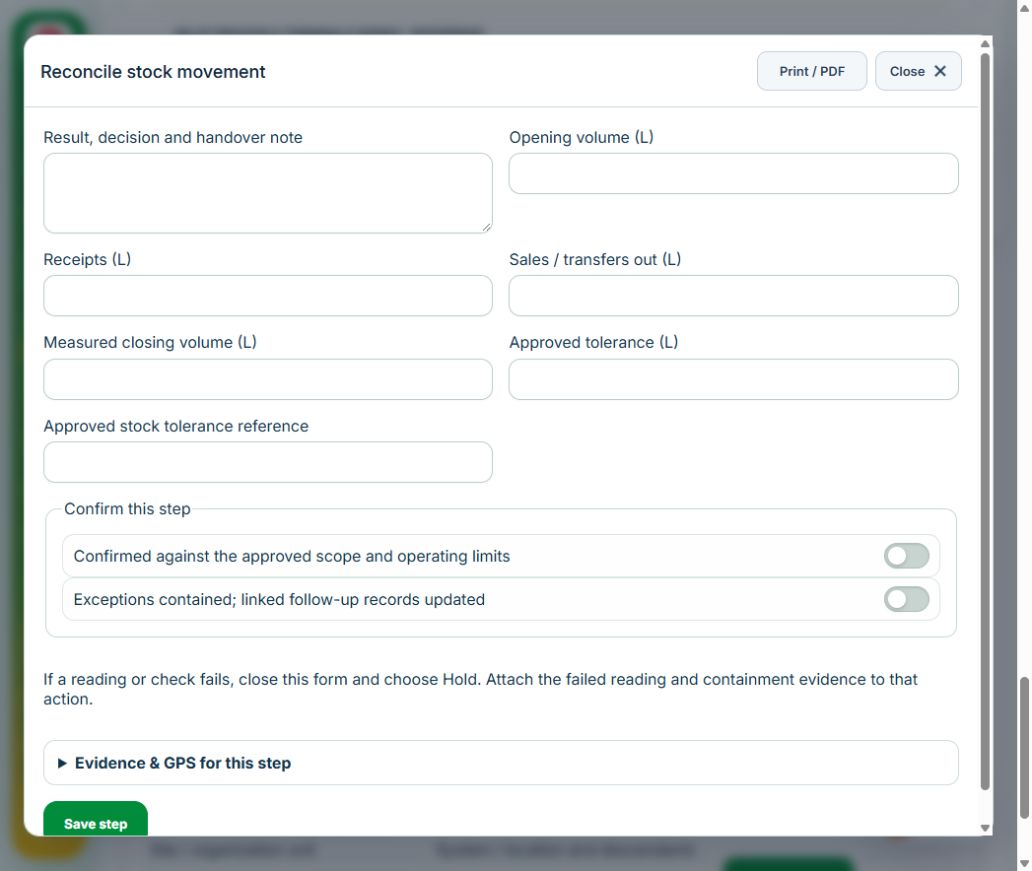
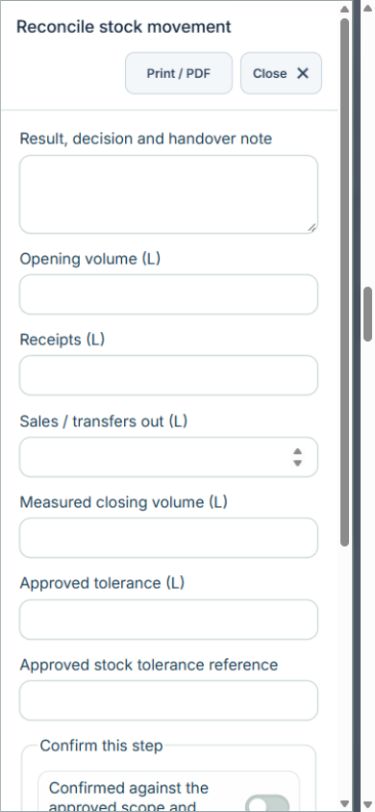
Owner: Reconcile stock movement. Enter Opening volume (L); Receipts (L); Sales / transfers out (L); Measured closing volume (L); Approved tolerance (L); Approved stock tolerance reference. Complete the required confirmations: Confirmed against the approved scope and operating limits; Exceptions contained; linked follow-up records updated.
Owner: Investigate loss / measurement error. Enter Measurement checks, loss pathway and cause. Complete the required confirmations: Confirmed against the approved scope and operating limits; Exceptions contained; linked follow-up records updated. Link the original capa actions.
Independent reviewer: Verify corrective action. Enter Repeat reconciliation and effectiveness evidence. Complete the required confirmations: Confirmed against the approved scope and operating limits; Exceptions contained; linked follow-up records updated.
Independent reviewer: Independent verification & closure. Enter Effectiveness, handover and follow-up review date. Complete the required confirmations: Confirmed against the approved scope and operating limits; Exceptions contained; linked follow-up records updated.
If a check fails: close the step form, choose Hold / quarantine and save the failure, containment evidence and GPS. Correct the source records in the same industry workspace. A different authorized reviewer checks fresh clean recovery evidence before releasing the hold; the owner cannot self-release.
At final sign-off, all required reviews are rechecked. Linked Work Packages, PTW, CAPA and after-hours must be finished, and linked LOTO restoration verified. The independent reviewer closes the operation. Reopen requires that reviewer, a reason and new recovery evidence; earlier readings stay in history.
Use Print / PDF at the operation header or form header for the controlled form, QR and evidence/GPS attachments. Close dismisses a form; it does not close the business record. My Actions and My Deadline use the next permitted role; reminders follow existing in-app, PWA and email preferences.
Desktop · Reconcile stock movementMobile · Reconcile stock movement
33Oil, Gas & PetrochemicalsDefect repair & return to serviceCarry out the work with measured results and independent handover.
How to use this section
Manager: select the profile and site, open Operations & handovers → Plan operation, choose Defect repair & return to service, name the owner and a different authorized reviewer, enter the deadline (UTC), and link saved source records and accepted site reviews.
Owner: open the operation in this workspace. Check its scope and source links; choose Start operation. Add the readings and evidence in the step form, using Add row for each additional observation or person. GPS is recorded with the action when captured.
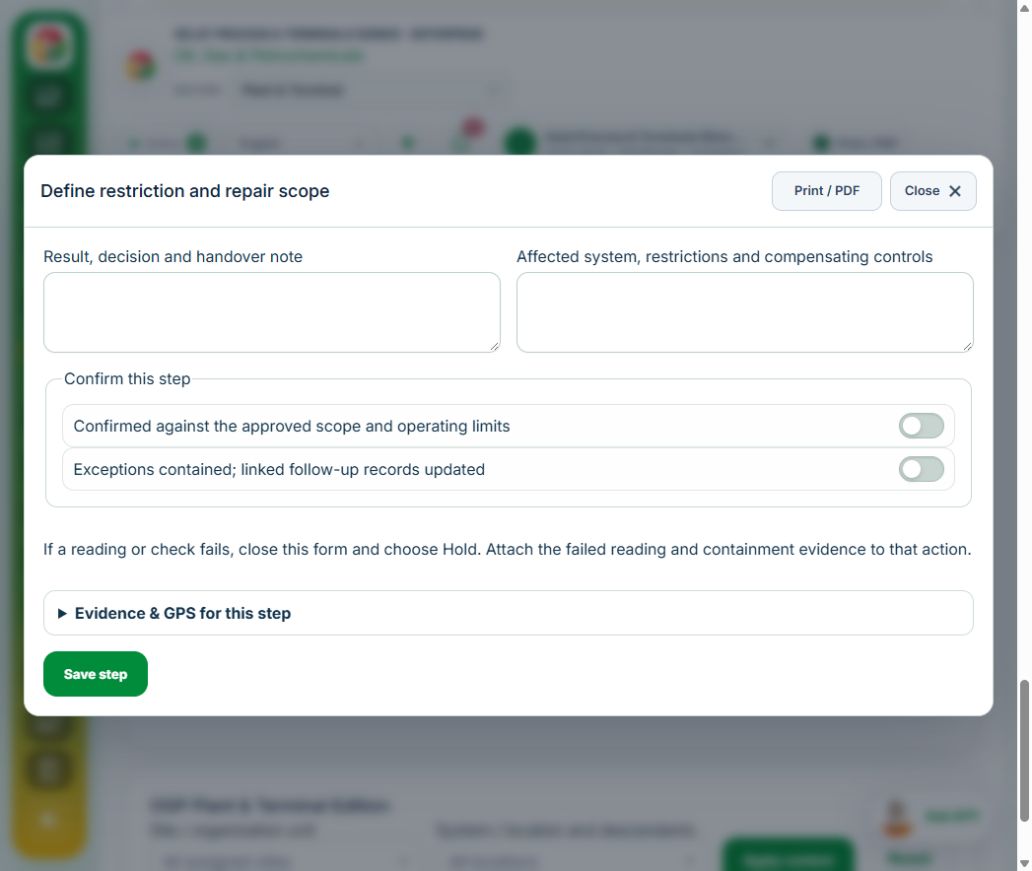
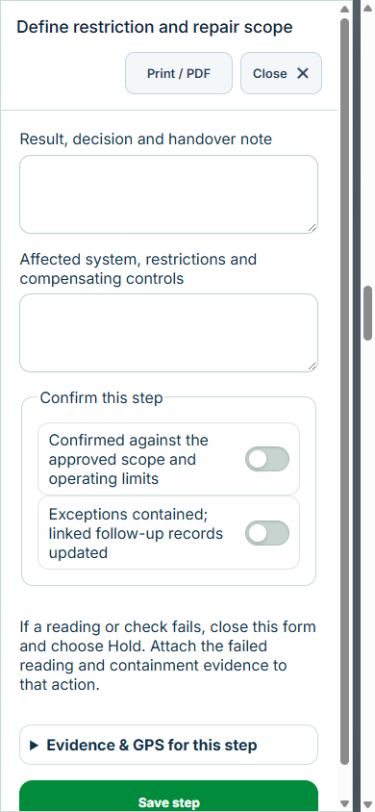
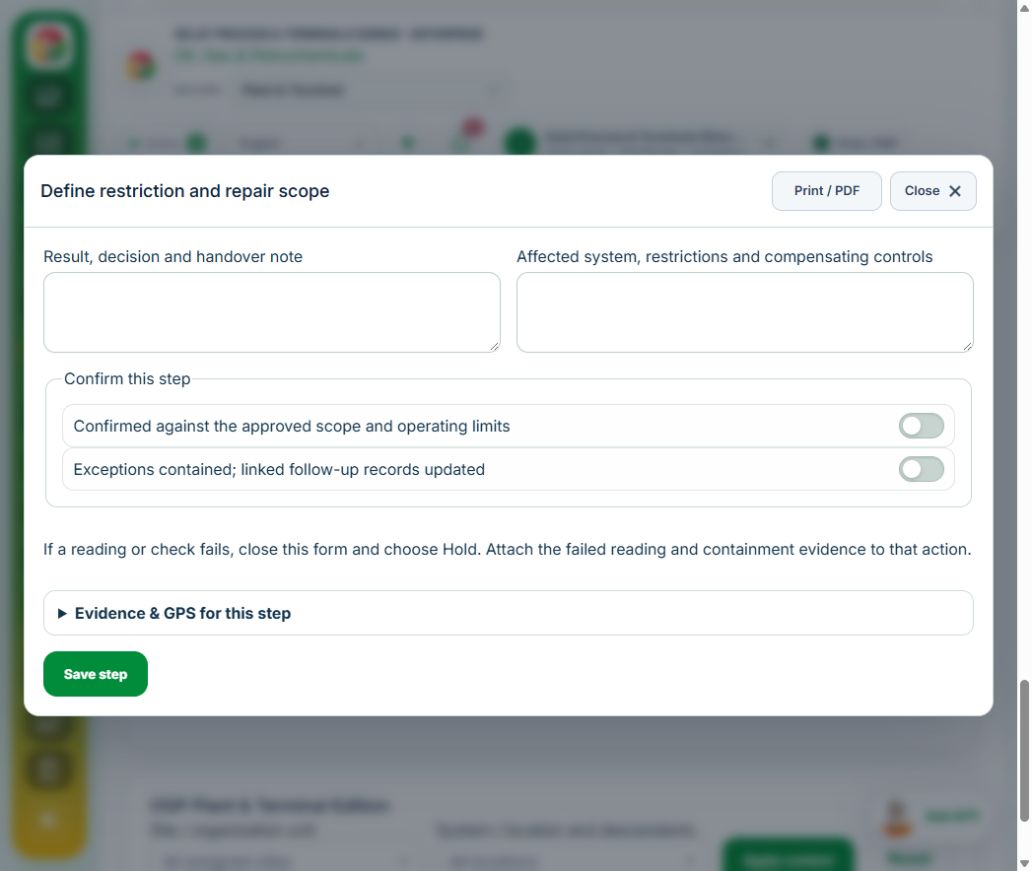
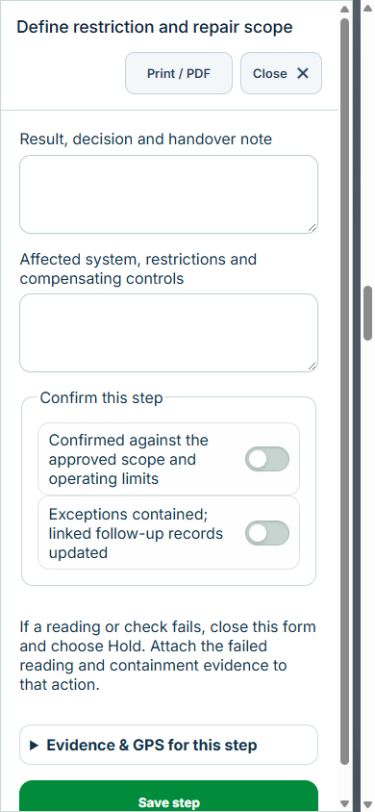
Owner: Define restriction and repair scope. Enter Affected system, restrictions and compensating controls. Complete the required confirmations: Confirmed against the approved scope and operating limits; Exceptions contained; linked follow-up records updated. Link the original equipment assets, work packages.
Independent reviewer: Authorize controlled execution. Enter Approved work and permit basis. Complete the required confirmations: Confirmed against the approved scope and operating limits; Exceptions contained; linked follow-up records updated. Link the original ptw permits.
Owner: Record repair / test results. Enter Measured tests (Test point, Result, Approved acceptance criterion, Result). Complete the required confirmations: Confirmed against the approved scope and operating limits; Exceptions contained; linked follow-up records updated.
Independent reviewer: Independently verify restoration. Enter Restoration and handover. Complete the required confirmations: Confirmed against the approved scope and operating limits; Exceptions contained; linked follow-up records updated. Requires current independently accepted reviews: integrity.
Independent reviewer: Independent verification & closure. Enter Effectiveness, handover and follow-up review date. Complete the required confirmations: Confirmed against the approved scope and operating limits; Exceptions contained; linked follow-up records updated.
If a check fails: close the step form, choose Hold / quarantine and save the failure, containment evidence and GPS. Correct the source records in the same industry workspace. A different authorized reviewer checks fresh clean recovery evidence before releasing the hold; the owner cannot self-release.
At final sign-off, all required reviews are rechecked. Linked Work Packages, PTW, CAPA and after-hours must be finished, and linked LOTO restoration verified. The independent reviewer closes the operation. Reopen requires that reviewer, a reason and new recovery evidence; earlier readings stay in history.
Use Print / PDF at the operation header or form header for the controlled form, QR and evidence/GPS attachments. Close dismisses a form; it does not close the business record. My Actions and My Deadline use the next permitted role; reminders follow existing in-app, PWA and email preferences.
Desktop · Define restriction and repair scopeMobile · Define restriction and repair scope
34Oil, Gas & PetrochemicalsSafety-critical impairment & restorationCarry out the work with measured results and independent handover.
How to use this section
Manager: select the profile and site, open Operations & handovers → Plan operation, choose Safety-critical impairment & restoration, name the owner and a different authorized reviewer, enter the deadline (UTC), and link saved source records and accepted site reviews.
Owner: open the operation in this workspace. Check its scope and source links; choose Start operation. Add the readings and evidence in the step form, using Add row for each additional observation or person. GPS is recorded with the action when captured.
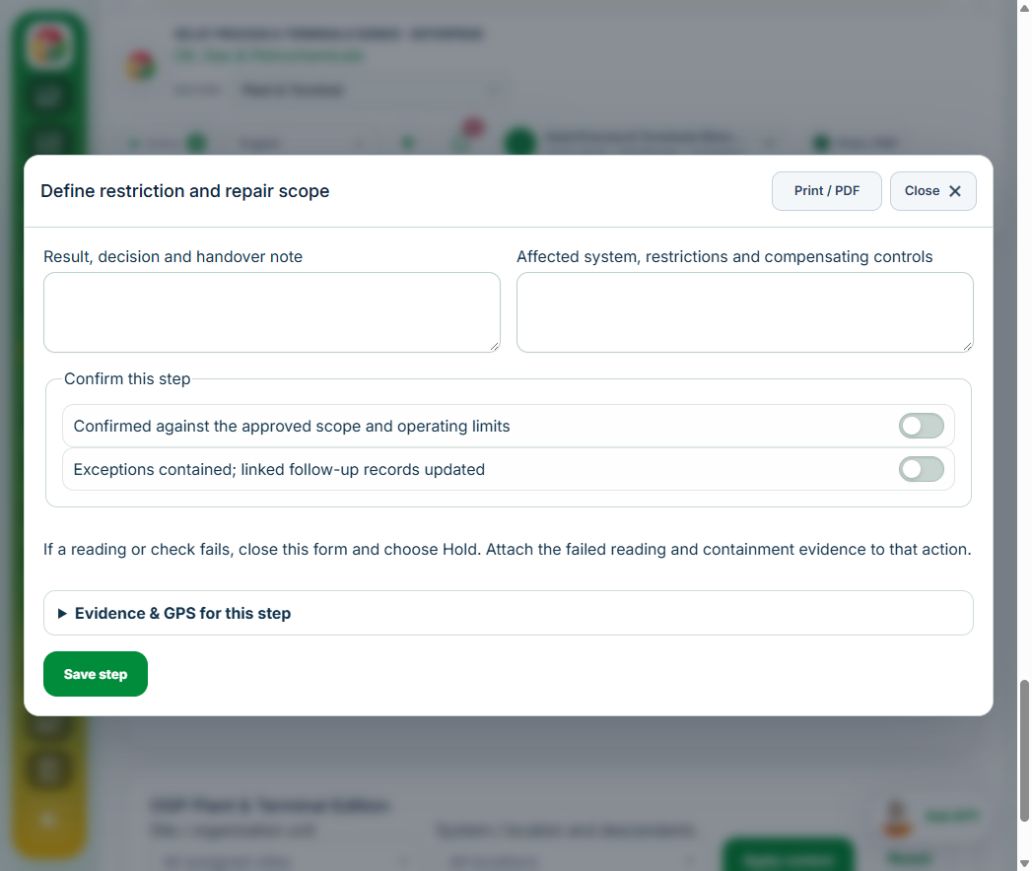
Owner: Define restriction and repair scope. Enter Affected system, restrictions and compensating controls. Complete the required confirmations: Confirmed against the approved scope and operating limits; Exceptions contained; linked follow-up records updated. Link the original equipment assets, work packages.
Independent reviewer: Authorize controlled execution. Enter Approved work and permit basis. Complete the required confirmations: Confirmed against the approved scope and operating limits; Exceptions contained; linked follow-up records updated. Link the original ptw permits.
Owner: Record repair / test results. Enter Measured tests (Test point, Result, Approved acceptance criterion, Result). Complete the required confirmations: Confirmed against the approved scope and operating limits; Exceptions contained; linked follow-up records updated.
Independent reviewer: Independently verify restoration. Enter Restoration and handover. Complete the required confirmations: Confirmed against the approved scope and operating limits; Exceptions contained; linked follow-up records updated. Requires current independently accepted reviews: impairment.
Independent reviewer: Independent verification & closure. Enter Effectiveness, handover and follow-up review date. Complete the required confirmations: Confirmed against the approved scope and operating limits; Exceptions contained; linked follow-up records updated.
If a check fails: close the step form, choose Hold / quarantine and save the failure, containment evidence and GPS. Correct the source records in the same industry workspace. A different authorized reviewer checks fresh clean recovery evidence before releasing the hold; the owner cannot self-release.
At final sign-off, all required reviews are rechecked. Linked Work Packages, PTW, CAPA and after-hours must be finished, and linked LOTO restoration verified. The independent reviewer closes the operation. Reopen requires that reviewer, a reason and new recovery evidence; earlier readings stay in history.
Use Print / PDF at the operation header or form header for the controlled form, QR and evidence/GPS attachments. Close dismisses a form; it does not close the business record. My Actions and My Deadline use the next permitted role; reminders follow existing in-app, PWA and email preferences.
Desktop · Define restriction and repair scopeMobile · Define restriction and repair scope
35Oil, Gas & PetrochemicalsShutdown, turnaround & startupCarry out the work with measured results and independent handover.
How to use this section
Manager: select the profile and site, open Operations & handovers → Plan operation, choose Shutdown, turnaround & startup, name the owner and a different authorized reviewer, enter the deadline (UTC), and link saved source records and accepted site reviews.
Owner: open the operation in this workspace. Check its scope and source links; choose Start operation. Add the readings and evidence in the step form, using Add row for each additional observation or person. GPS is recorded with the action when captured.
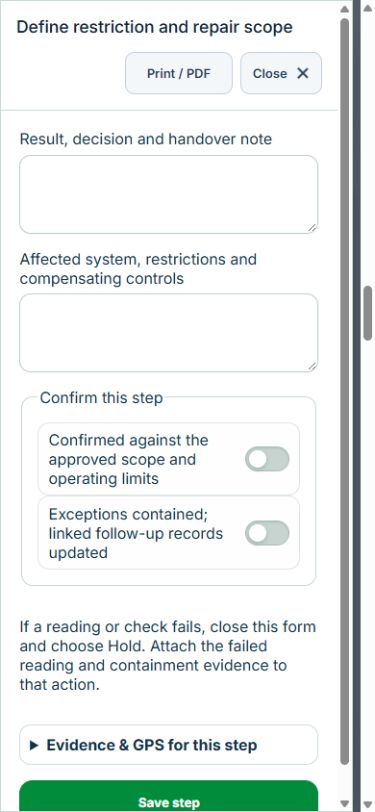
Owner: Define restriction and repair scope. Enter Affected system, restrictions and compensating controls. Complete the required confirmations: Confirmed against the approved scope and operating limits; Exceptions contained; linked follow-up records updated. Link the original equipment assets, work packages.
Independent reviewer: Authorize controlled execution. Enter Approved work and permit basis. Complete the required confirmations: Confirmed against the approved scope and operating limits; Exceptions contained; linked follow-up records updated. Link the original ptw permits.
Owner: Record repair / test results. Enter Measured tests (Test point, Result, Approved acceptance criterion, Result). Complete the required confirmations: Confirmed against the approved scope and operating limits; Exceptions contained; linked follow-up records updated.
Independent reviewer: Independently verify restoration. Enter Restoration and handover. Complete the required confirmations: Confirmed against the approved scope and operating limits; Exceptions contained; linked follow-up records updated. Requires current independently accepted reviews: startup.
Independent reviewer: Independent verification & closure. Enter Effectiveness, handover and follow-up review date. Complete the required confirmations: Confirmed against the approved scope and operating limits; Exceptions contained; linked follow-up records updated.
If a check fails: close the step form, choose Hold / quarantine and save the failure, containment evidence and GPS. Correct the source records in the same industry workspace. A different authorized reviewer checks fresh clean recovery evidence before releasing the hold; the owner cannot self-release.
At final sign-off, all required reviews are rechecked. Linked Work Packages, PTW, CAPA and after-hours must be finished, and linked LOTO restoration verified. The independent reviewer closes the operation. Reopen requires that reviewer, a reason and new recovery evidence; earlier readings stay in history.
Use Print / PDF at the operation header or form header for the controlled form, QR and evidence/GPS attachments. Close dismisses a form; it does not close the business record. My Actions and My Deadline use the next permitted role; reminders follow existing in-app, PWA and email preferences.
Desktop · Define restriction and repair scopeMobile · Define restriction and repair scope
36Oil, Gas & PetrochemicalsHAZOP / LOPA study actionsCarry out the work with measured results and independent handover.
How to use this section
Manager: select the profile and site, open Operations & handovers → Plan operation, choose HAZOP / LOPA study actions, name the owner and a different authorized reviewer, enter the deadline (UTC), and link saved source records and accepted site reviews.
Owner: open the operation in this workspace. Check its scope and source links; choose Start operation. Add the readings and evidence in the step form, using Add row for each additional observation or person. GPS is recorded with the action when captured.
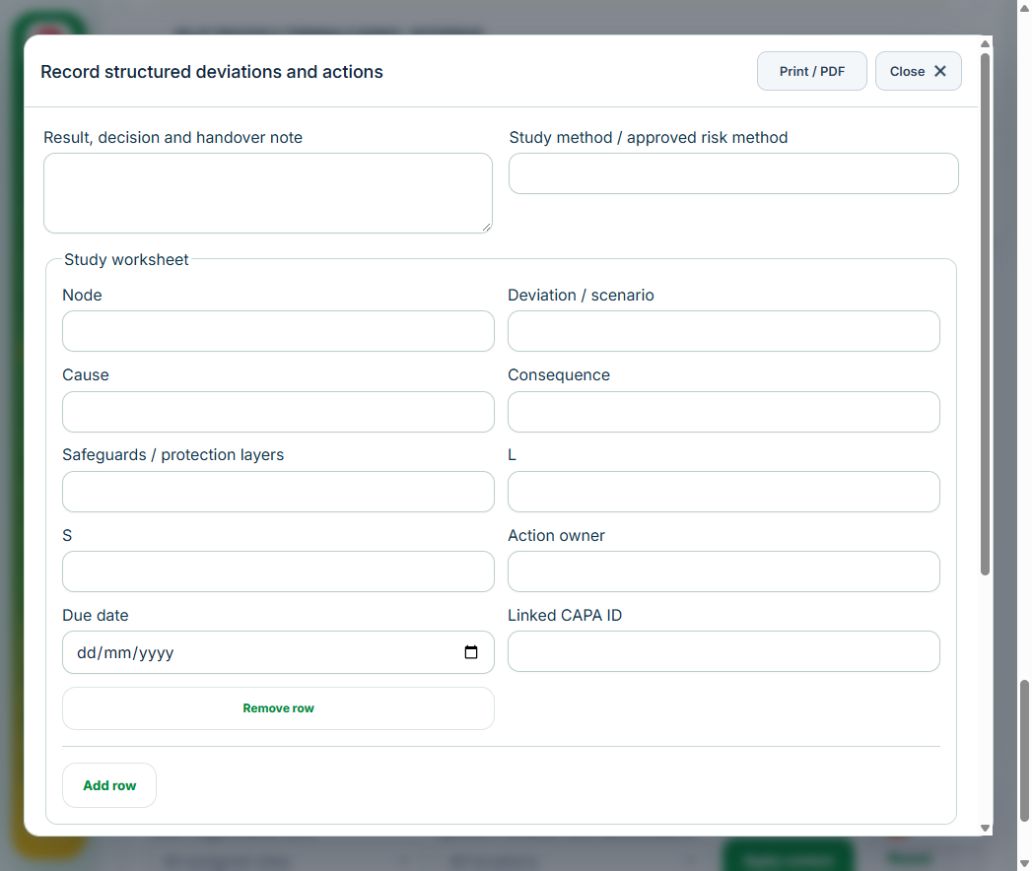
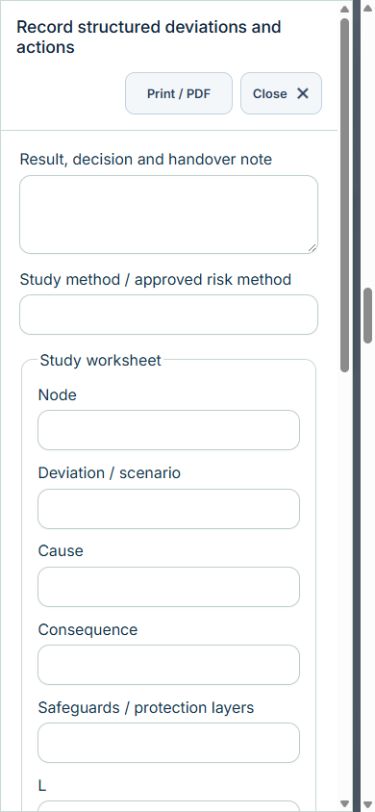
Owner: Record structured deviations and actions. Enter Study method / approved risk method; Study worksheet (Node, Deviation / scenario, Cause, Consequence, Safeguards / protection layers, L, S, Action owner, Due date, Linked CAPA ID). Complete the required confirmations: Confirmed against the approved scope and operating limits; Exceptions contained; linked follow-up records updated. Link the original hirarc assessments, capa actions.
Owner: Track recommendations to source CAPA. Enter Implementation and independent effectiveness basis. Complete the required confirmations: Confirmed against the approved scope and operating limits; Exceptions contained; linked follow-up records updated. Requires current independently accepted reviews: process study.
Independent reviewer: Independent verification & closure. Enter Effectiveness, handover and follow-up review date. Complete the required confirmations: Confirmed against the approved scope and operating limits; Exceptions contained; linked follow-up records updated.
If a check fails: close the step form, choose Hold / quarantine and save the failure, containment evidence and GPS. Correct the source records in the same industry workspace. A different authorized reviewer checks fresh clean recovery evidence before releasing the hold; the owner cannot self-release.
At final sign-off, all required reviews are rechecked. Linked Work Packages, PTW, CAPA and after-hours must be finished, and linked LOTO restoration verified. The independent reviewer closes the operation. Reopen requires that reviewer, a reason and new recovery evidence; earlier readings stay in history.
Use Print / PDF at the operation header or form header for the controlled form, QR and evidence/GPS attachments. Close dismisses a form; it does not close the business record. My Actions and My Deadline use the next permitted role; reminders follow existing in-app, PWA and email preferences.
Desktop · Record structured deviations and actionsMobile · Record structured deviations and actions
37Oil, Gas & PetrochemicalsThickness, corrosion & integrity reviewCarry out the work with measured results and independent handover.
How to use this section
Manager: select the profile and site, open Operations & handovers → Plan operation, choose Thickness, corrosion & integrity review, name the owner and a different authorized reviewer, enter the deadline (UTC), and link saved source records and accepted site reviews.
Owner: open the operation in this workspace. Check its scope and source links; choose Start operation. Add the readings and evidence in the step form, using Add row for each additional observation or person. GPS is recorded with the action when captured.
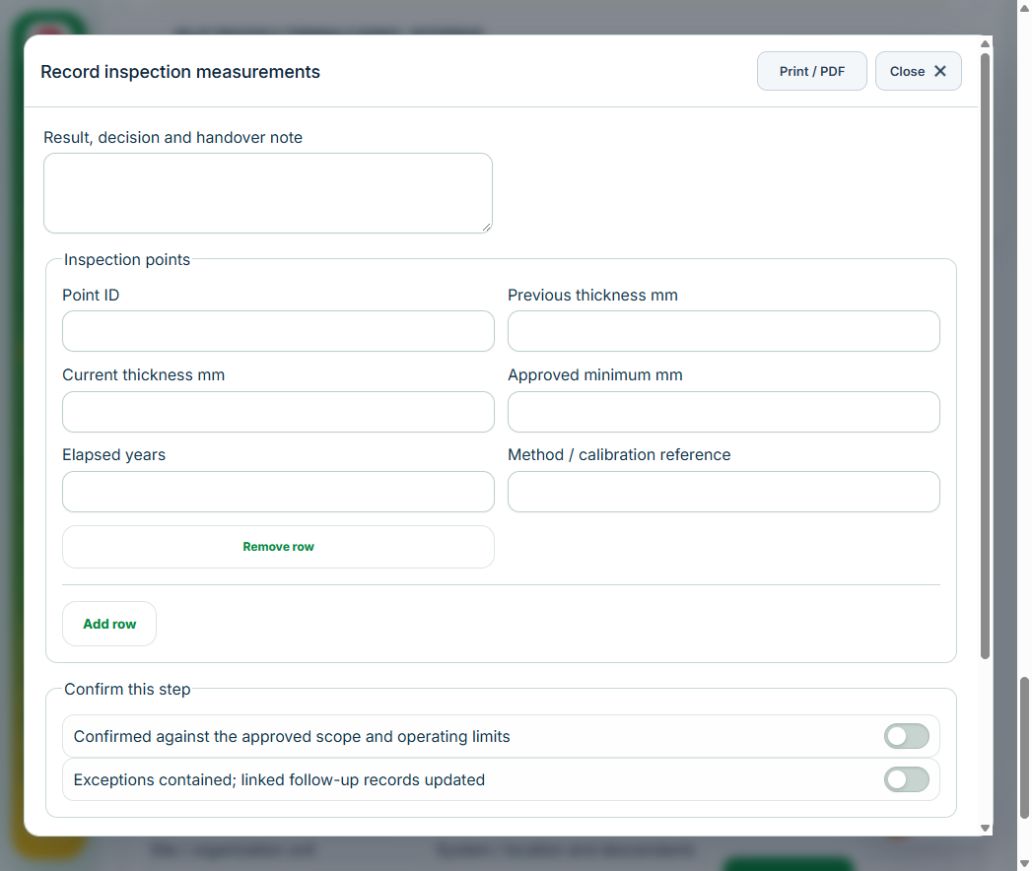
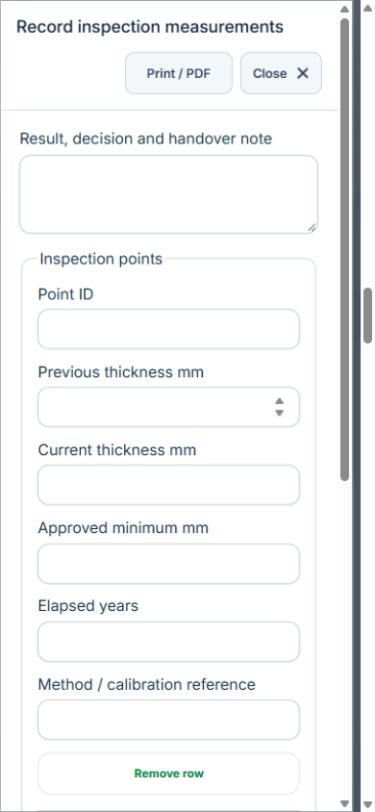
Owner: Record inspection measurements. Enter Inspection points (Point ID, Previous thickness mm, Current thickness mm, Approved minimum mm, Elapsed years, Method / calibration reference). Complete the required confirmations: Confirmed against the approved scope and operating limits; Exceptions contained; linked follow-up records updated. Link the original equipment assets.
Independent reviewer: Review fitness and inspection interval. Enter Specialist assessment and next inspection date. Complete the required confirmations: Confirmed against the approved scope and operating limits; Exceptions contained; linked follow-up records updated. Requires current independently accepted reviews: integrity.
Independent reviewer: Independent verification & closure. Enter Effectiveness, handover and follow-up review date. Complete the required confirmations: Confirmed against the approved scope and operating limits; Exceptions contained; linked follow-up records updated.
If a check fails: close the step form, choose Hold / quarantine and save the failure, containment evidence and GPS. Correct the source records in the same industry workspace. A different authorized reviewer checks fresh clean recovery evidence before releasing the hold; the owner cannot self-release.
At final sign-off, all required reviews are rechecked. Linked Work Packages, PTW, CAPA and after-hours must be finished, and linked LOTO restoration verified. The independent reviewer closes the operation. Reopen requires that reviewer, a reason and new recovery evidence; earlier readings stay in history.
Use Print / PDF at the operation header or form header for the controlled form, QR and evidence/GPS attachments. Close dismisses a form; it does not close the business record. My Actions and My Deadline use the next permitted role; reminders follow existing in-app, PWA and email preferences.
Desktop · Record inspection measurementsMobile · Record inspection measurements
38Oil, Gas & PetrochemicalsMarine movement & manifestCarry out the work with measured results and independent handover.
How to use this section
Manager: select the profile and site, open Operations & handovers → Plan operation, choose Marine movement & manifest, name the owner and a different authorized reviewer, enter the deadline (UTC), and link saved source records and accepted site reviews.
Owner: open the operation in this workspace. Check its scope and source links; choose Start operation. Add the readings and evidence in the step form, using Add row for each additional observation or person. GPS is recorded with the action when captured.
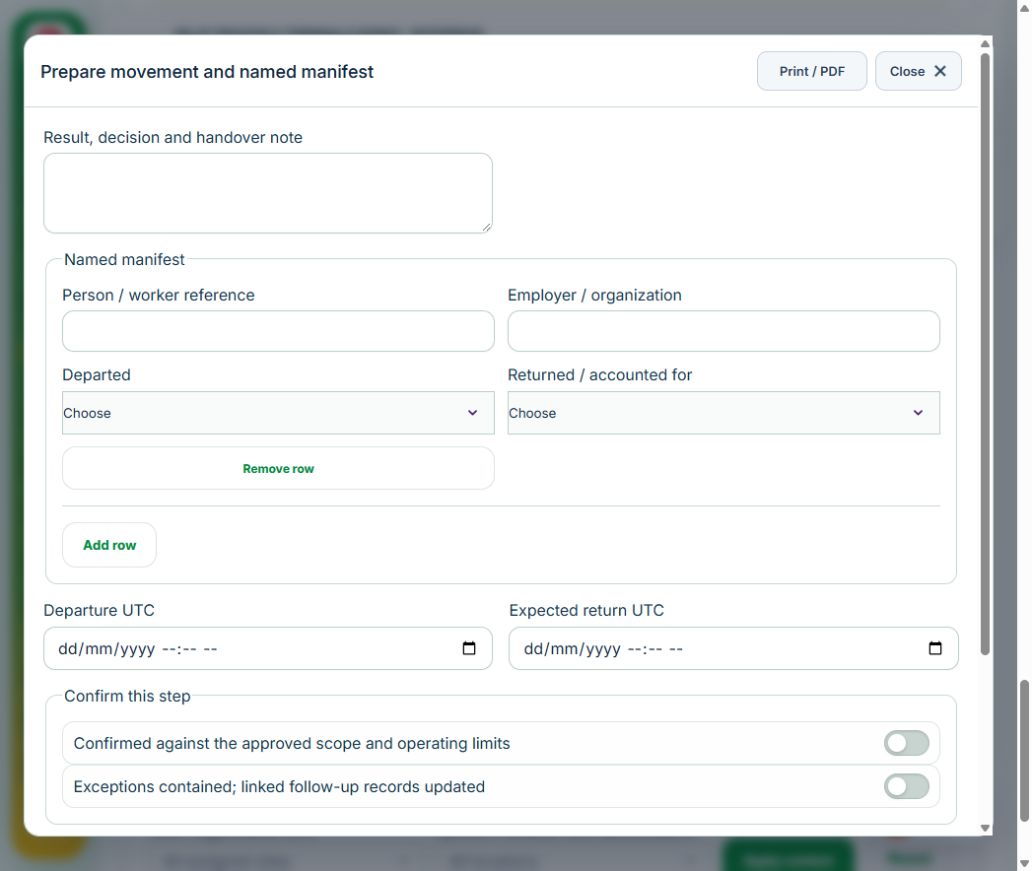
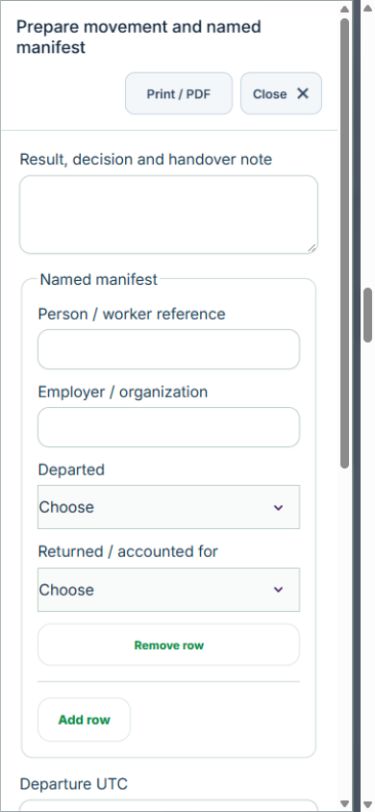
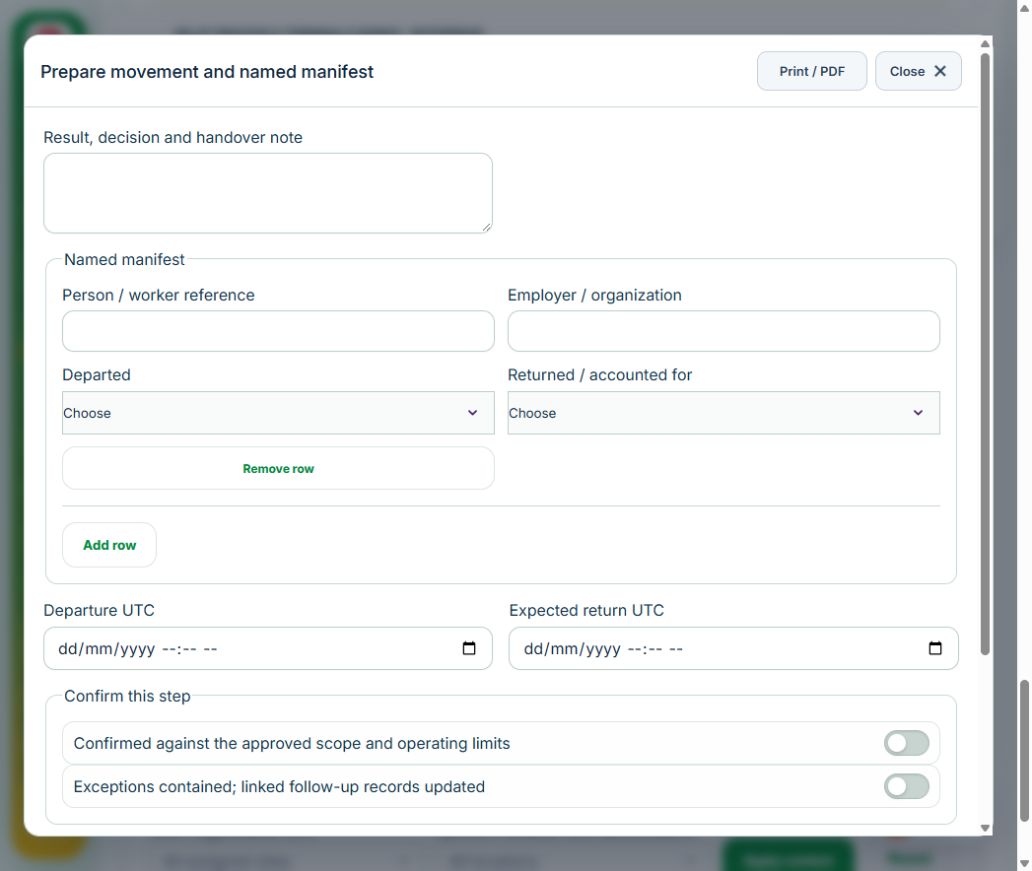
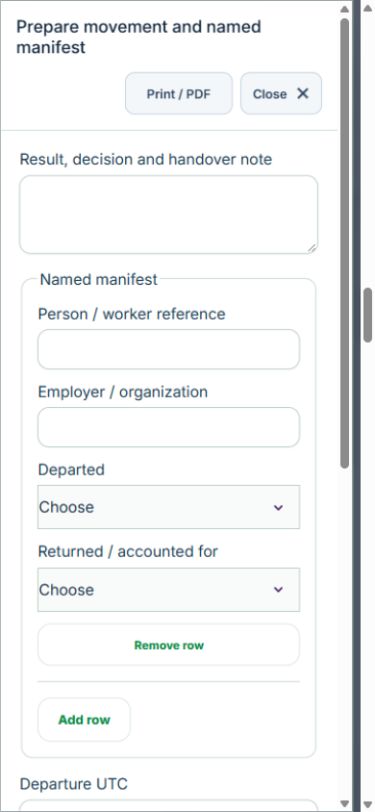
Owner: Prepare movement and named manifest. Enter Named manifest (Person / worker reference, Employer / organization, Departed, Returned / accounted for); Departure UTC; Expected return UTC. Complete the required confirmations: Confirmed against the approved scope and operating limits; Exceptions contained; linked follow-up records updated. Requires current independently accepted reviews: marine.
Owner: Record departure and check-in. Enter Position, time and contact confirmation. Complete the required confirmations: Confirmed against the approved scope and operating limits; Exceptions contained; linked follow-up records updated. Requires current independently accepted reviews: marine.
Owner: Reconcile everyone at destination. Enter Named manifest (Person / worker reference, Employer / organization, Departed, Returned / accounted for). Complete the required confirmations: Confirmed against the approved scope and operating limits; Exceptions contained; linked follow-up records updated.
Independent reviewer: Independent verification & closure. Enter Effectiveness, handover and follow-up review date. Complete the required confirmations: Confirmed against the approved scope and operating limits; Exceptions contained; linked follow-up records updated.
If a check fails: close the step form, choose Hold / quarantine and save the failure, containment evidence and GPS. Correct the source records in the same industry workspace. A different authorized reviewer checks fresh clean recovery evidence before releasing the hold; the owner cannot self-release.
At final sign-off, all required reviews are rechecked. Linked Work Packages, PTW, CAPA and after-hours must be finished, and linked LOTO restoration verified. The independent reviewer closes the operation. Reopen requires that reviewer, a reason and new recovery evidence; earlier readings stay in history.
Use Print / PDF at the operation header or form header for the controlled form, QR and evidence/GPS attachments. Close dismisses a form; it does not close the business record. My Actions and My Deadline use the next permitted role; reminders follow existing in-app, PWA and email preferences.
Desktop · Prepare movement and named manifestMobile · Prepare movement and named manifest
39Oil, Gas & PetrochemicalsAviation movement & manifestCarry out the work with measured results and independent handover.
How to use this section
Manager: select the profile and site, open Operations & handovers → Plan operation, choose Aviation movement & manifest, name the owner and a different authorized reviewer, enter the deadline (UTC), and link saved source records and accepted site reviews.
Owner: open the operation in this workspace. Check its scope and source links; choose Start operation. Add the readings and evidence in the step form, using Add row for each additional observation or person. GPS is recorded with the action when captured.
Owner: Prepare movement and named manifest. Enter Named manifest (Person / worker reference, Employer / organization, Departed, Returned / accounted for); Departure UTC; Expected return UTC. Complete the required confirmations: Confirmed against the approved scope and operating limits; Exceptions contained; linked follow-up records updated. Requires current independently accepted reviews: aviation.
Owner: Record departure and check-in. Enter Position, time and contact confirmation. Complete the required confirmations: Confirmed against the approved scope and operating limits; Exceptions contained; linked follow-up records updated. Requires current independently accepted reviews: aviation.
Owner: Reconcile everyone at destination. Enter Named manifest (Person / worker reference, Employer / organization, Departed, Returned / accounted for). Complete the required confirmations: Confirmed against the approved scope and operating limits; Exceptions contained; linked follow-up records updated.
Independent reviewer: Independent verification & closure. Enter Effectiveness, handover and follow-up review date. Complete the required confirmations: Confirmed against the approved scope and operating limits; Exceptions contained; linked follow-up records updated.
If a check fails: close the step form, choose Hold / quarantine and save the failure, containment evidence and GPS. Correct the source records in the same industry workspace. A different authorized reviewer checks fresh clean recovery evidence before releasing the hold; the owner cannot self-release.
At final sign-off, all required reviews are rechecked. Linked Work Packages, PTW, CAPA and after-hours must be finished, and linked LOTO restoration verified. The independent reviewer closes the operation. Reopen requires that reviewer, a reason and new recovery evidence; earlier readings stay in history.
Use Print / PDF at the operation header or form header for the controlled form, QR and evidence/GPS attachments. Close dismisses a form; it does not close the business record. My Actions and My Deadline use the next permitted role; reminders follow existing in-app, PWA and email preferences.
Desktop · Prepare movement and named manifestMobile · Prepare movement and named manifest
40Oil, Gas & PetrochemicalsWell operation & barrier handoverCarry out the work with measured results and independent handover.
How to use this section
Manager: select the profile and site, open Operations & handovers → Plan operation, choose Well operation & barrier handover, name the owner and a different authorized reviewer, enter the deadline (UTC), and link saved source records and accepted site reviews.
Owner: open the operation in this workspace. Check its scope and source links; choose Start operation. Add the readings and evidence in the step form, using Add row for each additional observation or person. GPS is recorded with the action when captured.
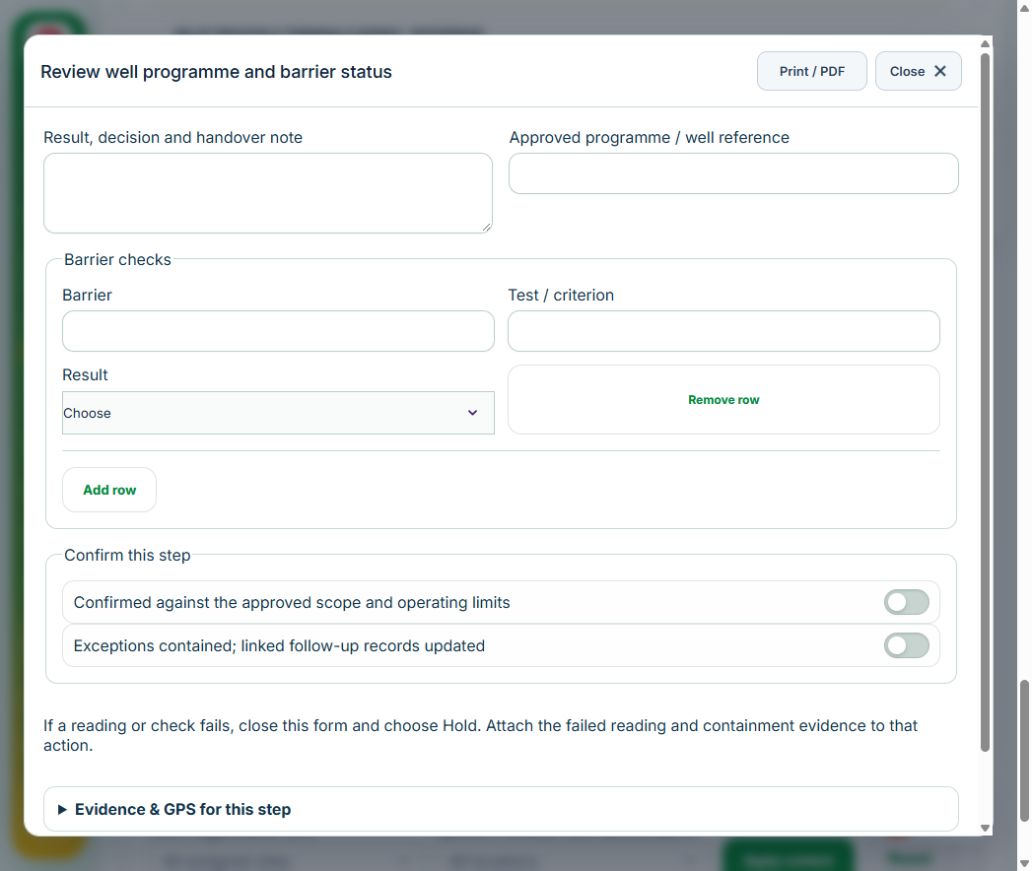
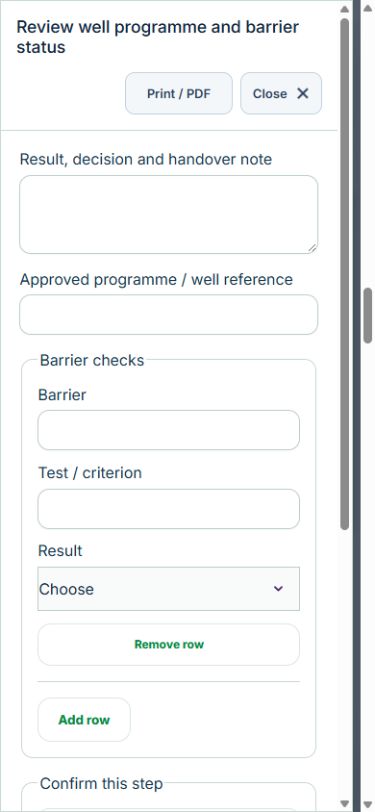
Owner: Review well programme and barrier status. Enter Approved programme / well reference; Barrier checks (Barrier, Test / criterion, Result). Complete the required confirmations: Confirmed against the approved scope and operating limits; Exceptions contained; linked follow-up records updated. Requires current independently accepted reviews: well.
Owner: Record operating envelope and deviations. Enter Operating parameters, deviations and handover. Complete the required confirmations: Confirmed against the approved scope and operating limits; Exceptions contained; linked follow-up records updated. Requires current independently accepted reviews: well.
Independent reviewer: Independent verification & closure. Enter Effectiveness, handover and follow-up review date. Complete the required confirmations: Confirmed against the approved scope and operating limits; Exceptions contained; linked follow-up records updated.
If a check fails: close the step form, choose Hold / quarantine and save the failure, containment evidence and GPS. Correct the source records in the same industry workspace. A different authorized reviewer checks fresh clean recovery evidence before releasing the hold; the owner cannot self-release.
At final sign-off, all required reviews are rechecked. Linked Work Packages, PTW, CAPA and after-hours must be finished, and linked LOTO restoration verified. The independent reviewer closes the operation. Reopen requires that reviewer, a reason and new recovery evidence; earlier readings stay in history.
Use Print / PDF at the operation header or form header for the controlled form, QR and evidence/GPS attachments. Close dismisses a form; it does not close the business record. My Actions and My Deadline use the next permitted role; reminders follow existing in-app, PWA and email preferences.
Desktop · Review well programme and barrier statusMobile · Review well programme and barrier status
41Oil, Gas & PetrochemicalsContractor workforce mobilisationCarry out the work with measured results and independent handover.
How to use this section
Manager: select the profile and site, open Operations & handovers → Plan operation, choose Contractor workforce mobilisation, name the owner and a different authorized reviewer, enter the deadline (UTC), and link saved source records and accepted site reviews.
Owner: open the operation in this workspace. Check its scope and source links; choose Start operation. Add the readings and evidence in the step form, using Add row for each additional observation or person. GPS is recorded with the action when captured.
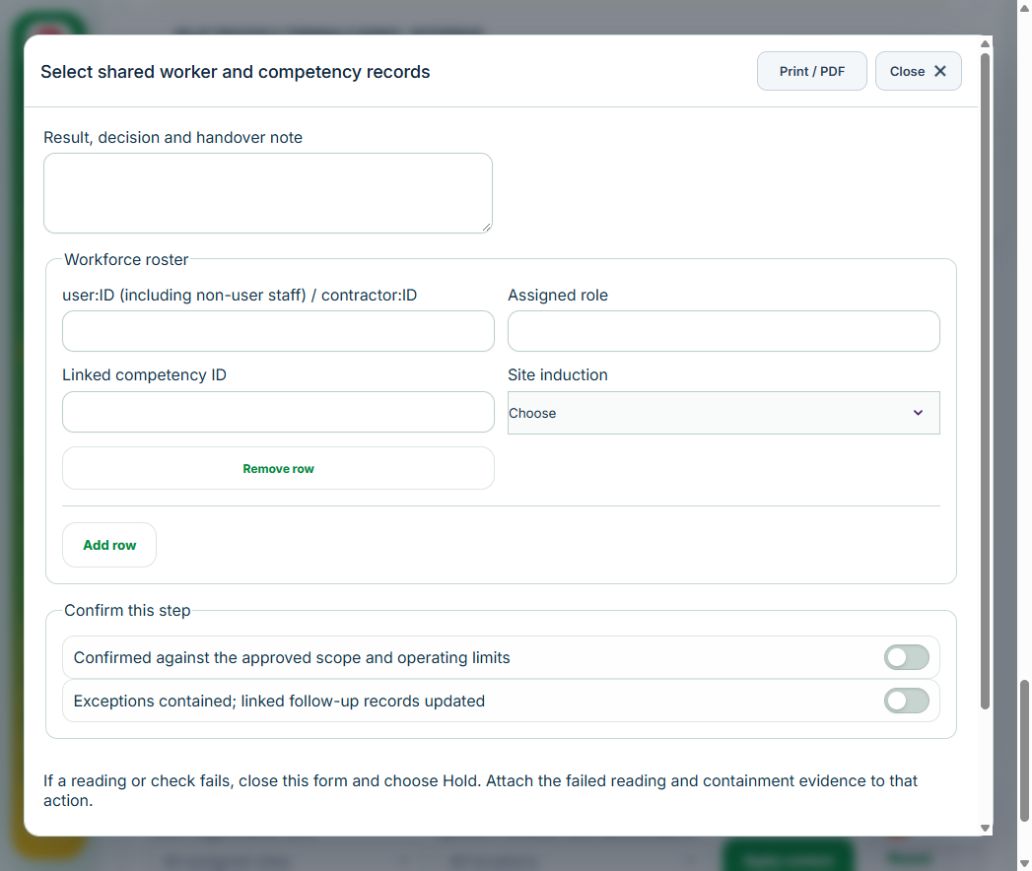
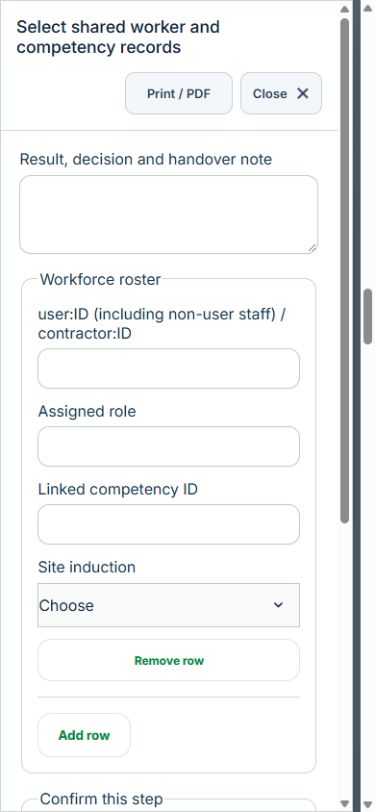
Owner: Select shared worker and competency records. Enter Workforce roster (user:ID (including non-user staff) / contractor:ID, Assigned role, Linked competency ID, Site induction). Complete the required confirmations: Confirmed against the approved scope and operating limits; Exceptions contained; linked follow-up records updated.
Independent reviewer: Independently release workforce. Enter Role, induction, fitness restrictions and authorized work scope. Complete the required confirmations: Confirmed against the approved scope and operating limits; Exceptions contained; linked follow-up records updated. Requires current independently accepted reviews: mobilisation.
Independent reviewer: Independent verification & closure. Enter Effectiveness, handover and follow-up review date. Complete the required confirmations: Confirmed against the approved scope and operating limits; Exceptions contained; linked follow-up records updated.
If a check fails: close the step form, choose Hold / quarantine and save the failure, containment evidence and GPS. Correct the source records in the same industry workspace. A different authorized reviewer checks fresh clean recovery evidence before releasing the hold; the owner cannot self-release.
At final sign-off, all required reviews are rechecked. Linked Work Packages, PTW, CAPA and after-hours must be finished, and linked LOTO restoration verified. The independent reviewer closes the operation. Reopen requires that reviewer, a reason and new recovery evidence; earlier readings stay in history.
Use Print / PDF at the operation header or form header for the controlled form, QR and evidence/GPS attachments. Close dismisses a form; it does not close the business record. My Actions and My Deadline use the next permitted role; reminders follow existing in-app, PWA and email preferences.
Desktop · Select shared worker and competency recordsMobile · Select shared worker and competency records
42Oil, Gas & PetrochemicalsEmissions activity ledger & assuranceCarry out the work with measured results and independent handover.
How to use this section
Manager: select the profile and site, open Operations & handovers → Plan operation, choose Emissions activity ledger & assurance, name the owner and a different authorized reviewer, enter the deadline (UTC), and link saved source records and accepted site reviews.
Owner: open the operation in this workspace. Check its scope and source links; choose Start operation. Add the readings and evidence in the step form, using Add row for each additional observation or person. GPS is recorded with the action when captured.
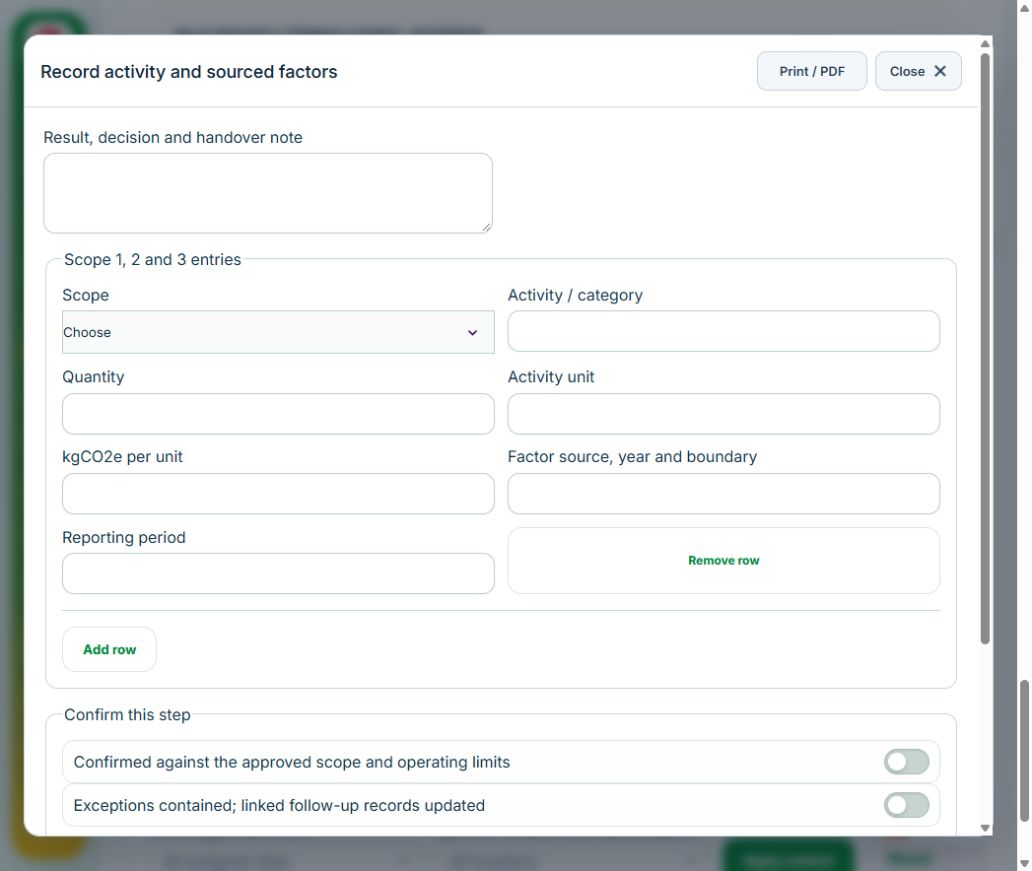
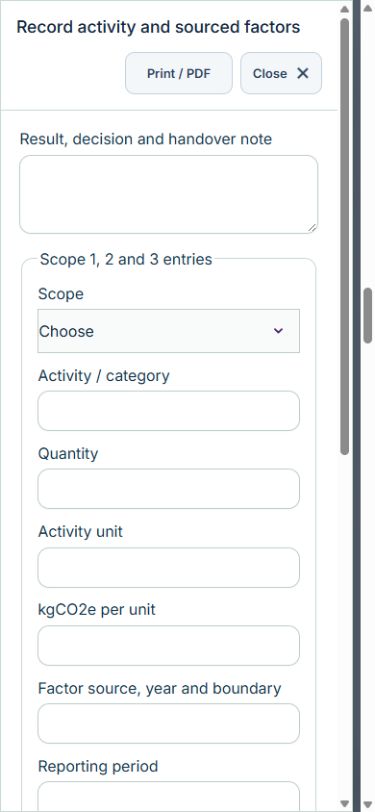
Owner: Record activity and sourced factors. Enter Scope 1, 2 and 3 entries (Scope, Activity / category, Quantity, Activity unit, kgCO2e per unit, Factor source, year and boundary, Reporting period). Complete the required confirmations: Confirmed against the approved scope and operating limits; Exceptions contained; linked follow-up records updated.
Independent reviewer: Review boundaries, units and completeness. Enter Method, exclusions, double-count checks and evidence. Complete the required confirmations: Confirmed against the approved scope and operating limits; Exceptions contained; linked follow-up records updated. Requires current independently accepted reviews: environment.
Independent reviewer: Independent verification & closure. Enter Effectiveness, handover and follow-up review date. Complete the required confirmations: Confirmed against the approved scope and operating limits; Exceptions contained; linked follow-up records updated.
If a check fails: close the step form, choose Hold / quarantine and save the failure, containment evidence and GPS. Correct the source records in the same industry workspace. A different authorized reviewer checks fresh clean recovery evidence before releasing the hold; the owner cannot self-release.
At final sign-off, all required reviews are rechecked. Linked Work Packages, PTW, CAPA and after-hours must be finished, and linked LOTO restoration verified. The independent reviewer closes the operation. Reopen requires that reviewer, a reason and new recovery evidence; earlier readings stay in history.
Use Print / PDF at the operation header or form header for the controlled form, QR and evidence/GPS attachments. Close dismisses a form; it does not close the business record. My Actions and My Deadline use the next permitted role; reminders follow existing in-app, PWA and email preferences.
Desktop · Record activity and sourced factorsMobile · Record activity and sourced factors
43Oil, Gas & PetrochemicalsAssets, certificates, calendar and reportingUse one source record across industry views.
How to use this section
Assets & equipment is a filtered view of Equipment. Use its shared Add, Edit and Detail forms, certificate records and approval workflow.
Certificates & compliance summarizes source certificates and linked legal obligations. Amend the source record instead of entering a duplicate certificate.
All industries use Equipment Certificates & renewals: required types, PIC reminders, draft evidence, independent verification and retained replacement history. Use Maintenance & work controls for internal, contractor or mixed repair work and controlled return to service.
Use Calendar & recurring work to plan due dates. A new cycle creates a fresh draft and requires fresh readiness checks and approval.
Apply the desired scope and filters before exporting CSV or PDF. Open Action Inbox for assigned reviews and follow-up.
 HSE.myUser Guide