Factories, machine safeguards, operator authorization, production and maintenance release.
Search by function, activity, role or workflow action.
Browse by operating domain
Dedicated workspace
Map a maintenance activity to a production line and machine, verify isolation and safeguards, and independently accept return to service.
Use the standard User Guide button in the topbar whenever you need help. All industry instructions are maintained here.
01START HEREYour workflow from setup to closureWho does what, in which order, and how source controls apply.
Set up access and working scope
The organization administrator selects the industry, enables available workspaces and assigns roles with organization-unit scope. Additional workspaces can be disabled from Industry workspaces; the default workspace cannot be disabled. Disabling retains records and history. Package entitlements still control available functions.
Activity workflow
Create the activity with its operating context, location, owner, planned dates and internal, contractor or mixed workforce.
Open Detail, complete the readiness checks, resolve failed checks and attach evidence that passes scanning. Use Work controls to link saved records from the correct organization unit.
Submit for review. A reviewer independent of the creator and owner approves the activity.
Start within the approved date window. Permit-required work also needs a directly linked active PTW within its validity window.
Complete the work, attach completion evidence and request verification. An independent reviewer closes it after directly linked PTW and CAPA are resolved.
Open shared modules without leaving your industry
Open your industry workspace and select the required module from the grouped menu, such as HIRARC, Permit to work, CAPA or Assets & certificates. Resources → Shared services lists the available connections.
The register opens within the industry page. Select Open workspace to review a record and follow its linked Work Package, JSA, permit or other source record in the same industry context.
Use New record, Add, Edit or Renew where available. The original form opens in a modal. Select the correct site and organization unit; registers follow the module’s filters and your authorized scope.
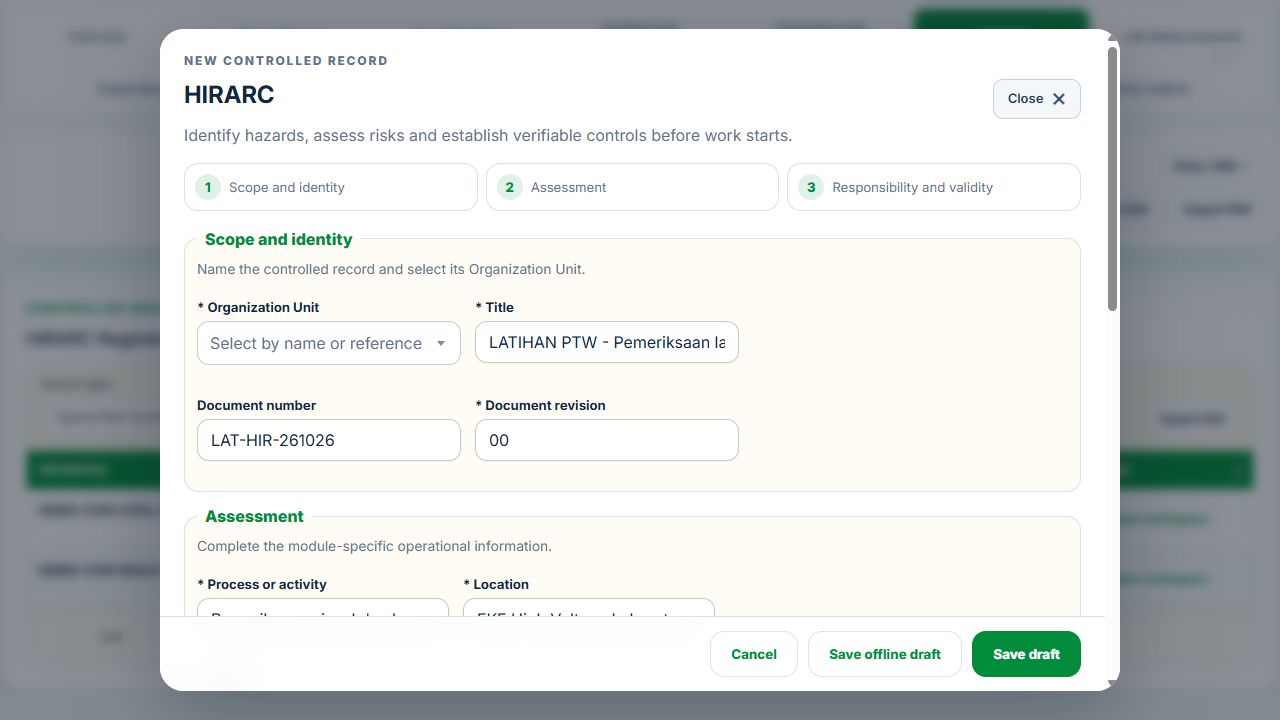
Save or submit through the form’s existing controls. Required evidence, assignment, status and independent approval still apply. Use Close at the upper right to dismiss the form; closing a modal does not close the business record.
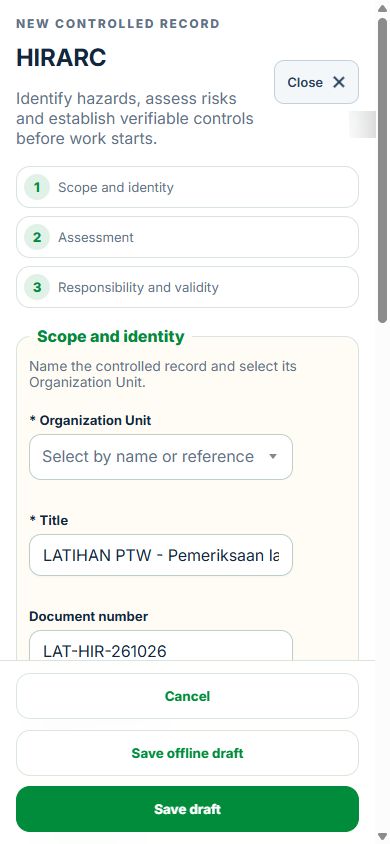
Use the record’s Print / PDF control for its controlled document. Printing and downloads open separately. On mobile the same forms fill the screen, with scrollable content and accessible Close controls.
Desktop · Original HIRARC form and Close controlMobile · Same fields and actions, full-screen form
How linked controls work
Work controls shows the source record, current status, direct links and dependencies reached through a Work Package or PTW. A typed reference does not create a relationship. Activity approval does not approve a Work Package, verify LOTO or activate a permit. Follow each source record's own approval and release workflow; reopen Detail to refresh its status.
Use Add and Edit to open the permitted form. Detail holds evidence, linked records, workflow and history. On mobile, table rows become labeled cards with the same actions.
Manufacturing & Engineering user guide
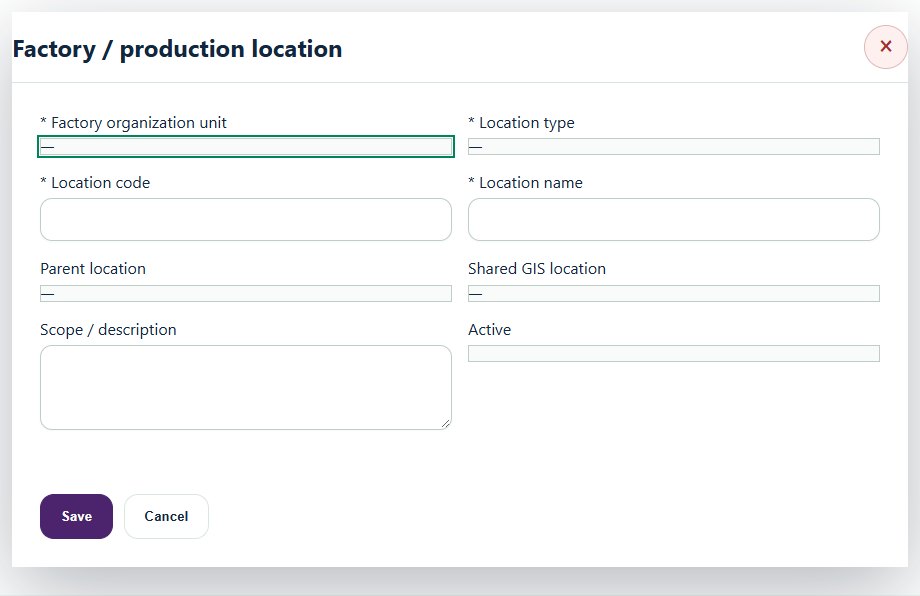
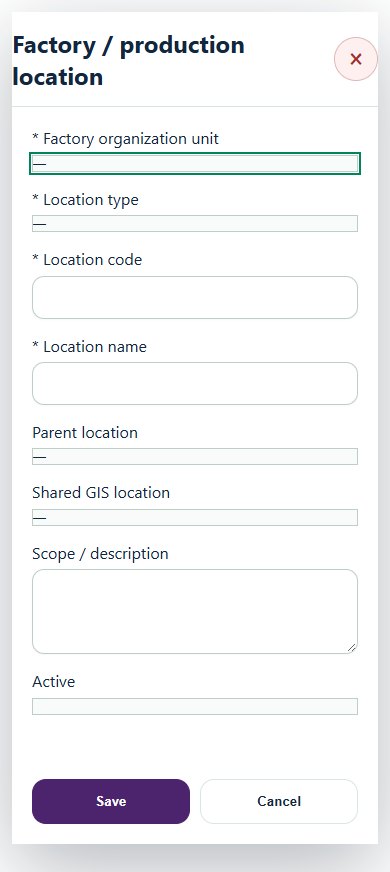
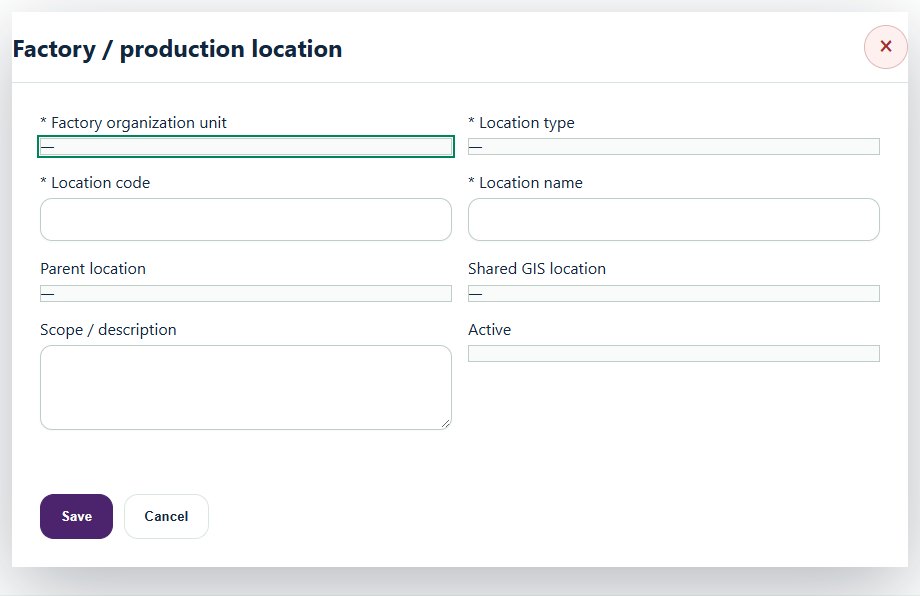
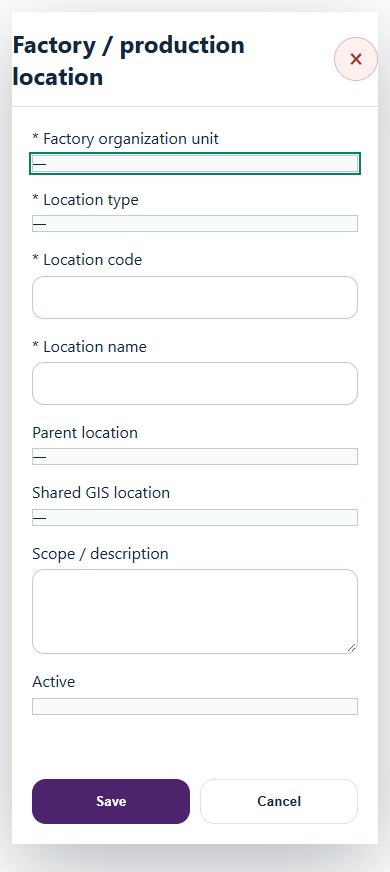
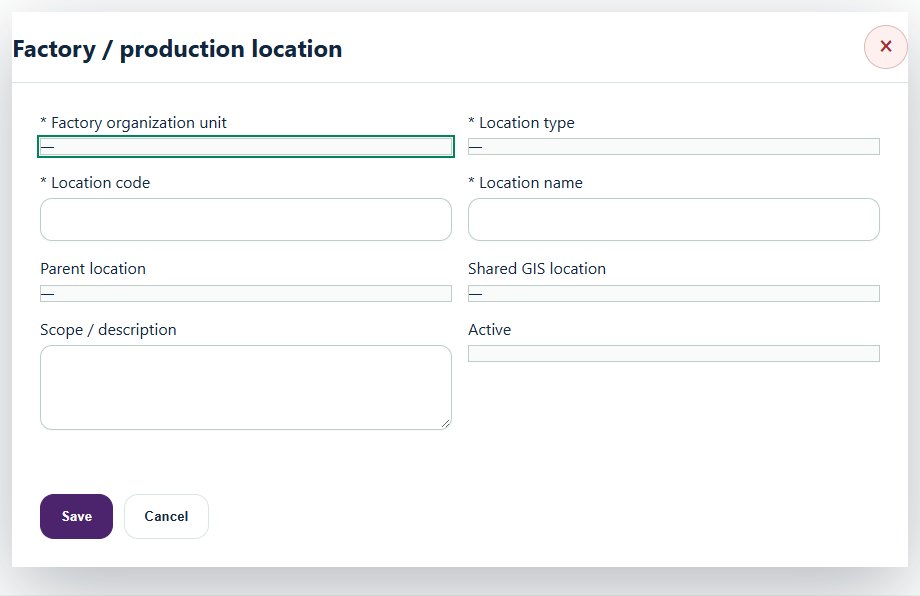
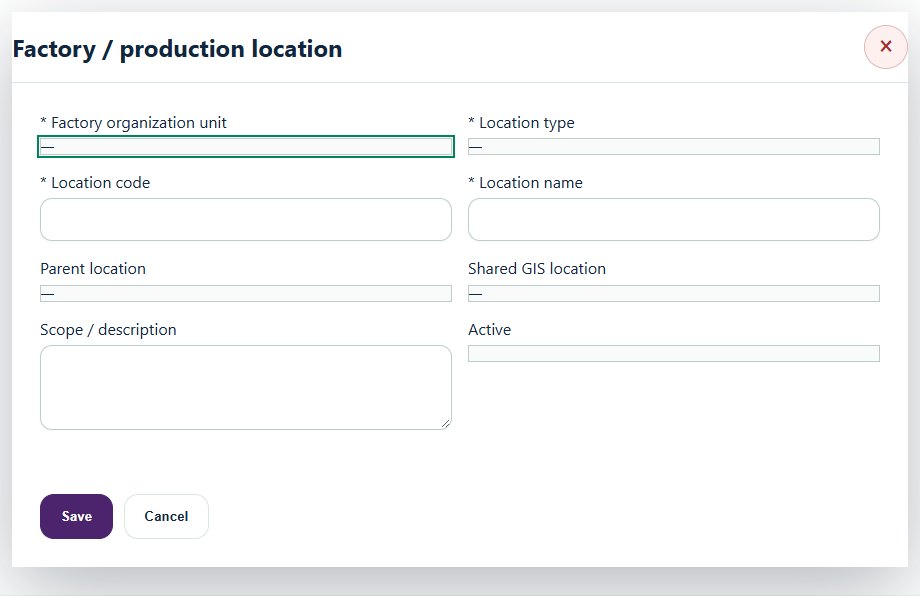
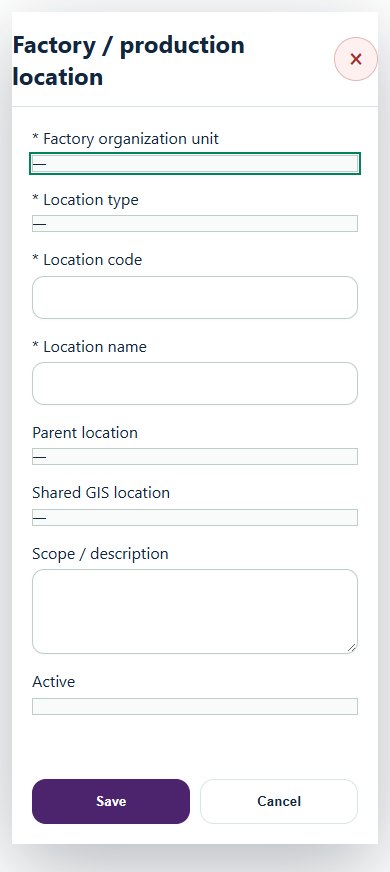
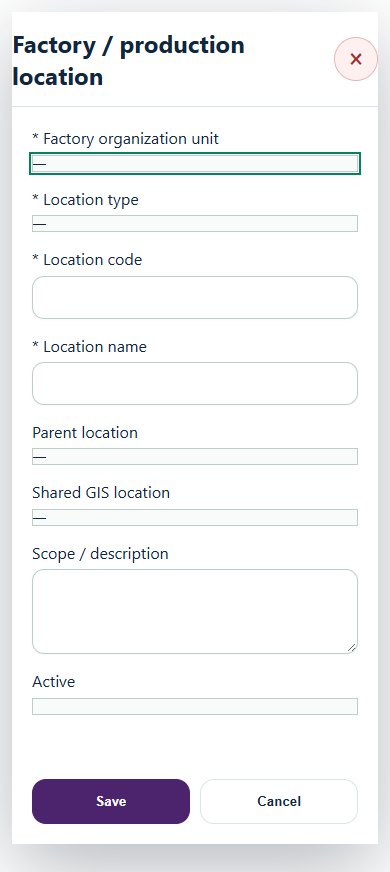
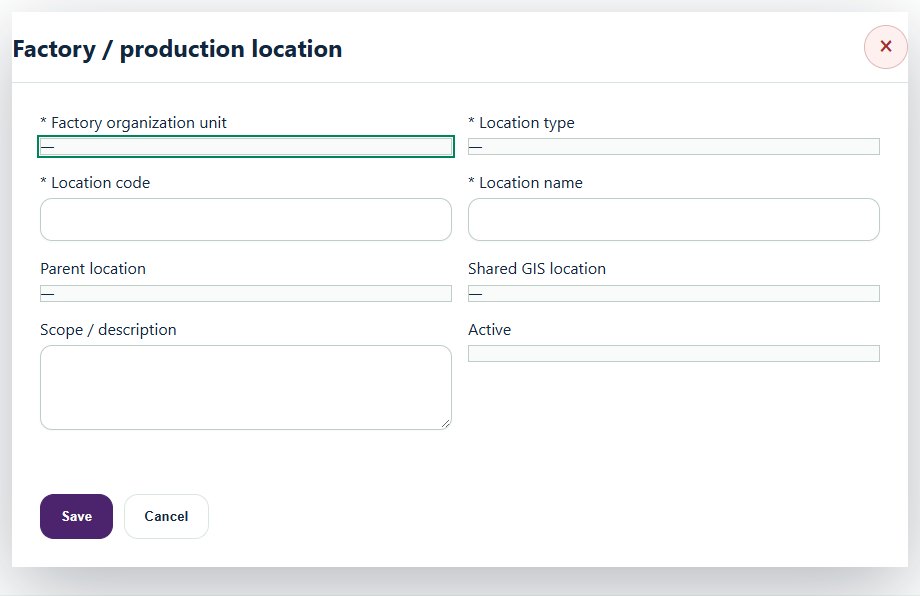
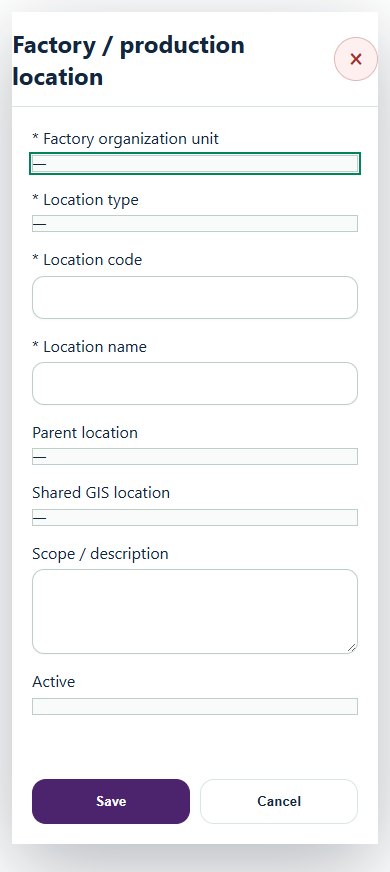
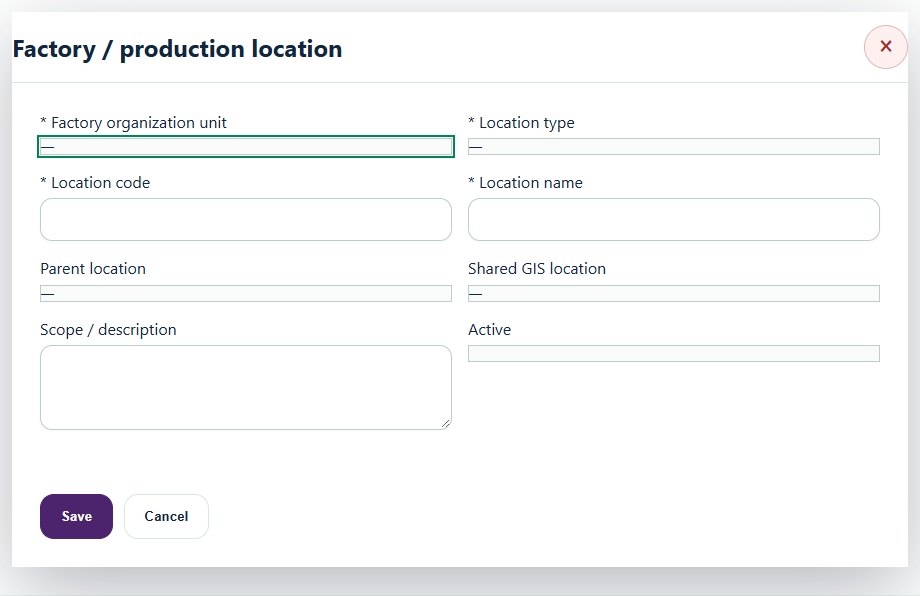
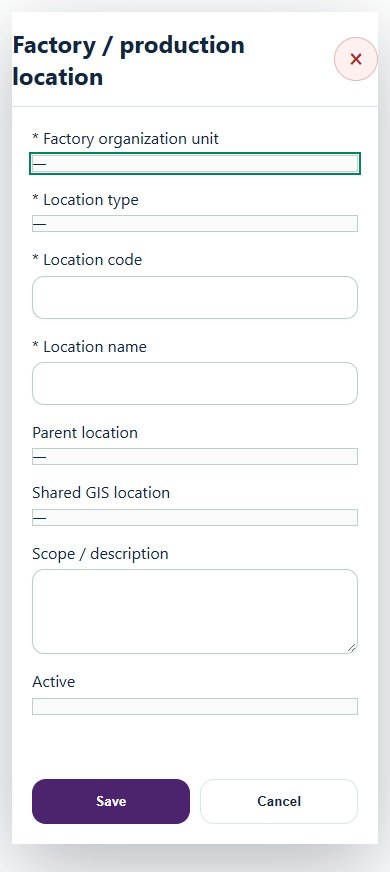
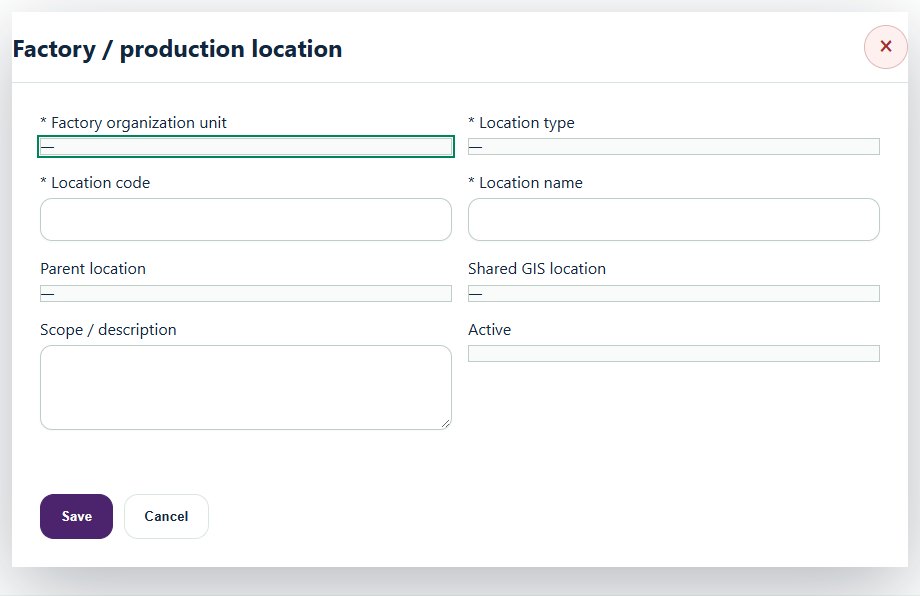
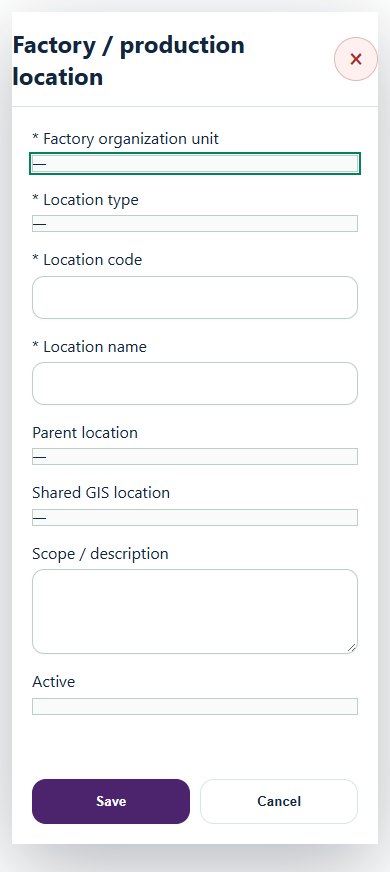
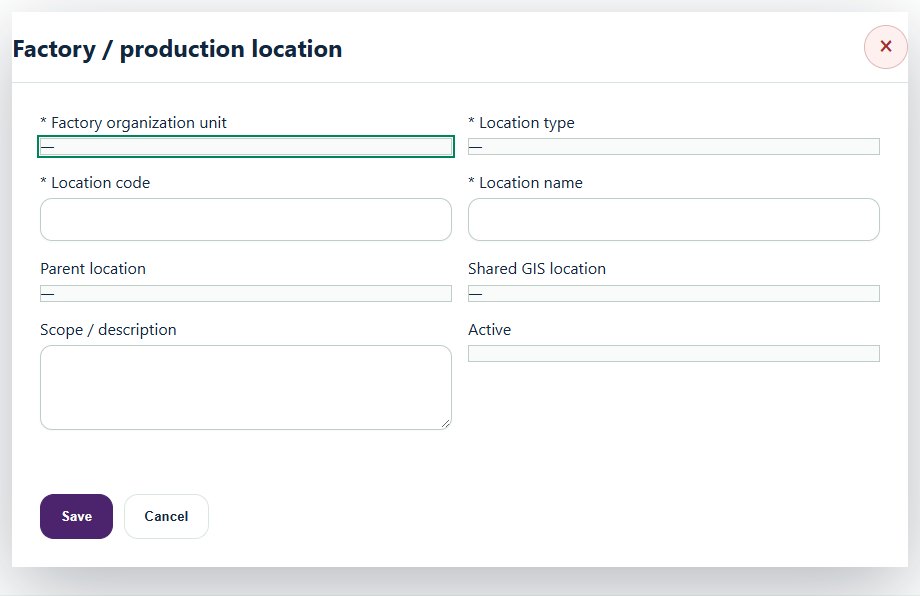
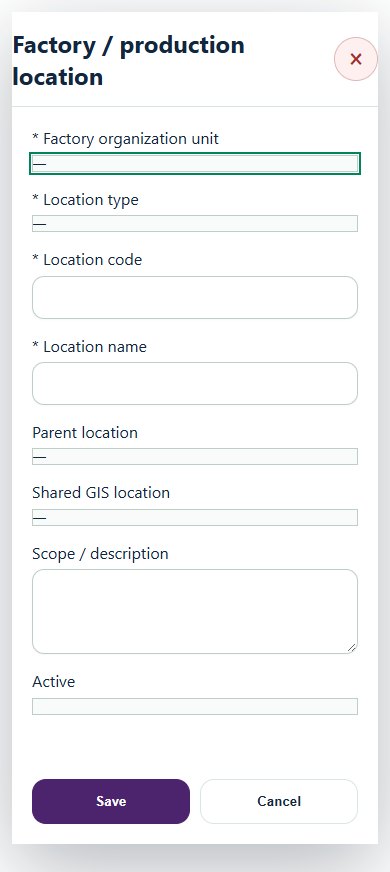
Set up the factory root under its existing organization unit. Add buildings, areas, production lines and workstations; link shared GIS locations.
Register machines and certificates in Equipment. Use Machine safety profiles to describe energy sources, isolation points and safeguard tests against that Equipment ID.
Save a draft, attach evidence in Detail and submit for review. An independent reviewer accepts it. Use New revision when an accepted record changes.
Create an activity and map its factory / line and machine in Factories, lines & workstations. Open Work controls to link the actual Work Package, HIRARC, JSA, SWP and applicable PTW / LOTO. Internal, contractor and mixed work continue through their existing approval routes.
Authorize each machine operator against verified training competency. Record shift handover, exposure groups and technical process reviews where applicable. Exposure group membership does not expose restricted clinical records.
After maintenance, close the source work and permits, restore and verify isolations, confirm safeguards and certificates, then obtain independent return-to-service acceptance. Update the machine status through Equipment. Engineering changes also need an accepted pre-startup review linked to the MOC.
Use applicability screening to prepare draft decisions. Verify current sources and actual operations; applicable legal duties must link to the Legal register. Guidance and voluntary standards are identified separately.
Reconcile monthly hours and cases with supporting evidence. Rates appear only when the six-month factory reporting scope is complete and independently accepted. Missing data appears as Not available.
A stale source or expired review can block production. Follow the source link, correct and approve that source, then revise the Manufacturing review. Existing source workflows remain authoritative.
02Manufacturing & EngineeringOverview, scope and navigationStart with the right operating context.
How to use this section
Open the enabled industry from the navigation rail or the mobile More menu. Expand the grouped top menu to choose the next stage of work.
Select the organization unit and available project, factory or site context. KPI cards, graphs, maps and registers reflect the scope supported by that workspace.
Follow a KPI or source link to the underlying record. A missing or incomplete reporting value is not an assumed zero.
On mobile, registers become labeled cards. Use the same Detail, Edit and permitted workflow controls from each card.
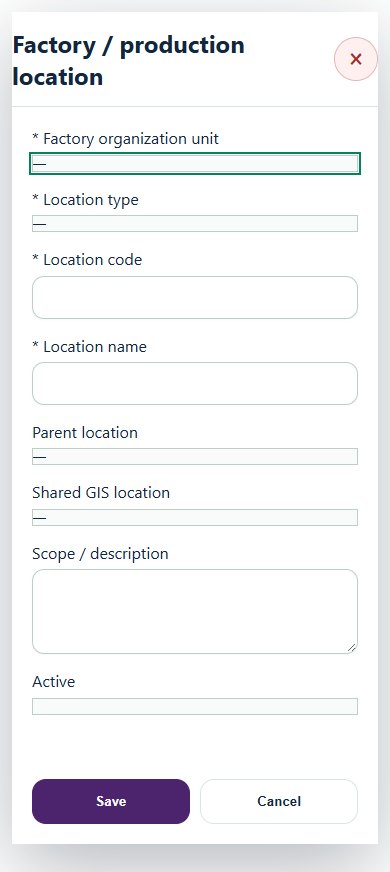
Desktop · Factory / production locationMobile · Factory / production location
03Manufacturing & EngineeringProduction & machine guardingReview shifts, line readiness, machine guards and interlock test evidence.
How to use this section
Choose Add on the relevant activity card. Enter its organization unit, location, owner, planned dates and internal, contractor or mixed workforce.
Save the draft, open Detail and complete the readiness checks below. Explain failed or not-applicable answers; resolve failed checks and attach supporting evidence before review.
Open Work controls to link saved HSE source records. A typed reference alone does not create a relationship or grant approval.
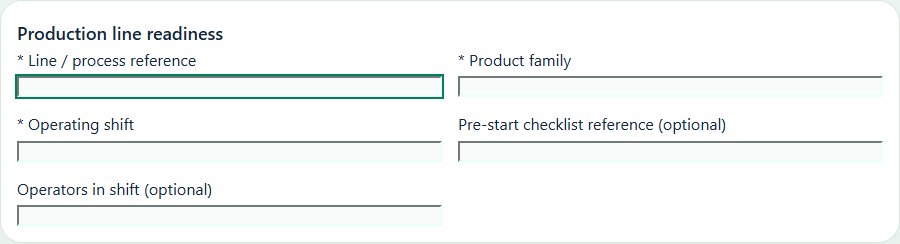
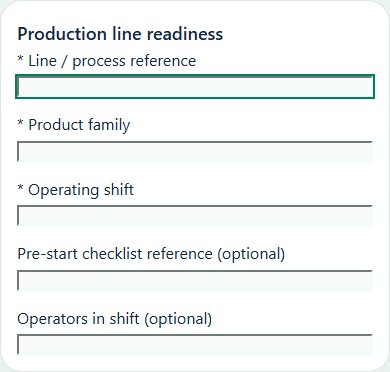
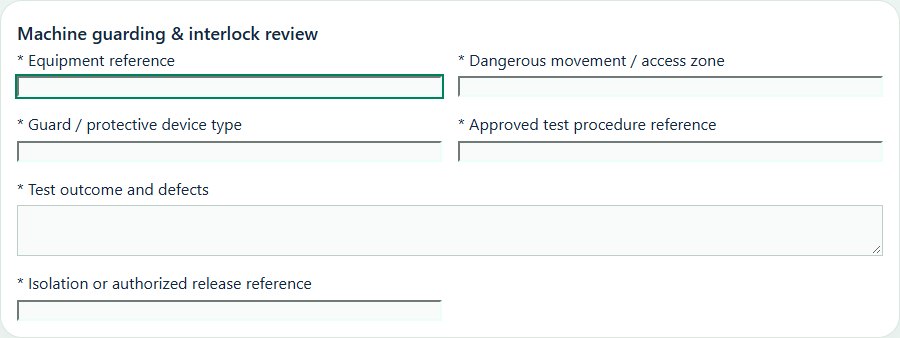
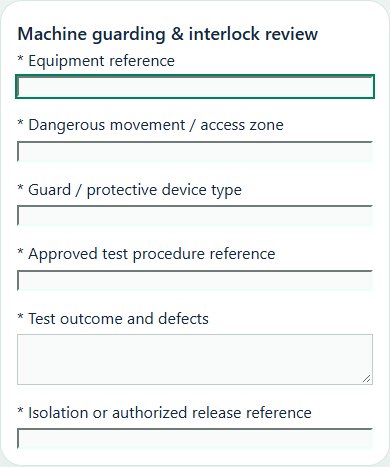
Desktop · Production line readiness · Activity formMobile · Production line readiness · Activity formDesktop · Machine guarding & interlock review · Activity formMobile · Machine guarding & interlock review · Activity form
Production line readiness
Record these details: Line / process reference · Product family · Operating shift · Pre-start checklist reference · Operators in shift
Readiness checks
Machine guards and interlocks checked
Operators trained for current tasks
Material handling and pedestrian routes clear
Emergency stops and response arrangements checked
Machine guarding & interlock review
Record these details: Equipment reference · Dangerous movement / access zone · Guard / protective device type · Approved test procedure reference · Test outcome and defects · Isolation or authorized release reference
Readiness checks
All operating, setup and cleaning access considered
Guards and protective devices inspected for tampering or damage
Testing performed under an approved safe method
Emergency stopping and restart behavior reviewed
Defects isolated and linked to corrective action
Authorized return-to-service recorded in Equipment
04Manufacturing & EngineeringEngineering & process changesDocument change scope, revised safeguards and acceptance before release.
How to use this section
Choose Add on the relevant activity card. Enter its organization unit, location, owner, planned dates and internal, contractor or mixed workforce.
Save the draft, open Detail and complete the readiness checks below. Explain failed or not-applicable answers; resolve failed checks and attach supporting evidence before review.
Open Work controls to link saved HSE source records. A typed reference alone does not create a relationship or grant approval.
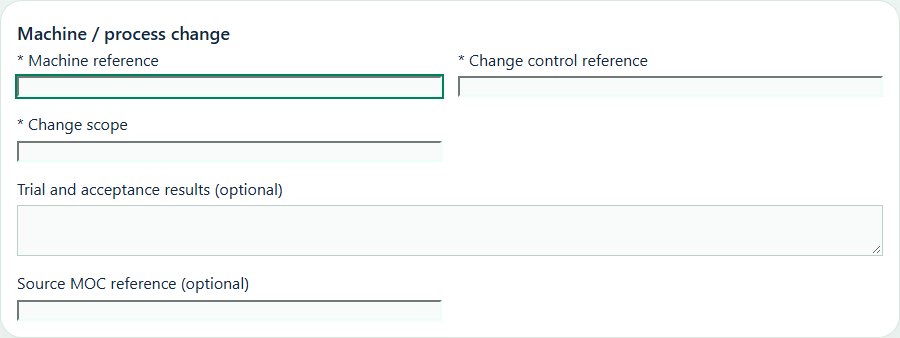
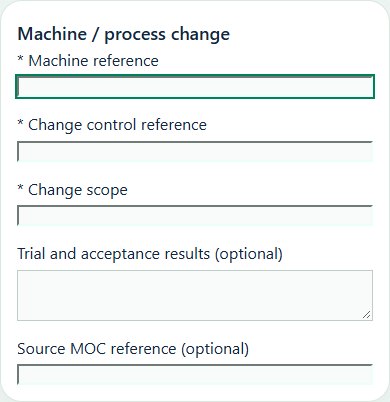
Desktop · Machine / process change · Activity formMobile · Machine / process change · Activity form
Machine / process change
Record these details: Machine reference · Change control reference · Change scope · Trial and acceptance results · Source MOC reference
Choose Add on the relevant activity card. Enter its organization unit, location, owner, planned dates and internal, contractor or mixed workforce.
Save the draft, open Detail and complete the readiness checks below. Explain failed or not-applicable answers; resolve failed checks and attach supporting evidence before review.
Open Work controls to link saved HSE source records. A typed reference alone does not create a relationship or grant approval.
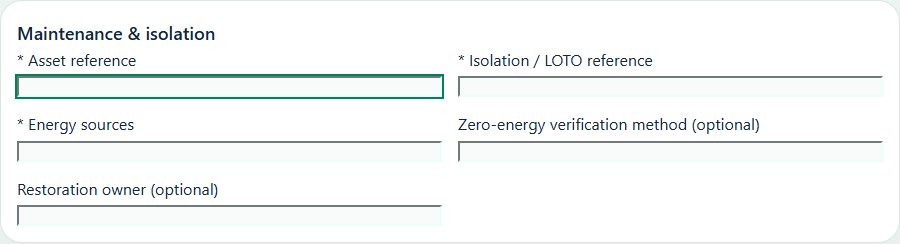
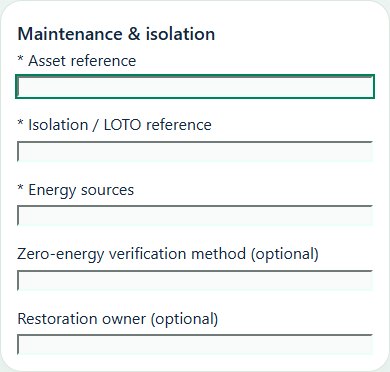
Record these details: Asset reference · Isolation / LOTO reference · Energy sources · Zero-energy verification method · Restoration owner
Readiness checks
All energy sources identified
Authorized isolation and zero-energy verification checked
Maintenance work party and tools ready
Restoration and restart responsibility agreed
A directly linked, active PTW within its validity window is required before this activity starts.
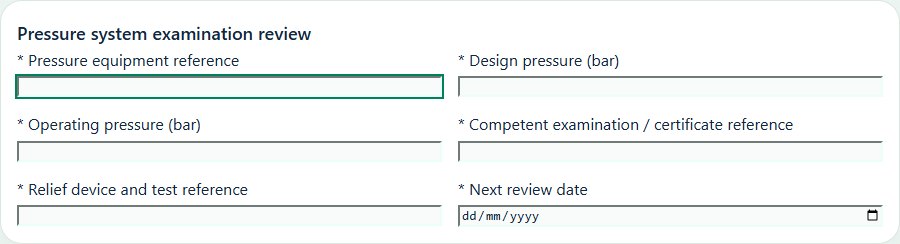
Pressure system examination review
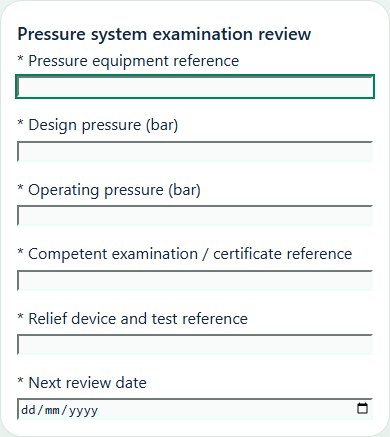
Record these details: Pressure equipment reference · Design pressure (bar) · Operating pressure (bar) · Competent examination / certificate reference · Relief device and test reference · Next review date
Readiness checks
Equipment identity and applicable examination scope confirmed
Operating envelope and protective devices reviewed
Isolation, depressurization and stored energy controls agreed
Deficiencies assessed by responsible competent persons
Certificate retained once in the Equipment source
Review date and corrective action ownership assigned
06Manufacturing & EngineeringChemicals & combustible dustReview chemical compatibility, dust-generating processes, extraction and ignition controls.
How to use this section
Choose Add on the relevant activity card. Enter its organization unit, location, owner, planned dates and internal, contractor or mixed workforce.
Save the draft, open Detail and complete the readiness checks below. Explain failed or not-applicable answers; resolve failed checks and attach supporting evidence before review.
Open Work controls to link saved HSE source records. A typed reference alone does not create a relationship or grant approval.
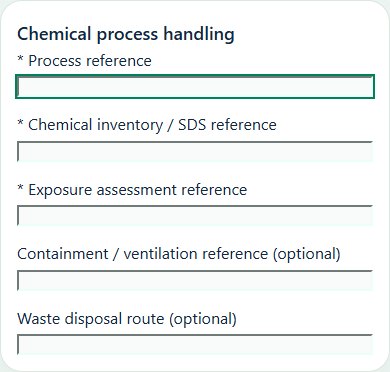
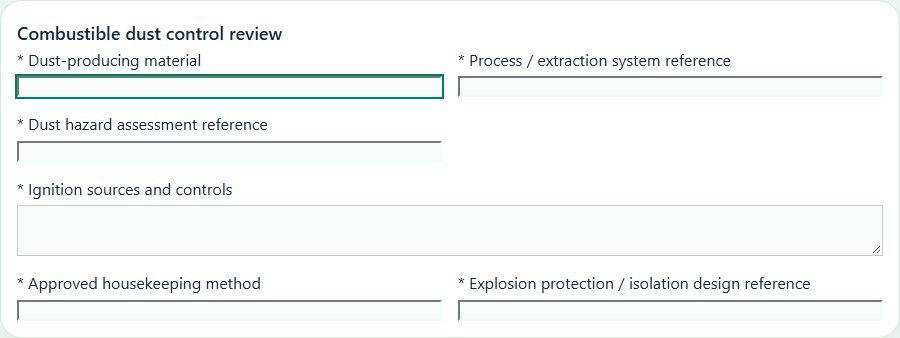
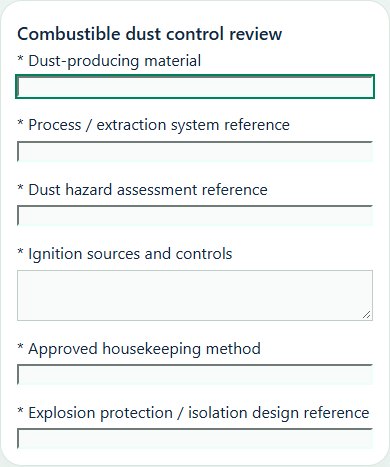
Desktop · Chemical process handling · Activity formMobile · Chemical process handling · Activity formDesktop · Combustible dust control review · Activity formMobile · Combustible dust control review · Activity form
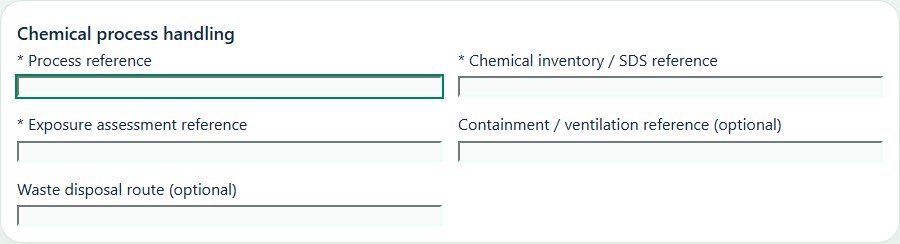
Chemical process handling
Record these details: Process reference · Chemical inventory / SDS reference · Exposure assessment reference · Containment / ventilation reference · Waste disposal route
Readiness checks
Current SDS and compatibility reviewed
Ventilation and containment checked
Exposure controls and PPE suitable
Spill response and waste route confirmed
Combustible dust control review
Record these details: Dust-producing material · Process / extraction system reference · Dust hazard assessment reference · Ignition sources and controls · Approved housekeeping method · Explosion protection / isolation design reference
Readiness checks
Material characteristics reviewed with competent support
Accumulation and concealed dust locations assessed
Extraction and containment checked against design
Ignition sources and static controls addressed
Cleaning method avoids dispersing dust clouds
Protection defects and changes routed to source CAPA / MOC
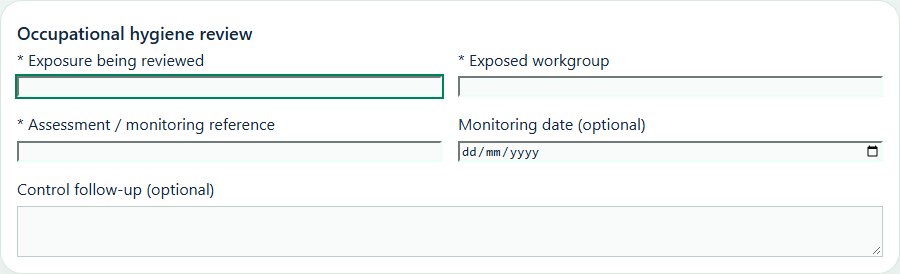
07Manufacturing & EngineeringExposure & occupational hygieneCoordinate workgroups, exposure assessment and follow-up against source health records.
How to use this section
Choose Add on the relevant activity card. Enter its organization unit, location, owner, planned dates and internal, contractor or mixed workforce.
Save the draft, open Detail and complete the readiness checks below. Explain failed or not-applicable answers; resolve failed checks and attach supporting evidence before review.
Open Work controls to link saved HSE source records. A typed reference alone does not create a relationship or grant approval.
Choose Add on the relevant activity card. Enter its organization unit, location, owner, planned dates and internal, contractor or mixed workforce.
Save the draft, open Detail and complete the readiness checks below. Explain failed or not-applicable answers; resolve failed checks and attach supporting evidence before review.
Open Work controls to link saved HSE source records. A typed reference alone does not create a relationship or grant approval.
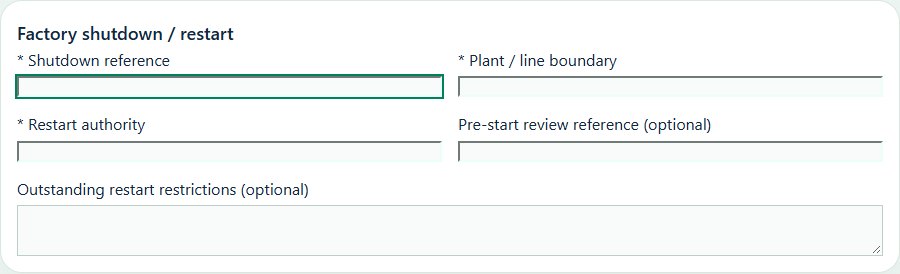
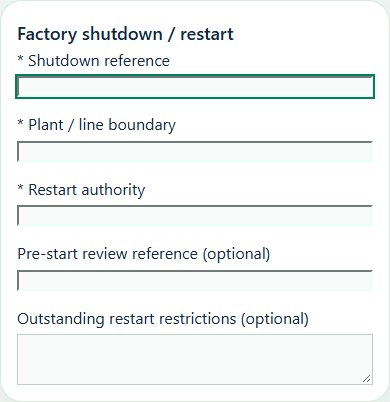
Record these details: Shutdown reference · Plant / line boundary · Restart authority · Pre-start review reference · Outstanding restart restrictions
Readiness checks
Work packages and simultaneous tasks coordinated
Isolation and contractor interfaces agreed
Outstanding defects and permits reconciled
Pre-start checks and authorized release complete
A directly linked, active PTW within its validity window is required before this activity starts.
09Manufacturing & EngineeringMachine safety profilePrepare a source-linked assurance record and obtain independent acceptance.
How to use this section
Select the operating context, owner and review due date. Record: Energy sources and stored energy; Isolation points / approved diagram reference; Guards and interlock functions; Approved guard / emergency-stop test method; Guard / interlock / emergency-stop result; Criticality; Inspection interval (days); Operating restrictions and corrective actions.
Link the relevant saved source records and any required accepted dependencies. Save the draft and attach supporting evidence in Detail.
Submit for independent review; resolve rejected or incomplete evidence before resubmitting. Acceptance does not approve or release the linked source work.
Use a new revision for changes to accepted records. Follow source links to resolve expired evidence, changed sources or failed prerequisites before progressing work.
Desktop · Factory / production locationMobile · Factory / production location
10Manufacturing & EngineeringShift handoverPrepare a source-linked assurance record and obtain independent acceptance.
How to use this section
Select the operating context, owner and review due date. Record: Shift / team; Handover date; Operating mode / production scope; Open defects, isolations and work restrictions; Emergency coverage and communication; Receiving shift acknowledgement.
Link the relevant saved source records and any required accepted dependencies. Save the draft and attach supporting evidence in Detail.
Submit for independent review; resolve rejected or incomplete evidence before resubmitting. Acceptance does not approve or release the linked source work.
Use a new revision for changes to accepted records. Follow source links to resolve expired evidence, changed sources or failed prerequisites before progressing work.
Desktop · Factory / production locationMobile · Factory / production location
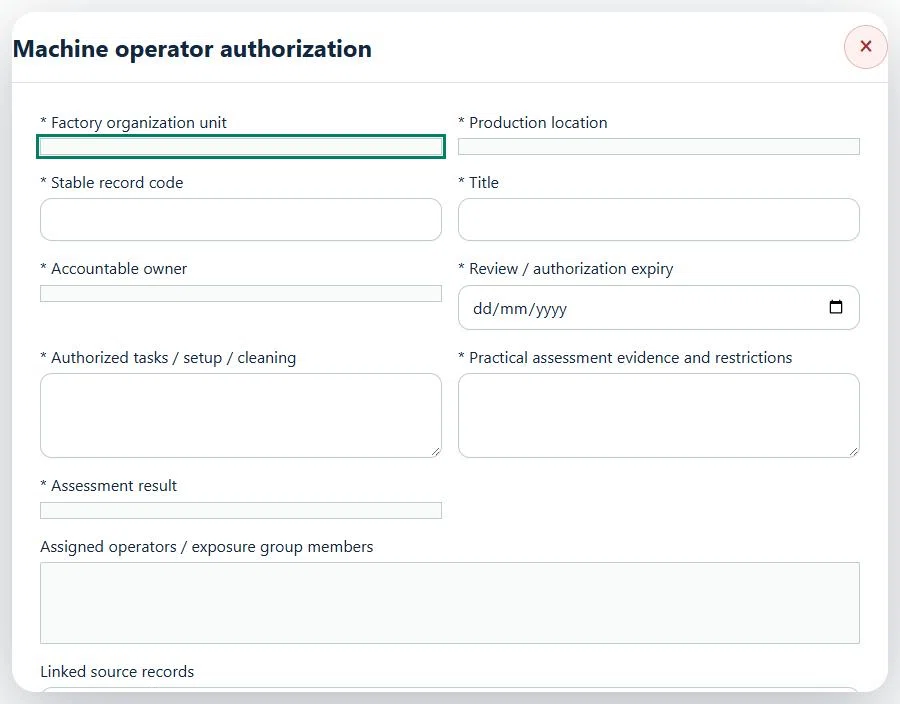
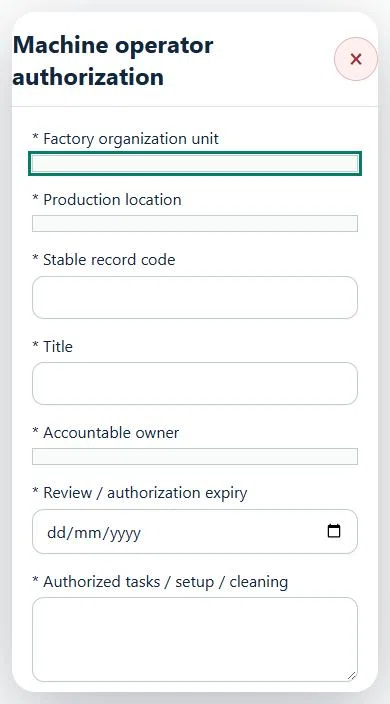
11Manufacturing & EngineeringMachine operator authorizationPrepare a source-linked assurance record and obtain independent acceptance.
How to use this section
Select the operating context, owner and review due date. Record: Authorized tasks / setup / cleaning; Practical assessment evidence and restrictions; Assessment result.
Link the relevant saved source records and any required accepted dependencies. Save the draft and attach supporting evidence in Detail.
Submit for independent review; resolve rejected or incomplete evidence before resubmitting. Acceptance does not approve or release the linked source work.
Use a new revision for changes to accepted records. Follow source links to resolve expired evidence, changed sources or failed prerequisites before progressing work.
12Manufacturing & EngineeringMaintenance return-to-servicePrepare a source-linked assurance record and obtain independent acceptance.
How to use this section
Select the operating context, owner and review due date. Record: CMMS / work-order reference (optional); Maintenance and test results; Restoration, guards and tools reconciliation; Return-to-service test result.
Link the relevant saved source records and any required accepted dependencies. Save the draft and attach supporting evidence in Detail.
Submit for independent review; resolve rejected or incomplete evidence before resubmitting. Acceptance does not approve or release the linked source work.
Use a new revision for changes to accepted records. Follow source links to resolve expired evidence, changed sources or failed prerequisites before progressing work.
Desktop · Factory / production locationMobile · Factory / production location
13Manufacturing & EngineeringExposure group & control reviewPrepare a source-linked assurance record and obtain independent acceptance.
How to use this section
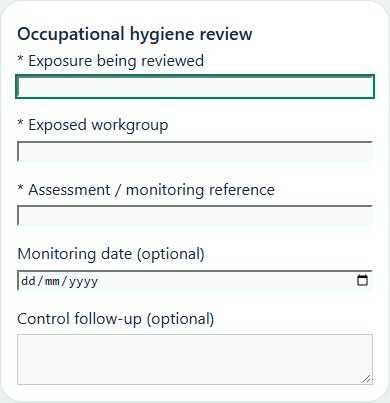
Select the operating context, owner and review due date. Record: Exposure type; Shift / exposure pattern; Tasks and exposure routes; Ventilation / containment / engineering controls; Sampling method, approved limits and units; Monitoring, surveillance referral and CAPA follow-up.
Link the relevant saved source records and any required accepted dependencies. Save the draft and attach supporting evidence in Detail.
Submit for independent review; resolve rejected or incomplete evidence before resubmitting. Acceptance does not approve or release the linked source work.
Use a new revision for changes to accepted records. Follow source links to resolve expired evidence, changed sources or failed prerequisites before progressing work.
Desktop · Factory / production locationMobile · Factory / production location
14Manufacturing & EngineeringProcess limits, HAZOP / LOPA & barriersPrepare a source-linked assurance record and obtain independent acceptance.
How to use this section
Select the operating context, owner and review due date. Record: Review type; Process scope / flow-diagram reference; Operating parameters, limits, units and approved basis; Deviations / scenarios / affected safeguards; Barriers, test references and impairment controls; Review team and signed technical report reference.
Link the relevant saved source records and any required accepted dependencies. Save the draft and attach supporting evidence in Detail.
Submit for independent review; resolve rejected or incomplete evidence before resubmitting. Acceptance does not approve or release the linked source work.
Use a new revision for changes to accepted records. Follow source links to resolve expired evidence, changed sources or failed prerequisites before progressing work.
Desktop · Factory / production locationMobile · Factory / production location
15Manufacturing & EngineeringMOC implementation & pre-startup reviewPrepare a source-linked assurance record and obtain independent acceptance.
How to use this section
Select the operating context, owner and review due date. Record: Implementation and acceptance test results; Updated procedures, training and operating limits; Safeguard tests and isolation reconciliation; Pre-startup acceptance result; Outstanding restrictions / residual risks.
Link the relevant saved source records and any required accepted dependencies. Save the draft and attach supporting evidence in Detail.
Submit for independent review; resolve rejected or incomplete evidence before resubmitting. Acceptance does not approve or release the linked source work.
Use a new revision for changes to accepted records. Follow source links to resolve expired evidence, changed sources or failed prerequisites before progressing work.
Desktop · Factory / production locationMobile · Factory / production location
16Manufacturing & EngineeringApplicability decisionPrepare a source-linked assurance record and obtain independent acceptance.
How to use this section
Select the operating context, owner and review due date. Record: Requirement / guidance topic; Classification; Authoritative reference URL; Source version / effective date; Applicability; Operations / substances / licence conditions and decision basis.
Link the relevant saved source records and any required accepted dependencies. Save the draft and attach supporting evidence in Detail.
Submit for independent review; resolve rejected or incomplete evidence before resubmitting. Acceptance does not approve or release the linked source work.
Use a new revision for changes to accepted records. Follow source links to resolve expired evidence, changed sources or failed prerequisites before progressing work.
Desktop · Factory / production locationMobile · Factory / production location
17Manufacturing & EngineeringVerified monthly performancePrepare a source-linked assurance record and obtain independent acceptance.
How to use this section
Select the operating context, owner and review due date. Record: Month (first day); Hours worked, including scoped contractor hours; Reconciled recordable cases; Lost-time cases; Lost workdays; Timesheet and case reconciliation basis.
Link the relevant saved source records and any required accepted dependencies. Save the draft and attach supporting evidence in Detail.
Submit for independent review; resolve rejected or incomplete evidence before resubmitting. Acceptance does not approve or release the linked source work.
Use a new revision for changes to accepted records. Follow source links to resolve expired evidence, changed sources or failed prerequisites before progressing work.
Desktop · Factory / production locationMobile · Factory / production location
18Manufacturing & EngineeringMachine pre-start & safeguard releaseCarry out the work with measured results and independent handover.
How to use this section
Manager: select the profile and site, open Operations & handovers → Plan operation, choose Machine pre-start & safeguard release, name the owner and a different authorized reviewer, enter the deadline (UTC), and link saved source records and accepted site reviews.
Owner: open the operation in this workspace. Check its scope and source links; choose Start operation. Add the readings and evidence in the step form, using Add row for each additional observation or person. GPS is recorded with the action when captured.
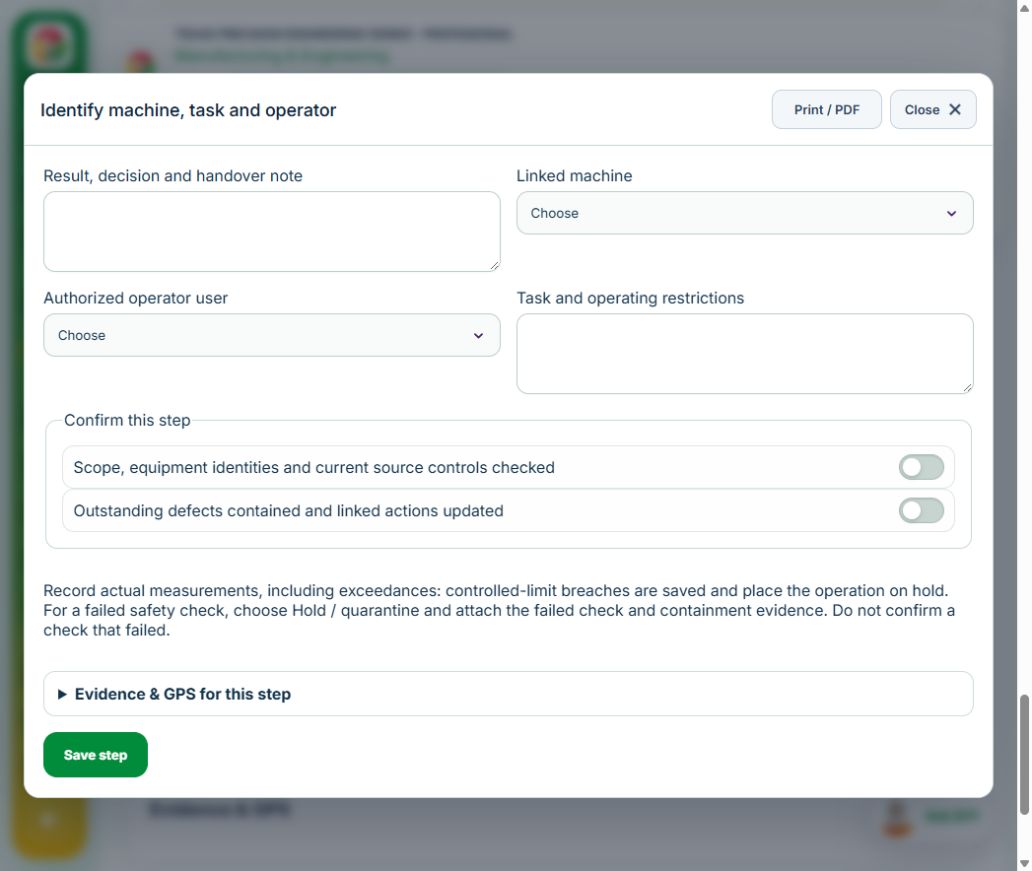
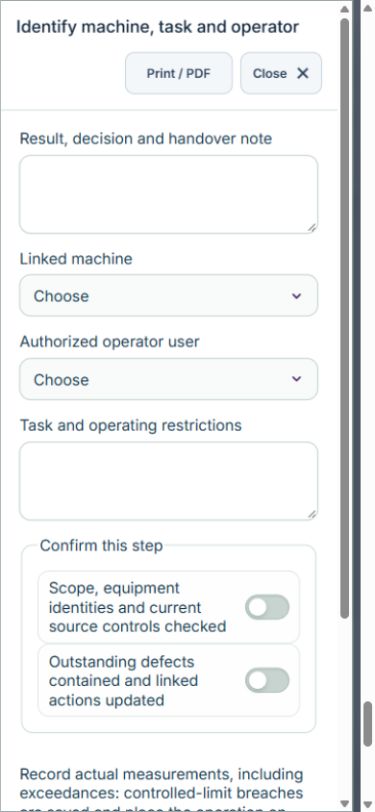
Owner: Identify machine, task and operator. Enter Linked machine ID; Authorized operator user ID; Task and operating restrictions. Complete the required confirmations: Scope, equipment identities and current source controls checked; Outstanding defects contained and linked actions updated. Link the original equipment assets, hirarc assessments.
Owner: Test guards, interlocks and emergency stops. Enter Safeguard test points (Guard / interlock / E-stop ID, Approved test method, Test result); Test time UTC. Complete the required confirmations: Scope, equipment identities and current source controls checked; Outstanding defects contained and linked actions updated. Requires current independently accepted reviews: machine profile, operator authorization. Link the original inspections.
Independent reviewer: Independently release machine for the specified task. Enter All safeguards restored; Shift limits and handover instructions. Complete the required confirmations: Scope, equipment identities and current source controls checked; Outstanding defects contained and linked actions updated.
If a check fails: close the step form, choose Hold / quarantine and save the failure, containment evidence and GPS. Correct the source records in the same industry workspace. A different authorized reviewer checks fresh clean recovery evidence before releasing the hold; the owner cannot self-release.
For exposure, environmental and ergonomic measurements, save actual results even when they exceed the approved plan: the record retains the values and automatically holds the operation. A reviewer must approve the measurement basis before sampling. Record fresh recheck results and link completed CAPA when a limit was exceeded. Named equipment, operator and competency selectors use linked source records; their identities and validity are checked again on save.
At final sign-off, all required reviews are rechecked. Linked Work Packages, PTW, CAPA and after-hours must be finished, and linked LOTO restoration verified. The independent reviewer closes the operation. Reopen requires that reviewer, a reason and new recovery evidence; earlier readings stay in history.
Use Print / PDF at the operation header or form header for the controlled form, QR and evidence/GPS attachments. Close dismisses a form; it does not close the business record. My Actions and My Deadline use the next permitted role; reminders follow existing in-app, PWA and email preferences.
Desktop · Identify machine, task and operatorMobile · Identify machine, task and operator
19Manufacturing & EngineeringProduction shift handoverCarry out the work with measured results and independent handover.
How to use this section
Manager: select the profile and site, open Operations & handovers → Plan operation, choose Production shift handover, name the owner and a different authorized reviewer, enter the deadline (UTC), and link saved source records and accepted site reviews.
Owner: open the operation in this workspace. Check its scope and source links; choose Start operation. Add the readings and evidence in the step form, using Add row for each additional observation or person. GPS is recorded with the action when captured.
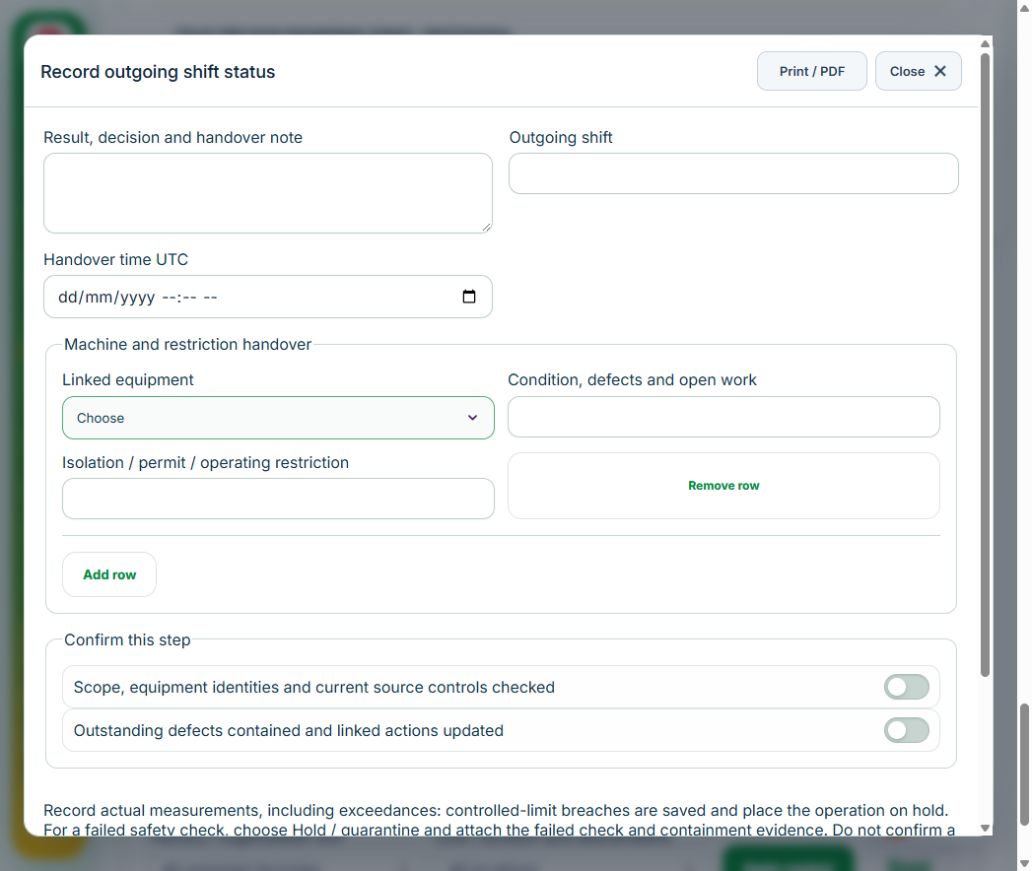
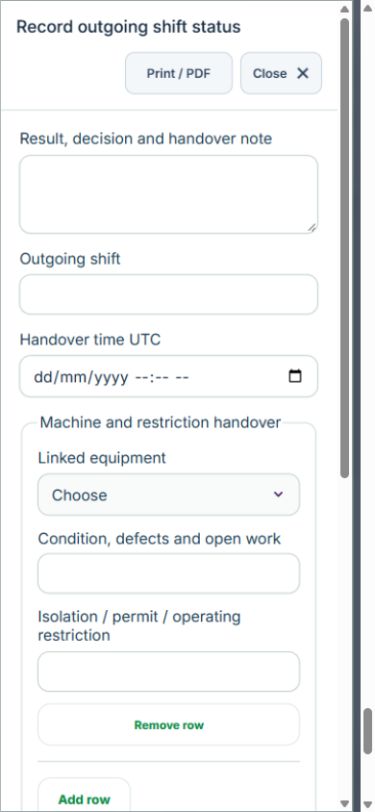
Owner: Record outgoing shift status. Enter Outgoing shift; Handover time UTC; Machine and restriction handover (Linked equipment ID, Condition, defects and open work, Isolation / permit / operating restriction). Complete the required confirmations: Scope, equipment identities and current source controls checked; Outstanding defects contained and linked actions updated. Link the original equipment assets.
Independent reviewer: Incoming reviewer acknowledges each machine. Enter Incoming checks (Linked equipment ID, Handover accepted, Incoming shift instruction). Complete the required confirmations: Scope, equipment identities and current source controls checked; Outstanding defects contained and linked actions updated.
Independent reviewer: Confirm complete shift handover. Enter Unresolved items and assigned follow-up references. Complete the required confirmations: Scope, equipment identities and current source controls checked; Outstanding defects contained and linked actions updated.
If a check fails: close the step form, choose Hold / quarantine and save the failure, containment evidence and GPS. Correct the source records in the same industry workspace. A different authorized reviewer checks fresh clean recovery evidence before releasing the hold; the owner cannot self-release.
For exposure, environmental and ergonomic measurements, save actual results even when they exceed the approved plan: the record retains the values and automatically holds the operation. A reviewer must approve the measurement basis before sampling. Record fresh recheck results and link completed CAPA when a limit was exceeded. Named equipment, operator and competency selectors use linked source records; their identities and validity are checked again on save.
At final sign-off, all required reviews are rechecked. Linked Work Packages, PTW, CAPA and after-hours must be finished, and linked LOTO restoration verified. The independent reviewer closes the operation. Reopen requires that reviewer, a reason and new recovery evidence; earlier readings stay in history.
Use Print / PDF at the operation header or form header for the controlled form, QR and evidence/GPS attachments. Close dismisses a form; it does not close the business record. My Actions and My Deadline use the next permitted role; reminders follow existing in-app, PWA and email preferences.
Desktop · Record outgoing shift statusMobile · Record outgoing shift status
20Manufacturing & EngineeringPractical assessment & operator authorizationCarry out the work with measured results and independent handover.
How to use this section
Manager: select the profile and site, open Operations & handovers → Plan operation, choose Practical assessment & operator authorization, name the owner and a different authorized reviewer, enter the deadline (UTC), and link saved source records and accepted site reviews.
Owner: open the operation in this workspace. Check its scope and source links; choose Start operation. Add the readings and evidence in the step form, using Add row for each additional observation or person. GPS is recorded with the action when captured.
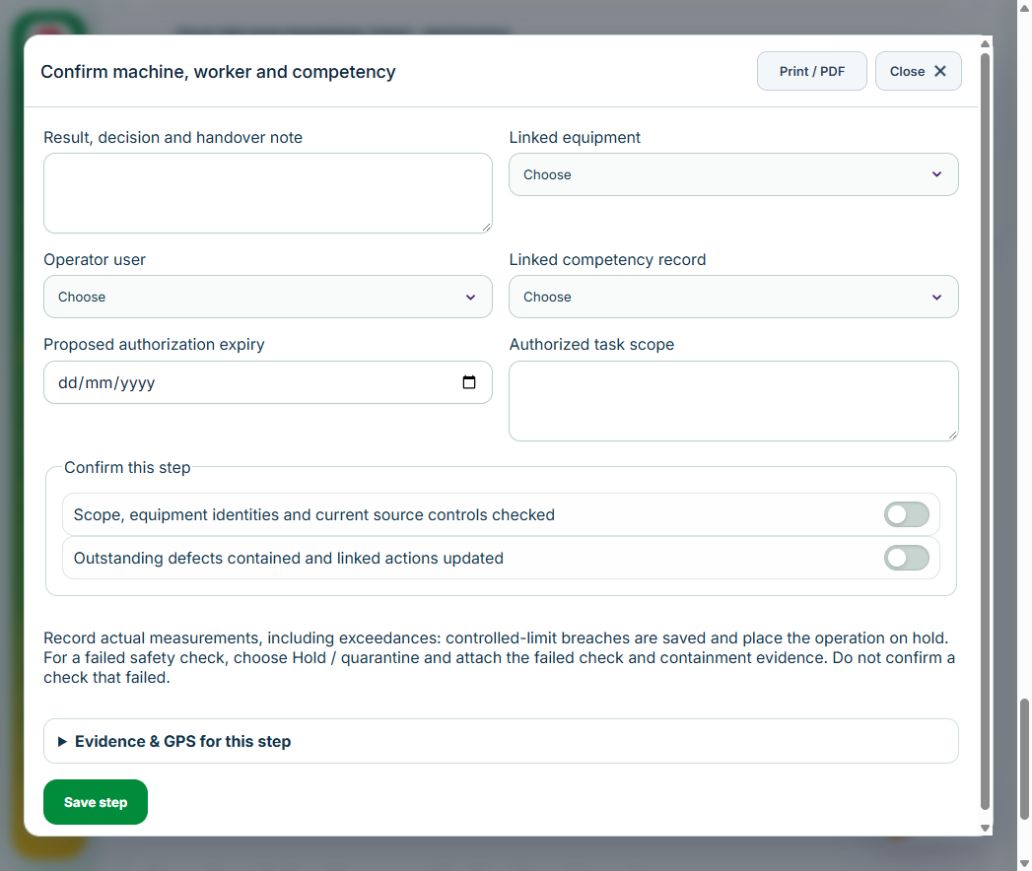
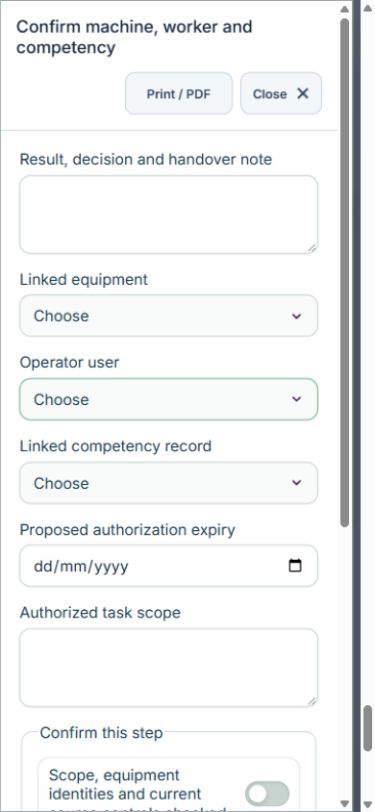
Owner: Confirm machine, worker and competency. Enter Linked equipment ID; Operator user ID; Linked competency record ID; Proposed authorization expiry; Authorized task scope. Complete the required confirmations: Scope, equipment identities and current source controls checked; Outstanding defects contained and linked actions updated. Link the original equipment assets, training competency records.
Owner: Record supervised practical assessment. Enter Practical assessment criteria (Criterion, Observed performance, Result). Complete the required confirmations: Scope, equipment identities and current source controls checked; Outstanding defects contained and linked actions updated.
Independent reviewer: Accept original operator authorization and close assessment. Enter Limits, refresher date and supervisor handover. Complete the required confirmations: Scope, equipment identities and current source controls checked; Outstanding defects contained and linked actions updated. Requires current independently accepted reviews: operator authorization.
If a check fails: close the step form, choose Hold / quarantine and save the failure, containment evidence and GPS. Correct the source records in the same industry workspace. A different authorized reviewer checks fresh clean recovery evidence before releasing the hold; the owner cannot self-release.
For exposure, environmental and ergonomic measurements, save actual results even when they exceed the approved plan: the record retains the values and automatically holds the operation. A reviewer must approve the measurement basis before sampling. Record fresh recheck results and link completed CAPA when a limit was exceeded. Named equipment, operator and competency selectors use linked source records; their identities and validity are checked again on save.
At final sign-off, all required reviews are rechecked. Linked Work Packages, PTW, CAPA and after-hours must be finished, and linked LOTO restoration verified. The independent reviewer closes the operation. Reopen requires that reviewer, a reason and new recovery evidence; earlier readings stay in history.
Use Print / PDF at the operation header or form header for the controlled form, QR and evidence/GPS attachments. Close dismisses a form; it does not close the business record. My Actions and My Deadline use the next permitted role; reminders follow existing in-app, PWA and email preferences.
Desktop · Confirm machine, worker and competencyMobile · Confirm machine, worker and competency
21Manufacturing & EngineeringMaintenance isolation, testing & return to serviceCarry out the work with measured results and independent handover.
How to use this section
Manager: select the profile and site, open Operations & handovers → Plan operation, choose Maintenance isolation, testing & return to service, name the owner and a different authorized reviewer, enter the deadline (UTC), and link saved source records and accepted site reviews.
Owner: open the operation in this workspace. Check its scope and source links; choose Start operation. Add the readings and evidence in the step form, using Add row for each additional observation or person. GPS is recorded with the action when captured.
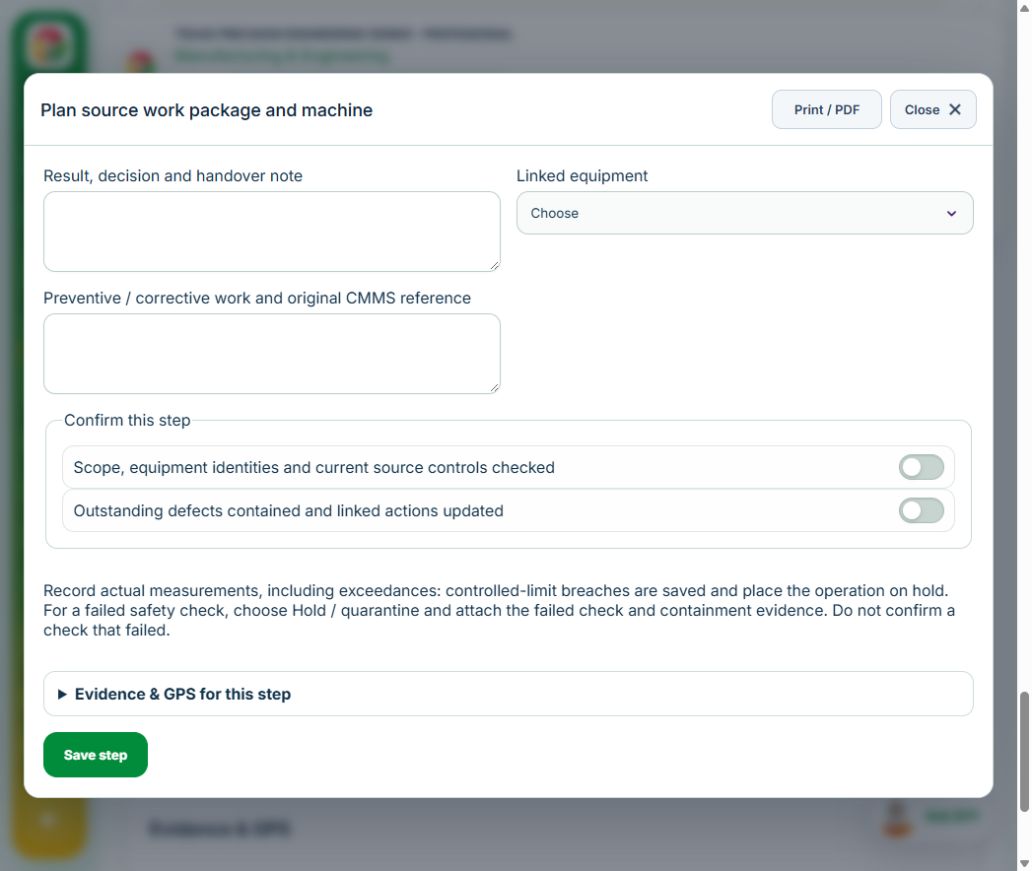
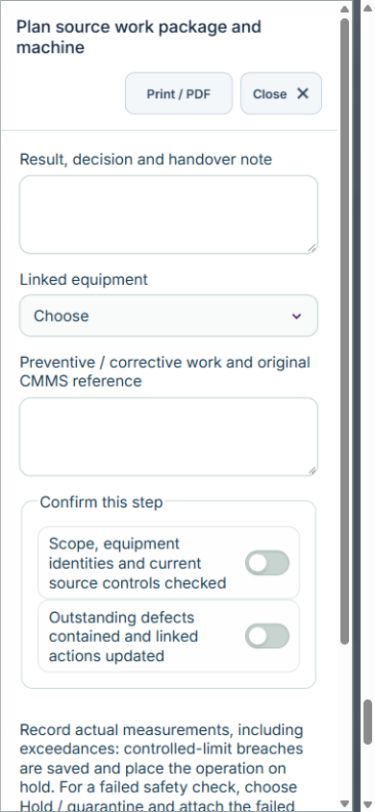
Owner: Plan source work package and machine. Enter Linked equipment ID; Preventive / corrective work and original CMMS reference. Complete the required confirmations: Scope, equipment identities and current source controls checked; Outstanding defects contained and linked actions updated. Link the original equipment assets, work packages, hirarc assessments.
Owner: Verify source permit and zero energy. Enter Isolation points and zero-energy verification reference; Zero energy verified. Complete the required confirmations: Scope, equipment identities and current source controls checked; Outstanding defects contained and linked actions updated. Link the original ptw permits, loto isolations.
Owner: Complete repair and functional tests. Enter Post-maintenance tests (Test point, Test method, Result); Repair, replacement and as-built evidence. Complete the required confirmations: Scope, equipment identities and current source controls checked; Outstanding defects contained and linked actions updated.
Independent reviewer: Verify original restoration and release. Enter Area and safeguards restored; Operating restrictions and handover. Complete the required confirmations: Scope, equipment identities and current source controls checked; Outstanding defects contained and linked actions updated. Requires current independently accepted reviews: maintenance release.
If a check fails: close the step form, choose Hold / quarantine and save the failure, containment evidence and GPS. Correct the source records in the same industry workspace. A different authorized reviewer checks fresh clean recovery evidence before releasing the hold; the owner cannot self-release.
For exposure, environmental and ergonomic measurements, save actual results even when they exceed the approved plan: the record retains the values and automatically holds the operation. A reviewer must approve the measurement basis before sampling. Record fresh recheck results and link completed CAPA when a limit was exceeded. Named equipment, operator and competency selectors use linked source records; their identities and validity are checked again on save.
At final sign-off, all required reviews are rechecked. Linked Work Packages, PTW, CAPA and after-hours must be finished, and linked LOTO restoration verified. The independent reviewer closes the operation. Reopen requires that reviewer, a reason and new recovery evidence; earlier readings stay in history.
Use Print / PDF at the operation header or form header for the controlled form, QR and evidence/GPS attachments. Close dismisses a form; it does not close the business record. My Actions and My Deadline use the next permitted role; reminders follow existing in-app, PWA and email preferences.
Desktop · Plan source work package and machineMobile · Plan source work package and machine
22Manufacturing & EngineeringExposure monitoring & control verificationCarry out the work with measured results and independent handover.
How to use this section
Manager: select the profile and site, open Operations & handovers → Plan operation, choose Exposure monitoring & control verification, name the owner and a different authorized reviewer, enter the deadline (UTC), and link saved source records and accepted site reviews.
Owner: open the operation in this workspace. Check its scope and source links; choose Start operation. Add the readings and evidence in the step form, using Add row for each additional observation or person. GPS is recorded with the action when captured.
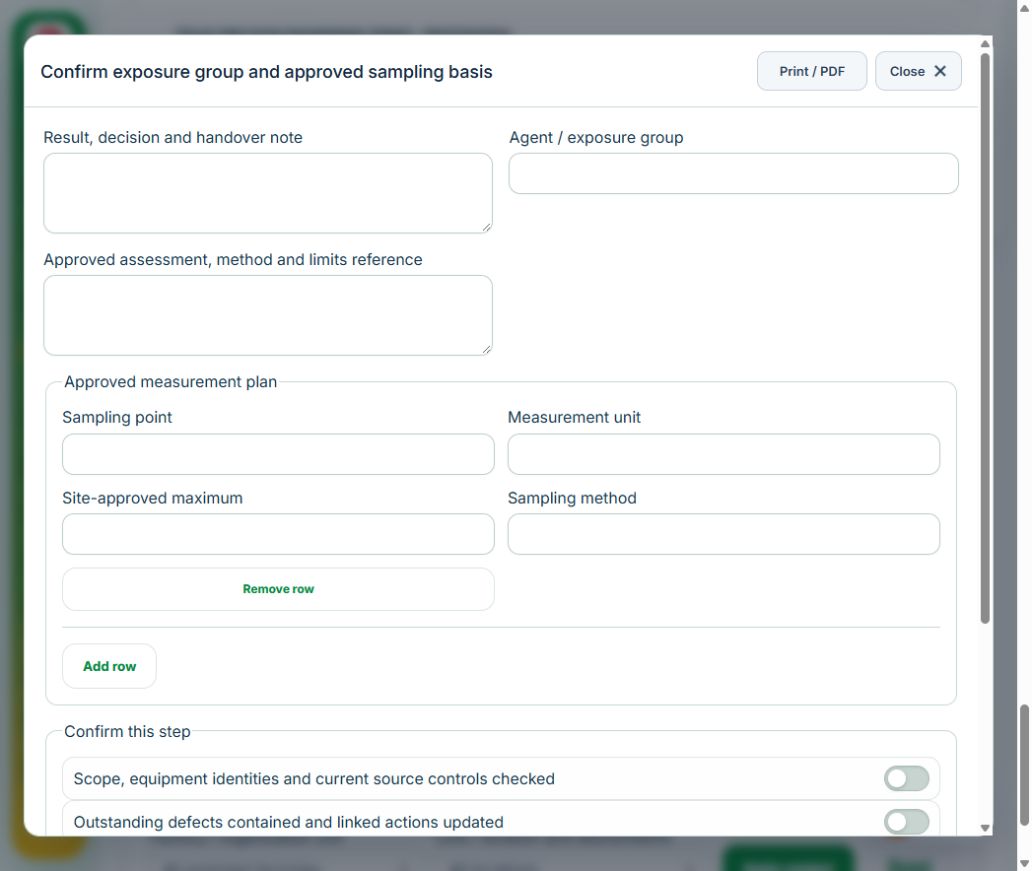
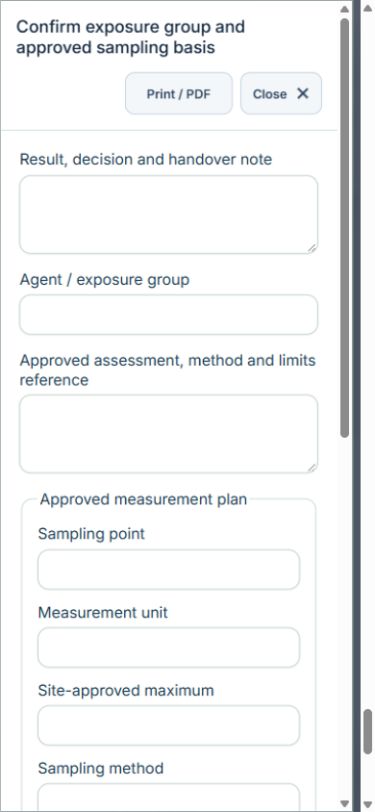
Owner: Confirm exposure group and approved sampling basis. Enter Agent / exposure group; Approved assessment, method and limits reference; Approved measurement plan (Sampling point, Measurement unit, Site-approved maximum, Sampling method). Complete the required confirmations: Scope, equipment identities and current source controls checked; Outstanding defects contained and linked actions updated. Requires current independently accepted reviews: exposure group.
Independent reviewer: Independently accept the measurement plan. Enter Approved limits, method and calibration basis. Complete the required confirmations: Limits, units, methods and sampling competence verified.
Owner: Record measurements against approved plan. Enter Measured results (Sampling point, Measured result, Sampled at UTC). Complete the required confirmations: Scope, equipment identities and current source controls checked; Outstanding defects contained and linked actions updated.
Owner: Recheck controls and resolve any excursion. Enter Measured results (Sampling point, Measured result, Sampled at UTC). Complete the required confirmations: Controls restored and follow-up records linked.
Independent reviewer: Verify controls and follow-up referral. Enter Control effectiveness and confidential referral reference, if needed; Controls satisfactory. Complete the required confirmations: Scope, equipment identities and current source controls checked; Outstanding defects contained and linked actions updated.
If a check fails: close the step form, choose Hold / quarantine and save the failure, containment evidence and GPS. Correct the source records in the same industry workspace. A different authorized reviewer checks fresh clean recovery evidence before releasing the hold; the owner cannot self-release.
For exposure, environmental and ergonomic measurements, save actual results even when they exceed the approved plan: the record retains the values and automatically holds the operation. A reviewer must approve the measurement basis before sampling. Record fresh recheck results and link completed CAPA when a limit was exceeded. Named equipment, operator and competency selectors use linked source records; their identities and validity are checked again on save.
At final sign-off, all required reviews are rechecked. Linked Work Packages, PTW, CAPA and after-hours must be finished, and linked LOTO restoration verified. The independent reviewer closes the operation. Reopen requires that reviewer, a reason and new recovery evidence; earlier readings stay in history.
Use Print / PDF at the operation header or form header for the controlled form, QR and evidence/GPS attachments. Close dismisses a form; it does not close the business record. My Actions and My Deadline use the next permitted role; reminders follow existing in-app, PWA and email preferences.
Desktop · Confirm exposure group and approved sampling basisMobile · Confirm exposure group and approved sampling basis
23Manufacturing & EngineeringErgonomic intervention & effectivenessCarry out the work with measured results and independent handover.
How to use this section
Manager: select the profile and site, open Operations & handovers → Plan operation, choose Ergonomic intervention & effectiveness, name the owner and a different authorized reviewer, enter the deadline (UTC), and link saved source records and accepted site reviews.
Owner: open the operation in this workspace. Check its scope and source links; choose Start operation. Add the readings and evidence in the step form, using Add row for each additional observation or person. GPS is recorded with the action when captured.
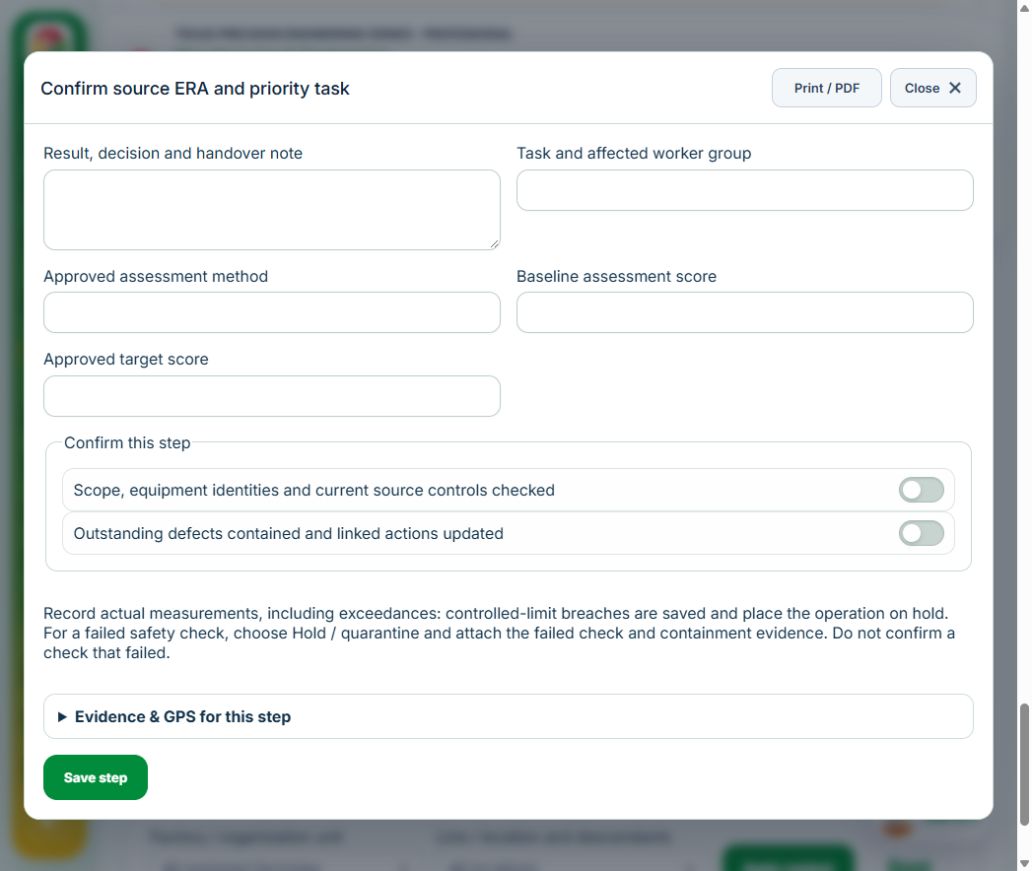
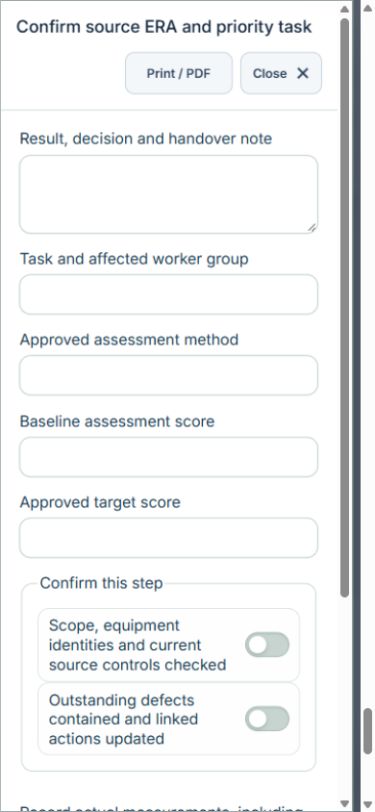
Owner: Confirm source ERA and priority task. Enter Task and affected worker group; Approved assessment method; Baseline assessment score; Approved target score. Complete the required confirmations: Scope, equipment identities and current source controls checked; Outstanding defects contained and linked actions updated. Link the original ergonomic risk assessments, capa actions.
Owner: Implement task / workstation changes. Enter Engineering and work-design changes; Worker consultation and trial findings. Complete the required confirmations: Scope, equipment identities and current source controls checked; Outstanding defects contained and linked actions updated.
Owner: Repeat assessment using the same method. Enter Reassessment score; Assessment evidence and comparison. Complete the required confirmations: Scope, equipment identities and current source controls checked; Outstanding defects contained and linked actions updated.
Independent reviewer: Independently verify effectiveness. Enter Target achieved; Sustainment and next review. Complete the required confirmations: Scope, equipment identities and current source controls checked; Outstanding defects contained and linked actions updated.
If a check fails: close the step form, choose Hold / quarantine and save the failure, containment evidence and GPS. Correct the source records in the same industry workspace. A different authorized reviewer checks fresh clean recovery evidence before releasing the hold; the owner cannot self-release.
For exposure, environmental and ergonomic measurements, save actual results even when they exceed the approved plan: the record retains the values and automatically holds the operation. A reviewer must approve the measurement basis before sampling. Record fresh recheck results and link completed CAPA when a limit was exceeded. Named equipment, operator and competency selectors use linked source records; their identities and validity are checked again on save.
At final sign-off, all required reviews are rechecked. Linked Work Packages, PTW, CAPA and after-hours must be finished, and linked LOTO restoration verified. The independent reviewer closes the operation. Reopen requires that reviewer, a reason and new recovery evidence; earlier readings stay in history.
Use Print / PDF at the operation header or form header for the controlled form, QR and evidence/GPS attachments. Close dismisses a form; it does not close the business record. My Actions and My Deadline use the next permitted role; reminders follow existing in-app, PWA and email preferences.
Desktop · Confirm source ERA and priority taskMobile · Confirm source ERA and priority task
24Manufacturing & EngineeringHAZOP / LOPA study & action closureCarry out the work with measured results and independent handover.
How to use this section
Manager: select the profile and site, open Operations & handovers → Plan operation, choose HAZOP / LOPA study & action closure, name the owner and a different authorized reviewer, enter the deadline (UTC), and link saved source records and accepted site reviews.
Owner: open the operation in this workspace. Check its scope and source links; choose Start operation. Add the readings and evidence in the step form, using Add row for each additional observation or person. GPS is recorded with the action when captured.
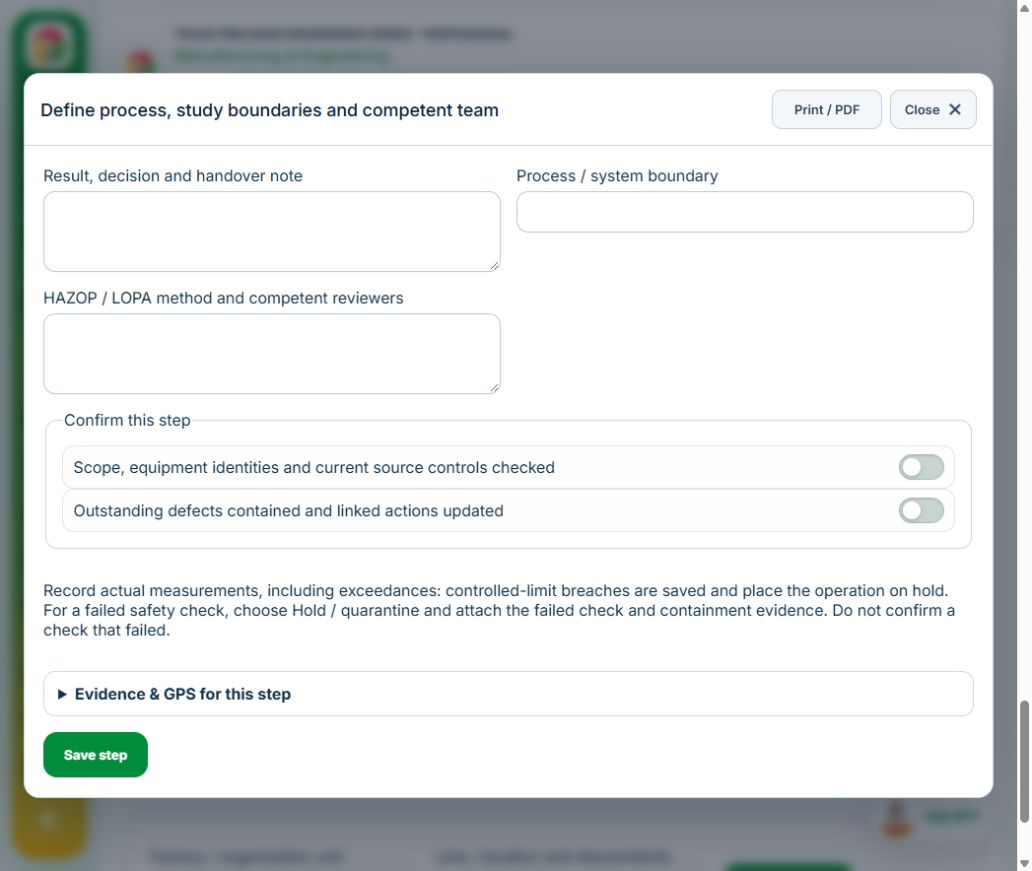
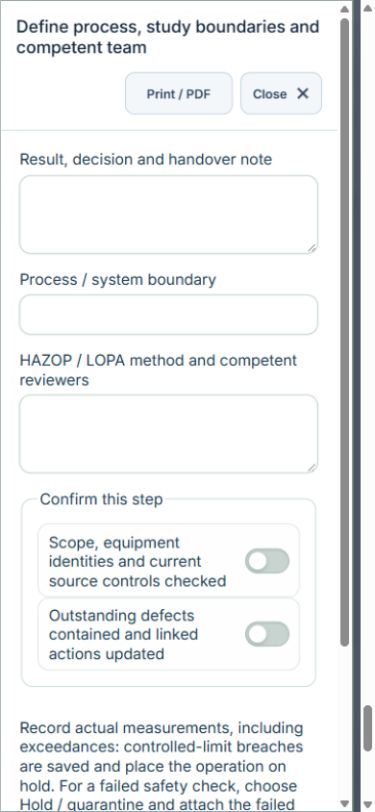
Owner: Define process, study boundaries and competent team. Enter Process / system boundary; HAZOP / LOPA method and competent reviewers. Complete the required confirmations: Scope, equipment identities and current source controls checked; Outstanding defects contained and linked actions updated. Link the original hirarc assessments.
Owner: Complete scenario and barrier worksheet. Enter Scenarios and action tracking (Study node, Deviation / initiating event, Consequence, Independent layers / safeguards, Likelihood, Severity, Linked CAPA ID). Complete the required confirmations: Scope, equipment identities and current source controls checked; Outstanding defects contained and linked actions updated. Link the original capa actions.
Independent reviewer: Verify barriers, original actions and accepted study. Enter Barrier verification and approved operating limits. Complete the required confirmations: Scope, equipment identities and current source controls checked; Outstanding defects contained and linked actions updated. Requires current independently accepted reviews: process review.
If a check fails: close the step form, choose Hold / quarantine and save the failure, containment evidence and GPS. Correct the source records in the same industry workspace. A different authorized reviewer checks fresh clean recovery evidence before releasing the hold; the owner cannot self-release.
For exposure, environmental and ergonomic measurements, save actual results even when they exceed the approved plan: the record retains the values and automatically holds the operation. A reviewer must approve the measurement basis before sampling. Record fresh recheck results and link completed CAPA when a limit was exceeded. Named equipment, operator and competency selectors use linked source records; their identities and validity are checked again on save.
At final sign-off, all required reviews are rechecked. Linked Work Packages, PTW, CAPA and after-hours must be finished, and linked LOTO restoration verified. The independent reviewer closes the operation. Reopen requires that reviewer, a reason and new recovery evidence; earlier readings stay in history.
Use Print / PDF at the operation header or form header for the controlled form, QR and evidence/GPS attachments. Close dismisses a form; it does not close the business record. My Actions and My Deadline use the next permitted role; reminders follow existing in-app, PWA and email preferences.
Desktop · Define process, study boundaries and competent teamMobile · Define process, study boundaries and competent team
25Manufacturing & EngineeringEngineering change implementation & PSSRCarry out the work with measured results and independent handover.
How to use this section
Manager: select the profile and site, open Operations & handovers → Plan operation, choose Engineering change implementation & PSSR, name the owner and a different authorized reviewer, enter the deadline (UTC), and link saved source records and accepted site reviews.
Owner: open the operation in this workspace. Check its scope and source links; choose Start operation. Add the readings and evidence in the step form, using Add row for each additional observation or person. GPS is recorded with the action when captured.
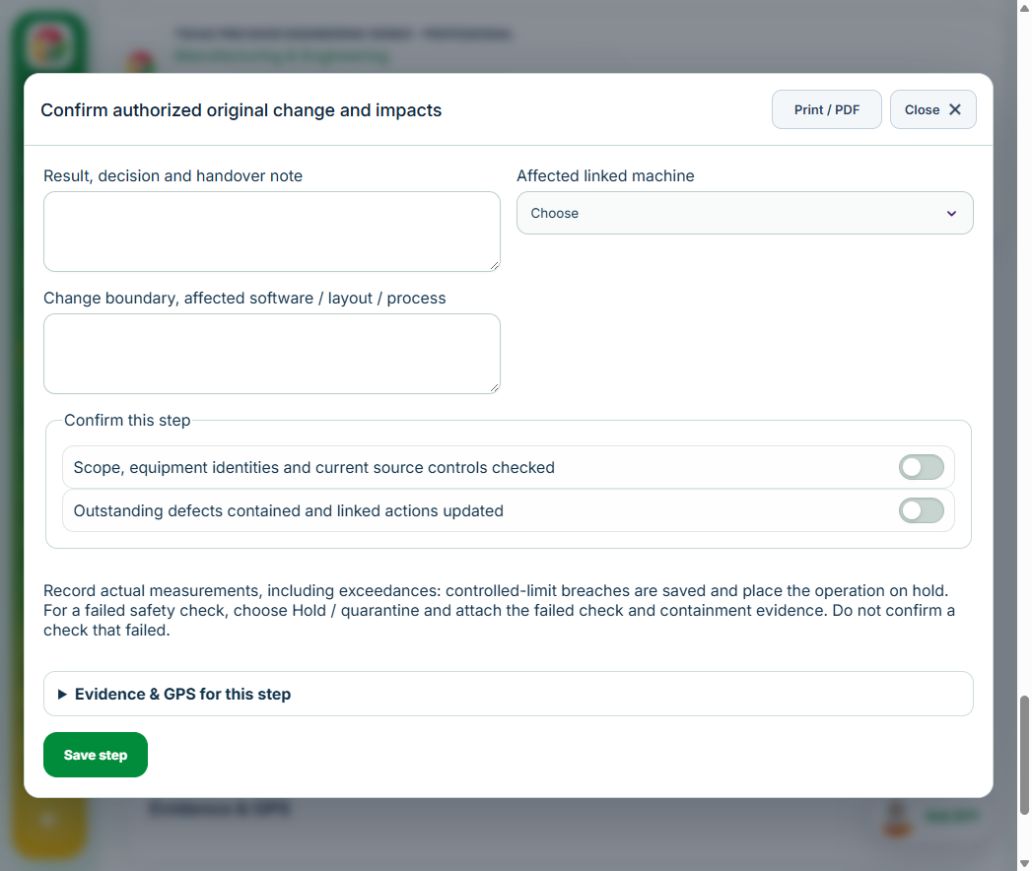
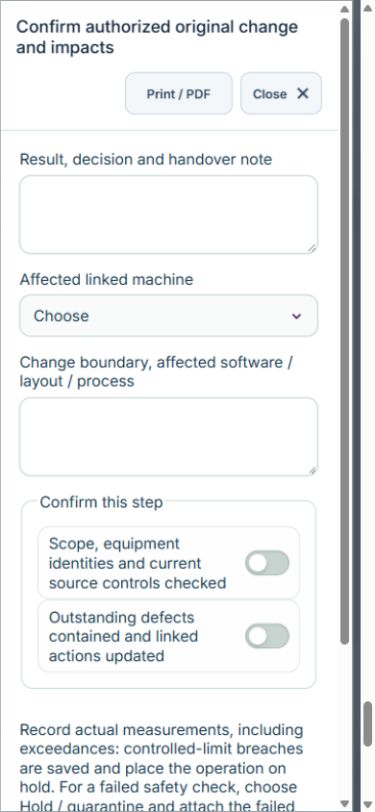
Owner: Confirm authorized original change and impacts. Enter Affected linked machine ID; Change boundary, affected software / layout / process. Complete the required confirmations: Scope, equipment identities and current source controls checked; Outstanding defects contained and linked actions updated. Link the original equipment assets, moc requests, hirarc assessments.
Owner: Implement approved change and update documents. Enter Engineering changes and as-built references; Updated procedures and affected-worker briefing. Complete the required confirmations: Scope, equipment identities and current source controls checked; Outstanding defects contained and linked actions updated. Link the original safe work procedures.
Owner: Perform commissioning and barrier tests. Enter Commissioning tests (Test point, Approved acceptance criterion, Result). Complete the required confirmations: Scope, equipment identities and current source controls checked; Outstanding defects contained and linked actions updated.
Independent reviewer: Accept original pre-startup review and hand over. Enter Pre-startup requirements complete; Operating limits and handover. Complete the required confirmations: Scope, equipment identities and current source controls checked; Outstanding defects contained and linked actions updated. Requires current independently accepted reviews: startup review.
If a check fails: close the step form, choose Hold / quarantine and save the failure, containment evidence and GPS. Correct the source records in the same industry workspace. A different authorized reviewer checks fresh clean recovery evidence before releasing the hold; the owner cannot self-release.
For exposure, environmental and ergonomic measurements, save actual results even when they exceed the approved plan: the record retains the values and automatically holds the operation. A reviewer must approve the measurement basis before sampling. Record fresh recheck results and link completed CAPA when a limit was exceeded. Named equipment, operator and competency selectors use linked source records; their identities and validity are checked again on save.
At final sign-off, all required reviews are rechecked. Linked Work Packages, PTW, CAPA and after-hours must be finished, and linked LOTO restoration verified. The independent reviewer closes the operation. Reopen requires that reviewer, a reason and new recovery evidence; earlier readings stay in history.
Use Print / PDF at the operation header or form header for the controlled form, QR and evidence/GPS attachments. Close dismisses a form; it does not close the business record. My Actions and My Deadline use the next permitted role; reminders follow existing in-app, PWA and email preferences.
Desktop · Confirm authorized original change and impactsMobile · Confirm authorized original change and impacts
26Manufacturing & EngineeringShutdown / turnaround & restart coordinationCarry out the work with measured results and independent handover.
How to use this section
Manager: select the profile and site, open Operations & handovers → Plan operation, choose Shutdown / turnaround & restart coordination, name the owner and a different authorized reviewer, enter the deadline (UTC), and link saved source records and accepted site reviews.
Owner: open the operation in this workspace. Check its scope and source links; choose Start operation. Add the readings and evidence in the step form, using Add row for each additional observation or person. GPS is recorded with the action when captured.
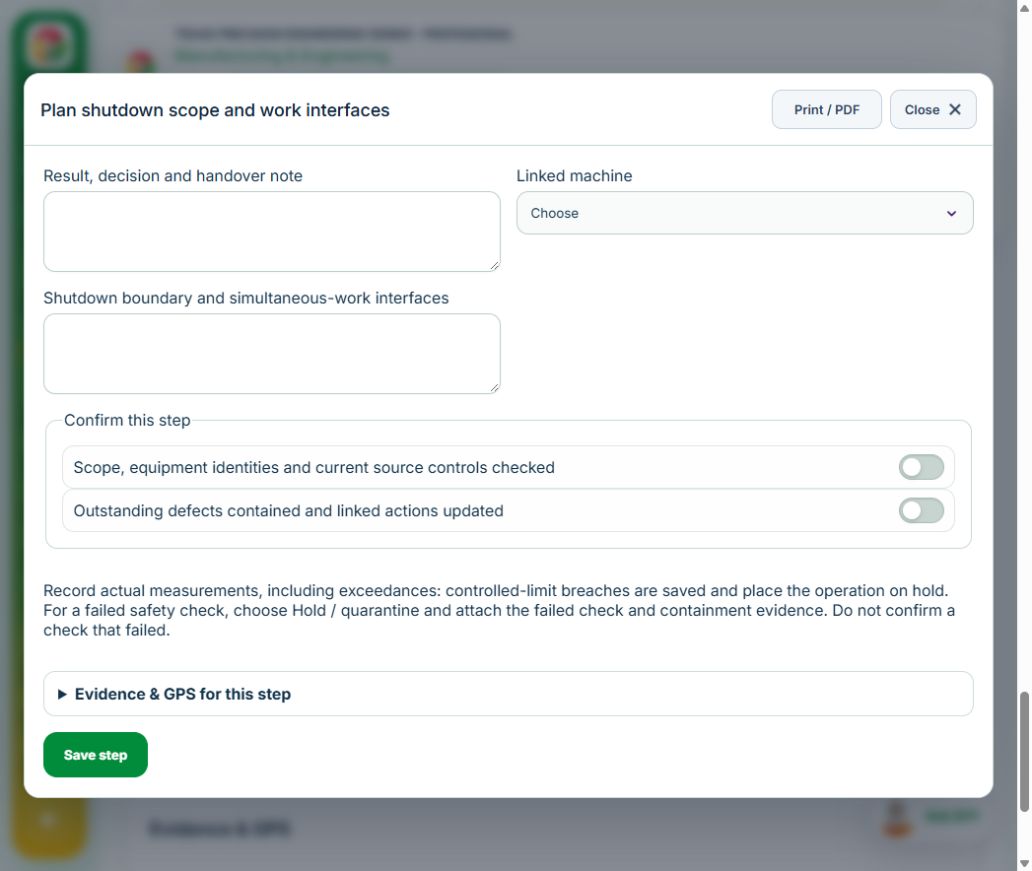
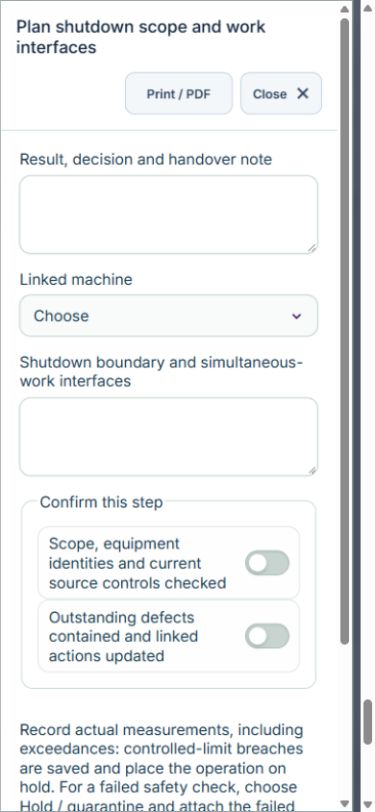
Owner: Plan shutdown scope and work interfaces. Enter Linked machine ID; Shutdown boundary and simultaneous-work interfaces. Complete the required confirmations: Scope, equipment identities and current source controls checked; Outstanding defects contained and linked actions updated. Link the original equipment assets, work packages, hirarc assessments.
Owner: Confirm original permits and zero-energy status. Enter Required isolations verified; Workfront coordination and emergency access. Complete the required confirmations: Scope, equipment identities and current source controls checked; Outstanding defects contained and linked actions updated. Link the original ptw permits, loto isolations.
Owner: Reconcile work completion and outstanding defects. Enter Workfront and systems restored; Defect disposition and restart restrictions. Complete the required confirmations: Scope, equipment identities and current source controls checked; Outstanding defects contained and linked actions updated.
Independent reviewer: Independently authorize controlled restart. Enter Restart checks passed; Restart sequence and responsible operations team. Complete the required confirmations: Scope, equipment identities and current source controls checked; Outstanding defects contained and linked actions updated. Requires current independently accepted reviews: maintenance release.
If a check fails: close the step form, choose Hold / quarantine and save the failure, containment evidence and GPS. Correct the source records in the same industry workspace. A different authorized reviewer checks fresh clean recovery evidence before releasing the hold; the owner cannot self-release.
For exposure, environmental and ergonomic measurements, save actual results even when they exceed the approved plan: the record retains the values and automatically holds the operation. A reviewer must approve the measurement basis before sampling. Record fresh recheck results and link completed CAPA when a limit was exceeded. Named equipment, operator and competency selectors use linked source records; their identities and validity are checked again on save.
At final sign-off, all required reviews are rechecked. Linked Work Packages, PTW, CAPA and after-hours must be finished, and linked LOTO restoration verified. The independent reviewer closes the operation. Reopen requires that reviewer, a reason and new recovery evidence; earlier readings stay in history.
Use Print / PDF at the operation header or form header for the controlled form, QR and evidence/GPS attachments. Close dismisses a form; it does not close the business record. My Actions and My Deadline use the next permitted role; reminders follow existing in-app, PWA and email preferences.
Desktop · Plan shutdown scope and work interfacesMobile · Plan shutdown scope and work interfaces
27Manufacturing & EngineeringFire / combustible-dust barrier impairment & restorationCarry out the work with measured results and independent handover.
How to use this section
Manager: select the profile and site, open Operations & handovers → Plan operation, choose Fire / combustible-dust barrier impairment & restoration, name the owner and a different authorized reviewer, enter the deadline (UTC), and link saved source records and accepted site reviews.
Owner: open the operation in this workspace. Check its scope and source links; choose Start operation. Add the readings and evidence in the step form, using Add row for each additional observation or person. GPS is recorded with the action when captured.
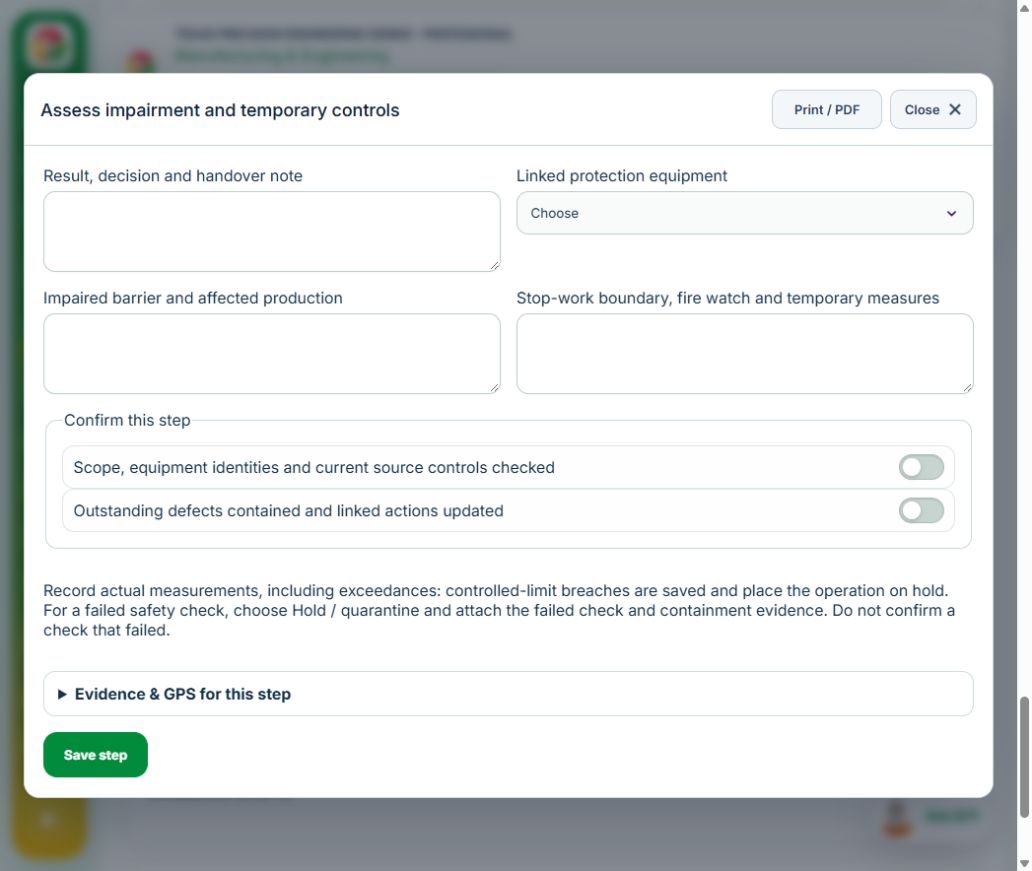
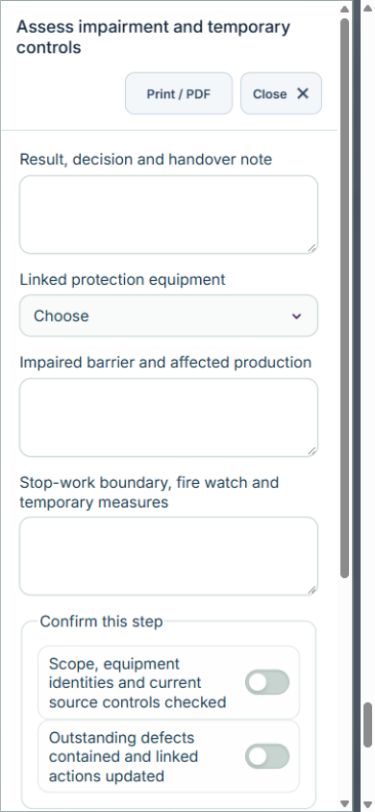
Owner: Assess impairment and temporary controls. Enter Linked protection equipment ID; Impaired barrier and affected production; Stop-work boundary, fire watch and temporary measures. Complete the required confirmations: Scope, equipment identities and current source controls checked; Outstanding defects contained and linked actions updated. Link the original equipment assets, hirarc assessments, capa actions.
Independent reviewer: Independently accept temporary control plan. Enter Temporary controls adequate; Temporary authorization expiry UTC. Complete the required confirmations: Scope, equipment identities and current source controls checked; Outstanding defects contained and linked actions updated.
Owner: Restore and test protection. Enter Protection tests (Protection point, Test method, Result). Complete the required confirmations: Scope, equipment identities and current source controls checked; Outstanding defects contained and linked actions updated. Link the original inspections.
Independent reviewer: Verify restoration and withdraw temporary controls. Enter Barrier handback and withdrawal of temporary arrangements. Complete the required confirmations: Scope, equipment identities and current source controls checked; Outstanding defects contained and linked actions updated.
If a check fails: close the step form, choose Hold / quarantine and save the failure, containment evidence and GPS. Correct the source records in the same industry workspace. A different authorized reviewer checks fresh clean recovery evidence before releasing the hold; the owner cannot self-release.
For exposure, environmental and ergonomic measurements, save actual results even when they exceed the approved plan: the record retains the values and automatically holds the operation. A reviewer must approve the measurement basis before sampling. Record fresh recheck results and link completed CAPA when a limit was exceeded. Named equipment, operator and competency selectors use linked source records; their identities and validity are checked again on save.
At final sign-off, all required reviews are rechecked. Linked Work Packages, PTW, CAPA and after-hours must be finished, and linked LOTO restoration verified. The independent reviewer closes the operation. Reopen requires that reviewer, a reason and new recovery evidence; earlier readings stay in history.
Use Print / PDF at the operation header or form header for the controlled form, QR and evidence/GPS attachments. Close dismisses a form; it does not close the business record. My Actions and My Deadline use the next permitted role; reminders follow existing in-app, PWA and email preferences.
Desktop · Assess impairment and temporary controlsMobile · Assess impairment and temporary controls
28Manufacturing & EngineeringEnvironmental monitoring & excursion follow-upCarry out the work with measured results and independent handover.
How to use this section
Manager: select the profile and site, open Operations & handovers → Plan operation, choose Environmental monitoring & excursion follow-up, name the owner and a different authorized reviewer, enter the deadline (UTC), and link saved source records and accepted site reviews.
Owner: open the operation in this workspace. Check its scope and source links; choose Start operation. Add the readings and evidence in the step form, using Add row for each additional observation or person. GPS is recorded with the action when captured.
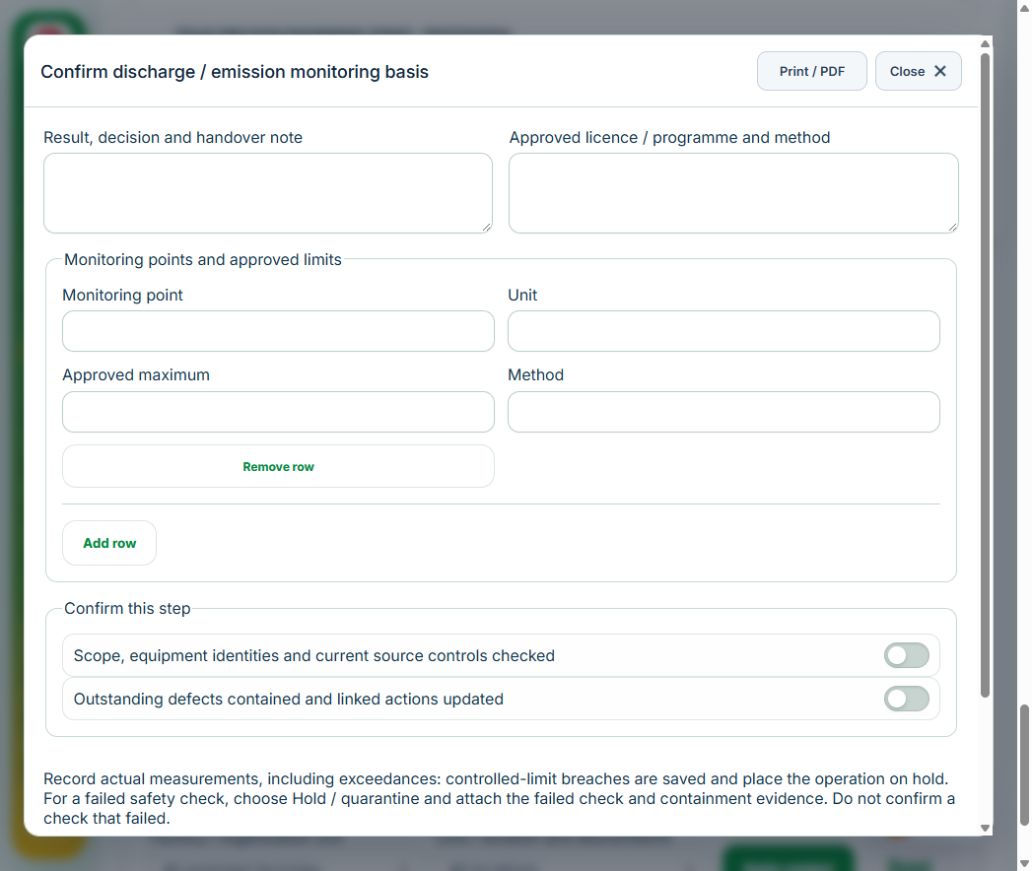
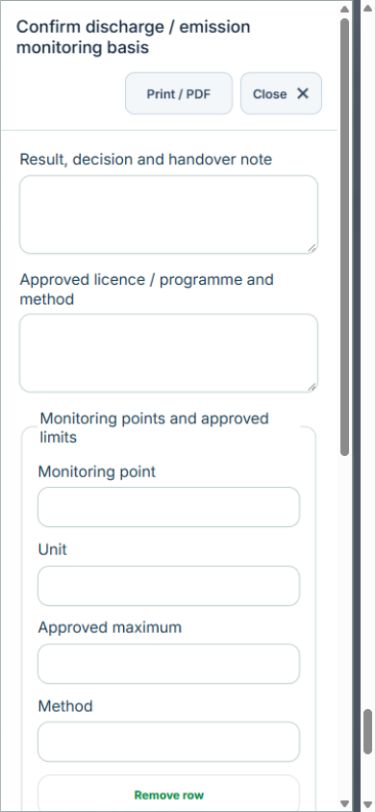
Owner: Confirm discharge / emission monitoring basis. Enter Approved licence / programme and method; Monitoring points and approved limits (Monitoring point, Unit, Approved maximum, Method). Complete the required confirmations: Scope, equipment identities and current source controls checked; Outstanding defects contained and linked actions updated. Link the original legal obligations.
Independent reviewer: Independently accept the measurement plan. Enter Approved limits, method and calibration basis. Complete the required confirmations: Limits, units, methods and sampling competence verified.
Owner: Record verified monitoring results. Enter Results (Monitoring point, Result, Sample time UTC). Complete the required confirmations: Scope, equipment identities and current source controls checked; Outstanding defects contained and linked actions updated.
Owner: Recheck controls and resolve any excursion. Enter Results (Monitoring point, Result, Sample time UTC). Complete the required confirmations: Controls restored and follow-up records linked.
Independent reviewer: Verify compliance disposition and source records. Enter Original environmental record reference and disposition; Limits and follow-up satisfied. Complete the required confirmations: Scope, equipment identities and current source controls checked; Outstanding defects contained and linked actions updated.
If a check fails: close the step form, choose Hold / quarantine and save the failure, containment evidence and GPS. Correct the source records in the same industry workspace. A different authorized reviewer checks fresh clean recovery evidence before releasing the hold; the owner cannot self-release.
For exposure, environmental and ergonomic measurements, save actual results even when they exceed the approved plan: the record retains the values and automatically holds the operation. A reviewer must approve the measurement basis before sampling. Record fresh recheck results and link completed CAPA when a limit was exceeded. Named equipment, operator and competency selectors use linked source records; their identities and validity are checked again on save.
At final sign-off, all required reviews are rechecked. Linked Work Packages, PTW, CAPA and after-hours must be finished, and linked LOTO restoration verified. The independent reviewer closes the operation. Reopen requires that reviewer, a reason and new recovery evidence; earlier readings stay in history.
Use Print / PDF at the operation header or form header for the controlled form, QR and evidence/GPS attachments. Close dismisses a form; it does not close the business record. My Actions and My Deadline use the next permitted role; reminders follow existing in-app, PWA and email preferences.
29Manufacturing & EngineeringIntegrated audit & finding effectivenessCarry out the work with measured results and independent handover.
How to use this section
Manager: select the profile and site, open Operations & handovers → Plan operation, choose Integrated audit & finding effectiveness, name the owner and a different authorized reviewer, enter the deadline (UTC), and link saved source records and accepted site reviews.
Owner: open the operation in this workspace. Check its scope and source links; choose Start operation. Add the readings and evidence in the step form, using Add row for each additional observation or person. GPS is recorded with the action when captured.
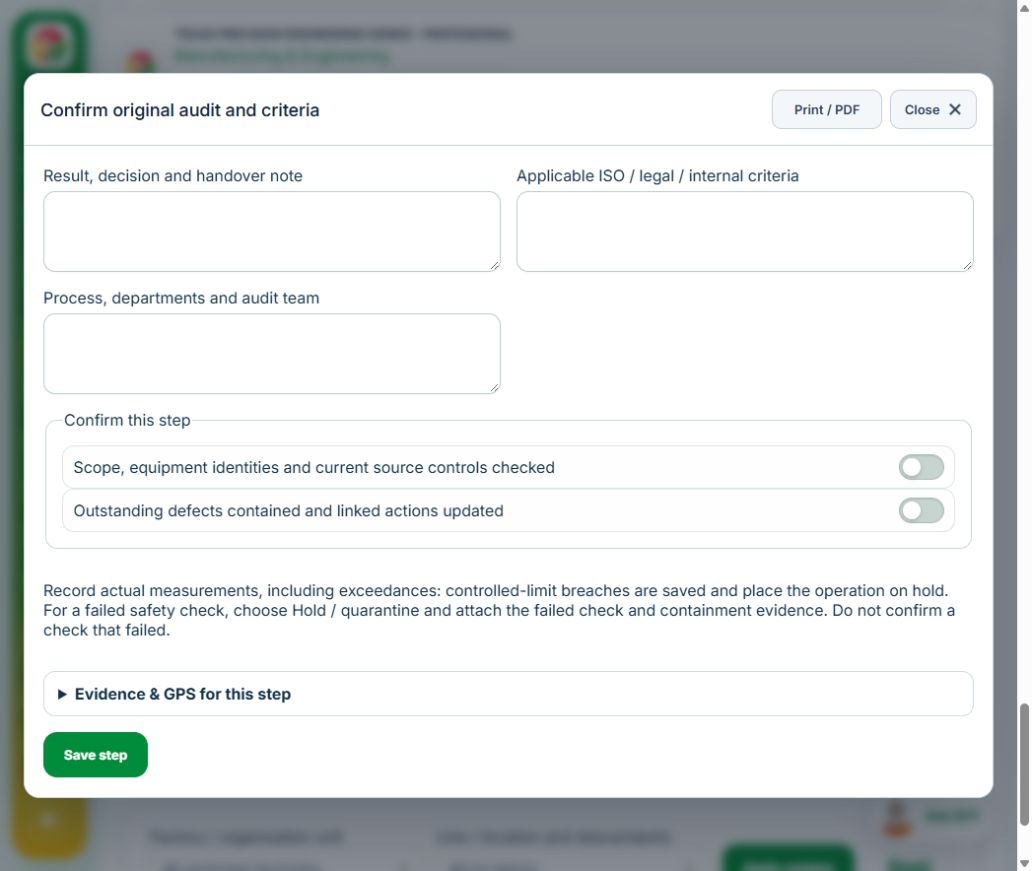
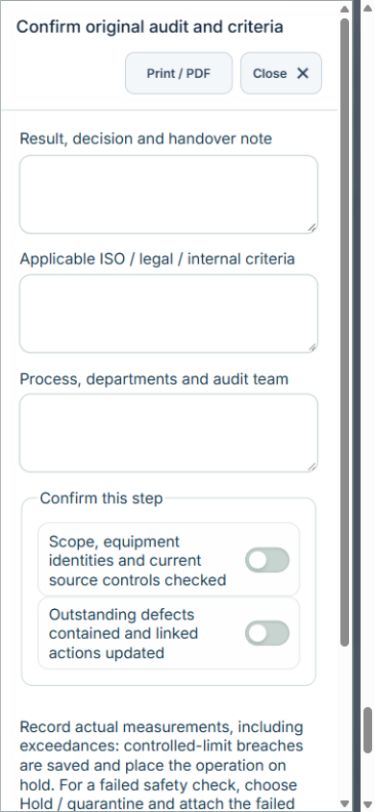
Owner: Confirm original audit and criteria. Enter Applicable ISO / legal / internal criteria; Process, departments and audit team. Complete the required confirmations: Scope, equipment identities and current source controls checked; Outstanding defects contained and linked actions updated. Link the original assurance audits.
Owner: Link findings to original corrective actions. Enter Findings and corrective actions (Finding and objective evidence, Criterion, Linked CAPA ID). Complete the required confirmations: Scope, equipment identities and current source controls checked; Outstanding defects contained and linked actions updated. Link the original capa actions.
Independent reviewer: Verify original action effectiveness. Enter Effectiveness evidence and recurrence check; Effective. Complete the required confirmations: Scope, equipment identities and current source controls checked; Outstanding defects contained and linked actions updated.
If a check fails: close the step form, choose Hold / quarantine and save the failure, containment evidence and GPS. Correct the source records in the same industry workspace. A different authorized reviewer checks fresh clean recovery evidence before releasing the hold; the owner cannot self-release.
For exposure, environmental and ergonomic measurements, save actual results even when they exceed the approved plan: the record retains the values and automatically holds the operation. A reviewer must approve the measurement basis before sampling. Record fresh recheck results and link completed CAPA when a limit was exceeded. Named equipment, operator and competency selectors use linked source records; their identities and validity are checked again on save.
At final sign-off, all required reviews are rechecked. Linked Work Packages, PTW, CAPA and after-hours must be finished, and linked LOTO restoration verified. The independent reviewer closes the operation. Reopen requires that reviewer, a reason and new recovery evidence; earlier readings stay in history.
Use Print / PDF at the operation header or form header for the controlled form, QR and evidence/GPS attachments. Close dismisses a form; it does not close the business record. My Actions and My Deadline use the next permitted role; reminders follow existing in-app, PWA and email preferences.
Desktop · Confirm original audit and criteriaMobile · Confirm original audit and criteria
30Manufacturing & EngineeringImported plant observations & alarm triageCarry out the work with measured results and independent handover.
How to use this section
Manager: select the profile and site, open Operations & handovers → Plan operation, choose Imported plant observations & alarm triage, name the owner and a different authorized reviewer, enter the deadline (UTC), and link saved source records and accepted site reviews.
Owner: open the operation in this workspace. Check its scope and source links; choose Start operation. Add the readings and evidence in the step form, using Add row for each additional observation or person. GPS is recorded with the action when captured.
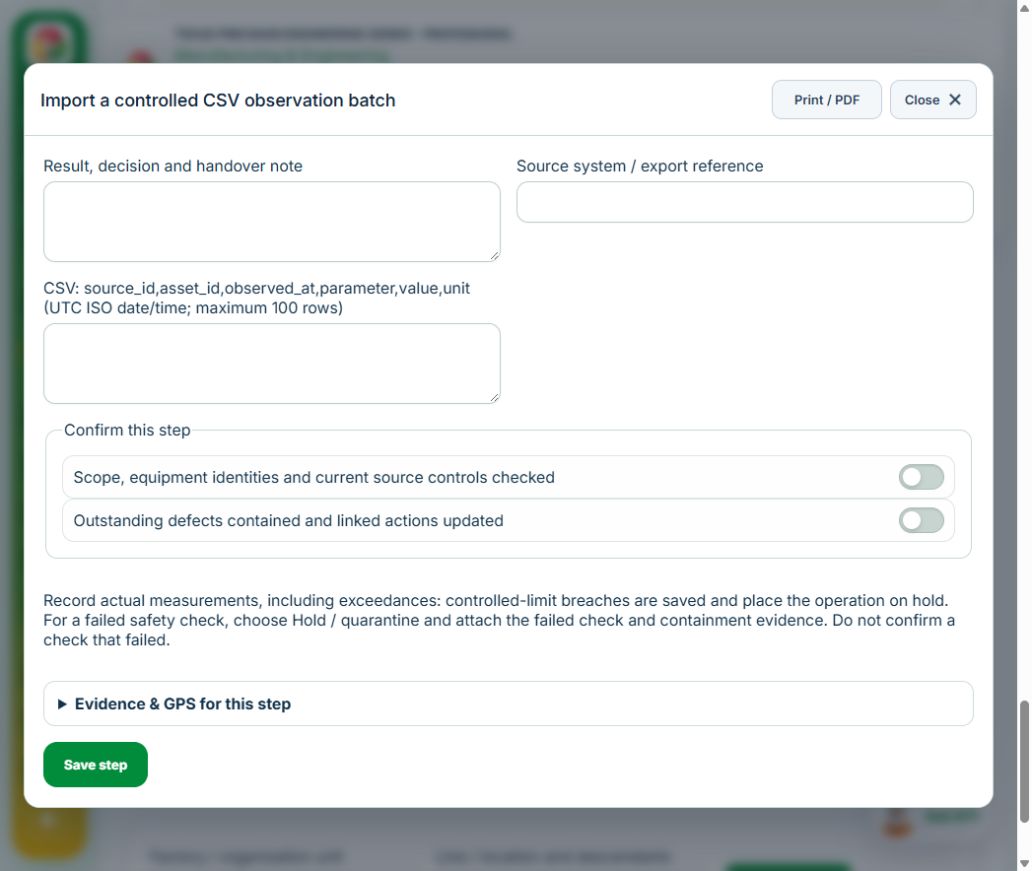
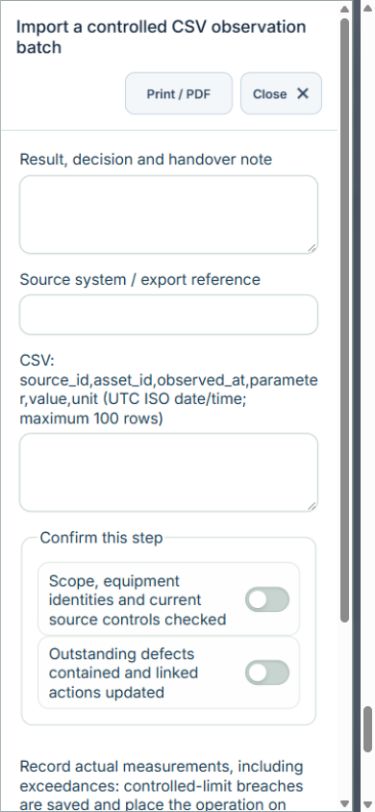
Owner: Import a controlled CSV observation batch. Enter Source system / export reference; CSV: source_id,asset_id,observed_at,parameter,value,unit (UTC ISO date/time; maximum 100 rows). Complete the required confirmations: Scope, equipment identities and current source controls checked; Outstanding defects contained and linked actions updated. Link the original equipment assets.
Owner: Evaluate observations and assign original follow-up. Enter Alarm meaning, containment and responsible response; Linked follow-up CAPA ID. Complete the required confirmations: Scope, equipment identities and current source controls checked; Outstanding defects contained and linked actions updated. Link the original capa actions.
Independent reviewer: Independently verify response and close import batch. Enter Source action effectiveness and integration reconciliation; Follow-up complete. Complete the required confirmations: Scope, equipment identities and current source controls checked; Outstanding defects contained and linked actions updated.
If a check fails: close the step form, choose Hold / quarantine and save the failure, containment evidence and GPS. Correct the source records in the same industry workspace. A different authorized reviewer checks fresh clean recovery evidence before releasing the hold; the owner cannot self-release.
For exposure, environmental and ergonomic measurements, save actual results even when they exceed the approved plan: the record retains the values and automatically holds the operation. A reviewer must approve the measurement basis before sampling. Record fresh recheck results and link completed CAPA when a limit was exceeded. Named equipment, operator and competency selectors use linked source records; their identities and validity are checked again on save.
Import a controlled CSV export using source_id,asset_id,observed_at,parameter,value,unit. Use UTC ISO date/time, numeric values and linked equipment IDs; maximum 100 rows. Source IDs cannot repeat within a batch or an earlier batch from the same source system. Review each alarm and create linked CAPA where action is required. Importing observations does not operate or update plant equipment.
At final sign-off, all required reviews are rechecked. Linked Work Packages, PTW, CAPA and after-hours must be finished, and linked LOTO restoration verified. The independent reviewer closes the operation. Reopen requires that reviewer, a reason and new recovery evidence; earlier readings stay in history.
Use Print / PDF at the operation header or form header for the controlled form, QR and evidence/GPS attachments. Close dismisses a form; it does not close the business record. My Actions and My Deadline use the next permitted role; reminders follow existing in-app, PWA and email preferences.
Desktop · Import a controlled CSV observation batchMobile · Import a controlled CSV observation batch
31Manufacturing & EngineeringAssets, certificates, calendar and reportingUse one source record across industry views.
How to use this section
Assets & equipment is a filtered view of Equipment. Use its shared Add, Edit and Detail forms, certificate records and approval workflow.
Certificates & compliance summarizes source certificates and linked legal obligations. Amend the source record instead of entering a duplicate certificate.
All industries use Equipment Certificates & renewals: required types, PIC reminders, draft evidence, independent verification and retained replacement history. Use Maintenance & work controls for internal, contractor or mixed repair work and controlled return to service.
Use Calendar & recurring work to plan due dates. A new cycle creates a fresh draft and requires fresh readiness checks and approval.
Apply the desired scope and filters before exporting CSV or PDF. Open Action Inbox for assigned reviews and follow-up.